As an Amazon Associate we earn from qualifying purchases. Learn more.
How to Build a Photographer’s Backup Storage & Power System (2026)
On-location photographers need a compact, reliable workflow for offloading cards, keeping multiple copies, and staying powered during long shoots. This guide lays out a complete 2026 kit — portable SSDs, M.2/SSD enclosures and readers, and the power hardware and charging strategy to keep everything running. Products were chosen for speed, build quality, heat management, cross-platform compatibility and real-world value; customer feedback on durability and battery life was weighed. Read on for role-based recommendations and a step-by-step shopping and setup guide so you can leave the shoot with safe, redundant backups.
Quick Answer
For an on-location photographer backup system choose a fast NVMe enclosure like the ASUS ROG STRIX Arion for desktop-grade transfer speed and solid build; pair it with a rugged portable SSD such as the Crucial X9 for single-drive travel backups. The ASUS Arion balances speed, thermal management features, and tool-free setup, making it the best single enclosure pick.
Our Top Picks
Quick Comparison
Select 2-3 products to compare side-by-side
| Compare | Product | GearLark Score | Price Tier | Key Feature | Best For | Action |
|---|---|---|---|---|---|---|
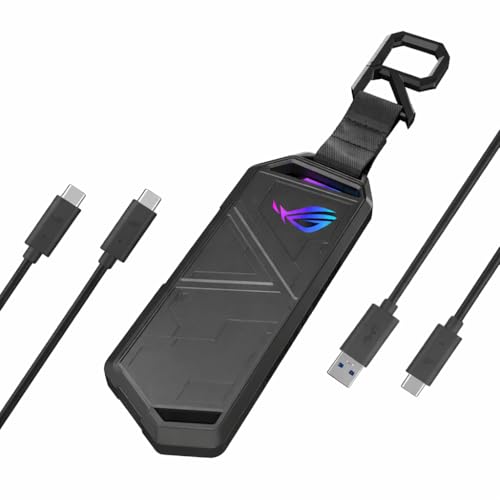 ASUS ROG STRIX Arion
|
Mid-Range | Aluminum case with thermal pads & RGB | High‑speed NVMe enclosure for pros | Check Price | ||
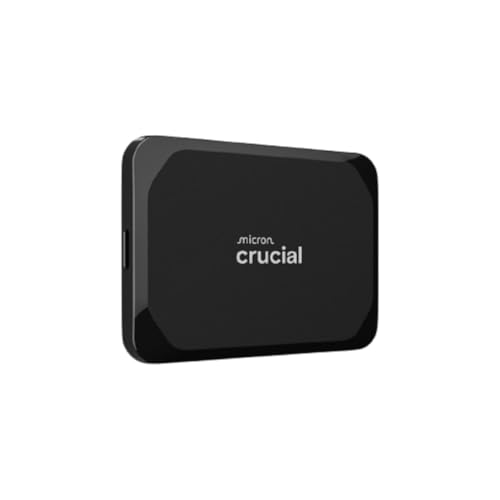 Crucial X9 1TB
|
Premium | Rugged IP55-rated portable SSD | Travel & single-drive on-location backups | Check Price | ||
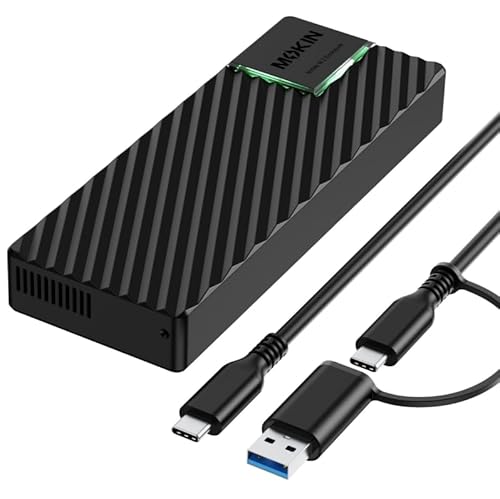 MOKiN 20Gbps Enclosure
|
Budget | USB 3.2 Gen2x2 20Gbps-capable | Budget-conscious high-speed NVMe users | Check Price | ||
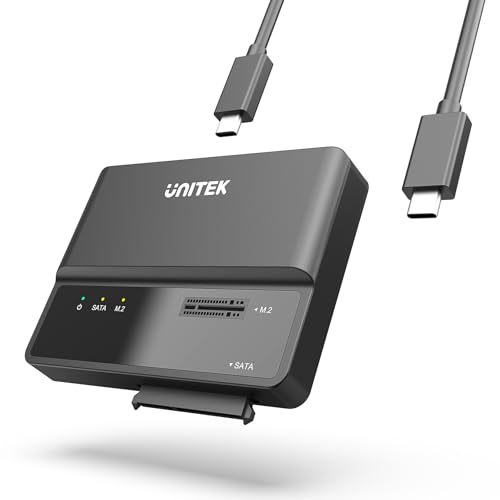 Unitek 2-in-1 Adapter
|
Budget | Dual NVMe and SATA support (2-in-1) | Drive recovery & mixed-drive workflows | Check Price | ||
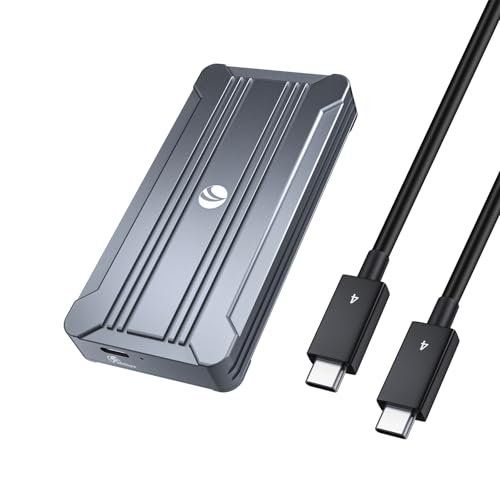 V VCOM 40Gbps Enclosure
|
Mid-Range | USB4/Thunderbolt 40Gbps throughput | Ultra-fast TB4/USB4 backup workflows | Check Price | ||
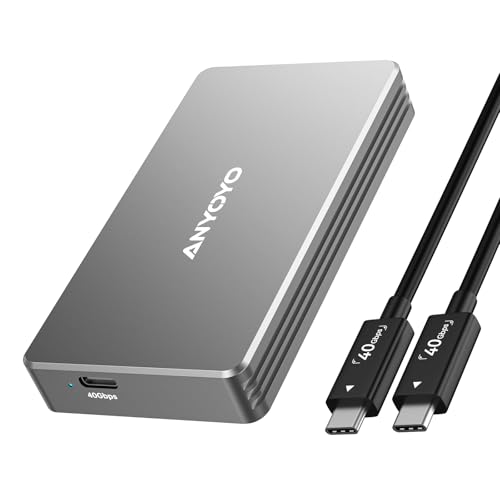 ANYOYO 40Gbps Enclosure
|
Mid-Range | Dual-chip reliability for USB4/TB4 | Consistent Thunderbolt 4 transfers | Check Price | ||
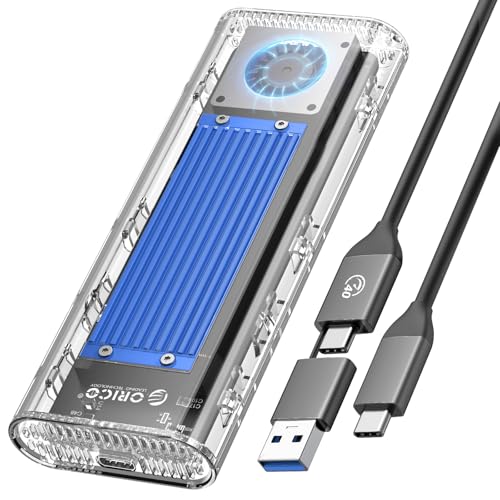 ORICO 40Gbps Fan Enclosure
|
Mid-Range | Built-in cooling fan for sustained transfers | Large, sustained backups and video offloads | Check Price |
1. ASUS ROG STRIX Arion Aluminum Alloy M.2 NVMe SSD External Portable Enclosure Case Adapter, USB 3.2 Gen 2 Type-C (10 Gbps), USB-C to C and USB-C to A Cables, Fits PCIe 2280/2260/2242/2230 M Key/B+M Key
A well-engineered, tool-free NVMe enclosure that blends solid aluminum cooling, easy installation and USB 3.2 Gen 2 connectivity. Users praise its build quality, fast transfers and ease of installation; thermal pads help but the unit can run hot under prolonged heavy use.
Key Specs
- USB Type-C 3.2 Gen 2 (up to 10 Gbps)
- Supports M.2 PCIe NVMe 2230/2242/2260/2280
- Screwdriver-free installation with thermal pads
- Includes USB-C to C and USB-C to A cables
Pros
- Solid aluminum construction with thermal pads
- Tool-free, easy installation and setup
- Fast transfers via USB 3.2 Gen 2
Cons
- Can get very hot during extended transfers
- Some buyers debate its value for the price
Best For: High‑speed NVMe enclosure for pros
Check Latest Price on Amazon2. Crucial X9 1TB Portable SSD, Up to 1050MB/s, USB 3.2 USB-C, External Solid State Drive, Compatible with Windows, Mac, & Android, Reliable Storage for Games, Files, & Backups, Black - CT1000X9SSD902
A compact, weather-resistant portable SSD with high read/write capability and drop protection—excellent for single-drive offloads in the field. Customers praise its build and portability, though some report varied performance and occasional compatibility quirks on specific hosts.
Key Specs
- Up to 1050 MB/s transfer speed
- 1TB capacity (model CT1000X9SSD902)
- IP55 water and dust resistance; drop resistant to ~2m
- USB-C connectivity, broad device compatibility
Pros
- Rugged build suited for outdoor shoots
- Fast enough for single-drive RAW and video transfers
- Compact and easy to carry
Cons
- Some mixed reports on top sustained speeds
- A few compatibility edge cases with certain devices
Best For: Travel & single-drive on-location backups
Check Latest Price on Amazon3. MOKiN M.2 NVMe Enclosure, 20Gbps M2 SSD Enclosure Compatible with 10Gbps USB C External SSD Enclosure USB 3.2 Gen 2x2 for 2242/2260/2280 Drives, Support M/B+M Key NVMe SSD, Aluminum Case Plug & Play
A strong budget option that can deliver very high throughput on compatible hosts (USB 3.2 Gen 2x2). It’s tool-free and well-built for the price, but host support is required to reach top speeds and heat can be noticeable during long transfers.
Key Specs
- Supports up to 20Gbps (requires host Gen2x2)
- Compatible with M.2 2242/2260/2280 (M/B+M key)
- Aluminum casing with LED activity indicator
- RTL9220 controller; plug-and-play
Pros
- Outstanding value for speed when host-supported
- Tool-free, easy to install
- Aluminum build for better heat conduction
Cons
- Gets warm under load for extended transfers
- 20Gbps speeds require specific host ports
Best For: Budget-conscious high-speed NVMe users
Check Latest Price on Amazon4. Unitek M.2 NVME SATA SSD Enclosure-2 in 1 Tool-Free Portable 10Gbps NVMe PCI-E M.2 and SATA SSD External Adapter USB 3.2 Hard Drive Reader for 2230/2242/2260/2280 NVMe and 2.5" /3.5" SSD
A versatile, tool-free adapter that handles M.2 NVMe, M.2 SATA and 2.5/3.5-inch SATA drives—ideal for photographers who need to access legacy drives or recover cards. It includes a DC power adapter for 3.5" drives and is praised for ease of use, though cloning and 3.5" setups need external power.
Key Specs
- USB 3.1 Gen 2 Type-C (up to 10Gbps)
- Supports M.2 NVMe (M/B key) and SATA 2.5/3.5"
- Includes 12V/2A power adapter for 3.5" drives
- Tool-free installation and LED activity indicator
Pros
- Extremely versatile for different drive types
- Easy, quick setup for data recovery
- Good value and broad compatibility
Cons
- 3.5" SATA needs external power supply
- Does not support cloning operations
Best For: Drive recovery & mixed-drive workflows
Check Latest Price on Amazon5. 40Gbps NVMe Enclosure,V VCOM M.2 NVMe SSD Enclosure, Aluminum Alloy External NVMe Enclosure Support Size 2280 M&B+M-Key,Compatible with Thunderbolt 3/4,USB4/3.2/3.1/3.0/2.0
A true USB4/Thunderbolt-capable enclosure built for blistering transfers, suitable for photographers transferring large RAW or video files quickly. It offers compelling value and strong performance, though users report mixed experiences with heat dissipation and occasional cable/connectivity quirks.
Key Specs
- Supports up to 40Gbps via USB4/Thunderbolt
- Intel JHL7440 controller; 2280 M/B+M-key support
- Aluminum shell with thermal pad
- Plug-and-play cross-platform compatibility
Pros
- Incredible potential transfer speeds on USB4/TB4 hosts
- Well-priced for 40Gbps capability
- Good overall build quality
Cons
- Heat management varies by SSD and workload
- Some users report intermittent connectivity/cable issues
Best For: Ultra-fast TB4/USB4 backup workflows
Check Latest Price on Amazon6. ANYOYO 40Gbps M.2 NVMe SSD Enclosure with Aluminum Alloy Heat Dissipation, No Noise External SSD Case Compatible for Thunderbolt 4/3/USB4, Support M/B+M Key SSD, Tool-Free Installation
A quiet, well-built 40Gbps enclosure using dual control chips to improve compatibility and reliability. Buyers like the aluminum build and low noise; some report mixed write speed and heat resistance in heavy use scenarios.
Key Specs
- 40Gbps (Thunderbolt 4/3 & USB4 compatible)
- JHL7440 + RTL9210 dual-chip design
- Tool-free install, supports up to 8TB SSDs
- Aluminum alloy shell with silicone thermal pad
Pros
- Quiet operation and solid build quality
- Broad compatibility across systems
- Tool-free installation
Cons
- Mixed reports on sustained write speeds
- Heat resistance varies with workloads
Best For: Consistent Thunderbolt 4 transfers
Check Latest Price on Amazon7. ORICO 40Gbps M.2 NVMe SSD Enclosure with Built-in Cooling Fan, Tool-Free External Hard Drive Enclosure, Support 2230 2242 2260 2280(M Key), Compatible with Thunderbolt 3/4 USB4/3.2/3.1/3.0/2.0-TCM2U4
Designed for sustained high-throughput tasks, ORICO’s enclosure adds an active cooling fan plus silicone thermal pads to keep NVMe drives cooler during big transfers. It delivers top speeds and ease of use, though a few compatibility warnings exist for specific SSD models and heat can still be an issue with some drives.
Key Specs
- Up to 40Gbps speeds (USB4/Thunderbolt recommended)
- Built-in silent cooling fan + silicone pads
- Tool-free installation; supports up to 4TB SSDs
- Includes dual-output cable (C-to-A 10Gbps & C-to-C 40Gbps)
Pros
- Active cooling for long transfer sessions
- Very fast on compatible hosts
- Tool-free and easy to install
Cons
- Not compatible with some SSD models/heatsinks
- Heat still reported on certain workloads
Best For: Large, sustained backups and video offloads
Check Latest Price on AmazonWhich One Should You Choose?
If budget is tight → pick the MOKiN 20Gbps Enclosure (B0FKFX8H24) or the Unitek 2‑in‑1 Adapter (B0CQ4LXVS7) for broad compatibility and value. If you need portable, rugged single-drive backups → choose the Crucial X9 1TB Portable SSD (B0CGW1FQV4). If you want the best balance of speed, build quality and easy installation for a professional workstation → the ASUS ROG STRIX Arion (B07ZKB4SLK) is the recommended enclosure. For sustained ultra-fast transfers and large video jobs on Thunderbolt/USB4 hosts choose the ORICO or V VCOM 40Gbps enclosures (B0CG63FK3R, B0BTYD66L4) for better long-run throughput.
Best for Specific Scenarios
- Wedding/location shoot: Crucial X9 1TB because its IP55 rating and drop resistance keep your backup safe while traveling light.
- Multi-card offload at base camp: ORICO 40Gbps Fan Enclosure because the active cooling and sustained throughput help move many cards quickly without overheating.
- Legacy drive access & recovery: Unitek 2-in-1 Adapter because it handles NVMe and SATA (2.5/3.5") and includes external power for larger drives.
Frequently Asked Questions
Do I need an NVMe enclosure if I already have a portable SSD?
It depends on workflow. A rugged portable SSD (like the Crucial X9) is ideal for single-drive travel backups and speed up to its rated throughput. An NVMe enclosure lets you repurpose internal NVMe drives for workstation-speed transfers and scale capacity more flexibly. Choose an enclosure if you need very high transfer speeds, want to swap drives, or already own spare NVMe modules.
How do I prevent SSD overheating during long transfers?
Use enclosures with good passive cooling (aluminum bodies, thermal pads) or active cooling (small fan) for sustained transfers. Break up very large transfers into chunks, avoid placing the enclosure on insulating surfaces, and monitor drive temperature with software. If you frequently do large offloads, favor enclosures with active cooling or a design known for better heat dissipation.
What power bank and charger specs should I buy to run drives and a laptop on location?
Look for a charger with at least one 60–100W USB‑C PD port for laptops plus multiple 20–45W ports for SSDs and phones. For power banks, 20,000mAh or larger with PD output and passthrough charging is recommended; ensure the bank can sustain the PD voltage/current your laptop requires. Confirm manufacturer specs for stable PD output and prioritize tested performance over marketed capacity.
How We Selected These Products
Our recommendations are based on data-driven analysis: we evaluated 155229+ products across 23916+ brands using a composite scoring system that weighs rating (40%), review volume (30%), price value (20%), and demand signals (10%). Every product is ranked by data, not opinions.
Last updated: June 15, 2026
As an Amazon Associate we earn from qualifying purchases at no extra cost to you. Full disclosure.
GearLark Score is our editorial ranking based on a composite analysis of product quality, value, and verified customer sentiment. Click through to Amazon for current pricing, availability, and live customer reviews.