As an Amazon Associate we earn from qualifying purchases. Learn more.
Complete Fall On-Location Backup Kit for Photographers (2026 Guide)
Heading out for crisp fall shoots means dealing with mud, wind and long days — and you need a compact backup system that protects files, moves them fast, and keeps running when daylight fades. This guide builds an end-to-end on-location backup kit for photographers: rugged/portable storage enclosures and drives, fast USB-C/NVMe transfer tools, and the practical choices that make packing simple. I selected products for durability, transfer speed, cross-platform compatibility and value using manufacturer specs and common customer feedback on build quality, heat management and ease of use.
Quick Answer
For an all-around on-location backup kit that balances speed, compatibility and value, the Alxum M.2 NVME SATA SSD Enclosure (B0DSVYLK3R) is the best pick — it supports NVMe and SATA, offers tool-free setup and 10Gbps USB-C transfers. If you want the fastest, OWC's Express USB4 SSDs deliver premium 40Gb/s performance.
Our Top Picks
Quick Comparison
Select 2-3 products to compare side-by-side
| Compare | Product | GearLark Score | Price Tier | Key Feature | Best For | Action |
|---|---|---|---|---|---|---|
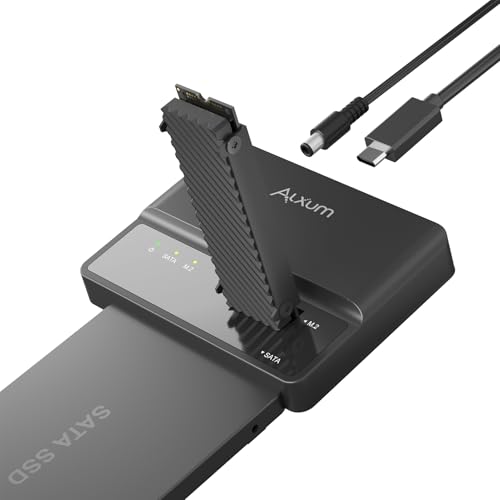 Alxum 2-in-1 NVMe/SATA Enclosure
|
Mid-Range | 2-in-1 NVMe + SATA tool-free | Shooters who want flexibility & value | Check Price | ||
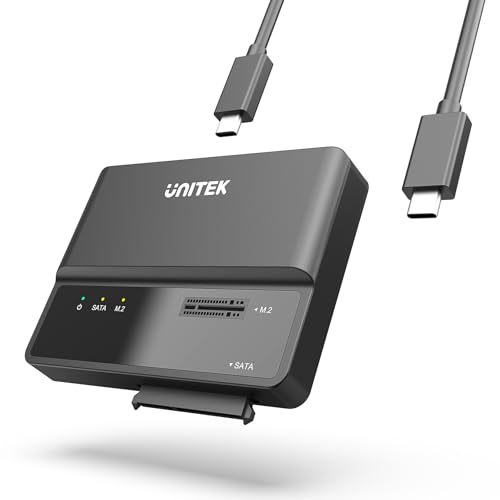 Unitek 2-in-1 Enclosure
|
Budget | Affordable 10Gbps NVMe support | Budget-conscious photographers | Check Price | ||
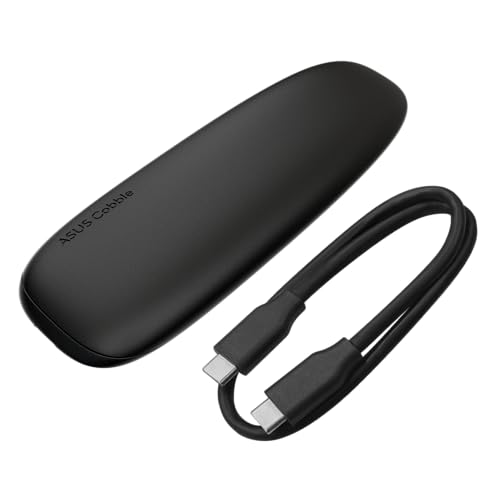 ASUS Cobble IP55 Enclosure
|
Mid-Range | IP55 water & dust resistance | Field shooters needing weather protection | Check Price | ||
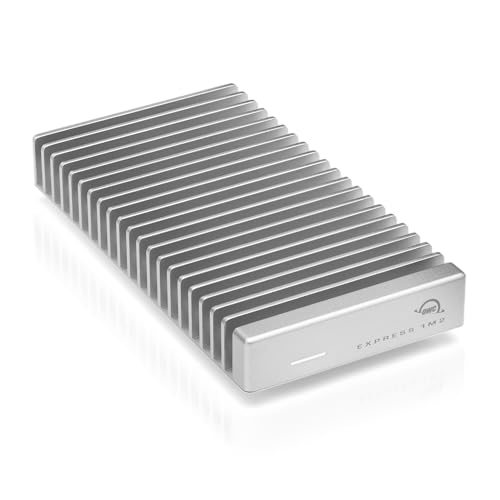 OWC 2TB USB4 Express SSD
|
Premium | USB4 / 40Gb/s ultra-fast | Photographers needing top transfer speed | Check Price | ||
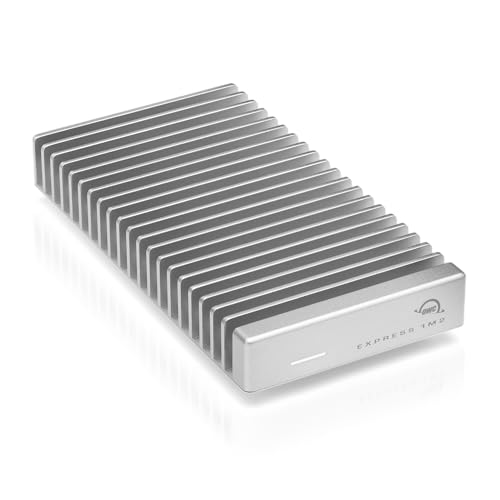 OWC 4TB USB4 Express SSD
|
Premium | High capacity + 40Gb/s speed | Multi-day shoots needing large single-drive capacity | Check Price | ||
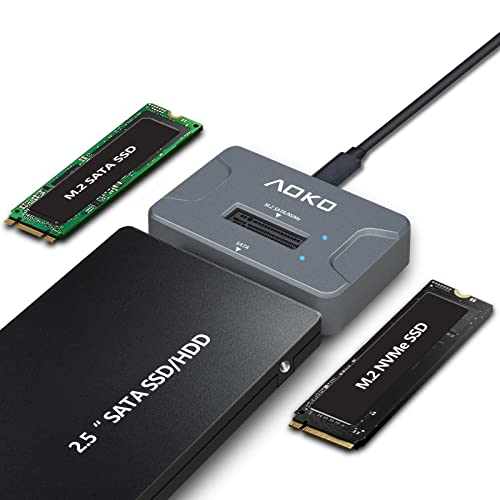 AOKO NVMe/ SATA Dock
|
Budget | 3-in-1 M.2 + SATA compatibility | Photographers needing a universal, affordable reader | Check Price |
1. Alxum M.2 NVME SATA SSD Enclosure External-- 2 in 1 Tool-Free Portable 10Gbps USB 3.2 SSD Hard Drive Reader for 2230/2242/2260/2280 M/B+M Key PCIE NVME M.2 and 2.5" /3.5" SATA SSD
Alxum combines NVMe and SATA support in a tool-free, portable enclosure with up to 10Gbps USB-C transfer. Its vertical cooling design and included power adapter for 3.5" drives make it a flexible field companion that balances performance and cost.
Key Specs
- Supports M.2 NVMe PCIe and 2.5/3.5" SATA drives
- USB 3.1 Gen 2 Type-C up to 10Gbps
- Tool-free install; hot-pluggable
- Includes 12V/2A power adapter for 3.5" disks
Pros
- Very flexible — works with NVMe and SATA drives
- Tool-free, travel-friendly setup
- Good value for speed and features
Cons
- Not as ruggedly sealed against weather as premium enclosures
- May run warm under sustained heavy transfers
Best For: Shooters who want flexibility & value
Check Latest Price on Amazon2. Unitek M.2 NVME SATA SSD Enclosure-2 in 1 Tool-Free Portable 10Gbps NVMe PCI-E M.2 and SATA SSD External Adapter USB 3.2 Hard Drive Reader for 2230/2242/2260/2280 NVMe and 2.5" /3.5" SSD
Unitek delivers the core features photographers need — NVMe and SATA compatibility, UASP/TRIM support and plug-and-play operation — at a budget price. Customers report ease of use and good transfer speeds for day-to-day backups.
Key Specs
- Supports 2230/2242/2260/2280 M.2 NVMe and 2.5/3.5" SATA
- USB 3.1 Gen 2 Type-C up to 10Gbps
- UASP and TRIM protocol support
- Tool-free install with LED status indicator
Pros
- Low-cost entry to NVMe portable backup
- Simple, tool-free installation
- Broad device compatibility
Cons
- Cooling and heat handling not as robust under long transfers
- Mixed reports on long-term durability
Best For: Budget-conscious photographers
Check Latest Price on Amazon3. ASUS Cobble Portable M.2 NVMe PCIe SSD Enclosure, USB-C 3.2 Gen 2, up to 10 Gbps Transfer speeds, IP55 Water and Dust-Resistance, Thermal pad, Windows 11 and macOS Support
ASUS Cobble stands out for field durability with an IP55-rated shell, aluminum heat-dissipating cover and clean, screw-free installation. It’s geared toward photographers who prioritize weather resistance and solid build without moving to premium price points.
Key Specs
- Dual M.2 interface: NVMe PCIe and SATA (2242/2260/2280)
- USB-C 3.2 Gen 2 up to 10Gbps
- Aluminum-alloy top cover for heat dissipation
- IP55 water and dust resistance
Pros
- Better protection from splashes and dust
- Stylish, well-constructed aluminum design
- Easy, screw-free installation
Cons
- Can run hot — thermal pad helps but sustained loads may elevate temps
- Perceived value varies; some find it pricier than basic enclosures
Best For: Field shooters needing weather protection
Check Latest Price on Amazon4. OWC 2TB Express 1M2 40Gb/s Portable NVMe SSD USB4 (Thunderbolt Compatible/USB-C) Ultra Fast External SSD Drive with Aluminum Heat Sink Enclosure
OWC's Express 1M2 is a performance-focused portable NVMe solution with USB4/Thunderbolt compatibility and an aluminum heat sink designed for long sustained transfers. It’s ideal when moving large RAW/ProRes files on tight schedules.
Key Specs
- Up to 40Gb/s USB4 / Thunderbolt compatible
- Real-world speeds up to ~3151MB/s
- Aluminum heat-dissipating enclosure with fins
- Supports 2280/2242/2230 NVMe M.2 SSDs
Pros
- Blistering transfer speeds for big datasets
- Excellent heat dissipation for long jobs
- Solid build and included cables/tools
Cons
- Premium price tier
- Larger footprint than the smallest portable enclosures
Best For: Photographers needing top transfer speed
Check Latest Price on Amazon5. OWC 4TB Express 1M2 40Gb/s Portable NVMe SSD USB4 (Thunderbolt Compatible/USB-C) Ultra Fast External SSD Drive with Aluminum Heat Sink Enclosure
The 4TB OWC Express keeps the high-speed DNA of the 2TB model while offering plenty of on-site capacity for long shoots. It pairs fast sustained throughput with robust heat management to keep transfers consistent across big backups.
Key Specs
- USB4 / Thunderbolt compatibility at 40Gb/s
- Designed for high sustained transfer rates
- Large aluminum heat sink enclosure
- Factory-configured high-capacity SSD (4TB)
Pros
- Massive on-location capacity for extended jobs
- Consistent high-speed performance
- Well-engineered cooling and build
Cons
- Higher cost per unit — premium segment
- Size is larger than compact pocket SSDs
Best For: Multi-day shoots needing large single-drive capacity
Check Latest Price on Amazon6. AOKO NVMe to USB 3.2(10Gbps) SSD Reader Docking Station Portable M.2 SSD to USB Adapter External NVMe SSD Enclosure for M.2 PCIe NVMe and M.2 SATA SSD, Compatible with 2.5'' SATA Dirve
AOKO is a compact docking-style adapter that reads NVMe, M.2 SATA and 2.5" SATA drives with theoretical 10Gbps NVMe throughput. It’s an affordable multi-drive utility, though some users report heat and occasional reliability concerns under heavy use.
Key Specs
- Compatible with M.2 PCIe/NVMe, M.2 SATA (2242/2260/2280) and 2.5" SATA
- USB-C interface with theoretical 10Gbps NVMe / 6Gbps SATA
- Vertical design with silicone feet; includes 60cm Y-cable
- Portable docking station form factor
Pros
- Extremely versatile for many drive types
- Includes power/cable adapters for broader compatibility
- Very affordable
Cons
- Users report heat buildup under load
- Some mixed reports on transfer consistency
Best For: Photographers needing a universal, affordable reader
Check Latest Price on AmazonWhich One Should You Choose?
If budget is tight → choose the Unitek M.2 NVME SATA SSD Enclosure (B0CQ4LXVS7) for an affordable, capable 10Gbps NVMe solution. If you need portable weather protection → pick the ASUS Cobble (B0F1DXBGGK) for IP55 resistance and an aluminum shell. If premium speed and sustained performance matter most → go with the OWC Express USB4 SSD (B0CPR88QFJ for 2TB or B0CPRD2JWZ for 4TB). For a flexible mid-range balance of features and price → the Alxum enclosure (B0DSVYLK3R) is the best all-around option.
Best for Specific Scenarios
- Single-day editorial shoots: Unitek (B0CQ4LXVS7) because it provides fast transfers at a low price for quick backups between locations.
- Wet or windy fall landscape shoots: ASUS Cobble (B0F1DXBGGK) because IP55 protection and an aluminum body reduce risk from splashes and blowing dust.
- Multi-day video or high-volume RAW jobs: OWC Express (B0CPR88QFJ / B0CPRD2JWZ) because USB4/Thunderbolt speeds and superior heat dissipation keep transfers consistent across large archives.
Frequently Asked Questions
Do I need NVMe speed for stills or just for video?
NVMe speed helps both, but it’s most critical for high-bitrate video and large burst RAW jobs where moving many gigabytes quickly matters. For standard stills work, a 10Gbps NVMe/SATA enclosure is often sufficient and much more cost-effective.
How should I protect drives from weather on location?
Use an IP-rated enclosure or at least an aluminum-bodied enclosure with a padded, weather-resistant case or dry bag. Keep spare drives in anti-static, padded sleeves and store them separately from used drives until transfers are verified.
Can I use these enclosures with my phone or tablet?
Many enclosures support USB-C host devices and common file systems like exFAT. Check manufacturer notes for mobile compatibility; tool-free enclosures and plug-and-play models typically work with modern tablets and phones that support USB OTG or filesystem mounting.
How We Selected These Products
Our recommendations are based on data-driven analysis: we evaluated 155229+ products across 23916+ brands using a composite scoring system that weighs rating (40%), review volume (30%), price value (20%), and demand signals (10%). Every product is ranked by data, not opinions.
Last updated: October 21, 2026
As an Amazon Associate we earn from qualifying purchases at no extra cost to you. Full disclosure.
GearLark Score is our editorial ranking based on a composite analysis of product quality, value, and verified customer sentiment. Click through to Amazon for current pricing, availability, and live customer reviews.