As an Amazon Associate we earn from qualifying purchases. Learn more.
How to Build a Portable Photo Backup Workflow for Road Trips (2026)
Nothing ruins a trip like realizing your camera cards were corrupted or your phone failed and those once-in-a-lifetime shots are gone. If you travel with cameras, drones, or a phone full of RAWs and ProRes clips, you need a portable backup workflow that’s fast, rugged, and easy to repeat. In this guide I cover step-by-step gear and habits to avoid losing photos on road trips — from which SSDs and thumb-drive-style backups to carry, to daily transfer routines and simple redundancy. Products were chosen for speed, toughness, cross-device compatibility and real-world user feedback about durability and ease of use.
Quick Answer
Prevent photo loss on road trips by using a rugged, fast external SSD and a simple backup routine. The Crucial X9 4TB portable SSD is the top pick — it combines USB-C speeds (up to 1050MB/s) with IP55 water/dust resistance and drop protection to make quick, reliable backups on the go.
Quick Comparison
Select 2-3 products to compare side-by-side
| Compare | Product | GearLark Score | Price Tier | Key Feature | Best For | Action |
|---|---|---|---|---|---|---|
 Crucial X9 4TB SSD
|
Premium | IP55-rated ruggedness | Photographers needing large, durable backups | Check Price | ||
 Crucial X9 1TB SSD
|
Budget | Fast transfers in compact size | Weekend shooters and budget-conscious travelers | Check Price | ||
 Crucial X9 2TB SSD
|
Premium | Balanced capacity and speed | Travelers who shoot a mix of photos and video | Check Price | ||
 SSK 2TB Flash Drive
|
Mid-Range | Dual USB-C & USB-A plug | Phone-first shooters and quick OTG transfers | Check Price | ||
 SSK 512GB SSD Drive
|
Budget | Compact OTG-friendly design | Lightweight backups and phone users | Check Price |
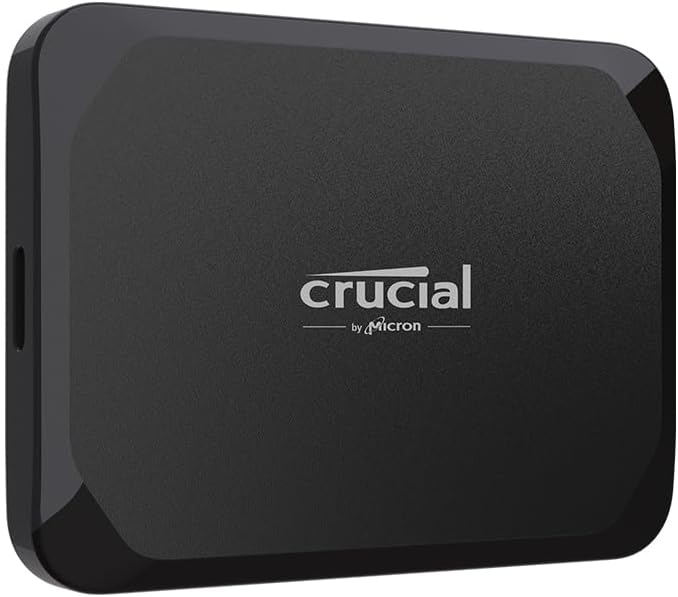
1. Crucial X9 4TB Portable SSD, Up to 1050MB/s, USB 3.2 USB-C, External Solid State Drive, Compatible with Windows, Mac, & Android, Reliable Storage for Games, Files, & Backups, Black - CT4000X9SSD902
The Crucial X9 4TB is built for high-capacity road-trip backups: fast USB-C transfers combined with IP55 water/dust resistance and drop protection. Its 4TB capacity removes the pressure to constantly manage space while bonus software helps integrate backups into a workflow.
Key Specs
- Read speeds up to 1050MB/s
- IP55 water and dust resistance
- Drop resistant up to 7.5 ft (2 m)
- USB 3.2 Gen2 USB-C compatibility
- 4TB capacity
Pros
- Very high capacity for long trips
- Rugged build handles dust and light water exposure
- Fast transfers reduce time spent copying files
Cons
- Higher price tier
- Some users report inconsistent performance on older hosts
Best For: Photographers needing large, durable backups
Check Latest Price on Amazon2. Crucial X9 1TB Portable SSD, Up to 1050MB/s, USB 3.2 USB-C, External Solid State Drive, Compatible with Windows, Mac, & Android, Reliable Storage for Games, Files, & Backups, Black - CT1000X9SSD902
The 1TB Crucial X9 brings the same ruggedness and peak USB-C speeds as larger siblings but at a lower price tier. It’s a sensible first backup drive for road trips when you want reliability and portability without paying for extra TBs you won’t fill.
Key Specs
- Up to 1050MB/s read speed
- IP55 water and dust resistance
- Drop protection up to 7.5 ft (2 m)
- USB 3.2 / USB-C compatibility
- 1TB capacity
Pros
- Good value for rugged, fast SSD
- Pocketable size for travel
- Broad device compatibility
Cons
- Mixed reports of slowed performance on some systems
- Included cable is short for some setups
Best For: Weekend shooters and budget-conscious travelers
Check Latest Price on Amazon3. Crucial X9 2TB Portable SSD, Up to 1050MB/s, USB 3.2 USB-C, External Solid State Drive, Compatible with Windows, Mac, & Android, Reliable Storage for Games, Files, & Backups, Black - CT2000X9SSD902
The 2TB X9 sits between the 1TB and 4TB options for photographers who need more than a single weekend’s worth of storage but don’t want the top-tier cost. It keeps the Crucial strengths: fast USB-C transfers and sturdy weather resistance to protect backups in the field.
Key Specs
- Up to 1050MB/s transfer speed
- IP55 water/dust rating
- Drop resistant design (7.5 ft)
- USB-C / USB-A compatibility via cable
- 2TB capacity
Pros
- Good middle-ground capacity
- Durable for outdoor use
- Fast backups for large RAW/ProRes files
Cons
- Premium tier price
- Some compatibility reports vary by host device
Best For: Travelers who shoot a mix of photos and video
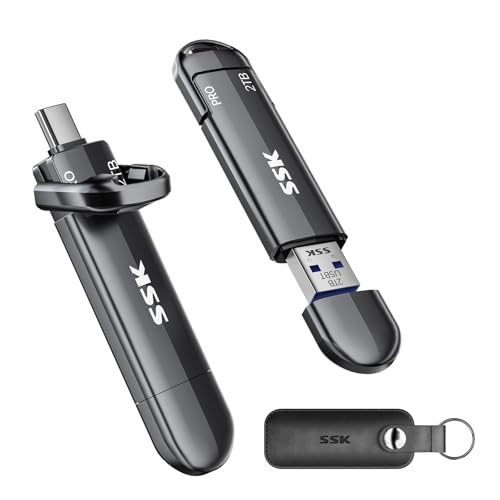
Check Latest Price on Amazon4. SSK 2TB Flash Drive, External SSD Up to 1000MB/s, Dual Port USB C & USB 3.2, Zinc Alloy Portable Thumb Drive Stick for iPhone 15/16 Pro, Mac, Android OTG, PC Backup Storage
This thumb-drive-style SSD is tailored for fast, direct phone and laptop backups with USB-C and USB-A heads. The zinc-alloy shell aids heat dissipation and it claims up to 1000MB/s, making it useful for quick offloads of large video files on the road.
Key Specs
- Up to 1000MB/s transfer speed
- Dual USB-C and USB-A connectors (USB 3.2 Gen2)
- Zinc alloy casing for cooling
- Supports OTG and direct iPhone/Android recording
- 2TB capacity (usable space varies by OS)
Pros
- Very portable and phone-friendly
- Strong transfer speeds when host supports Gen2
- Solid metal housing improves durability and cooling
Cons
- Some users report units that failed early
- Can run hot during sustained transfers
Best For: Phone-first shooters and quick OTG transfers
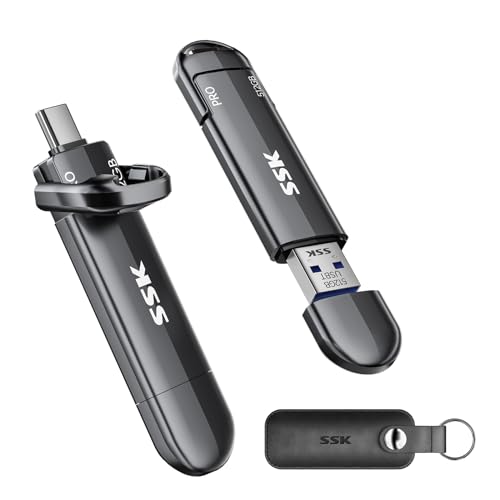
Check Latest Price on Amazon5. SSK USB Flash Drive 512GB SSD External, TLC NAND Solid State Drive Dual USBC & USBA Ports, Up to 1000MB/s High-Speed Portable 1TB USB Thumb Drive Stick for iPhone 15/16/17 Pro, Mac, Android, PC Backup
A compact, budget-friendly thumb-drive SSD with dual connectors and TLC NAND for steady speeds up to 1000MB/s. It’s a practical secondary backup or daily offload tool for travelers who prioritize size and direct mobile compatibility.
Key Specs
- Up to 1000MB/s transfer speed
- USB-C and USB-A dual ports
- TLC NAND with S.M.A.R.T. and TRIM
- Zinc alloy casing for heat dissipation
- 512GB capacity (OS-dependent usable space)
Pros
- Very small and easy to carry
- Good speeds for its size
- Plug-and-play across phones and laptops
Cons
- Durability reports are mixed
- May warm up during long transfers
Best For: Lightweight backups and phone users
Check Latest Price on AmazonWhich One Should You Choose?
If budget is tight → Crucial X9 1TB (B0CGW1FQV4) offers rugged protection and good speeds at a lower cost. If you need ultimate portability and phone-first workflows → SSK 2TB Flash Drive (B0D5QKPMWB) gives dual connectors and very quick OTG transfers. If premium capacity and durability matter most → Crucial X9 4TB (B0CGVZL1M1) provides the largest on-the-road buffer and IP55 protection so you can copy once and be done for several days.
Best for Specific Scenarios
- Weekend photo road trip: Crucial X9 1TB because it’s compact, rugged, and good value for short trips.
- Phone-only creators: SSK 2TB Flash Drive because the dual USB-C/USB-A design and OTG support let you offload directly from newer phones.
- Multi-day or video-heavy expeditions: Crucial X9 4TB because the large capacity and durable IP55 build reduce the need to micro-manage storage.
Frequently Asked Questions
How often should I back up photos during a road trip?
Back up every day you shoot and immediately after sessions that produced lots of photos or critical shots. Daily backups reduce the chance of losing multiple days of work to a single card failure or accidental deletion.
Is an SSD necessary, or can I use a regular USB flash drive?
SSDs are preferred because they’re faster and more durable than typical USB flash drives — important when copying large RAWs or ProRes files. If you must use a flash drive, choose one with TLC NAND and a solid metal housing; otherwise an external SSD is the safer long-term choice.
What simple workflow prevents photo loss on the road?
Adopt a 3-step routine: 1) Copy card/phone to an external SSD at the end of each shooting day; 2) Verify the copy before erasing the source (quick checksum or spot checks); 3) Keep one copy in a separate physical location (e.g., locked bag or hotel safe) while another stays with you. If possible, maintain a third cloud backup when you have reliable internet.
How do I protect backups from physical damage or theft?
Use rugged drives with drop and water resistance, keep at least one copy locked away (hotel safe or locked gear box), and split copies between bags when possible. Label drives clearly, store them in protective pouches (leather or padded), and avoid leaving backup drives unattended in vehicles or public areas.
How We Selected These Products
Our recommendations are based on data-driven analysis: we evaluated 155229+ products across 23916+ brands using a composite scoring system that weighs rating (40%), review volume (30%), price value (20%), and demand signals (10%). Every product is ranked by data, not opinions.
Last updated: August 27, 2026
As an Amazon Associate we earn from qualifying purchases at no extra cost to you. Full disclosure.
GearLark Score is our editorial ranking based on a composite analysis of product quality, value, and verified customer sentiment. Click through to Amazon for current pricing, availability, and live customer reviews.