As an Amazon Associate we earn from qualifying purchases. Learn more.
Complete Portable Photo Backup Workflow for Summer Trips (2026)
Heading out for a summer trip with lots of photos and video means you need a portable, reliable backup workflow. This guide shows a complete setup: fast card readers (including CFexpress/CFast support), USB-C docks and hubs for charging and many ports, and a powered hub for desk-style offloads. You'll learn exactly which components to pack, why each role matters, and how products were chosen based on transfer speed, format support, build quality, portability, and real-user reliability. I prioritized devices that cover every card format and provide robust power delivery so your backup routine runs smoothly in the field.
Quick Answer
For a reliable portable photo backup workflow choose the Anker USB-C SD 4.0 Card Reader for everyday transfers and wide compatibility; for CFexpress and pro video work, pair it with the SABRENT USB-C Multi-Card Reader (CR-C4PM) for multi-format, high-speed transfers.
Our Top Picks
Quick Comparison
Select 2-3 products to compare side-by-side
| Compare | Product | GearLark Score | Price Tier | Key Feature | Best For | Action |
|---|---|---|---|---|---|---|
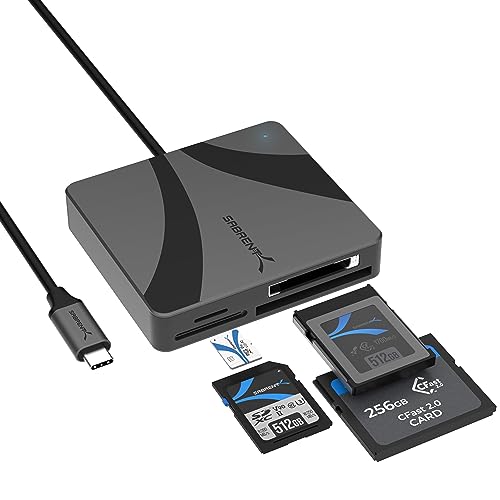 Sabrent Multi-Card Reader
|
Premium | CFexpress Type B & CFast support | High-bandwidth camera workflows | Check Price | ||
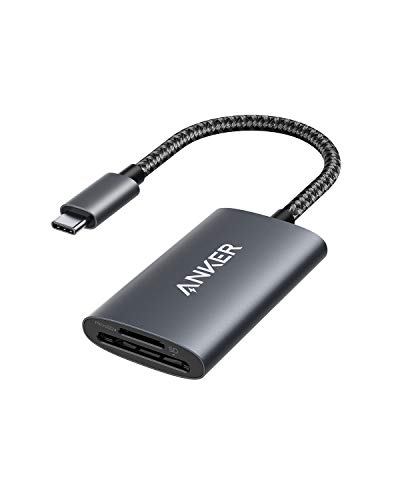 Anker SD 4.0 Reader
|
Budget | UHS-II SD slot (up to 312 MB/s) | Everyday photographers and smartphone backups | Check Price | ||
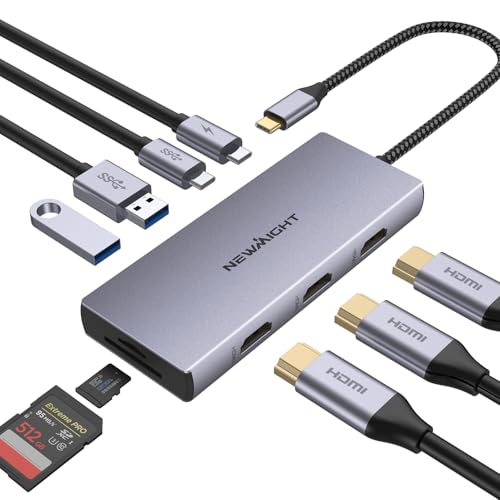 Newmight 9-in-1 Dock
|
Mid-Range | Three HDMI outputs + 100W PD | On-the-go editing with multiple monitors | Check Price | ||
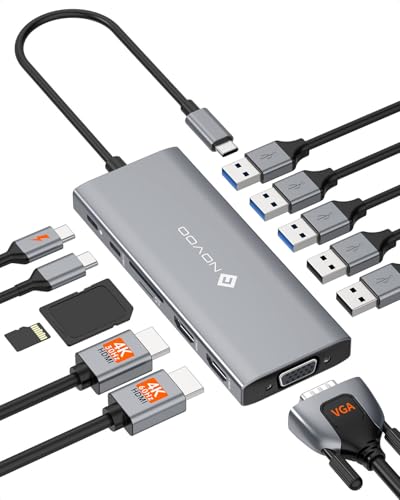 NOVOO 12-in-1 Dock
|
Budget | 100W PD + dual 4K HDMI | Travel pros who need many ports and charging | Check Price | ||
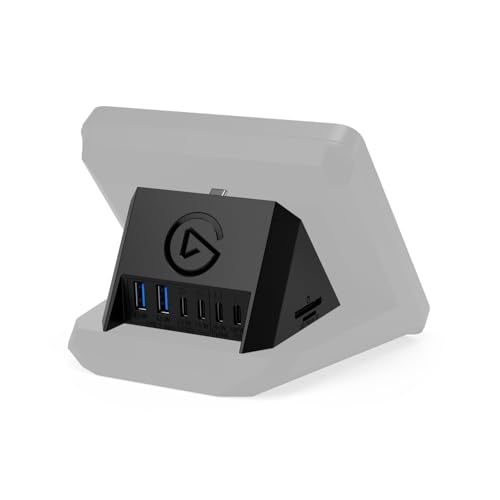 Elgato Stream Deck Hub
|
Mid-Range | Mounts to Stream Deck + with SD/microSD | Desk-centric streamers & editors | Check Price | ||
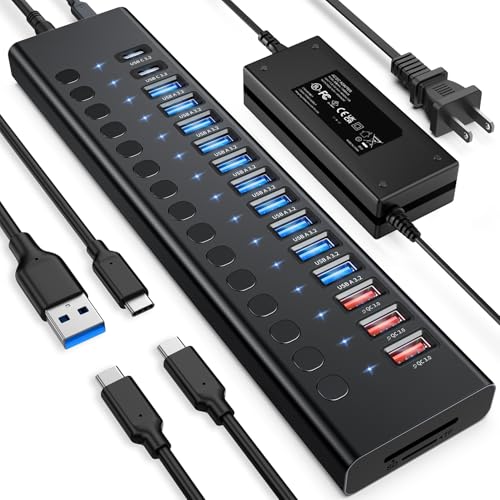 VANGREE 17-Port Hub
|
Premium | 17 ports with 96W external adapter | Desktop multi-drive offloads and charging | Check Price |
1. SABRENT USB-C Multi-Card Reader for CFexpress Type B, CFast 2.0, and microSD/SD Cards (CR-C4PM)
A rugged, aluminum-bodied reader built for professional photographers and videographers who need CFexpress Type B, CFast 2.0 and UHS-II SD/microSD support. It delivers extremely fast read speeds for large video files and is bus-powered for true portability. Some users report intermittent disconnections and heat under heavy load, so pair it with a stable power/host device.
Key Specs
- Supports CFexpress Type B, CFast 2.0, SD and microSD
- CFexpress up to ~950 MB/s; CFast up to ~460 MB/s (manufacturer claims)
- UHS-II SD/microSD support (~312 MB/s)
- Aluminum body with integrated USB-C cable; plug-and-play
Pros
- Supports pro formats (CFexpress & CFast)
- Very fast transfer rates for heavy video workflows
- Solid aluminum build and compact portability
Cons
- Some reports of intermittent disconnections over extended use
- Can run warm under continuous heavy transfers
Best For: High-bandwidth camera workflows
Check Latest Price on Amazon2. Anker USB-C SD 4.0 Card Reader, PowerExpand+ 2-in-1 Memory Card Reader, for SDXC, SDHC, MicroSD, MMC, RS-MMC, Micro SDXC, Micro SDHC, UHS-II, and UHS-I
A compact, reliable SD + microSD reader that balances speed, portability and value. Customers praise its fast transfers and solid build; it’s an excellent pocket tool for copying large photo libraries quickly. Compatibility is generally strong, though a few devices (certain tablets/laptops) may show mixed support.
Key Specs
- Dual SD and microSD slots
- UHS-II SD slot supporting up to ~312 MB/s
- Ultra-compact, plug-and-play design
- 18-month warranty and broad device compatibility
Pros
- Fast UHS-II performance for SD cards
- Well-built and pocketable
- Very easy to use across platforms
Cons
- Some reported compatibility quirks with certain tablets
- A few users feel it's slightly overpriced for features
Best For: Everyday photographers and smartphone backups
Check Latest Price on Amazon3. 9 in 1 USB C Docking Station, Newmight 3 HDMI Adapter with 100W PD, 2 USB-A 3.0, USB-C 3.0, SD/TF Card Reader, HDMI Multiport Adapter for MacBook Pro 2023-2015/Air 2022-2018,iPhone 15/15 Pro, HP,Dell
A travel-friendly multiport dock that puts charging and display outputs in one cable. Great for editing off a laptop or connecting cameras, drives and a card reader at once. It’s a strong value but some users report inconsistent monitor behavior (black screens) on certain laptop configurations.
Key Specs
- 3x HDMI (single 4K@60Hz or multi-display at lower Hz)
- USB-C PD up to 100W passthrough (requires charger)
- 2x USB-A 3.0 + 1x USB-C 3.0, SD/TF card reader
- Plug-and-play compatibility with many USB-C/Thunderbolt devices
Pros
- Very versatile port selection for travel
- Good value for combined charging and display
- Easy to set up and use
Cons
- Some monitor/display compatibility issues reported
- Mixed reports on long-term consistency
Best For: On-the-go editing with multiple monitors
Check Latest Price on Amazon4. NOVOO USB C Docking Station, 12 in 1 Docking Station Dual Monitor with 2 HDMI, VGA, 5 USB Ports, 100W PD, USB-C Data, SD/TF Card Reader, Compatible with MacBook/Dell/HP/Surface
A full-featured 12-in-1 dock built for travel professionals who want many ports without carrying multiple adapters. Customers like the design, portability and perceived value. Functionality and pass-through charging have mixed feedback, so test it with your specific laptop and charger before relying on it for multi-hour sessions.
Key Specs
- 2x 4K HDMI + VGA output (multi-monitor modes vary by OS)
- 100W PD input with up to 85W laptop output (device dependent)
- 3x USB-A 3.0, USB-C data port, SD/TF card reader
- 30cm built-in cable for portability
Pros
- Compact yet feature-rich for travel
- Good build quality and simple design
- Excellent port density for the price
Cons
- Pass-through charging can be inconsistent on some hosts
- Occasional HDMI resolution compatibility limits
Best For: Travel pros who need many ports and charging
Check Latest Price on Amazon5. Elgato USB Hub For Stream Deck +, 2 USB-C Ports/2 USB-A Ports, Power Delivery, SD/microSD Card Reader USB-C, Mac/PC, Stream Deck & Power Supply Not Included
An elegant hub that clips onto the Stream Deck + to bring card slots and extra ports within arm’s reach. Great for desk-based workflows where neat cable routing and quick SD access matter. It requires an external 100W adapter for full PD and some buyers note the lack of included power supply and occasional reliability reports.
Key Specs
- 2x USB-C + 2x USB-A downlink, combined 5 Gb/s
- SD and microSD card reader built-in
- Supports PD up to 100W (power supply not included)
- Designed to attach to Stream Deck + (hardware required)
Pros
- Neat integration for Stream Deck users
- Convenient SD/microSD slots at desk level
- Simple plug-and-play installation
Cons
- Power supply not included (adds cost)
- Some reports of failures after short use and adhesive/card slot quirks
Best For: Desk-centric streamers & editors
Check Latest Price on Amazon6. Powered USB Hub 10Gbps, 17 Ports 96W USB 3.2 Hub(10 USB-A 3.2 Ports+3 QC 24W Fast Charging Ports+2 USB-C 3.2 Ports+SD/TF Card Reader), 12V/8A Power Adapter for Laptop, PC, Computer, HDD,Flash Drive
A heavy-duty powered hub for desk workflows that need many USB ports, simultaneous card access, and dedicated charging. It shines when you need to connect multiple SSDs, card readers and drives at once. It’s less travel-friendly due to size but praised for power and stability; some find the indicator lighting dim.
Key Specs
- 10x USB-A 3.2 (10Gbps) + 2x USB-C 3.2 ports
- 3x QC 24W charging ports (no data), SD/TF card reader
- Includes 96W external power adapter
- Individual power buttons for ports
Pros
- Huge port count for simultaneous transfers
- Stable powered operation with included adapter
- Solid build with convenient power switches
Cons
- Bulky and less portable for travel
- Status lighting is very dim for some users
Best For: Desktop multi-drive offloads and charging
Check Latest Price on AmazonWhich One Should You Choose?
If budget is tight → choose the NOVOO 12-in-1 Dock (B0F2MTKP17) for the best mix of ports and portability. If you need a compact, everyday card reader with fast SD support → choose the Anker USB-C SD 4.0 Card Reader (B091GHVBSZ). If premium, multi-format speed is essential for CFexpress or CFast media → choose the SABRENT USB-C Multi-Card Reader (B0CH1SRWWW). For desktop multi-drive offloads choose the VANGREE 17-Port Hub (B0CF9XGL3V).
Best for Specific Scenarios
- Quick smartphone and SD photo dumps: Anker USB-C SD 4.0 Reader because it’s pocketable, fast and easy to use.
- Travel editing with multiple monitors: Newmight 9-in-1 Dock because it provides HDMI outputs and 100W PD for laptop charging.
- Pro video workflows (CFexpress/CFast): SABRENT CR-C4PM because it supports CFexpress Type B and CFast 2.0 at very high transfer speeds.
Frequently Asked Questions
Do I need a CFexpress or CFast reader for my trip?
Only if your camera records to those card formats. Many consumer cameras use SD cards; pro cinema and some high-frame-rate cameras require CFast or CFexpress. Check your camera’s media type and choose a reader that supports it to avoid format bottlenecks.
Can I power a laptop and read cards at the same time?
Yes — choose a dock with Power Delivery (60–100W) so you can pass-through charge while transferring files. Test the dock with your specific charger and laptop beforehand because pass-through behavior can vary across models.
Is a powered USB hub necessary?
For single-card transfers to a laptop, no. For many simultaneous SSDs, drives, or long sustained transfers a powered hub (with its own adapter) provides stable current and reduces the chance of disconnects or slowed performance.
How We Selected These Products
Our recommendations are based on data-driven analysis: we evaluated 155229+ products across 23916+ brands using a composite scoring system that weighs rating (40%), review volume (30%), price value (20%), and demand signals (10%). Every product is ranked by data, not opinions.
Last updated: July 10, 2026
As an Amazon Associate we earn from qualifying purchases at no extra cost to you. Full disclosure.
GearLark Score is our editorial ranking based on a composite analysis of product quality, value, and verified customer sentiment. Click through to Amazon for current pricing, availability, and live customer reviews.