As an Amazon Associate we earn from qualifying purchases. Learn more.
How to Prevent Laptop Overheating on Campus (2026)
Laptop overheating on campus is a common pain point: thermal throttling, unexpected shutdowns, noisy fans, and shorter battery life can derail long study sessions. This guide is for students and faculty who want practical, portable solutions — from cooling pads and quiet stands to laptop choices with better thermal design. You'll learn which gear actually lowers temperatures, how each item solves overheating, and the habits that make your kit work on the go. Products here were selected for real-world cooling performance, noise trade-offs, portability, and value for students.
Quick Answer
Use a high-airflow cooling pad like the IETS GT500 Cooling Pad (B09FJ84L5N) to stop heat-related slowdowns; combine it with a ventilated sleeve or a ventilated backpack and campus-friendly habits (elevated posture, power profile tweaks) for the best results.
Our Top Picks
Quick Comparison
Select 2-3 products to compare side-by-side
| Compare | Product | GearLark Score | Price Tier | Key Feature | Best For | Action |
|---|---|---|---|---|---|---|
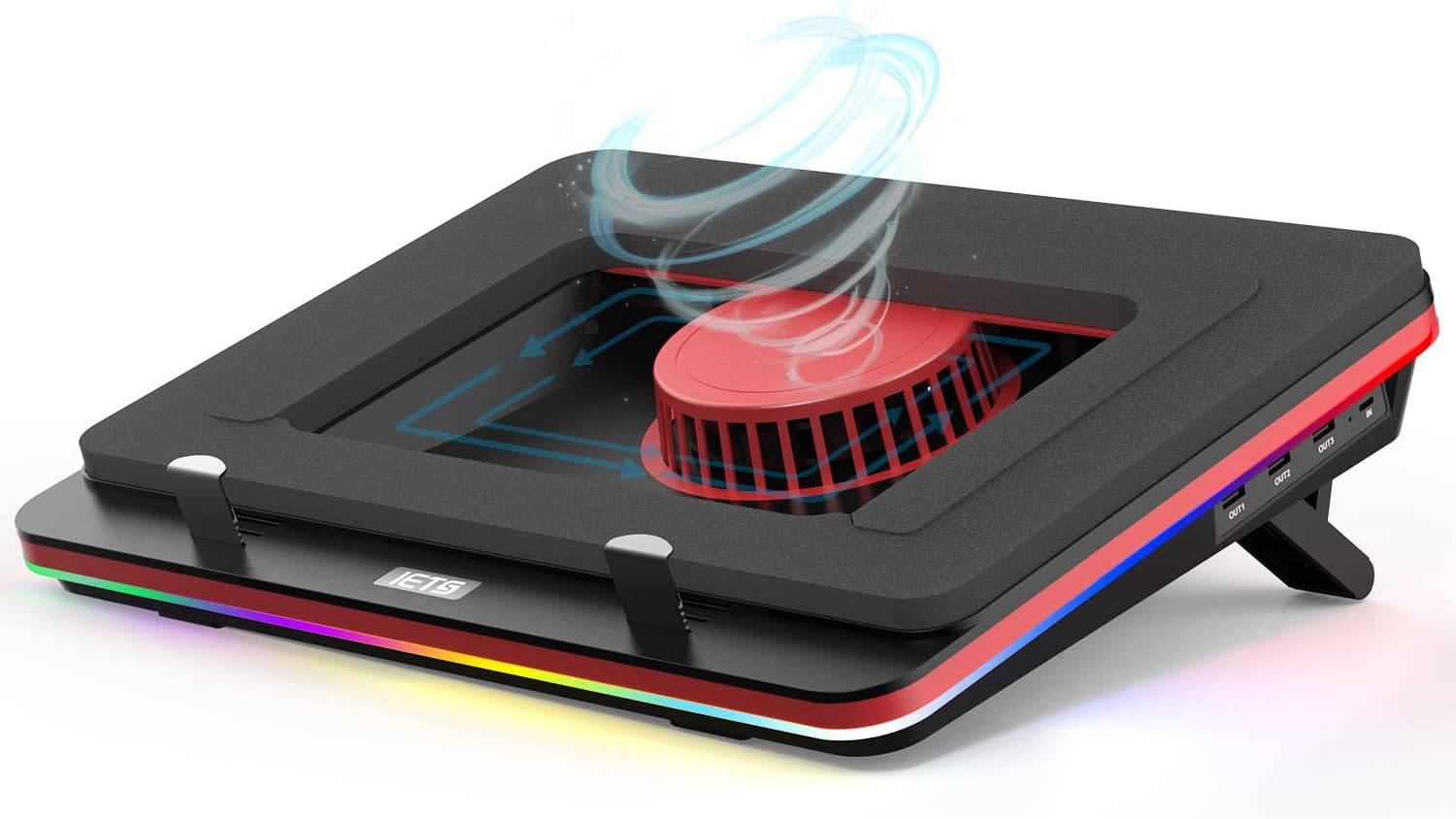 IETS GT500 Cooling Pad
|
Mid-Range | Industrial 5000 RPM turbofan | Heavy-load gaming & editing on campus | Check Price | ||
 GT500 Turbo-Fan (Budget)
|
Budget | 5000 RPM turbo fan (budget) | Students on a budget needing raw cooling power | Check Price | ||
 NOTODD N5095 16" (Red)
|
Premium | Built-in cooling fan & thermal management | Students who want a laptop with passive & active cooling | Check Price | ||
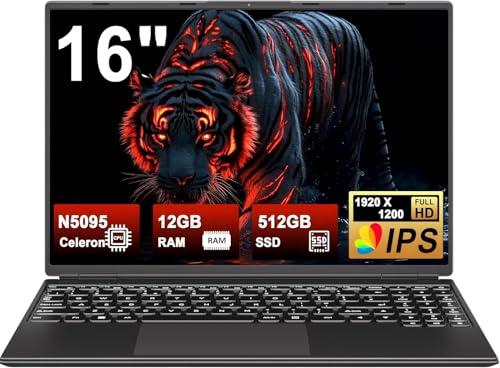 NOTODD N5095 16" (Black)
|
Premium | Same thermal design in a different finish | Campus users wanting a full laptop with cooling | Check Price | ||
 DEPGI Cooling Pad
|
Budget | Movable 5.5" fan + auto temp sensor | Quiet study spaces and lightweight carry | Check Price |
1. IETS GT500 Cooling Pad, 5000 RPM Turbo-Fan, RGB, 13-17.3inch Laptop Cooler with 3-Port USB Hub, Infinitely Variable Speed, Seal Foam for Rapid Cooling, Gaming Laptop
The IETS GT500 targets overheating with industrial-grade turbofans plus a sealed-foam channel that directs air into laptop intakes. It’s built to push a lot of air for real temperature drops — trade-offs are higher noise at top speed and a slightly larger footprint for backpacks.
Key Specs
- Turbo fan up to 5000 RPM
- Combined sealed foam for guided airflow
- Infinitely variable fan speed control (0–5000 RPM)
- 1-in/3-out USB hub and large-format compatibility (13–17.3")
Pros
- Very high airflow can reduce CPU/GPU temps quickly
- Customizable speed lets you balance cooling vs noise
- Built-in USB hub is convenient for campus peripherals
Cons
- Can reach ~65 dB at max speed — noisy in quiet libraries
- Larger/bulkier than slim stands — less pocketable
Best For: Heavy-load gaming & editing on campus
Check Latest Price on Amazon2. GT500 Powerful Turbo-Fan (5000 RPM) RGB Laptop Cooling Pad with Infinitely Variable Speed,Seal Foam for Rapid Cooling Gaming Laptop,Dust Filter for Protect Laptop,13-17.3inch Laptop Cooler
This budget GT500 sibling delivers the same turbo-fan plus sealed-foam airflow at a lower price. Users report notable temperature drops and great value, though noise levels and long-term durability get mixed feedback — worth it if you prioritize cooling over silence.
Key Specs
- Industrial turbofan (up to 5000 RPM)
- Sealed foam to lock airflow
- RGB lighting with multiple modes
- Bottom air intake and detachable dust filter
Pros
- Strong cooling performance for the price
- Adjustable fan speeds to tune performance
- Detachable dust filter helps keep vents clear
Cons
- Noise can be noticeable at higher speeds
- Some users report mixed durability over long term
Best For: Students on a budget needing raw cooling power
Check Latest Price on Amazon3. 2025 16 Inch Gaming Laptop N5095 (Up to 2.9 GHz) 12GB+512GB SSD Support 1TB Expand Win 11 Laptops 1920 * 1200 FHD Screen 5G WiFi BT 4.2 Webcam Cooling Fan Numeric Keypad-Red
This 16-inch NOTODD laptop emphasizes thermal management with a built-in cooling fan meant to prevent overheating during multitasking. It’s an all-in-one choice if you need a new laptop plus reliable cooling, though some buyers report mixed functionality on other components.
Key Specs
- Intel Celeron N5095 (up to 2.9 GHz)
- 12GB RAM, 512GB SSD (supports 1TB expand)
- 16" 1920x1200 FHD display
- Built-in cooling fan and optimized thermal design
Pros
- Integrated cooling reduces reliance on external pads
- Good value and easy setup for campus use
- Expandable storage options
Cons
- Mixed reports on component reliability (camera/keys)
- Some customers report screen fragility concerns
Best For: Students who want a laptop with passive & active cooling
Check Latest Price on Amazon4. 2025 16 Inch Gaming Laptop N5095 (Up to 2.9 GHz) 12GB+512GB SSD Support 1TB Expand Win 11 Laptops 1920 * 1200 FHD Screen 5G WiFi BT 4.2 Webcam Cooling Fan Numeric Keypad -Black
Functionally similar to the red variant, this NOTODD model provides integrated fan cooling to help prevent throttling during classes or editing tasks. It’s a strong package for buyers wanting a dedicated device rather than accessories, but watch for the same mixed feedback on durability and screen life.
Key Specs
- Intel Celeron N5095 (up to 2.9 GHz)
- 12GB RAM, 512GB SSD (expandable)
- 16" 1920x1200 FHD display
- Onboard cooling fan and quiet thermal profile
Pros
- Built-in fan reduces need for external coolers
- Sleek look, easy to carry around campus
- Good baseline performance for study and streaming
Cons
- Reports of variable build quality and screen issues
- Some functionality elements have mixed feedback
Best For: Campus users wanting a full laptop with cooling
Check Latest Price on Amazon5. DEPGI Laptop Cooling Pad, Laptop Cooler Stand with 5.5" Movable Fan Easy to Clean, 10 RGB Light Modes, Auto Temp Sensor & 3-Speed Manual Control, Ultra Quiet 40dB for 1417.3 Inch Laptops
DEPGI uses a large movable fan that you can position over your laptop’s hot spot, plus an auto temperature sensor to scale fan speed when needed. It’s whisper-quiet (about 40 dB) and ergonomic, making it ideal for library work and late-night study sessions, though it won’t push as much airflow as industrial turbo pads.
Key Specs
- 5.5" movable fan to align with vents
- Auto temp sensor with 3-speed manual override
- Ultra-quiet operation (~40 dB)
- Adjustable height and wide compatibility (14–17.3")
Pros
- Very quiet — suitable for study halls and libraries
- Movable fan targets hotspots for efficient cooling
- Auto sensor saves battery and reduces unnecessary noise
Cons
- Not as high airflow as large turbo-fan coolers
- RGB and extras add weight without improving pure cooling
Best For: Quiet study spaces and lightweight carry
Check Latest Price on AmazonWhich One Should You Choose?
If budget is tight → choose GT500 Powerful Turbo-Fan (B09FJ961PG) for raw cooling value. If you need portable & quiet for libraries → choose DEPGI Laptop Cooling Pad (B0F4XMJ8YD). If you need the strongest cooling for heavy workloads and don't mind some noise → choose IETS GT500 Cooling Pad (B09FJ84L5N). If you’re replacing your machine and want integrated thermal management → consider a NOTODD 16" laptop (B0DKBQBGFZ or B0DKBQBF5D).
Best for Specific Scenarios
- Late-night library study: DEPGI (B0F4XMJ8YD) because its ~40 dB operation and auto-sensor keep noise and heat low without distraction.
- Campus gaming or editing sessions: IETS GT500 (B09FJ84L5N) because the turbo turbofan plus sealed foam directs maximum airflow to prevent thermal throttling.
- Buying a replacement laptop for daily campus use: NOTODD N5095 (B0DKBQBGFZ / B0DKBQBF5D) because integrated fans and optimized thermal design reduce the need for external coolers.
Frequently Asked Questions
Why does my laptop overheat on campus more than at home?
Campus conditions raise overheating risk because you often use laptops on soft surfaces (sofas, beds), run long sessions, or use higher-brightness/power settings. Ambient temperature in common areas and obstructed vents while in backpacks also increase heat buildup. Address these with better airflow (stand or cooling pad), lower performance profiles when possible, and ventilated carrying solutions.
Will a cooling pad actually stop thermal throttling?
Yes — especially pads that deliver directed airflow into your laptop's intake (turbo fans or sealed-foam designs). They lower internal temps so the CPU/GPU can maintain higher clock speeds longer. For best results combine a pad with software power limits and clean internal vents.
Are quiet cooling pads effective enough for study and light use?
Quiet pads with targeted fans or auto sensors (like DEPGI) are effective for light-to-moderate loads — they reduce surface temps and keep fans from spinning up loudly. For sustained heavy workloads you’ll need higher-airflow models, which are louder but more effective at preventing throttling.
How We Selected These Products
Our recommendations are based on data-driven analysis: we evaluated 155229+ products across 23916+ brands using a composite scoring system that weighs rating (40%), review volume (30%), price value (20%), and demand signals (10%). Every product is ranked by data, not opinions.
Last updated: September 22, 2026
As an Amazon Associate we earn from qualifying purchases at no extra cost to you. Full disclosure.
GearLark Score is our editorial ranking based on a composite analysis of product quality, value, and verified customer sentiment. Click through to Amazon for current pricing, availability, and live customer reviews.