As an Amazon Associate we earn from qualifying purchases. Learn more.
USB-C Cable Types Explained: What to Pack for Campus (2026 Complete Guide)
Heading to campus in 2026 means juggling a laptop, tablet, phone, external monitor and accessories. This guide shows the complete kit you should pack for charging, external displays and fast data transfers — plus which cable or hub handles each job. I selected products based on real-world specs (PD wattage, Alt Mode/Thunderbolt support, video resolutions), customer feedback about build and durability, and practical campus needs like limited outlets and portability. Read on to build a reliable campus setup that minimizes cable clutter and covers charging, display and data workloads.
Quick Answer
For an all-around campus setup pick the CableCreation USB C Hub (B0967WZBGZ) for charging, display output and extra ports; pair it with an Intel-certified Thunderbolt 4 cable (B0BPM33YPQ) for the fastest data and 8K/dual-4K displays, and add a desk clamp power strip for multi-device charging.
Our Top Picks
Quick Comparison
Select 2-3 products to compare side-by-side
| Compare | Product | GearLark Score | Price Tier | Key Feature | Best For | Action |
|---|---|---|---|---|---|---|
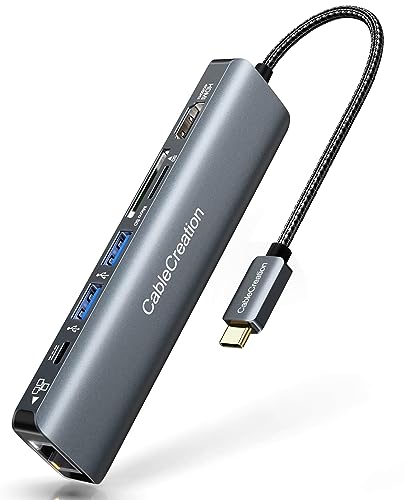 CableCreation 7-in-1 Hub
|
Budget | 4K@60Hz HDMI + 100W PD passthrough | Dorm desk with monitors & peripherals | Check Price | ||
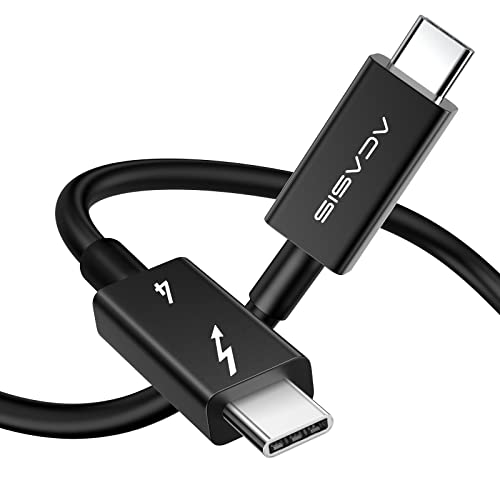 ACASIS Thunderbolt 4 Cable
|
Budget | Intel Thunderbolt 4 certified, 40Gbps | Fast data and high-res displays | Check Price | ||
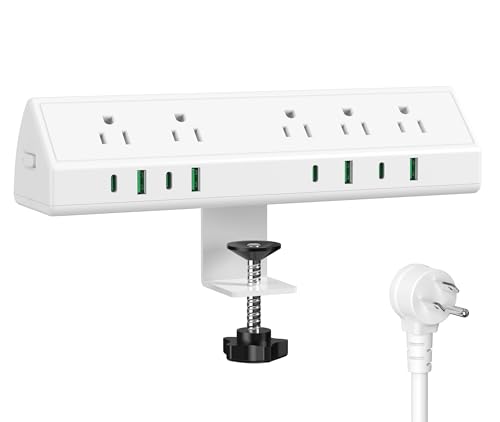 Jgstkcity Clamp Power Strip (10ft)
|
Mid-Range | Desk-clamp mount with multiple PD ports | Shared desks and power-hungry setups | Check Price | ||
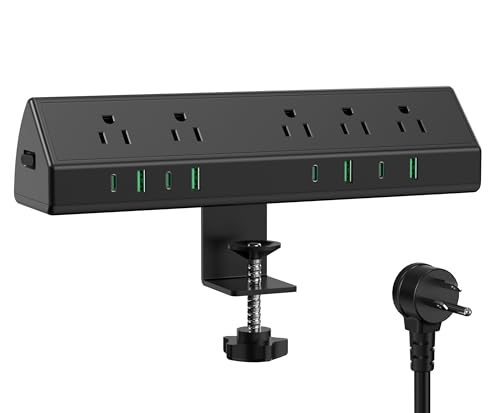 Jgstkcity Clamp Power Strip (Black 10ft)
|
Mid-Range | Same clamp design in a dark finish | Students wanting a low-profile black hub | Check Price | ||
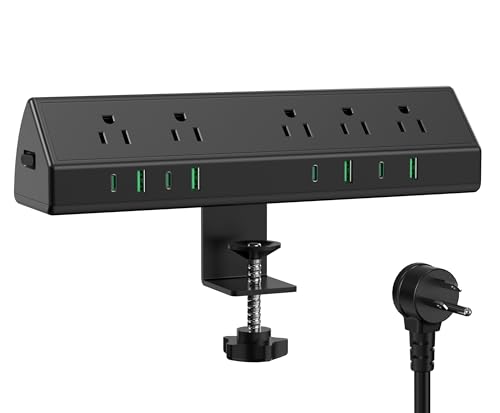 Jgstkcity Clamp Power Strip (15ft)
|
Premium | Long 15ft cord + desk clamp mount | Rooms with distant outlets and many devices | Check Price |
1. USB C Hub 4K 60Hz, CableCreation 7-in-1 USB-C Hub Multiport Adapter with 1Gbps Ethernet, HDMI, 2 USB 3.0 Ports, 100W PD and SD/TF Cards Reader, Compatible with Steam Deck MacBook Pro/Air, iPad Pro
This all-in-one USB-C hub is the most versatile item for a campus desk: it adds 4K@60Hz HDMI, Ethernet, SD/TF, USB-A ports and a 100W PD passthrough so you can charge while driving peripherals. Customers praise its build quality, portability and value — though compatibility and power delivery vary by host device and it can run warm under heavy use. Overall it’s a practical hub for students who need display output plus multiple ports in a compact package.
Key Specs
- Ports: HDMI (4K@60Hz with DP Alt Mode), RJ45 1Gbps Ethernet
- Power: USB-C PD pass-through up to 100W
- Extras: SD and TF card readers, 2x USB 3.0 Type-A
- Compatibility: MacBook, iPad Pro, Steam Deck, many USB-C laptops
Pros
- Lots of ports for the price
- Supports 4K@60Hz on Alt Mode hosts
- Compact and travel-friendly
Cons
- Power delivery and 4K support vary by laptop (DP Alt Mode needed)
- Can get warm during heavy use
Best For: Dorm desk with monitors & peripherals
Check Latest Price on Amazon2. ACASIS [Intel Certified Thunderbolt 4 Cable 6.6ft, 40Gbps Data Transfer, 100W PD Charging, 8K Video, Compatible with Thunderbolt 4/3, USB-C, USB4 Devices, Black (6.6ft/2m)
This Intel-certified Thunderbolt 4 cable delivers up to 40Gbps data, 100W PD and supports single 8K@60Hz or dual 4K@60Hz displays — ideal for students who transfer large files or need crisp external monitors. The cable is robustly built with aluminum shells and a long 6.6ft length for flexible setups. Use it when you need maximum bandwidth and reliable video over a single USB-C link.
Key Specs
- Protocol: Thunderbolt 4 / USB4 compatible
- Speed: Up to 40Gbps data transfer
- Power: Up to 100W (5A/20V) power delivery
- Video: Single 8K@60Hz or dual 4K@60Hz support
- Length: 6.6ft (2m); aluminum alloy shell
Pros
- Full Thunderbolt 4 feature set and compatibility
- High 40Gbps bandwidth for large files
- Supports very high-resolution displays
Cons
- Requires Thunderbolt/USB4 host to reach full specs
- Higher-end performance overkill for basic charging needs
Best For: Fast data and high-res displays
Check Latest Price on Amazon3. 45W Fast Charging Station,Desk Clamp Power Strip,4 PD USB-C Ports,5 AC Outlets,Surge Protector Power Strip, 14AWG Heavy Duty Cord, Fits 1.9" Tabletop Edge (White, 10 FT Cable)
This desk-clamp power hub clamps to a tabletop edge and organizes charging with 4 USB-C PD ports, 4 USB-A ports and five AC outlets. Students appreciated the sturdy clamp, build quality and convenience of an anchored power station. Some users report inconsistent USB port behavior on occasion, but it’s an excellent way to centralize charging on a dorm or study desk.
Key Specs
- Total output: 45W fast charging station for USB-C ports
- Ports: 4x USB-C PD, 4x USB-A, 5x AC outlets
- Safety: 1200J surge protection, 14AWG heavy duty cord
- Mount: Edge clamp fits up to ~1.9" tabletop
Pros
- Clears desk clutter and secures to edge
- Plenty of ports for multiple devices
- Good build quality and surge protection
Cons
- USB port functionality reported inconsistent by some users
- 45W total means not all devices charge at maximum speed simultaneously
Best For: Shared desks and power-hungry setups
Check Latest Price on Amazon4. 45W Fast Charging Station,Desk Clamp Power Strip,4 PD USB-C Ports,5 AC Outlets,Surge Protector Power Strip, 14AWG Heavy Duty Cord, Fits 1.9" Tabletop Edge (Black, 10 FT Cable)
Functionally similar to the white clamp power strip but in black, this model provides the same 4 PD USB-C ports and multiple AC outlets for a tidy desk. Feedback is consistent: customers like the clamp, port capacity and sturdiness. Expect the same caveats around USB port consistency and shared 45W USB-C total output if many devices are charging.
Key Specs
- 45W USB-C charging capacity with 4 PD ports
- 4 USB-A ports and 5 AC power outlets
- Clamp mount for desks up to ~1.9" thick
- 10 ft flat plug and 1200J surge protection
Pros
- Low-profile black finish fits most desks
- Secure clamp and organized layout
- Multiple charging options and surge protection
Cons
- Shared PD budget limits simultaneous full-speed charging
- Some users report occasional USB port issues
Best For: Students wanting a low-profile black hub
Check Latest Price on Amazon5. 45W Fast Charging Station,Desk Clamp Power Strip,4 PD USB-C Ports,5 AC Outlets,Surge Protector Power Strip, 14AWG Heavy Duty Cord, Fits 1.9" Tabletop Edge (Black, 15 FT Cable)
This premium option extends the clamp strip concept with a 15ft power cord for more flexible placement while retaining 4 PD USB-C ports and five AC outlets. Customers like the sturdiness and clamp quality; it’s an easy way to provide centralized, surge-protected charging for a roommate setup or shared study area. Keep in mind the shared 45W PD budget and occasional reports of inconsistent USB port behavior.
Key Specs
- 45W USB-C PD capacity across 4 ports
- 5 AC outlets and 4 USB-A ports
- 15 ft heavy-duty 14AWG cord; 1200J surge protection
- Desk clamp fits up to ~1.9" tabletop edge
Pros
- Long cord provides flexible placement
- Sturdy clamp and solid build quality
- Good port density for multi-device setups
Cons
- Shared PD wattage limits simultaneous fast charging
- Some inconsistency reported on USB port function
Best For: Rooms with distant outlets and many devices
Check Latest Price on AmazonWhich One Should You Choose?
If budget is tight → pick the ACASIS Thunderbolt 4 Cable (B0BPM33YPQ) for maximum future-proof bandwidth and display support without a large dock purchase. If you need a portable, all-in-one desk hub for displays and card readers → choose the CableCreation 7-in-1 USB C Hub (B0967WZBGZ). If you want to centralize charging for multiple devices at a study desk or shared room and need flexible cord routing → get the Jgstkcity Desk Clamp Power Strip (B0DQSQCN2T for the 15 ft premium option).
Best for Specific Scenarios
- Dorm desk with monitor and peripherals: CableCreation 7-in-1 Hub because it provides HDMI, Ethernet, SD card access and PD passthrough in one compact unit.
- Student creator/editing large files: ACASIS Thunderbolt 4 Cable because its 40Gbps bandwidth and 8K/dual-4K support allow fast transfers and high-resolution external displays.
- Shared study area or group charging: Jgstkcity Desk Clamp Power Strip (15 ft) because the clamp keeps the hub secure and the multiple PD and AC outlets support several devices safely.
Frequently Asked Questions
Do I need Thunderbolt 4 to get 4K@60Hz?
Not necessarily. 4K@60Hz can be delivered over USB-C if your laptop supports DisplayPort Alt Mode at DP1.4. Thunderbolt 4/USB4 cables guarantee higher bandwidth and more consistent support for dual 4K or single 8K displays, but a DP Alt Mode-capable hub can handle 4K@60 on many laptops.
Can a single USB-C cable charge my laptop and also run an external monitor?
Yes — when using a PD-capable hub or a Thunderbolt/USB4 connection that supports both power delivery and video. The hub must offer PD passthrough and the host must support the necessary Alt Mode or Thunderbolt protocol. Check the PD wattage to ensure it meets your laptop's charging needs.
How do I avoid overheating on hubs and cables?
Avoid daisy-chaining too many high-draw devices through one hub, ensure ventilation around a hub while it’s in use, and use cables rated for the required power (e.g., 5A/20V for 100W). Hubs that get warm under load are common; if heat is excessive or performance drops, reduce connected load or use a powered dock.
How We Selected These Products
Our recommendations are based on data-driven analysis: we evaluated 155229+ products across 23916+ brands using a composite scoring system that weighs rating (40%), review volume (30%), price value (20%), and demand signals (10%). Every product is ranked by data, not opinions.
Last updated: August 04, 2026
As an Amazon Associate we earn from qualifying purchases at no extra cost to you. Full disclosure.
GearLark Score is our editorial ranking based on a composite analysis of product quality, value, and verified customer sentiment. Click through to Amazon for current pricing, availability, and live customer reviews.