As an Amazon Associate we earn from qualifying purchases. Learn more.
USB-C Hub vs Docking Station vs Charging Station: What To Pack (2026)
If you pack a multiport device for 2026 travel, a dorm room, or a home office, you need the right balance of ports, power delivery, portability and durability. This head-to-head comparison looks at three very different multiport solutions — a laptop USB-C docking station, a 4-bay SATA docking station, and a modular Steam Deck case with an included hub — to help you decide what to carry. We selected devices based on real-world usefulness (ports and power), build quality feedback, and customer comments about value and ease of use so you can quickly see which device fits travel, dorms, or a full home-office setup.
Quick Answer
For multi-monitor home offices and the most ports, choose the LIONWEI 13-in-1 USB C Docking Station (B0BNTHWWMY). For dedicated multi-drive backups and cloning at a desk, the SABRENT 4-Bay USB 3.0 Docking Station (B07H11KXCL) is the better specialist pick. Gamers and Steam Deck owners who need an all-in-one protective case plus dock should pick the JSAUX ModCase (B0BXPNZWWF).
Our Top Picks
Quick Comparison
Select 2-3 products to compare side-by-side
| Compare | Product | GearLark Score | Price Tier | Key Feature | Best For | Action |
|---|---|---|---|---|---|---|
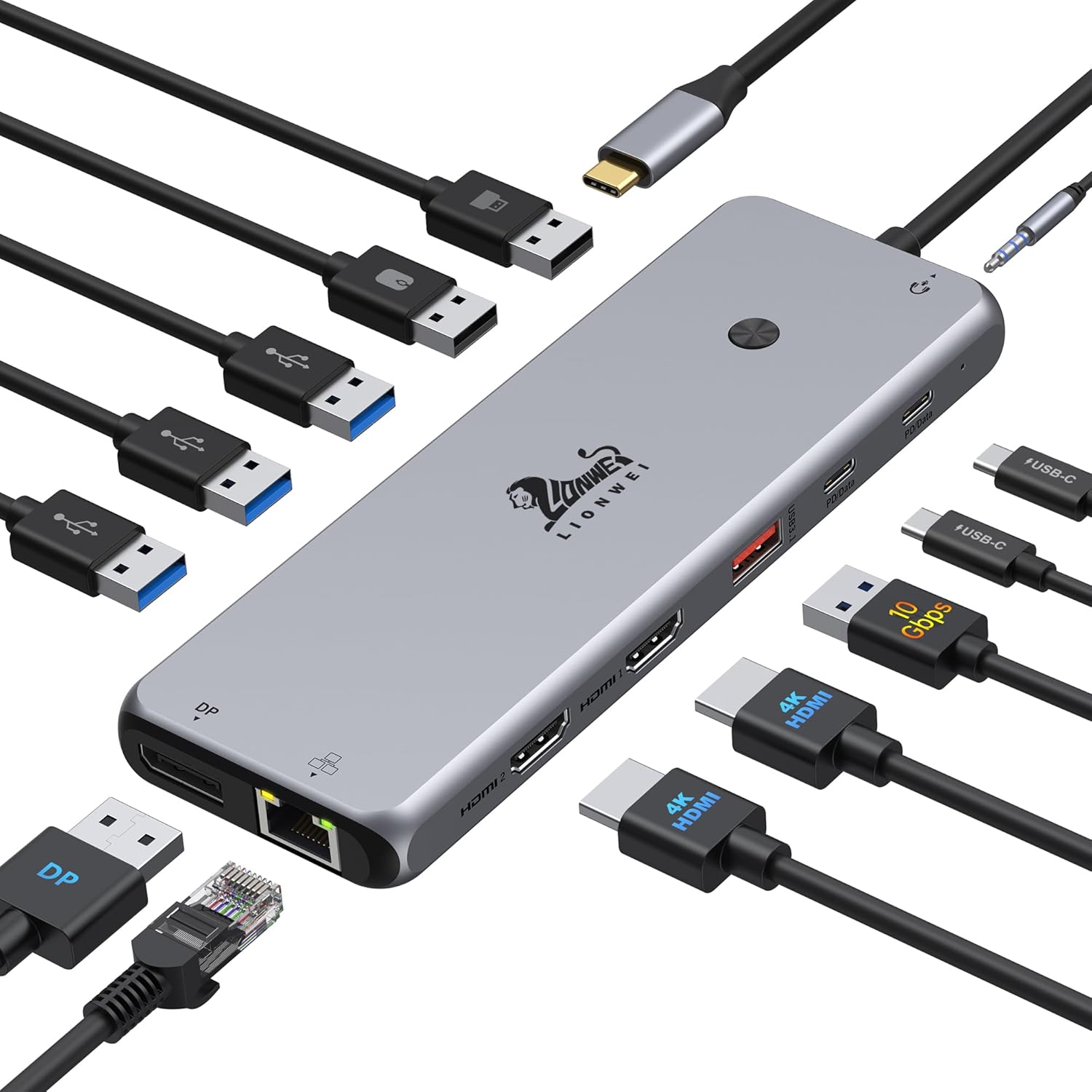 LIONWEI 13-in-1 Dock
|
Mid-Range | 13 ports including dual 4K HDMI + DP | Home office users who need many ports | Check Price | ||
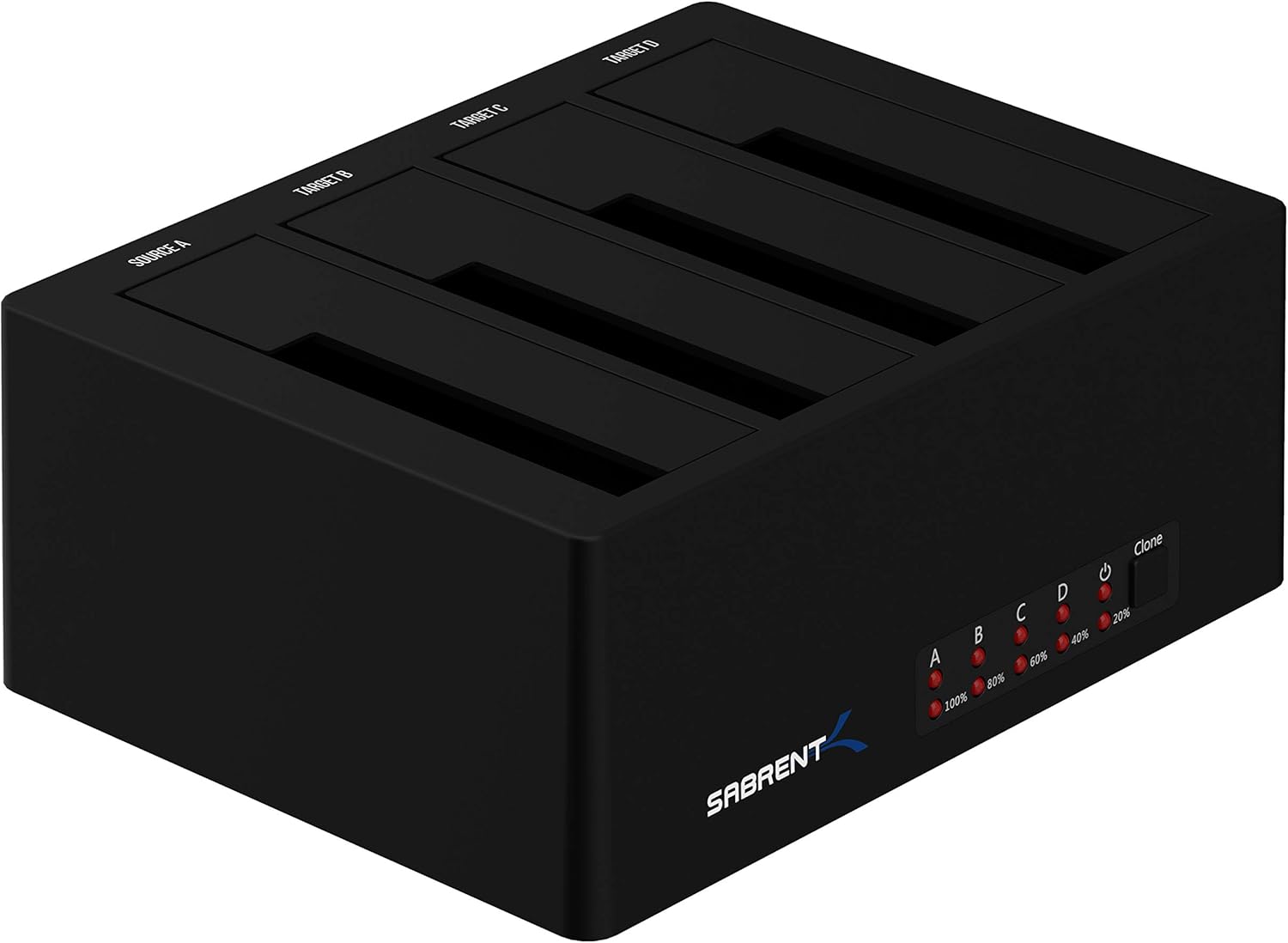 SABRENT 4‑Bay Dock
|
Mid-Range | Trayless hot-swap for 4 SATA drives | Technicians, media pros, and desktop backups | Check Price | ||
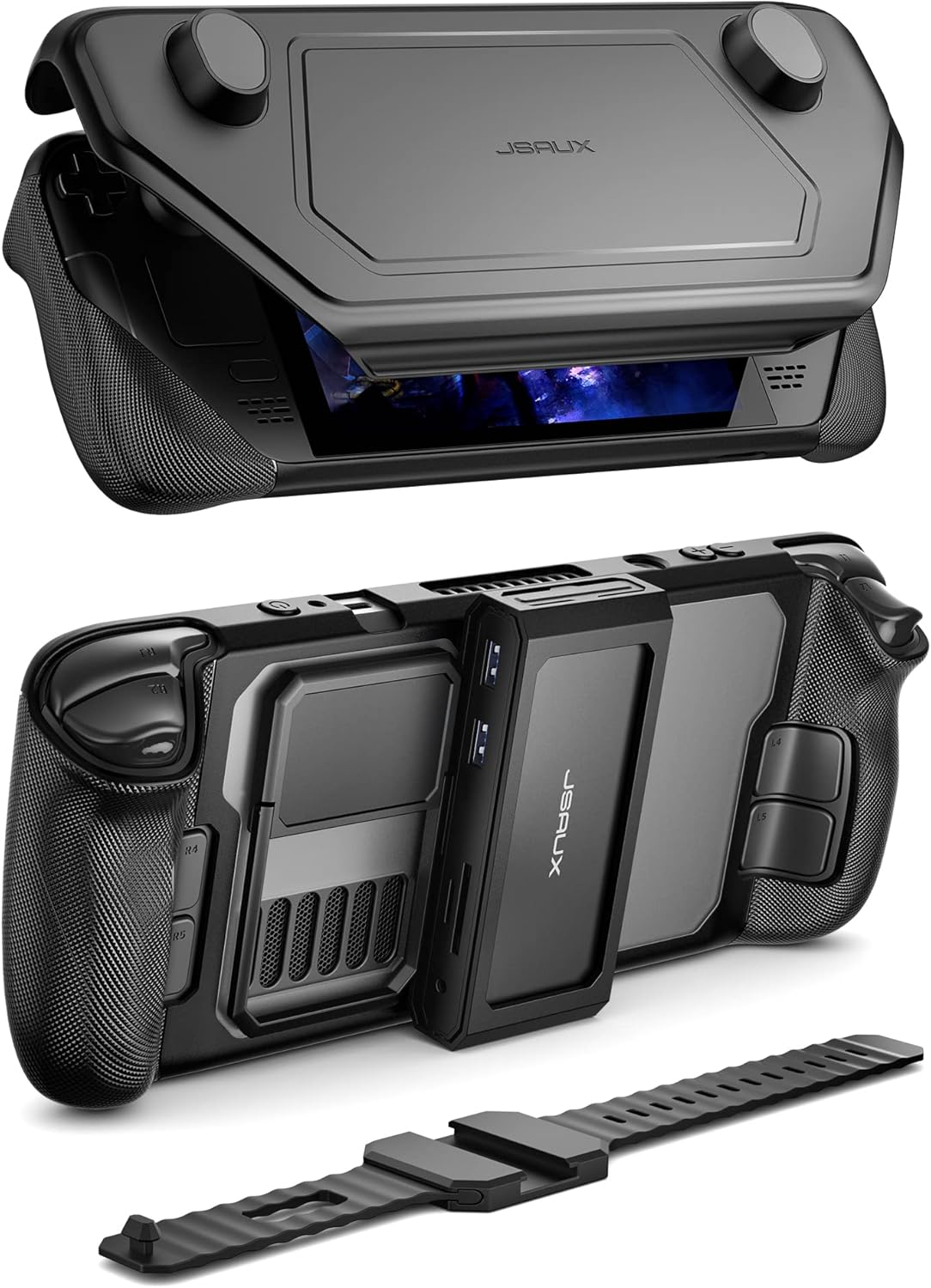 JSAUX ModCase + Dock
|
Mid-Range | Modular Steam Deck case with 11‑in‑1 dock | Steam Deck owners and portable gamers | Check Price |
1. 13 in 1 USB C Docking Station - Dual Monitor, Triple Display, 8 USB C/A Ports, Ethernet, Audio - LIONWEI USB C Hub for MacBook,Dell,HP,Lenovo,Surface
LIONWEI's 13-in-1 docking station is a versatile all-in-one hub that targets multi-monitor setups and power-hungry laptops. It balances extensive connectivity (HDMI, DP, Ethernet, many USBs) with 100W PD support and is consistently praised for quality and ease of use, though Mac multi-display behavior can vary.
Key Specs
- Ports: 2×HDMI (4K@60Hz), 1×DisplayPort (4K@60Hz)
- USB: 2×USB-C (PD + 10Gbps), 1×USB 3.1 10Gbps, 3×USB 3.0, 2×USB 2.0
- Power Delivery: 100W PD input (hub uses ~13W)
- Networking & Audio: Gigabit Ethernet, 3.5mm audio/mic combo
- Compatibility: Windows (full MST), macOS (limited multi-display extend)
Pros
- More ports than the Sabrent and JSAUX hubs—best for multi-monitor home offices
- Stronger multi-device connectivity and 100W PD support compared with the other two
- Customers repeatedly praise build quality and ease of setup versus simpler hubs
Cons
- Bulkier and less travel-friendly than the JSAUX ModCase hub
- Mac multi-display behavior is less consistent than Windows (extend mode limits)
Best For: Home office users who need many ports
Check Latest Price on Amazon2. SABRENT 4-Bay USB 3.0 Docking Station for 2.5/3.5 SATA SSD/HDD, Tool-Free Trayless Design, USB 3.2 Gen 1 5Gbps, Supports 4 Drives Simultaneously, Compatible with Windows, macOS, Linux (DS-U3B4)
SABRENT's 4-bay docking station is a specialist device for drive cloning, backups and quick access to multiple 2.5/3.5 SATA HDDs or SSDs. Customers like the tool-free hot-swap design and value for money; it's not intended as a laptop USB-C hub but shines for storage-focused desktop workflows.
Key Specs
- Drive bays: 4×2.5/3.5 SATA (trayless hot-swap)
- Interface: USB 3.2 Gen 1 (5 Gbps) to host
- Power: Includes 12V/6.5A external power supply for multi-drive stability
- Compatibility: Windows, macOS, Linux — no drivers required
- Function: Supports cloning and hot-swapping without reboot
Pros
- Better drive-cloning and multi-drive management than the LIONWEI and JSAUX hubs
- Tool-free, trayless design is faster to swap drives than many enclosures
- Strong value for money for backup-heavy desktops compared with buying multiple enclosures
Cons
- Not a general-purpose USB-C laptop hub—bulkier and needs external power
- Some users report mixed long-term durability across units, so handle with care
Best For: Technicians, media pros, and desktop backups
Check Latest Price on Amazon3. JSAUX PC0104 ModCase Compatible with Steam Deck/Steam Deck OLED, Steam Deck Modular Case Include 11-in-1 Docking Station, Detachable Front Shell, Body Protective Shell,Metal Bracket and Strap-Hub Set
JSAUX ModCase combines protective case features with an 11-in-1 dock optimized for Steam Deck users. It provides excellent fit, protection and a handy dock with HDMI 2.1/DP and up to 100W charging—ideal for portable gaming but limited if you need a laptop-centric USB-C hub.
Key Specs
- Dock: 11‑in‑1 with HDMI 2.1 (4K@120Hz) + DisplayPort 1.4
- Power: Supports 100W charging when docked
- Materials: PC-ABS shell, silicone and TPU wrap for shock absorption
- Extras: Detachable front shell, metal bracket, strap, built-in kickstand
- Compatibility: Designed specifically for Steam Deck (2022 & OLED)
Pros
- Better portability and protection for Steam Deck than a standalone hub
- Higher refresh-rate display support (4K@120Hz) than the LIONWEI in gaming scenarios
- Strong fit and build quality praised by customers—feels premium for a portable case
Cons
- Limited to Steam Deck fitting—less useful for laptops than the LIONWEI hub
- Fewer general-purpose ports for PC peripherals compared with the LIONWEI dock
Best For: Steam Deck owners and portable gamers
Check Latest Price on AmazonWhich One Should You Choose?
If you need a single desk solution for multiple monitors, wired networking and many peripherals, buy the LIONWEI 13‑in‑1 Dock (B0BNTHWWMY). It’s the best overall pick for productivity because it offers the most ports, PD support and proven build quality. If your main need is drive backups, cloning or managing multiple HDD/SSD units at a workstation, buy the SABRENT 4‑Bay Dock (B07H11KXCL) — it’s purpose‑built for storage tasks and gives the best value for that use. If you carry a Steam Deck and want protection plus a compact dock for TV or monitor play, buy the JSAUX ModCase with 11‑in‑1 dock (B0BXPNZWWF). It’s the most travel‑friendly/game‑focused option.
In short: LIONWEI for general productivity and multi-monitor home office use, SABRENT for storage-heavy workflows, JSAUX for portable gaming and device protection.
Best for Specific Scenarios
- Travel (lightweight laptop setups): JSAUX ModCase if you're a Steam Deck owner; otherwise a compact USB‑C travel hub — the LIONWEI is powerful but bulkier for carry.
- Home office (multi-monitor + wired network): LIONWEI 13‑in‑1 because it offers multiple 4K outputs, Gigabit Ethernet and many USB ports for desktop peripherals.
- Dorm rooms or small desks: LIONWEI for students who need multiple ports and a monitor, or SABRENT if you do a lot of media backups and storage work on a single desk.
Frequently Asked Questions
Will the LIONWEI 13‑in‑1 dock charge my laptop at full 100W?
The dock supports 100W PD input, but the hub itself consumes power (about 13W), so the laptop will typically see up to ~87W. That is enough for most thin-and-light laptops, but very power-hungry gaming laptops may charge slower when fully loaded.
Can I hot-swap drives in the SABRENT 4‑Bay dock without damaging data?
Yes — the SABRENT features a trayless hot-swap design and supports drive cloning and swaps without reboot on compatible systems. Still, always eject drives properly in the OS before removing and ensure the external power supply remains connected during heavy transfers.
Is the JSAUX ModCase useful if I don’t own a Steam Deck?
The ModCase and included 11‑in‑1 dock are specifically designed to fit the Steam Deck form factor, so the protective shell and cutouts won’t align with most laptops. If you don’t own a Steam Deck, choose a general USB‑C docking station like the LIONWEI instead.
How We Selected These Products
Our recommendations are based on data-driven analysis: we evaluated 155229+ products across 23916+ brands using a composite scoring system that weighs rating (40%), review volume (30%), price value (20%), and demand signals (10%). Every product is ranked by data, not opinions.
Last updated: June 13, 2026
As an Amazon Associate we earn from qualifying purchases at no extra cost to you. Full disclosure.
GearLark Score is our editorial ranking based on a composite analysis of product quality, value, and verified customer sentiment. Click through to Amazon for current pricing, availability, and live customer reviews.