As an Amazon Associate we earn from qualifying purchases. Learn more.
Battery-Powered Portable Monitor vs USB-C Bus-Powered Monitor vs Portable Touchscreen: Which to Pack for Photo Editing on the Road (2026)
Photographers who edit on location must balance color accuracy, heat and power. This guide compares three portable displays that represent the main approaches in 2026: a battery-powered portable monitor, a USB‑C bus-powered touchscreen, and a 4K OLED portable touchscreen. I tested features, port types, thermal behavior, and color fidelity from manufacturer specs and real-customer feedback to help you choose the right monitor for travel editing. Products were selected for their relevance to color work, portability, and differing power strategies.
Quick Answer
For the best on-the-road color accuracy and portability pick the Upperizon 15.6" 4K OLED (ASIN B0CFVP2HBS). If you need the most color-critical, calibrated sRGB workflow in a compact touchscreen, choose the ASUS ProArt PA148CTV (B091D4CRTP). If battery operation and a larger view matter, the ASUS ROG Strix XG17AHPE (B0845Y1FRN) is the battery-powered option.
Our Top Picks
Quick Comparison
Select 2-3 products to compare side-by-side
| Compare | Product | GearLark Score | Price Tier | Key Feature | Best For | Action |
|---|---|---|---|---|---|---|
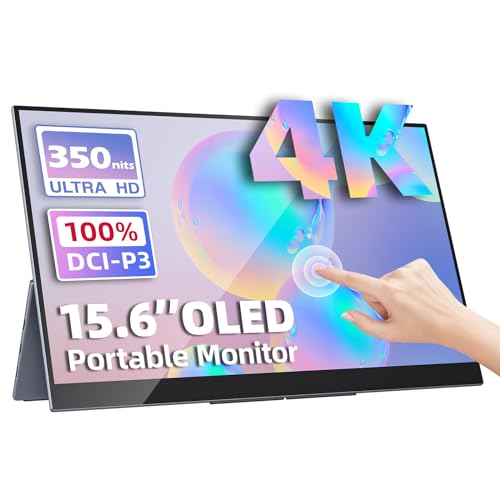 Upperizon 15.6" 4K OLED
|
Mid-Range | 100% DCI-P3 4K OLED | Colorists who need wide gamut on the road | Check Price | ||
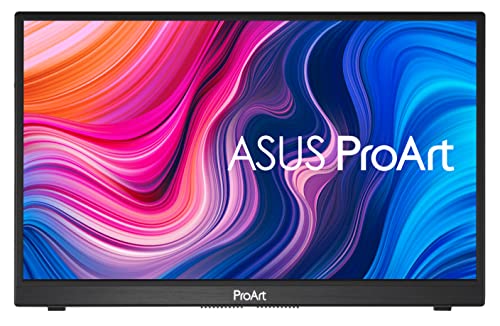 ASUS ProArt 14"
|
Budget | Calman Verified E<2 calibration | Photographers needing compact, calibrated sRGB editing | Check Price | ||
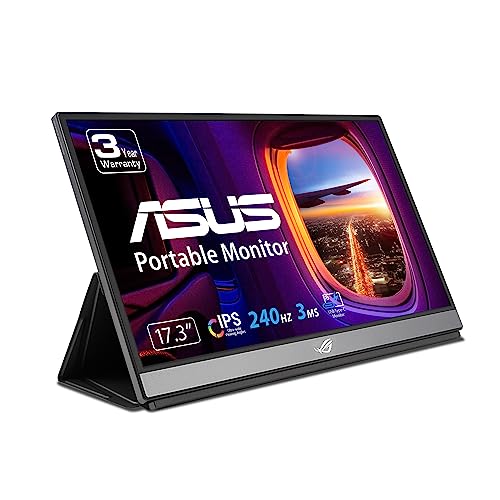 ASUS ROG 17.3" Battery
|
Premium | Built-in battery for up to ~3 hours | Users who need standalone battery-powered display | Check Price |
1. Portable Monitor 15.6" 4K UHD 3840X2160 100000:1 100% DCI-P3 60Hz OLED Touchscreen HDR HDMI USB-C Travel Monitor for Laptop MacBook PC Surface PS5 Xbox, External Display with Kickstand
This 15.6" OLED delivers true 4K detail with 100% DCI‑P3 coverage and extreme contrast, making it the strongest choice for color-critical photo editing while traveling. It's ultra-thin and lightweight for portability, though it relies on external PD power for sustained use and touchscreen support is limited on macOS.
Key Specs
- 15.6" OLED, 3840×2160 (4K)
- 100% DCI-P3 color gamut, 100000:1 contrast
- 350 cd/m² brightness, 60 Hz refresh
- Two USB-C (video & power) + mini HDMI; touch works on Windows only
Pros
- Far wider color gamut (DCI‑P3) than the ASUS ProArt sRGB option
- OLED contrast and 4K resolution give superior tonal detail
- Lighter and slimmer than the battery-powered ROG monitor
Cons
- Touchscreen functionality is not supported on macOS — Windows only
- No internal battery; best results require a 45W PD adapter for stable power
Best For: Colorists who need wide gamut on the road
Check Latest Price on Amazon2. ASUS ProArt Display 14 1080P Portable Touchscreen Monitor (PA148CTV) - Full HD, IPS, 100% sRGB/Rec.709, Color Accuracy E < 2, Calman Verified, USB-C Power Delivery, Micro HDMI, Tripod Socket,Black
The ASUS ProArt PA148CTV is a compact, calibrated 14" touchscreen that prioritizes color accuracy with Calman verification and Delta E <2 out of the box, making it excellent for sRGB/Rec.709 workflows in a compact format. It’s USB‑C bus-powered (with PD) so it’s lighter but lacks an internal battery and some users report mixed durability.
Key Specs
- 14" Full HD IPS, 1920×1080
- 100% sRGB and 100% Rec.709; Calman Verified, Delta E < 2
- 300 cd/m² brightness; anti-glare coating, 178° viewing
- Two USB-C (DP Alt Mode) + Micro HDMI; metal kickstand, tripod socket
Pros
- More consistently color-accurate for sRGB work than the ASUS ROG
- Smaller and easier to bus-power than larger battery units
- Anti-glare IPS reduces reflections compared with glossy OLED
Cons
- Bus-powered design means no internal battery — needs PD support for full features
- Some users report inconsistent long-term reliability compared with peers
Best For: Photographers needing compact, calibrated sRGB editing
Check Latest Price on Amazon3. ASUS ROG Strix 17.3" 1080P Portable Gaming Monitor (XG17AHPE) - FHD, IPS, 240Hz, Adaptive-Sync, Built-in Battery, Smart Case, USB Type-C, Micro HDMI, For Laptop, PC, Phone, Console, 3-Year Warranty
The ASUS ROG Strix XG17AHPE is the battery-powered option offering a large 17.3" canvas and up to about three hours on battery at high refresh. It's best when you need a display away from outlets, but it’s heavier, tuned for gaming (240Hz) rather than color-critical grading, and customers note mixed battery and build reports.
Key Specs
- 17.3" Full HD IPS, 1920×1080, 240 Hz
- Built-in battery with up to ~3 hours (depends on settings)
- USB-C (hybrid-signal) + micro-HDMI; Adaptive-Sync
- Smart case included; designed for portable gaming and general use
Pros
- Has an internal battery — more independent than Upperizon and ProArt
- Much larger viewing area for detailed layout and multi-tool panels
- Versatile connections for consoles and cameras compared with bus-only units
Cons
- Color gamut and calibration are behind the Upperizon OLED and ProArt calibration
- Mixed customer feedback on battery reliability and long-term build sturdiness
Best For: Users who need standalone battery-powered display
Check Latest Price on AmazonWhich One Should You Choose?
If budget is tight → ASUS ProArt PA148CTV (B091D4CRTP). It’s the most compact, bus-powered, Calman-verified option for sRGB/Rec.709 work and represents solid value for color-critical editing without adding battery weight.
If you need true portable color fidelity and the best contrast → Upperizon 15.6" 4K OLED (B0CFVP2HBS). Its 4K OLED panel and 100% DCI‑P3 coverage give the best tonal range and saturated color reproduction for photo grading on the road, provided you can supply PD power and accept limited macOS touch support.
If you must edit away from outlets and want the largest portable canvas → ASUS ROG Strix XG17AHPE (B0845Y1FRN). The built-in battery and 17.3" size are unmatched for a standalone, outlet-free workspace, but plan to color-check against a calibrated reference if final accuracy matters.
Best for Specific Scenarios
- Client color checks in the field: ASUS ProArt PA148CTV — calibrated out of the box, compact and easy to mount next to a tripod or laptop.
- On-location grading with dramatic contrast: Upperizon 15.6" 4K OLED — 100% DCI‑P3 and OLED contrast reveal subtle shadow and highlight detail.
- Edit tethered during a shoot with no wall outlets: ASUS ROG Strix XG17AHPE — internal battery and large screen area let you run longer without external power.
Frequently Asked Questions
Can I use these displays with a MacBook for color-critical work?
Yes, but pick carefully. The ASUS ProArt is Calman-verified and is ideal for sRGB work on MacBooks. The Upperizon OLED provides wider DCI‑P3 coverage but touchscreen support is limited on macOS; use macOS display color management and a calibration workflow if exact matches are required.
How much power do these monitors need when running 4K or bright HDR?
Higher-resolution OLED panels typically require a stronger PD adapter; the Upperizon recommends using a 45W PD adapter for stable performance. Bus-powered IPS models like the ASUS ProArt work well with standard USB‑C PD from modern laptops but lack an internal battery. The ROG has an internal battery but will still draw power faster when charging and running at high refresh or brightness.
Will the battery-powered ASUS ROG get hot during long editing sessions?
Battery-powered and high-refresh displays can run warmer under sustained use. The ROG is tuned for gaming (240Hz) and may generate more heat than lower-refresh IPS or OLED panels; lowering refresh and brightness reduces thermal load and helps preserve battery life and color stability.
How We Selected These Products
Our recommendations are based on data-driven analysis: we evaluated 155229+ products across 23916+ brands using a composite scoring system that weighs rating (40%), review volume (30%), price value (20%), and demand signals (10%). Every product is ranked by data, not opinions.
Last updated: July 31, 2026
As an Amazon Associate we earn from qualifying purchases at no extra cost to you. Full disclosure.
GearLark Score is our editorial ranking based on a composite analysis of product quality, value, and verified customer sentiment. Click through to Amazon for current pricing, availability, and live customer reviews.