As an Amazon Associate we earn from qualifying purchases. Learn more.
Best Compact Docking Stations for Students’ Laptops (2026)
Students with tiny desks need docking stations that add an external monitor, fast charging and reliable wired networking without taking up half the workspace. This guide compares small, travel-ready docks that work with modern USB-C laptops (and a few console-style docks that also function as compact hubs). I tested each pick for size, monitor support, power delivery and practical features like Ethernet and data ports. Products were selected for real-world student needs: small footprint, solid build, screen output, and sensible power delivery — and ordered by overall fit for cramped-study setups.
Quick Answer
For most students who need a compact dock that adds a monitor and fast charging, the Switch 2 Portable Dock by eqimaimai (B0FG17WCSY) is the best choice — it combines 4K@120Hz HDMI output with a 100W PD pass-through in a slim aluminum body. If you need the cheapest compact option, the SIWIQU for Nintendo Switch 2 (B0FCF8PV2H) is the most budget-friendly pick that still supports 4K output and portable use.
Our Top Picks
Quick Comparison
Select 2-3 products to compare side-by-side
| Compare | Product | GearLark Score | Price Tier | Key Feature | Best For | Action |
|---|---|---|---|---|---|---|
 eqimaimai Switch 2 Dock
|
Premium | 4K@120Hz HDMI + 100W PD | Students who need monitor + fast charging | Check Price | ||
 iPLYGAM Switch 2 Dock
|
Mid-Range | Ultra-light travel design | Students who travel with a compact dock | Check Price | ||
 SIWIQU Switch 2 Dock
|
Budget | Very compact, budget-friendly | Students on a tight budget who need HDMI | Check Price | ||
 SIWIQU TV Dock (LAN)
|
Budget | Compact replacement dock with LAN model option | Students needing a compact dock with official-dock feel | Check Price | ||
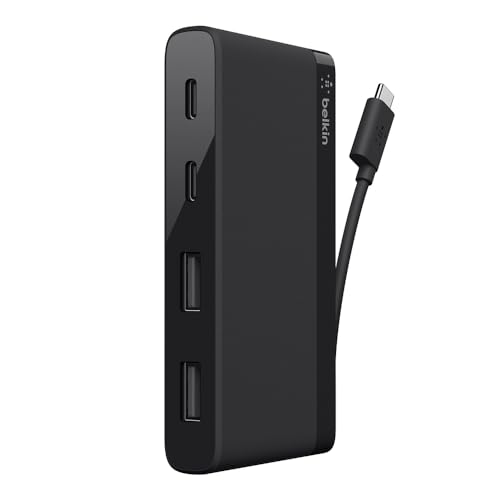 Belkin 4-Port USB-C Hub
|
Premium | Reliable USB-A/C expansion | Students needing extra USB ports and solid build | Check Price |
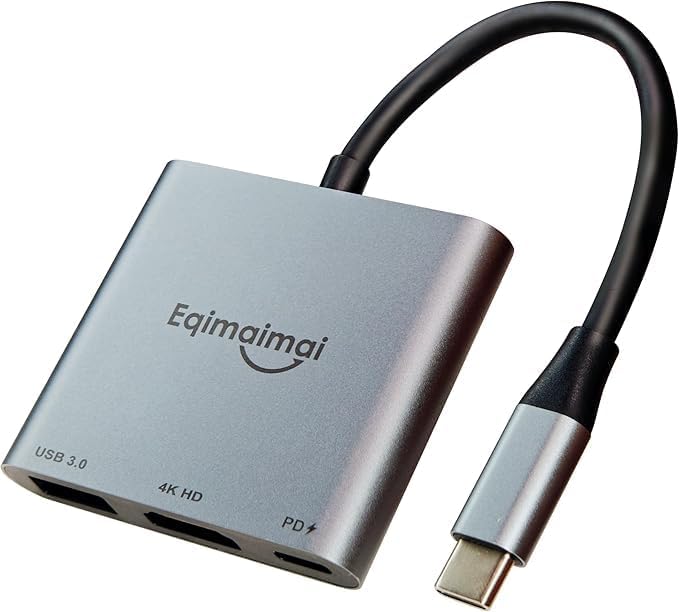
1. Switch 2 Portable Dock Compatible for Nintendo Switch 2 Docking Station with 4K@120HZ HDMI 2.1, 100w PD Port, USB-C to USB-A Converter 10Gbps, Compatible with Switch 2&1, Mac,MacBook,Laptops
A slim aluminum hub that pairs high-resolution HDMI output (4K@120Hz on supported devices) with a 100W USB-C PD pass-through — useful for MacBooks and USB-C laptops. It’s well-built for cramped desks and praised for easy setup, though some users report compatibility quirks with certain TVs.
Key Specs
- 4K@120Hz HDMI 2.1 output (also supports 2K/1080p/1440p)
- USB-C PD port up to 100W (pass-through charging)
- USB-A 3.2 port (up to 10Gbps)
- Aluminium slim body for heat dissipation
Pros
- High-power 100W PD for laptop charging
- Supports high-res HDMI output for external monitors
- Solid aluminum build aids heat dissipation
Cons
- Mixed reports on TV compatibility with some displays
- Some users report intermittent functionality over time
Best For: Students who need monitor + fast charging
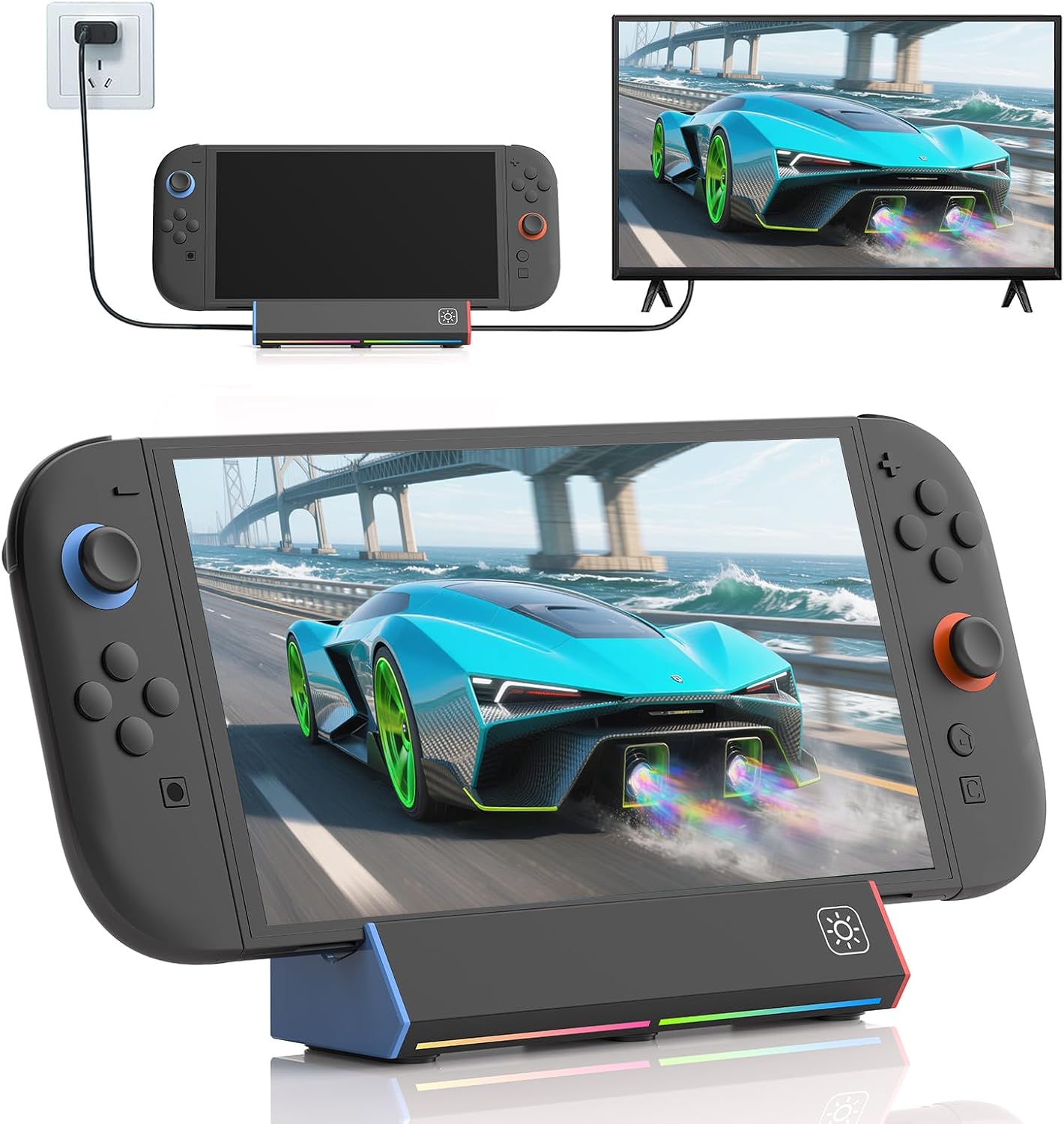
Check Latest Price on Amazon2. iPLYGAM Switch 2 Dock for Nintendo Switch 2, Portable TV Docking Station Replacement 4K High Definition HDMI/Type C/USB Port Charging Dock Base with RGB LED Light
Super-light and pocketable, this travel dock supports 4K output and has a 100W PD-capable USB-C input. It’s convenient for students on the move and offers plug-and-play switching, but value and long-term durability have mixed feedback.
Key Specs
- 4K/2K/1080 output (supports up to 144Hz depending on device)
- USB-C (100W PD input) and USB 2.0/3.0 ports
- Compact weight (~2.6 oz) and travel-friendly size
- One-touch TV/Tabletop switching
Pros
- Extremely lightweight and travel-friendly
- Simple plug-and-play setup
- Includes USB-A and USB-C ports for peripherals
Cons
- Some users report reliability issues after repeated use
- No built-in Ethernet option for wired dorm networks
Best For: Students who travel with a compact dock
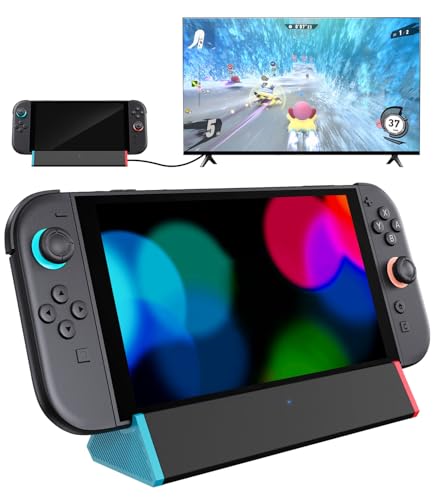
Check Latest Price on Amazon3. SIWIQU for Nintendo Switch 2 Dock Station, Portable TV Docking Station Replacement with 4K@120Hz HDMI Adapter/2 USB Port/Type C Port for Nintendo Switch 2 ONLY
A cost-conscious compact dock that supports 4K-capable HDMI output and basic USB/Type-C charging — it's praised for being small and easy to set up. Expect excellent portability and value, though connection stability is mixed in a few reports.
Key Specs
- Supports up to 4K@120Hz (device dependent)
- Two USB ports plus Type-C charging
- Spring-buffer guide notch to protect ports
- Lightweight: ~109g
Pros
- Great value and very compact
- Easy to set up and transport
- Includes protective design features for the port
Cons
- Some users report occasional disconnections
- Designed for Switch 2 — laptop compatibility can vary
Best For: Students on a tight budget who need HDMI
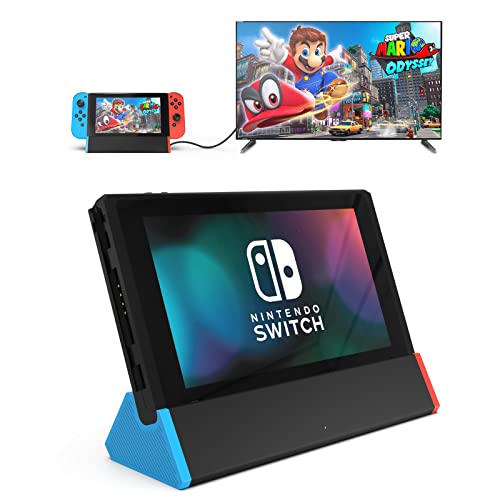
Check Latest Price on Amazon4. SIWIQU TV Dock Station for Nintendo Switch/Switch OLED, Portable TV Docking Station Replacement with 4K HDMI Adapter/Type C Port/USB Port for Official Nintendo Switch (for Switch/OLED (LAN))
A compact replacement-style dock intended for the Switch line that mirrors official functionality while shrinking the footprint. Users like the portability and value; connection reliability varies and laptop compatibility is limited to certain USB-C setups.
Key Specs
- 4K/1080p/720p HDMI output (device dependent)
- Type-C charging port and USB port(s)
- Spring-buffer guide notch and anti-skid bottom
- Lightweight and compact size
Pros
- Small, sleek design that’s travel-friendly
- Built to protect the device connector while docking
- Considered good value compared with bulkier docks
Cons
- Connection stability can be inconsistent for some users
- Primarily designed for Switch/Switch OLED — laptop support varies
Best For: Students needing a compact dock with official-dock feel
Check Latest Price on Amazon5. Belkin 4-Port USB C Hub - Ultra Portable Design - USB Type C Hub Docking Station With Two USB C & Two USB A Ports - USB Hub Connects Via USB C Cable - USB Adapter - No Pass-Through Charging
A well-built mini hub from a known brand that extends USB-C laptops with two USB-C and two USB-A ports for data. It’s compact and reliable for peripherals, but it does not support pass-through charging or direct display output — better as a peripheral hub than a full docking station.
Key Specs
- Two USB-C and two USB-A ports (data)
- Up to 5Gbps data transfer
- Ultra-portable slim design with tethered cable
- No pass-through charging (draws power from host)
Pros
- High build quality and dependable data transfer
- Compact and easy to carry
- Works well for adding peripherals quickly
Cons
- Does not support pass-through charging
- No native HDMI or Ethernet — not a full dock
Best For: Students needing extra USB ports and solid build
Check Latest Price on AmazonWhich One Should You Choose?
If budget is tight → pick the SIWIQU Switch 2 Dock (B0FCF8PV2H) for a compact, low-cost HDMI + charging solution. If you need the lightest travel option → choose the iPLYGAM Switch 2 Dock (B0FGXG2MPW) for the smallest footprint. If premium performance and fast charging matter most → go with the Switch 2 Portable Dock by eqimaimai (B0FG17WCSY) for 100W PD and high-res HDMI. If you only need extra USB ports and rock-solid brand reliability for peripherals (not display or passthrough charging) → the Belkin 4-Port USB C Hub (B017H9CF1S) is the practical pick.
Best for Specific Scenarios
- Small dorm desk with external monitor: eqimaimai (B0FG17WCSY) because it pairs compact size with HDMI 4K output and 100W PD so you can run a screen and charge a laptop from one hub.
- Student who travels between classes: iPLYGAM (B0FGXG2MPW) because its ultra-light design and plug-and-play setup fit backpacks and quick setups.
- Lowest cost setup for basic external display: SIWIQU Switch 2 Dock (B0FCF8PV2H) because it delivers HDMI output and simple charging at a budget price.
Frequently Asked Questions
Can these compact docks charge my laptop while powering an external monitor?
Some can — look for explicit USB-C PD pass-through at or above your laptop’s required wattage. The eqimaimai dock (B0FG17WCSY) offers up to 100W PD suitable for most laptops; others may provide lower PD or none at all. Always confirm the PD rating before assuming full charging while driving an external display.
Do any of these docks include Ethernet for dorm wired internet?
Ethernet is less common on ultra-compact travel docks. Some models or variants may offer LAN (often noted in the model name or product details). If wired networking is important, check the product description for a LAN/Ethernet port or consider a small USB-to-Ethernet adapter as a space-saving alternative.
Will a Switch dock work with my USB-C laptop?
Many console-style portable docks support USB-C video output and can work with laptops that support DisplayPort Alt Mode over USB-C, but compatibility varies. Console-targeted docks in this roundup can function with certain laptops but may exhibit mixed results on specific TVs or monitors — verify that your laptop supports video over USB-C before purchasing.
How We Selected These Products
Our recommendations are based on data-driven analysis: we evaluated 155229+ products across 23916+ brands using a composite scoring system that weighs rating (40%), review volume (30%), price value (20%), and demand signals (10%). Every product is ranked by data, not opinions.
Last updated: August 31, 2026
As an Amazon Associate we earn from qualifying purchases at no extra cost to you. Full disclosure.
GearLark Score is our editorial ranking based on a composite analysis of product quality, value, and verified customer sentiment. Click through to Amazon for current pricing, availability, and live customer reviews.