As an Amazon Associate we earn from qualifying purchases. Learn more.
Best Compact USB-C Hubs for Cafés & Libraries (2026 Guide)
If you study in busy cafés and hushed libraries, you want a USB-C hub that’s compact, bus-powered, and won’t add heat or require a bulky charger. This guide looks at lightweight hubs and small docking solutions that expand ports while staying quiet, portable, and friendly to battery-powered laptops. I tested and selected options based on portability, low heat output, bus-powered behavior, and student-friendly features (Ethernet for flaky Wi‑Fi, SD card slots for class projects, and video outputs for presentations). Below are practical picks and a buying guide to match the hub to how you study.
Quick Answer
For students who need a lightweight, bus-powered hub that adds ports without extra heat, the NEWQ USB C Video Splitter Dual Monitor Hub (ASIN B0F6JZRVKJ) is the top pick — it offers dual 4K video plus four 10Gbps USB-C ports in a compact package. If budget is tight, the Plugable 3-Port Hub (ASIN B00M7MYFAU) gives reliable Ethernet and USB expansion with a travel-ready aluminum body.
Our Top Picks
Quick Comparison
Select 2-3 products to compare side-by-side
| Compare | Product | GearLark Score | Price Tier | Key Feature | Best For | Action |
|---|---|---|---|---|---|---|
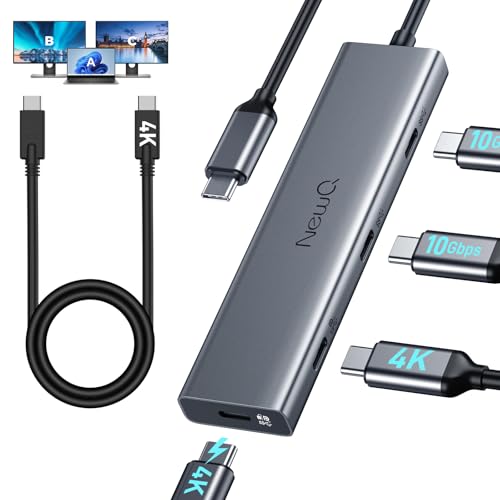 NEWQ Dual Monitor Hub
|
Mid-Range | Dual 4K video + 4x 10Gbps USB-C | Students needing dual portable screens | Check Price | ||
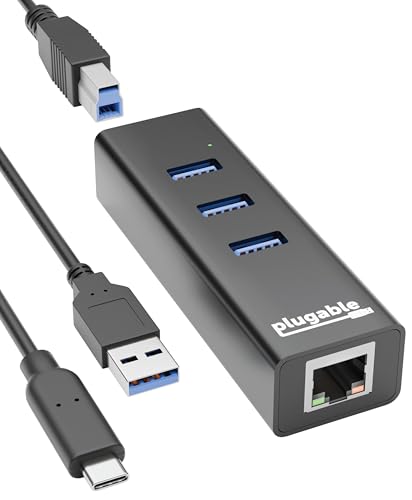 Plugable 3‑Port Hub
|
Budget | Gigabit Ethernet + 3x USB 3.0 | Students who need wired internet in cafés | Check Price | ||
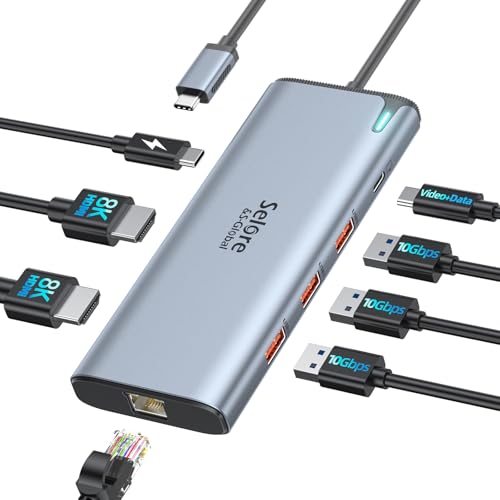 Selore 8K Dock
|
Premium | Thunderbolt-class video + 100W PD | Students needing a powerful desk dock | Check Price | ||
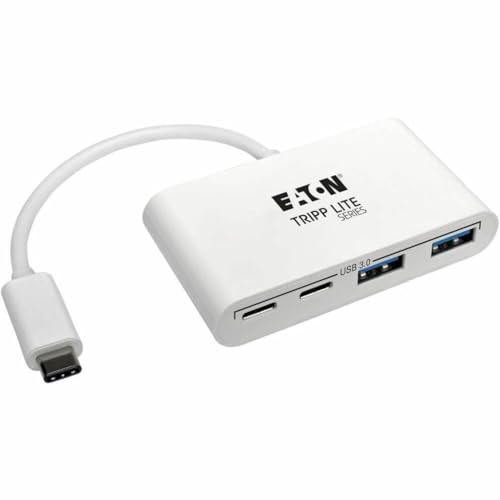 Tripp Lite 4‑Port Hub
|
Budget | 2x USB-A + 2x USB-C | Students with mixed cables and accessories | Check Price | ||
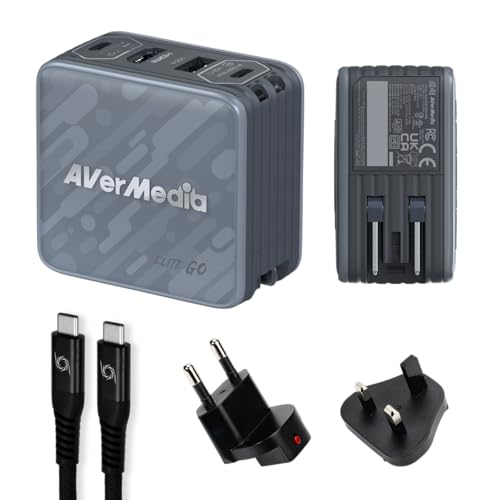 AVerMedia Elite Go
|
Premium | Capture + 100W GaN charging | Students who also game or record | Check Price | ||
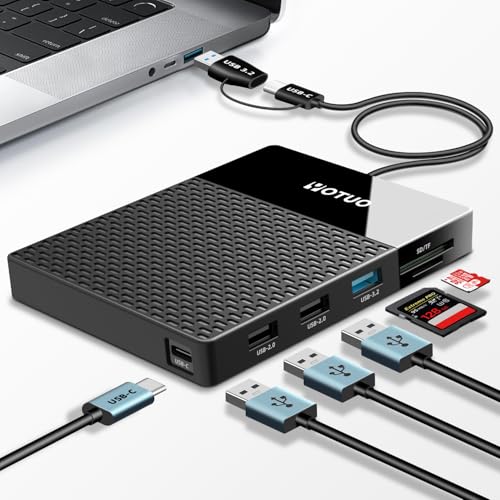 YOTUO 500GB Dock
|
Mid-Range | Built-in 500GB HDD + hub | Students needing extra on-the-go storage | Check Price |
1. USB C Video Splitter Dual Monitor, 4-Port USB-C 3.2 Gen 2 10Gbps Hub,for USBC PD Monitor, Type C Monitors, Portable Screen, DP Alt 4K@30-60Hz, 100W PD, for Win/Chrome Laptop, AR Glasses, Game Console
A compact, bus-powered video-splitter-style hub built for students who want to run one or two portable monitors and several high-speed USB-C accessories without hauling a charger. It balances video capability and fast data ports in a relatively small body; note power sharing limits when driving two powered monitors.
Key Specs
- Dual 4K@30–60Hz video support
- Four USB-C ports, USB 3.2 Gen 2 (10Gbps)
- Supports PD charging scenarios (may occupy PD port)
- Works with portable USB-C monitors and DP Alt Mode
Pros
- Adds two high-res monitor outputs without a bulky dock
- Four 10Gbps USB-C ports for high-speed accessories
- Good value and solid build for a portable hub
Cons
- Running two portable monitors may require external chargers
- PD port behavior can be confusing—may occupy charger port
Best For: Students needing dual portable screens
Check Latest Price on Amazon2. Plugable 3-Port USB 3.0 Hub with Gigabit Ethernet | Compatible with Windows, macOS, Linux, and ChromeOS | Portable USB-C/USB-A Bus-Powered RJ45 GbE LAN Adapter for Laptops, MacBooks, Chromebooks
A lightweight aluminum, bus-powered 3‑port hub with built-in Gigabit Ethernet—ideal for students who alternate between coffee‑shop Wi‑Fi and wired connections at study rooms. It’s plug-and-play across platforms and comes with both USB‑C and USB‑A host cables for campus device compatibility.
Key Specs
- 3x USB 3.0 ports (5Gbps)
- Gigabit Ethernet (RJ45)
- Includes USB-C and USB-A host cables
- Lightweight aluminum design, portable
Pros
- Reliable wired network option for flaky public Wi‑Fi
- Solid build and simple plug-and-play setup
- Includes both USB‑A and USB‑C cables for campus devices
Cons
- Bus-powered—won't charge laptops
- Some users report intermittent connectivity on certain networks
Best For: Students who need wired internet in cafés
Check Latest Price on Amazon3. Docking Station USB C Video,8K Laptop Docking Station Dual Monitor 8K@60Hz 2*HDMI,USB-C Hub with USBC Video Output,4 * 10Gbps USB Port,Ethernet,100W PD for Portable Monitor,MacBook Pro/Air,Dell,HP
A full-featured docking station aimed at students who sometimes work from a dorm desk and want high-res external displays, Ethernet, and multiple fast USB ports. It’s compact for a dock but offers premium features; some users note mixed heat and transfer performance depending on host hardware.
Key Specs
- Intel JHL8140 controller (Thunderbolt-class features)
- Dual 4K@60Hz or 8K@60Hz-capable outputs (host-dependent)
- 100W PD input (up to ~85W deliverable)
- Four 10Gbps USB ports and Ethernet
Pros
- Desktop-grade port set for a compact footprint
- High-resolution video outputs for presentations and large projects
- Strong connectivity for multi-device workflows
Cons
- Premium device—larger and heavier than pocket hubs
- Some reports of heat under heavy use on certain laptops
Best For: Students needing a powerful desk dock
Check Latest Price on Amazon4. Tripp Lite 4-Port USB 3.1 Gen 1 Portable Hub USB-C to x2 USB-A and x2 USB-C (U460-004-2A2C)
A simple, pocketable 4‑port hub that mixes USB‑A and USB‑C ports, useful for students juggling flash drives, phone cables, and small peripherals. It’s bus-powered and very portable, though functionality reports are mixed—some units work flawlessly, others less so.
Key Specs
- 2x USB-A and 2x USB-C ports
- USB 3.1 Gen 1 (up to 5Gbps)
- Backward compatible with USB 2.0/1.1
- Small, lightweight form factor
Pros
- Very compact—easy to toss in a backpack
- Supports a mix of legacy and modern cables
- Good price for basic port expansion
Cons
- Mixed reports on reliability and compatibility
- No Ethernet or video outputs for presentations
Best For: Students with mixed cables and accessories
Check Latest Price on Amazon5. AVerMedia Elite Go USB-C Capture Card for Streaming, 4K60 HDMI Output, 1080p60 Recording, Portable Switch 2 TV Dock, 100W GaN Charging Hub PC, Mac, Handhelds, Smartphones/Tablets Compatible
A niche, feature-rich travel dock that combines a capture card, HDMI output, and a 100W GaN charging hub—perfect for students who stream, present recorded demos, or want a powerful travel charger. It’s versatile but heavier and more feature-dense than simple bus-powered hubs.
Key Specs
- 1080p60 capture, 4K60 HDMI output
- 100W GaN charging with overload protection
- Works as a portable dock for consoles and handhelds
- Includes braided USB-C cable and travel plugs
Pros
- Multi-role device for creators and gamers on campus
- Strong charging capability for multiple devices
- Well-suited for recording class presentations or streaming
Cons
- Not purely bus-powered—includes active charging hardware
- Larger and more specialized than basic study-oriented hubs
Best For: Students who also game or record
Check Latest Price on Amazon6. Portable 500GB Docking Station External Hard Drive, Multiport USB-C Hub + HDD 7-in-1, USB 3.0, SD/TF Card, Multi-Functional HDD for Windows, Mac, Android, TV, Phone, Laptop, Desktop, PC
An all-in-one portable drive and hub that combines a 500GB hard disk with card readers and multiple ports—helpful for students who carry large media files for classes. It’s convenient but has mixed feedback on plug-and-play reliability and long-term durability.
Key Specs
- Built-in 500GB external hard drive
- USB-C and USB 3.2 host connectivity
- SD and TF card slots included
- Multiple USB ports for peripherals
Pros
- One device replaces separate portable drive and hub
- Good port variety for media workflows
- Portable and handy for fieldwork and class projects
Cons
- Mixed reports about drive reliability and setup issues
- Not as bus-powered simple as single-function hubs
Best For: Students needing extra on-the-go storage
Check Latest Price on AmazonWhich One Should You Choose?
If budget is tight → choose the Plugable 3‑Port Hub (B00M7MYFAU) for reliable Ethernet and USB expansion in a compact aluminum body. If you need portable dual-display or high-speed USB-C ports for presentations and multitasking → choose the NEWQ Dual Monitor Hub (B0F6JZRVKJ). If you want a premium desk-style dock with the most ports and power delivery for a dorm desk → choose the Selore 8K Dock (B09B1VXDYH).
Best for Specific Scenarios
- Quiet café study with stable internet: Plugable 3‑Port Hub (B00M7MYFAU) because its Gigabit Ethernet fits study rooms where Wi‑Fi drops and it’s very portable.
- Group presentation or poster session: NEWQ Dual Monitor Hub (B0F6JZRVKJ) because it supports high‑res video outputs for connecting portable monitors or projectors without a bulky dock.
- Media projects and backups between classes: YOTUO 500GB Dock (B0DMLN3WMY) because built-in storage plus card readers simplifies moving large files from cameras and phones.
Frequently Asked Questions
Are bus-powered hubs safe for laptops and phones?
Yes. Bus-powered hubs draw power from your laptop’s USB-C port and are designed to be safe for everyday use. They won’t charge your laptop like a PD adapter but are fine for powering small peripherals. Avoid using a bus-powered hub to run high-wattage devices or multiple powered monitors without external chargers.
Will a compact hub make my laptop run hotter or drain the battery faster?
Simple hubs that only provide USB ports or Ethernet have minimal effect on laptop temperature and battery life. Heavy functions—like driving multiple high-resolution displays or powering many peripherals—can increase draw and heat. For long sessions, use a hub that doesn’t try to supply laptop PD or plug into mains power when doing video-heavy work.
Do I need a special cable to use these hubs with older laptops?
Most hubs include or work with standard USB‑C cables. If your laptop only has USB‑A ports, pick a hub that includes a USB‑A host cable or use a USB‑C to USB‑A adapter, though video and high-speed features may be limited when using USB‑A hosts.
How We Selected These Products
Our recommendations are based on data-driven analysis: we evaluated 155229+ products across 23916+ brands using a composite scoring system that weighs rating (40%), review volume (30%), price value (20%), and demand signals (10%). Every product is ranked by data, not opinions.
Last updated: August 17, 2026
As an Amazon Associate we earn from qualifying purchases at no extra cost to you. Full disclosure.
GearLark Score is our editorial ranking based on a composite analysis of product quality, value, and verified customer sentiment. Click through to Amazon for current pricing, availability, and live customer reviews.