As an Amazon Associate we earn from qualifying purchases. Learn more.
Best Portable USB-C Hubs for Editing Photos in Hotels (2026)
Traveling photographers and content creators often edit images in cramped hotel rooms where space, charging and quick card transfers matter. This guide reviews compact USB‑C hubs built for that workflow — hubs with SD/TF readers, HDMI or USB‑C video output, PD passthrough for charging, and fast USB ports for offloading photos. I tested features, port layouts, real‑world compatibility notes from users and reliability signals to recommend hubs that balance portability, performance and value for 2026 hotel editing setups.
Quick Answer
For editing photos in hotels, the NEWQ USB C Video Splitter (B0F6JZRVKJ) is the best pick — it combines dual‑monitor output, four 10Gbps USB‑C ports and PD passthrough in a compact package. If you need a tight budget option, the Plugable 3‑Port hub (B00M7MYFAU) adds gigabit Ethernet and solid build at a low price.
Our Top Picks
Quick Comparison
Select 2-3 products to compare side-by-side
| Compare | Product | GearLark Score | Price Tier | Key Feature | Best For | Action |
|---|---|---|---|---|---|---|
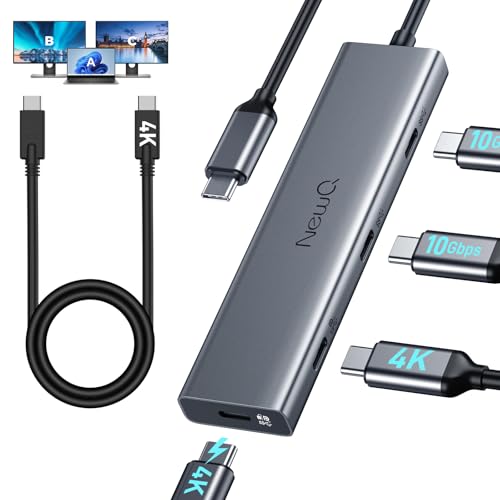 NEWQ USB C Video Splitter
|
Mid-Range | Dual 4K output + four 10Gbps USB‑C | Dual‑monitor portable editing | Check Price | ||
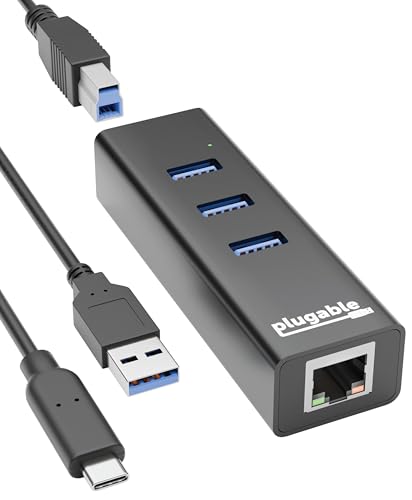 Plugable 3‑Port Hub
|
Budget | Gigabit Ethernet + 3 USB 3.0 ports | Budget travelers who need Ethernet | Check Price | ||
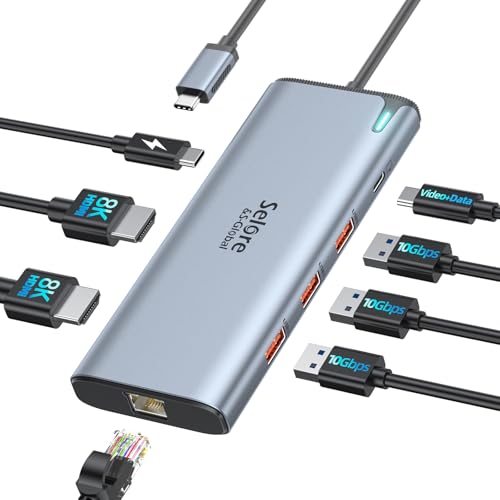 Selore&S‑Global Dock
|
Premium | 8K/dual 4K support + 100W PD | Power users needing many ports | Check Price | ||
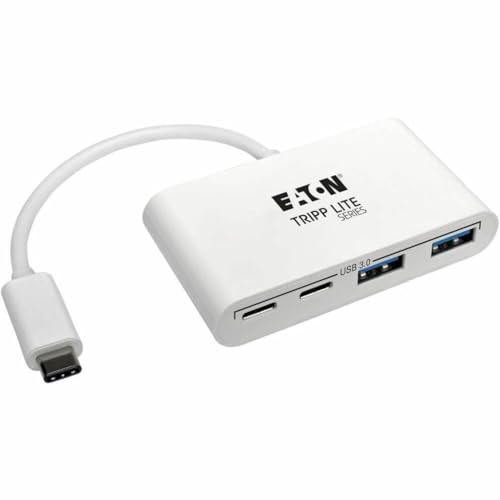 Tripp Lite 4‑Port Hub
|
Budget | 2 USB‑A + 2 USB‑C ports | Simple port expansion | Check Price | ||
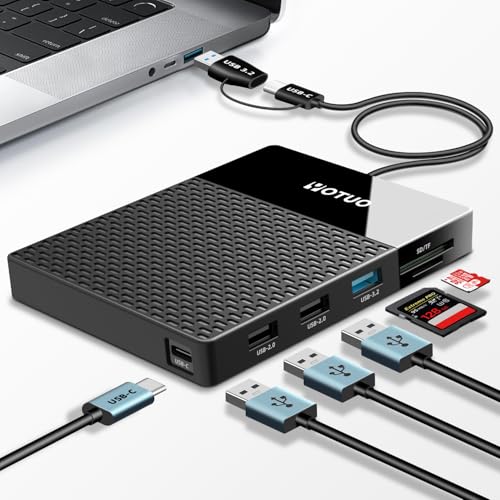 YOTUO 500GB Dock
|
Mid-Range | Built‑in 500GB HDD + SD/TF reader | Photographers who want onboard backup | Check Price | ||
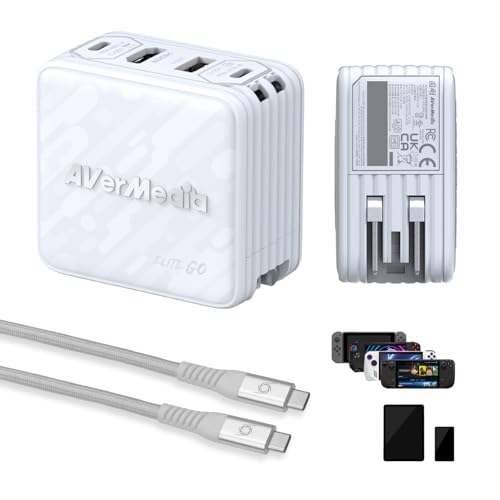 AVerMedia Elite Go
|
Premium | 1080p capture + 100W GaN charging | Creators who also stream or capture | Check Price |
1. USB C Video Splitter Dual Monitor, 4-Port USB-C 3.2 Gen 2 10Gbps Hub,for USBC PD Monitor, Type C Monitors, Portable Screen, DP Alt 4K@30-60Hz, 100W PD, for Win/Chrome Laptop, AR Glasses, Game Console
A compact video splitter hub built for photographers who want dual portable monitors, fast USB‑C transfers and PD passthrough. Strong port density and high‑speed lanes make it ideal for offloading RAW files and running a portable display while charging.
Key Specs
- Dual 4K@30–60Hz support (DP Alt/USB‑C video)
- 4 × USB‑C 3.2 Gen 2 ports (10Gbps)
- PD passthrough support (works with 65W+ reverse‑powered monitors)
- Includes full‑featured C to C cable for portable monitors
Pros
- High‑speed 10Gbps USB‑C ports for fast card/drive transfers
- Supports dual portable 4K displays for expanded editing workspace
- Good value for the feature set and compact travel form
Cons
- Dual monitor setups may require external power or powered monitors
- Mac laptops often limit external displays — check your Mac’s GPU/OS limits
Best For: Dual‑monitor portable editing
Check Latest Price on Amazon2. Plugable 3-Port USB 3.0 Hub with Gigabit Ethernet | Compatible with Windows, macOS, Linux, and ChromeOS | Portable USB-C/USB-A Bus-Powered RJ45 GbE LAN Adapter for Laptops, MacBooks, Chromebooks
A reliable budget hub that adds three USB‑3 ports and a gigabit RJ45 jack in a slim aluminum shell. Great for photographers who need stable wired transfers to hotel networks or a wired tethering workflow without breaking the bank.
Key Specs
- 3 × USB 3.0 ports (5Gbps)
- Gigabit Ethernet (RJ45)
- Includes detachable USB‑C and USB‑A host cables
- Aluminum compact travel design
Pros
- Excellent value and solid aluminum build for travel
- Plug‑and‑play setup on most OSes with included cables
- Ethernet avoids flaky hotel Wi‑Fi for large uploads
Cons
- No power delivery passthrough or laptop charging
- Some users report occasional connectivity quirks with certain networks
Best For: Budget travelers who need Ethernet
Check Latest Price on Amazon3. Docking Station USB C Video,8K Laptop Docking Station Dual Monitor 8K@60Hz 2*HDMI,USB-C Hub with USBC Video Output,4 * 10Gbps USB Port,Ethernet,100W PD for Portable Monitor,MacBook Pro/Air,Dell,HP
A full‑feature docking hub using an Intel JHL8140 controller that promises very high‑resolution outputs, multiple 10Gbps ports and up to 100W PD. Good if you want a near‑desktop port count while traveling with a powerful laptop that supports Thunderbolt/USB4.
Key Specs
- Intel JHL8140 controller (Thunderbolt/USB4 features)
- Dual HDMI + USB‑C display outputs (up to 8K/60Hz or 4K/60Hz)
- 100W PD input (up to ~85W safe continuous to laptop)
- Multiple 10Gbps USB ports and Ethernet
Pros
- Extensive port set for multi‑monitor, drives and wired LAN
- Compact for a docking station with lots of connectivity
- Designed for high‑res displays and heavy data workflows
Cons
- Full feature set requires Thunderbolt 3/4 or USB4 host support
- Some users report mixed heat and data transfer behavior under heavy load
Best For: Power users needing many ports
Check Latest Price on Amazon4. Tripp Lite 4-Port USB 3.1 Gen 1 Portable Hub USB-C to x2 USB-A and x2 USB-C (U460-004-2A2C)
A straightforward, compact hub that adds two USB‑A and two USB‑C ports at USB 3.1 Gen1 speeds. Good if you only need extra ports for card readers, mice and portable drives while keeping luggage light.
Key Specs
- 2 × USB‑A and 2 × USB‑C ports
- USB 3.1 Gen1 (up to 5Gbps)
- Backward compatible with USB 2.0/1.1
- Portable, bus‑powered design
Pros
- Affordable and compact — easy to toss in a camera bag
- Supports a mix of legacy and modern peripherals
- Simple plug‑and‑play use on most systems
Cons
- Mixed reports on reliability — some units fail for a few users
- No SD card slot or video output for monitors
Best For: Simple port expansion
Check Latest Price on Amazon5. Portable 500GB Docking Station External Hard Drive, Multiport USB-C Hub + HDD 7-in-1, USB 3.0, SD/TF Card, Multi-Functional HDD for Windows, Mac, Android, TV, Phone, Laptop, Desktop, PC
An all‑in‑one unit combining a 500GB HDD, SD/TF reader and multiport hub — handy for photographers who want quick local backups without carrying a separate drive. It simplifies workflow but expect mixed plug‑and‑play behavior across systems.
Key Specs
- Built‑in 500GB external hard drive
- SD and TF card slots plus USB 3.2 ports
- Dual data cables (USB‑C and USB 3.2)
- Compatible with Windows, macOS, Linux, Android
Pros
- Combines storage and card reader in a single compact device
- Reduces the number of separate accessories to pack
- Multiple interfaces for broad device compatibility
Cons
- Some users report drive or plug‑and‑play issues out of the box
- Mixed opinions on long‑term durability and value
Best For: Photographers who want onboard backup
Check Latest Price on Amazon6. AVerMedia Elite Go USB-C Capture Card for Streaming, 4K60 HDMI Output, 1080p60 Recording, Portable Switch 2 TV Dock, 100W GaN Charging Hub PC, Mac, Handhelds, Smartphones/Tablets Compatible
A hybrid capture/charging dock that pairs HDMI capture with a 100W GaN charger and multiple ports. Useful if you also record or stream video on the road, and you want a hub that doubles as a charging station.
Key Specs
- 1080p60 capture, 4K60 HDMI output
- Built‑in 100W GaN charger with PD 3.0
- 2 × USB‑C + 1 × USB‑A charging/data ports
- Includes 2m braided USB‑C cable and changeable AC plug
Pros
- Compact capture card with solid travel credentials
- High‑power 100W charging built into the hub
- Works for consoles, handhelds and laptops for multi‑use travel
Cons
- Not focused solely on photo‑editing workflows — mixed reports on capture/charging consistency
- Some users report variable charging speed and functionality across devices
Best For: Creators who also stream or capture
Check Latest Price on AmazonWhich One Should You Choose?
If budget is tight → Plugable 3‑Port USB 3.0 Hub (B00M7MYFAU). If you need portable dual‑monitor editing and fast file transfers → NEWQ USB C Video Splitter (B0F6JZRVKJ). If premium connectivity and many ports matter more than weight → Selore&S‑Global Docking Station (B09B1VXDYH). If you want onboard backup and a single device solution → YOTUO 500GB Dock (B0DMLN3WMY). If you also capture video or need a charging hub for multiple devices → AVerMedia Elite Go (B0DP4YBMS6).
Best for Specific Scenarios
- Editing a full shoot in a small hotel room: NEWQ USB C Video Splitter (B0F6JZRVKJ) because it supports dual portable monitors and multiple high‑speed USB‑C ports for fast drive transfers.
- Fast uploads on flaky hotel Wi‑Fi: Plugable 3‑Port Hub (B00M7MYFAU) because it adds Gigabit Ethernet for reliable wired uploads and simple USB expansion.
- Near‑desktop docked editing at a travel base: Selore&S‑Global Docking Station (B09B1VXDYH) because it provides many ports, high‑res display outputs and high‑watt PD for sustained work.
Frequently Asked Questions
Does a USB‑C hub need a power adapter to run a portable monitor?
Not always — some portable monitors are reverse‑powered and can supply power to a laptop. However, running two portable monitors or powering a laptop while driving multiple devices usually requires a hub with PD passthrough or a separate power adapter to avoid under‑powering the system.
Will these hubs work with my MacBook (M1/M2/M3)?
They will connect, but display behavior depends on your Mac’s GPU/OS limitations. Many Macs with M1/M2 chips only support one external monitor through the internal GPU unless you use a Thunderbolt dock or vendor‑specific workarounds. Check the hub’s video mode requirements (Thunderbolt/USB4 vs. USB‑C Alt Mode) and your Mac model before buying.
How fast will an SD card copy RAW files through these hubs?
Speed depends on the card reader’s interface (USB 3.1/3.2) and the card itself. Hubs with USB 3.2 Gen2 (10Gbps) or native SD 3.0 readers will transfer much faster than USB 2.0 hubs. For bulk RAW transfers, prefer 10Gbps USB lanes or a direct USB‑C/SD slot on your laptop when possible.
How We Selected These Products
Our recommendations are based on data-driven analysis: we evaluated 155229+ products across 23916+ brands using a composite scoring system that weighs rating (40%), review volume (30%), price value (20%), and demand signals (10%). Every product is ranked by data, not opinions.
Last updated: July 12, 2026
As an Amazon Associate we earn from qualifying purchases at no extra cost to you. Full disclosure.
GearLark Score is our editorial ranking based on a composite analysis of product quality, value, and verified customer sentiment. Click through to Amazon for current pricing, availability, and live customer reviews.