As an Amazon Associate we earn from qualifying purchases. Learn more.
Best External SSDs for Student Video Editors (2026)
If you're a student editing multi-cam projects or 4K footage between classes, campus labs and client shoots, you need an external SSD solution that delivers sustained throughput, reliable cooling, and easy portability. This guide tests and compares current USB4/Thunderbolt NVMe enclosures that give you workstation-level transfer speeds without lugging a desktop. You'll learn which enclosures are best for sustained editing, which are easiest to swap SSDs in and out of between assignments, and how to avoid compatibility and heat issues. Products were selected for real-world editing needs: high bandwidth controllers, thermal management, tool-free or compact designs, and notes from user feedback on reliability and ease of use.
Quick Answer
For student video editors who need high-throughput portable drives, the UGREEN 40Gbps M.2 NVMe Enclosure with Aluminum Double-Sided Fin Heat Dissipation (B0F62NG7K3) is the best pick for raw sustained speed and passive cooling. Budget-conscious editors should consider the V VCOM 40Gbps NVMe Enclosure (B0BTYD66L4) for strong performance at a lower price.
Our Top Picks
Quick Comparison
Select 2-3 products to compare side-by-side
| Compare | Product | GearLark Score | Price Tier | Key Feature | Best For | Action |
|---|---|---|---|---|---|---|
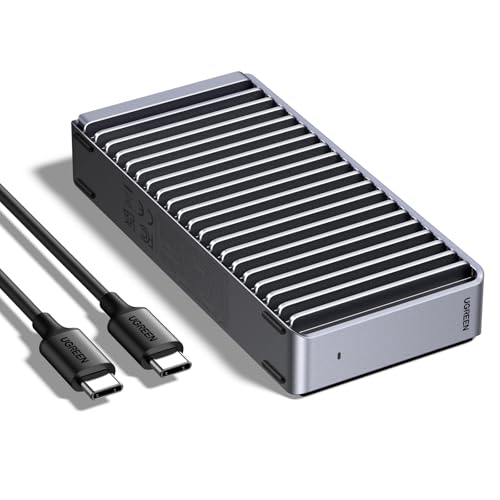 UGREEN Aluminum Fin Enclosure
|
Premium | 3600MB/s peak with double-sided fins | Sustained multi-cam 4K editing | Check Price | ||
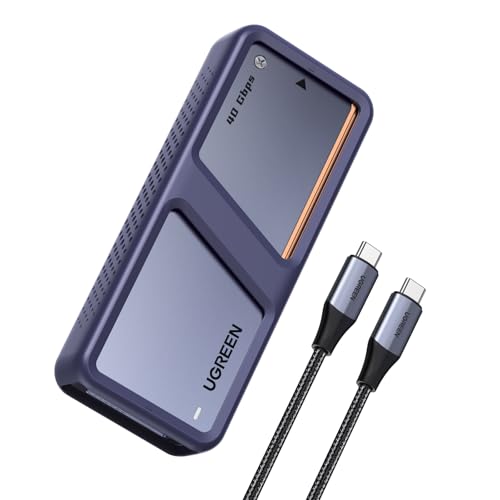 UGREEN Dual-Chip Fan Enclosure
|
Premium | Dual-chip + active fan cooling | Heavy, sustained editing sessions | Check Price | ||
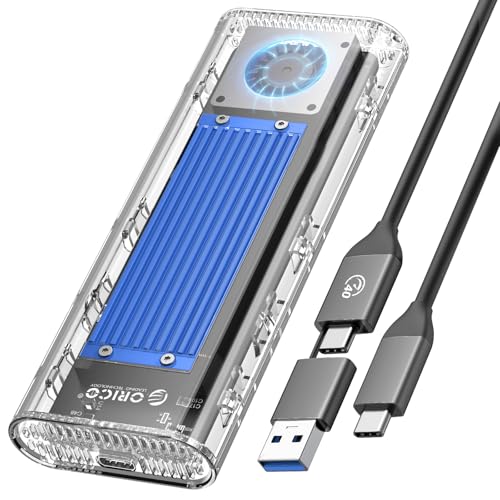 ORICO Tool-Free Enclosure
|
Mid-Range | Tool-free install + 2-in-1 cable | Quick swaps & campus use | Check Price | ||
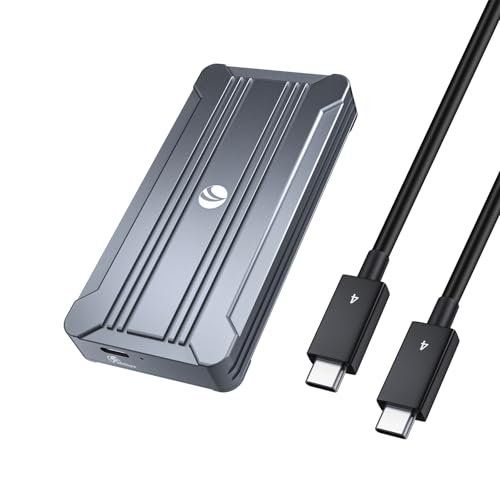 V VCOM 40Gbps Enclosure
|
Budget | Solid value with USB4 support | Students on a budget | Check Price | ||
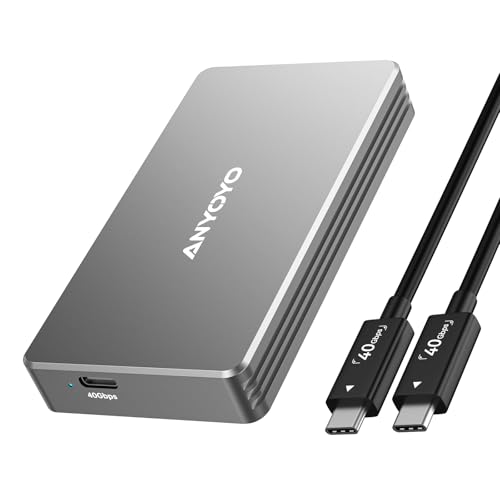 ANYOYO Fanless Enclosure
|
Budget | Quiet aluminum build, tool-free | Noise-sensitive editing spaces | Check Price | ||
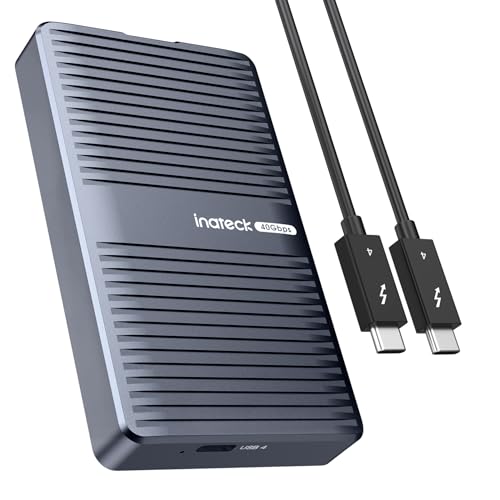 Inateck Flip-Open Enclosure
|
Budget | Magnetic flip-open + TB4 cable included | On-the-go students who need a ready cable | Check Price |
1. UGREEN 40Gbps M.2 NVMe Enclosure with Aluminum Double-Sided Fin Heat Dissipation, No Noise External SSD Case Compatible with Thunderbolt 4/3/USB4/3.2/2.0 M1 M2 Pro/Max (SSD Not Included)
A premium, ultra-slim NVMe enclosure focused on passive thermal performance and maximum throughput. With the ASM2464PD controller and double-sided fin cooling it keeps high-capacity NVMe drives running without fans — ideal for students doing long 4K timelines where thermal throttling hurts export and playback.
Key Specs
- Controller: ASM2464PD
- Max transfer: up to 3600MB/s (needs Thunderbolt 4 & TB4 cable)
- Fits M.2 NVMe 2230/2242/2260/2280, up to 8TB
- Aluminum double-sided fin heat dissipation; fanless
Pros
- Top-end throughput when paired with TB4 devices
- Excellent passive cooling design for sustained writes
- Solid, portable aluminum construction
Cons
- Requires Thunderbolt 4 hardware/cable for peak speeds
- Some Mac users report intermittent disconnections
Best For: Sustained multi-cam 4K editing
Check Latest Price on Amazon2. UGREEN 40Gbps M.2 NVMe SSD Enclosure with Dual Chips, External SSD Drive with Cooling Fan, Compatible with Thunderbolt 4/3 USB4/3.2/2.0, Support 1/2/4/8TB M-Key/(M&B) Key 2280 Side SSD Enclsoure
This dual-chip enclosure (JHL7440 + RTL9210) is engineered for stable high-speed transfers and long edits. The automatic cooling fan protects drives during extended exports and multi-cam playback, and controller-level support for TRIM/S.M.A.R.T. helps maintain drive health — useful for students shipping deadlines and repeated large file moves.
Key Specs
- Controllers: JHL7440 + RTL9210 dual-chip
- Max transfer: up to 3600MB/s (Thunderbolt 4 required for peak)
- Active cooling fan that auto-starts above ~40°C
- Supports NVMe 2280 M-Key/M&B, up to 8TB; TRIM & S.M.A.R.T.
Pros
- Reliable sustained speeds thanks to active cooling
- Dual-chip design improves compatibility and stability
- Drive-health features (TRIM, S.M.A.R.T.) for long-term use
Cons
- Fan adds moving part and slightly more bulk
- Not compatible with some exotic SSDs (e.g., PCIe 5.0/9100 series)
Best For: Heavy, sustained editing sessions
Check Latest Price on Amazon3. ORICO 40Gbps M.2 NVMe SSD Enclosure with Built-in Cooling Fan, Tool-Free External Hard Drive Enclosure, Support 2230 2242 2260 2280(M Key), Compatible with Thunderbolt 3/4 USB4/3.2/3.1/3.0/2.0-TCM2U4
ORICO's transparent, tool-free design makes swapping SSDs between projects and classmates fast — great when deadlines move. It combines active cooling and silicone thermal pads to limit throttling and includes both USB-C to C and C to A cable ends for broad device compatibility.
Key Specs
- Max transfer: ~3100MB/s over USB4/Thunderbolt
- Tool-free installation; supports M.2 NVMe 2230-2280 up to 4TB
- Built-in silent fan + aluminum + silicone cooling pads
- Includes USB-C to C (40Gbps) and USB-C to A (10Gbps) cable
Pros
- Fast, tool-free drive changes for class or lab work
- Includes versatile 2-in-1 cable for different ports
- Good thermal combo (fan + pads) for sustained use
Cons
- Limited to 4TB single-drive capacity
- Known compatibility caveats with some SSD models and heatsinks
Best For: Quick swaps & campus use
Check Latest Price on Amazon4. 40Gbps NVMe Enclosure,V VCOM M.2 NVMe SSD Enclosure, Aluminum Alloy External NVMe Enclosure Support Size 2280 M&B+M-Key,Compatible with Thunderbolt 3/4,USB4/3.2/3.1/3.0/2.0
The V VCOM enclosure gives excellent value for student budgets: dual-chip controller, aluminum body and thermal pad for heat transfer, and lab-tested strong read/write figures. It’s a practical choice if you want near-TB4 performance without the premium price.
Key Specs
- Controller: Intel JHL7440 (dual-chip)
- Lab speeds reported up to ~2800MB/s read / 2500MB/s write (varies)
- Fits 2280 M.2 NVMe (M&B+M-Key); aluminum shell and thermal pad
- USB4/Thunderbolt compatible; plug-and-play
Pros
- Great price-to-performance for students
- Easy setup and immediate detection on most systems
- Aluminum body assists with passive cooling
Cons
- Can run hot under heavy sustained workloads
- Some users report occasional connectivity/cable issues
Best For: Students on a budget
Check Latest Price on Amazon5. ANYOYO 40Gbps M.2 NVMe SSD Enclosure with Aluminum Alloy Heat Dissipation, No Noise External SSD Case Compatible for Thunderbolt 4/3/USB4, Support M/B+M Key SSD, Tool-Free Installation
ANYOYO focuses on quiet, tool-free operation with a thermal design that uses silicone pads and an aluminum shell. It’s suitable for students editing in shared dorms or quiet study spaces, though write-speed and heat resistance reviews are mixed under very heavy workloads.
Key Specs
- Controllers: JHL7440 + RTL9210
- Advertised up to ~2700MB/s (environment dependent)
- Tool-free installation; supports up to 8TB NVMe
- Aluminum shell + silicone thermal pad for cooling
Pros
- Very quiet during operation — great in study areas
- Tool-free installation for quick SSD swaps
- Solid aluminum construction
Cons
- Mixed reports on write speeds compared with peers
- Heat resistance can be inconsistent in heavy use
Best For: Noise-sensitive editing spaces
Check Latest Price on Amazon6. Inateck 40Gbps M.2 NVMe SSD Aluminum Enclosure, USB4.0/Thunderbolt 3/4 External Hard Drive Enclosure, No Tools Required Installation, Supports 2280 SSDs, M-Key, FE2029
Inateck pairs a flip-open magnetic design with an included Thunderbolt 4 cable, making it a great grab-and-go option for students who edit across machines. It delivers advertised speeds and is compact enough for backpacks, though its cooling performance is mixed under continuous export loads.
Key Specs
- Controllers: JHL7440 + RTL9210B
- Advertised speeds up to ~2700MB/s
- Supports 2280 M-Key NVMe up to 8TB; includes 50cm TB4 cable
- Flip-open magnetic design; tool-free install; compact size
Pros
- Comes with a Thunderbolt 4 cable — ready to use
- Very portable and easy to swap drives
- Good value for advertised speeds
Cons
- Only supports M-Key drives (limited compatibility)
- Cooling capacity receives mixed feedback under heavy use
Best For: On-the-go students who need a ready cable
Check Latest Price on AmazonWhich One Should You Choose?
If budget is tight → V VCOM 40Gbps NVMe Enclosure (B0BTYD66L4). It gives the best price-to-performance balance for students who need fast transfers without a premium sticker. If you need the most portable, ready-to-use option → Inateck Flip-Open Enclosure (B0CY5KX3Z3) because it includes a Thunderbolt 4 cable and a compact magnetic design for on-the-go editing. If premium sustained performance and passive cooling matter most → UGREEN Aluminum Fin Enclosure (B0F62NG7K3) is the best choice for long multi-cam exports and minimal throttling. If you want the most reliable sustained speeds with active thermal protection → UGREEN Dual-Chip Fan Enclosure (B0F37TDPQN) balances peak throughput and long-session stability.
Best for Specific Scenarios
- On-campus editing between classes: Inateck (B0CY5KX3Z3) because the flip-open tool-free design and included TB4 cable let you move quickly from lab to dorm without extra parts.
- Sustained multi-cam 4K timelines: UGREEN Dual-Chip Fan Enclosure (B0F37TDPQN) because its active cooling and dual-controller design reduce throttling during long exports.
- Quick drive swaps and backups before deadlines: ORICO Tool-Free Enclosure (B0CG63FK3R) because its tool-free installation and 2-in-1 cable make copying and handing off projects fast and painless.
Frequently Asked Questions
Do I need Thunderbolt 4 to reach the advertised 40Gbps speeds?
Yes — to reach peak 40Gbps/3600MB/s numbers you need a system port and cable that support USB4 or Thunderbolt 4. Most enclosures will still work on USB3/Thunderbolt 3 but at reduced speeds.
Can I use any NVMe SSD in these enclosures?
Most enclosures accept standard M.2 NVMe 2230–2280 drives, but they do not support SATA NGFF drives or certain newer PCIe 5.0/9100-class SSDs. Also note some factory-heatsink SSDs may not fit; check sleeve clearance and compatibility notes before buying.
How do I avoid thermal throttling during long exports?
Use an enclosure with active cooling or proven passive fins, avoid packing the enclosure into tight bags during exports, choose an SSD with strong sustained write performance, and give the drive brief cool-down breaks during multi-hour exports to preserve throughput.
How We Selected These Products
Our recommendations are based on data-driven analysis: we evaluated 155229+ products across 23916+ brands using a composite scoring system that weighs rating (40%), review volume (30%), price value (20%), and demand signals (10%). Every product is ranked by data, not opinions.
Last updated: August 23, 2026
As an Amazon Associate we earn from qualifying purchases at no extra cost to you. Full disclosure.
GearLark Score is our editorial ranking based on a composite analysis of product quality, value, and verified customer sentiment. Click through to Amazon for current pricing, availability, and live customer reviews.