As an Amazon Associate we earn from qualifying purchases. Learn more.
Best Short HDMI Adapters & Cables for Projector + Laptop Presentations (2026 Guide)
If you give presentations from a laptop or projector and hate cable clutter, this guide is for you. We tested and compared compact adapters, short tethered HDMI cables, splitters and a wireless HDMI kit to find options that keep setups tidy while delivering reliable video and audio. You’ll learn which adapters are best for short runs, multi‑monitor extension, travel-ready tethered cables, and wireless projection. Selections were made based on compatibility with modern laptops/tablets, build quality, real-world functionality, portability, and customer feedback about ease of setup and durability; products are ordered by overall match to compact presentation use.
Quick Answer
For tidy projector and laptop presentations the Plugable 4K DisplayPort and HDMI Dual Monitor Adapter (B08F2TSR43) is the best overall — compact, versatile, and built for multi‑display productivity. If you want the smallest tethered cable for quick hookups, the Belkin USB-C to HDMI 2.1 adapter (B0BKGMBSLR) is the top budget choice.
Our Top Picks
Quick Comparison
Select 2-3 products to compare side-by-side
| Compare | Product | GearLark Score | Price Tier | Key Feature | Best For | Action |
|---|---|---|---|---|---|---|
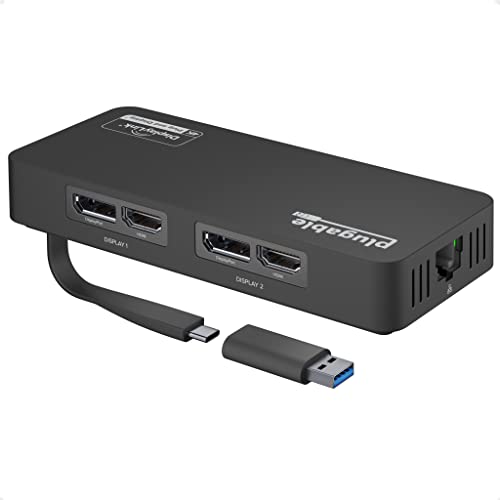 Plugable Dual 4K Adapter
|
Mid-Range | Dual 4K outputs plus Gigabit Ethernet | Multi‑monitor laptop presentations | Check Price | ||
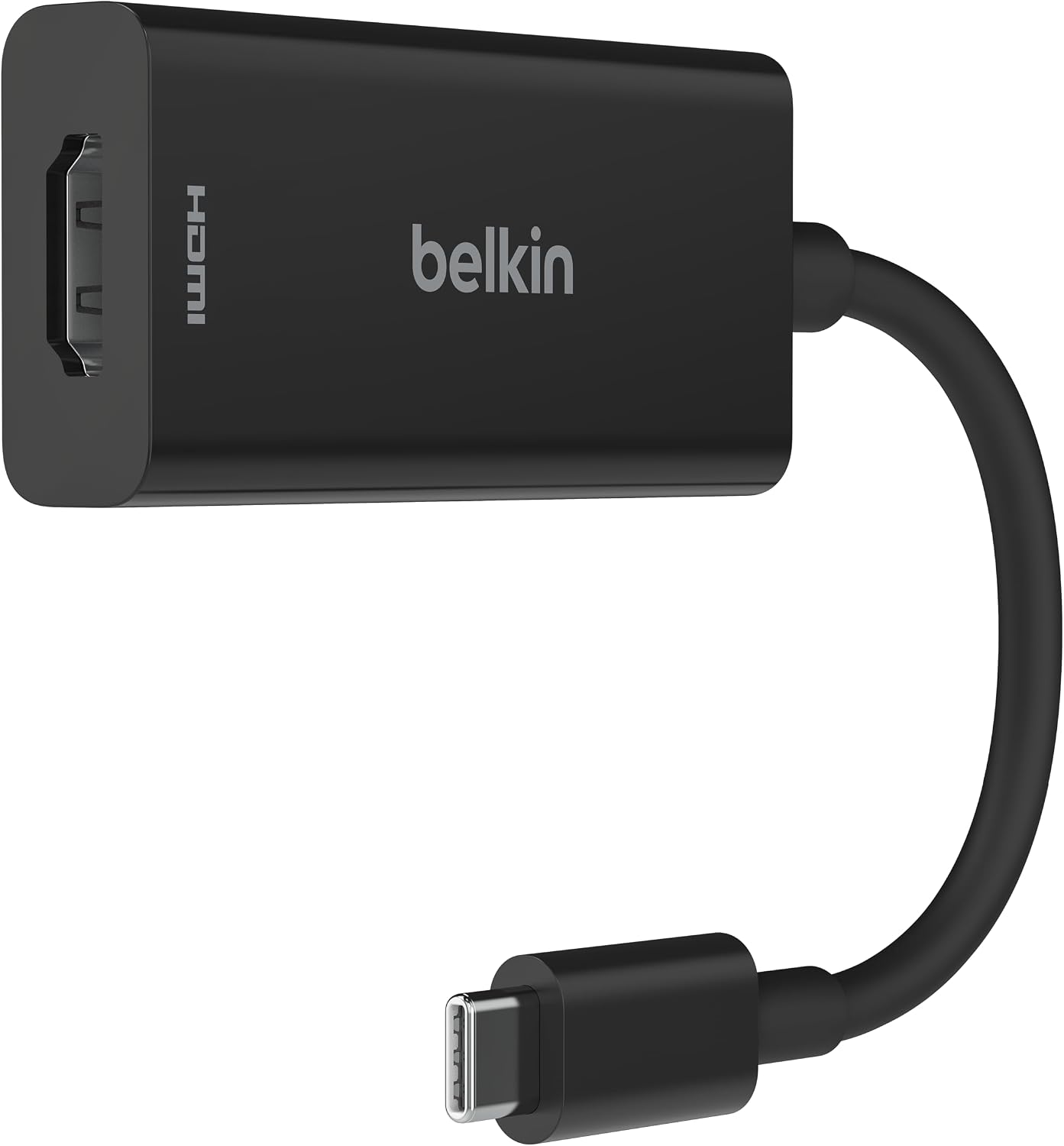 Belkin USB-C to HDMI 2.1
|
Budget | Tethered 4.33in USB‑C cable, HDMI 2.1 | Portable, low‑profile laptop hookups | Check Price | ||
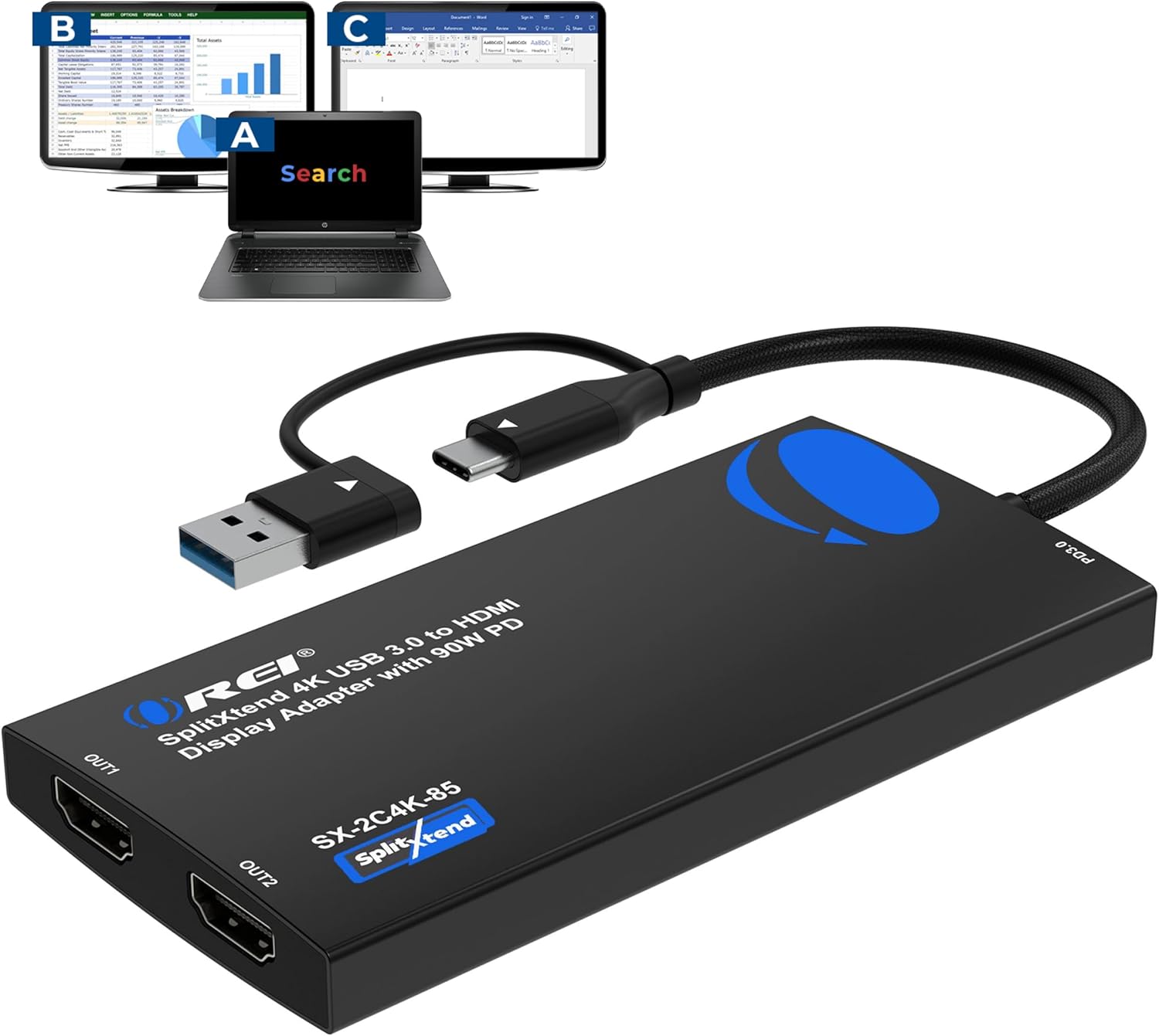 OREI SplitExtend Dual 4K
|
Mid-Range | Dual external displays + 90W PD charging | Extending laptop to two external screens | Check Price | ||
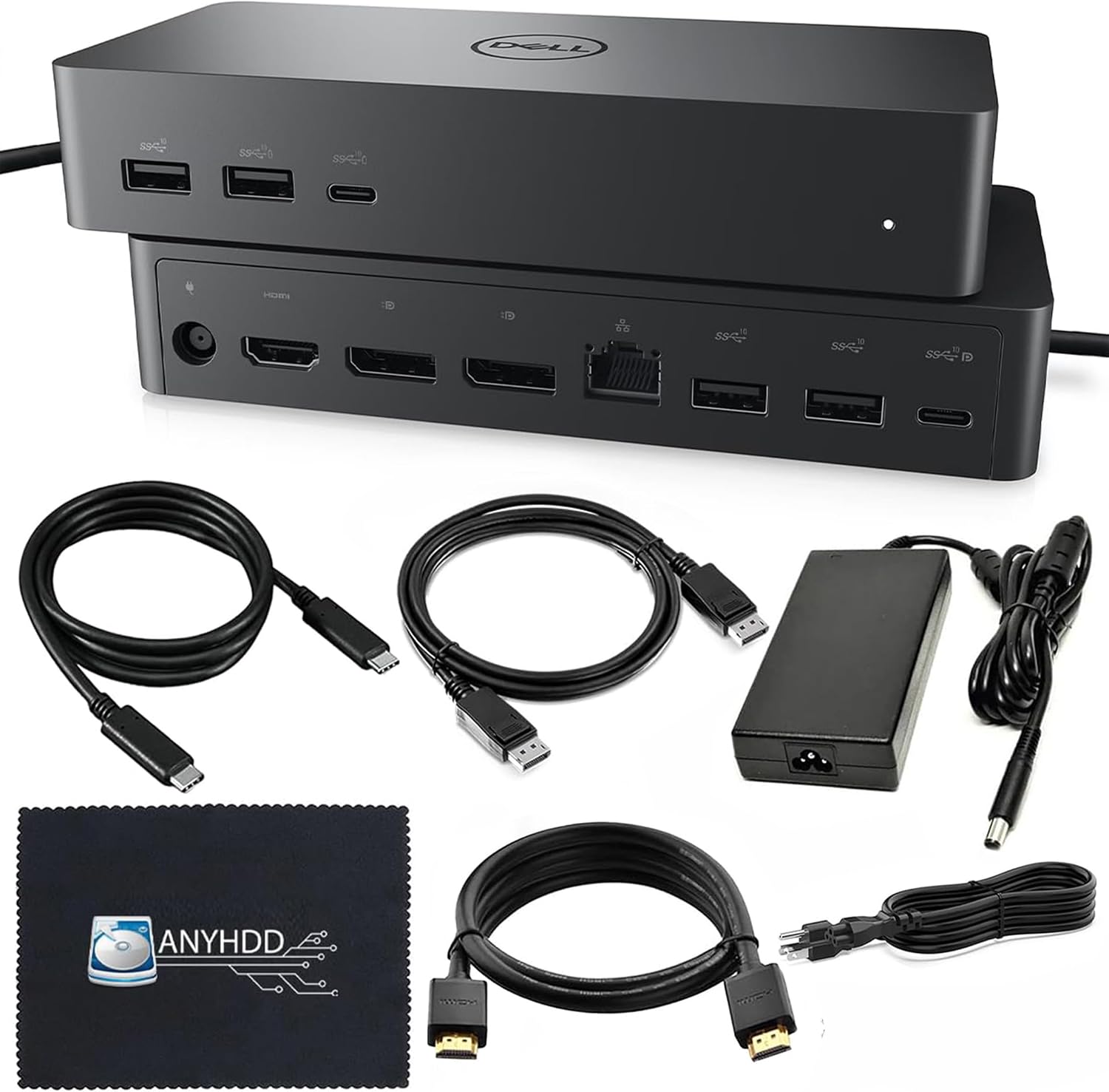 UD22 Universal Dock Bundle
|
Premium | Full docking with 130W power adapter | Desk setups needing many ports & power | Check Price | ||
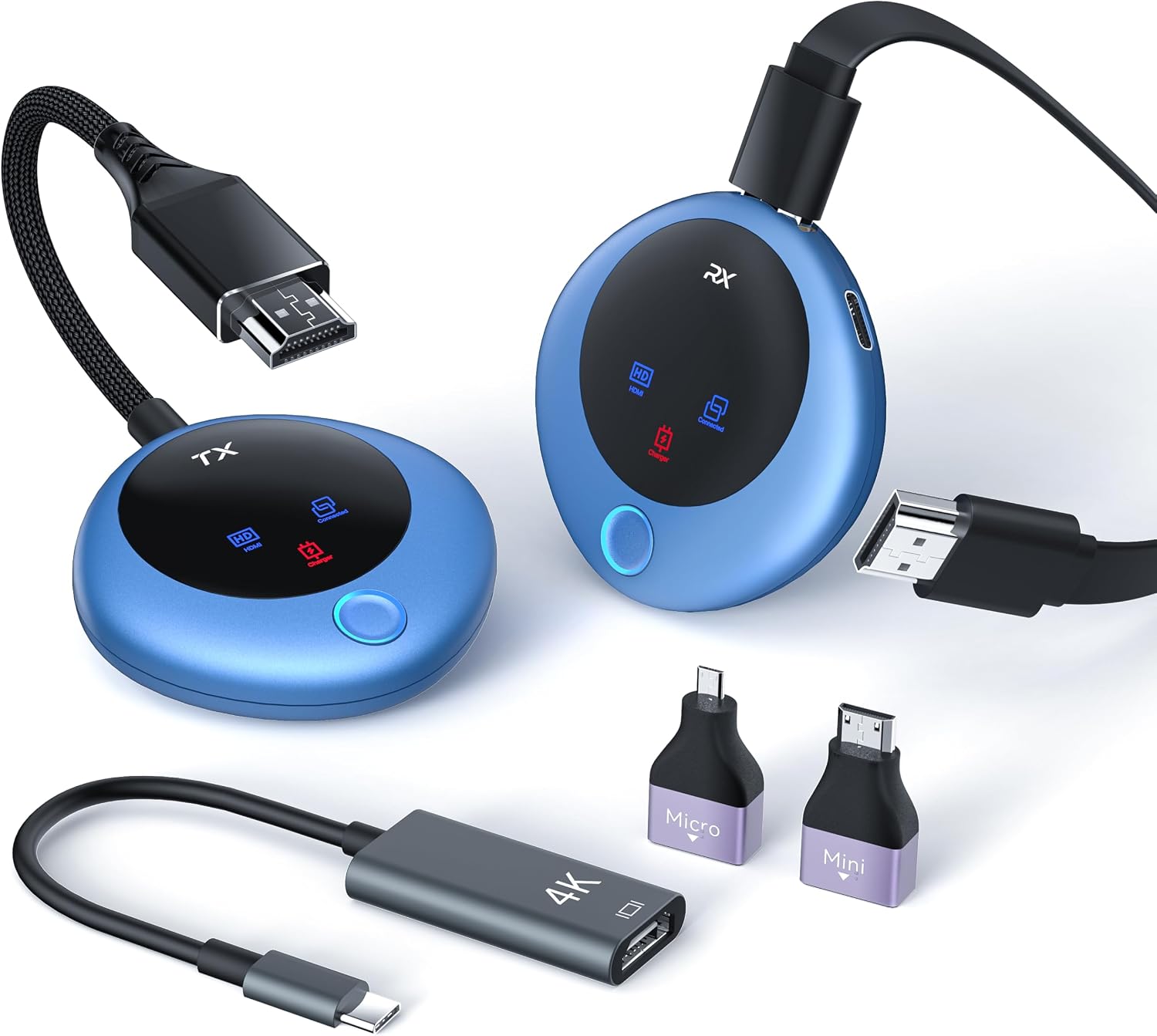 TPUFO Wireless HDMI Kit
|
Premium | Wireless 4K decode with ~98ft range | Cable‑free projector setups and travel | Check Price | ||
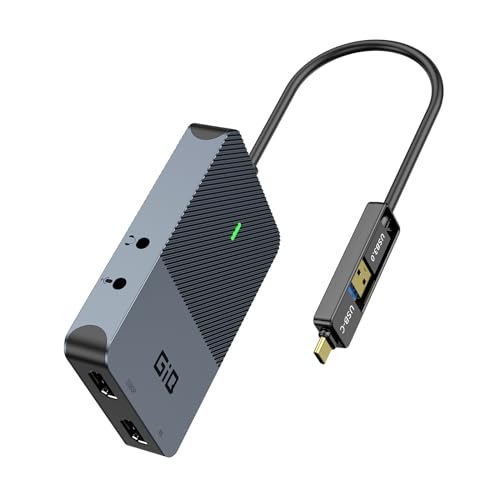 GIQ USB 3.0 Dual HDMI
|
Budget | Affordable dual HDMI via USB 3.0 | Budget dual‑monitor extensions | Check Price |
1. Plugable 4K DisplayPort and HDMI Dual Monitor Adapter for USB 3.0 and USB-C, Compatible with Windows and ChromeOS
A compact multiport adapter that adds two high-resolution outputs plus Ethernet — ideal for presenters who need to extend a laptop to two displays or a projector plus monitor. It’s praised for display quality and straightforward setup on Windows, though the attached cable is short and it doesn’t support HDCP‑protected playback.
Key Specs
- Dual monitor support: DisplayPort + HDMI, up to 4K 60Hz
- Connects via USB 3.0 / USB‑C with DisplayLink technology
- Built‑in Gigabit Ethernet port
- Not compatible with HDCP encrypted playback; not designed for gaming
Pros
- Adds two high‑quality external outputs for extended displays
- Solid build quality and reliable connectivity
- Easy to set up on Windows and ChromeOS
Cons
- Tethered cable is very short for some setups
- Doesn’t support HDCP playback (no protected streaming)
Best For: Multi‑monitor laptop presentations
Check Latest Price on Amazon2. Belkin USB-C to HDMI 2.1 Adapter, Tethered 4.33in Cable w/ 8K @ 60Hz, 4K @ 144Hz, HDR, HBR3, DSC, HDCP 2.2, USB-IF - Works w/Chromebook, Certified for MacBook, iPad Pro, & Other USB-C Devices - Black
A tiny, tethered USB‑C to HDMI 2.1 adapter built for ultra‑short connections — great for presenters who want a neat, no‑extra‑cable solution. It delivers exceptional picture quality and broad device compatibility, though a few users report mixed behavior with some high refresh outputs or older TB3 displays.
Key Specs
- Supports up to 8K @ 60Hz or 4K @ 144Hz (HDMI 2.1 capabilities)
- Tethered cable length: ~4.33 inches (110 mm)
- HDR10+, HBR3, DSC and HDCP 2.2 support
- USB‑IF certified for compatibility
Pros
- Excellent picture quality and HDR support
- Tiny tethered cable keeps setups very tidy
- USB‑IF certification improves compatibility/reliability
Cons
- Some mixed reports on 4K@120Hz / 4K@144Hz behavior with certain hosts
- Not always compatible with older TB3-only displays
Best For: Portable, low‑profile laptop hookups
Check Latest Price on Amazon3. OREI SplitExtend 4K HDMI Splitter Extended Display for Dual Monitor - Multi-Monitor Display 3 Separate Screens - USB A & USB-C Adapter to HDMI 2.0, 4K@60hz, 90W PD Charger, DisplayLink MacOS, Windows
A practical dual‑display adapter that supports one 4K@60 plus extended 2K@60 outputs and passes up to 90W for laptop charging. Users like its ease of setup and reliable extension behavior; note that it requires a DisplayLink driver and can’t play HDCP‑protected streaming content.
Key Specs
- Primary: 4K @ 60Hz, extended screens at 2K @ 60Hz
- DisplayLink technology; driver required for macOS/Windows
- 2‑in‑1 cable supports USB‑C and USB‑A connections
- PD 3.0 support up to 90W pass‑through charging
Pros
- Solid, reliable dual‑monitor extension for productivity
- Includes power delivery to charge laptop while in use
- Easy plug‑and‑play behavior for many systems
Cons
- Requires driver installation for full functionality
- Not recommended for gaming or HDCP streaming
Best For: Extending laptop to two external screens
Check Latest Price on Amazon4. UD22 Dell Docking Station Dual Monitor Bundle - USB-C/USB-A Universal Dell Dock for Laptops with 130W Adapter, HDMI, DisplayPort, USB-C Cables - Supports Dual/Triple/4 Monitors & 4K Display
A full‑featured dock bundle for a clean desk presentation or hybrid workspace — includes a 130W adapter, USB‑C cable, and 4K video cables so you can connect multiple displays and peripherals with fewer cords. It’s very versatile but some users report mixed compatibility or slightly lower pass‑through wattage in certain configurations.
Key Specs
- Supports up to four 4K displays (with DisplayLink drivers)
- Ports: HDMI, DisplayPort, multiple USB 3.x, USB‑C, RJ‑45
- Included accessories: 130W power adapter, USB‑C cable and 4K cables
- Supports Windows, macOS, ChromeOS and some Linux; firmware updates may be required
Pros
- Comprehensive port selection and strong power delivery
- Includes key cables for a tidy, ready‑to‑use desk setup
- Great for multi‑monitor docking and peripherals
Cons
- Occasional compatibility quirks across systems
- Pass‑through power can be lower than expected in some setups
Best For: Desk setups needing many ports & power
Check Latest Price on Amazon5. Wireless HDMI Transmitter and Receiver, 4K Decode 1080P Output, 2.4G/5G Plug & Play, for Streaming Video/Audio/Files, Audio Sync, USB-C to HDMI Adapter, No Need App/Bluetooth/WiFi
A pocketable wireless HDMI transmitter/receiver pair that removes cables from presentations — customers praise ease of setup, low latency and portability. It supports dual‑band transmission and ships with several adapters, though some phones/tablets and lower‑powered hosts may require external power for the transmitter.
Key Specs
- 4K decode, 1080P output at 60Hz with low latency
- Dual‑band 2.4G/5G transmission with up to ~98 ft range
- Includes USB‑C, micro and mini HDMI adapters; LED status display
- Plug‑and‑play; may require external power if host lacks sufficient output
Pros
- Truly wireless with impressive range and low lag
- Very portable — great for travel and ad‑hoc rooms
- Solid video quality and easy pairing
Cons
- Some device compatibility limits — check phone/tablet output support
- Transmitter may need separate power on low‑power hosts
Best For: Cable‑free projector setups and travel
Check Latest Price on Amazon6. USB 3.0 to Dual HDMI Adapter 4K+1080P,Dual Monitor Adapter,Universal Video Graphics Card,USB to Hdmi Splitter Extender Monitor USB 3.0 A or USB-C Compatible with Mac OS,Windows - Grey
An inexpensive dual‑HDMI adapter that provides a practical way to add two external displays for office work and presentations. It supports one 4K@30 output plus a second 1080p display, and delivers good value for non‑gaming productivity while requiring a driver for best results.
Key Specs
- Supports 4K@30Hz on single output and 1080p@60 on second
- 2‑in‑1 cable: USB‑A or USB‑C / Thunderbolt 3 compatible
- Requires DisplayLink driver; USB 3.0 5Gbps transfer
- Best for productivity and media, not high‑frame gaming
Pros
- Very affordable way to add two external displays
- Flexible input options (USB‑A or USB‑C)
- Stable USB 3.0 data transfer performance
Cons
- Resolution/refresh limited when both outputs used
- Driver installation required for full functionality
Best For: Budget dual‑monitor extensions
Check Latest Price on AmazonWhich One Should You Choose?
If budget is tight → choose the Belkin USB‑C to HDMI 2.1 (B0BKGMBSLR) for the smallest, most convenient tethered cable. If you need a compact solution for adding two external displays → go with the Plugable Dual 4K Adapter (B08F2TSR43). If you want a cable‑free setup for classrooms or ad‑hoc rooms → try the TPUFO Wireless HDMI Kit (B0DFMDQG7F). For a permanent desk with many peripherals and strong power delivery → the UD22 dock bundle (B0DJCGS9MY) is the best fit.
Best for Specific Scenarios
- Small conference room or classroom: TPUFO Wireless HDMI Kit (B0DFMDQG7F) because it removes cables and pairs quickly for ad‑hoc projection.
- Traveling presenter who hates tangles: Belkin USB‑C to HDMI 2.1 (B0BKGMBSLR) because the tiny tethered cable keeps the setup minimal and fast.
- Desk with multiple monitors and peripherals: UD22 Dock Bundle (B0DJCGS9MY) or Plugable Dual 4K Adapter (B08F2TSR43) because they support multiple displays, Ethernet and power delivery for a clean permanent setup.
Frequently Asked Questions
Do I need drivers for these adapters?
Some adapters are plug‑and‑play (native USB‑C Alt Mode or simple tethered HDMI), while DisplayLink/USB video adapters and many dual‑monitor extenders require drivers—check the product notes and install the latest driver for macOS or Windows if required.
Will these work with Apple M1/M2/M3 Macs?
Many adapters work with M1/M2/M3 Macs, but DisplayLink solutions may need a compatible macOS version and driver. Native USB‑C Alt Mode adapters typically work without drivers; verify the product compatibility notes before buying.
Is wireless HDMI a good replacement for short HDMI cables?
Wireless HDMI is excellent for removing visible cables and for flexible rooms, but it can add latency, require power for the transmitter, and occasionally be affected by obstacles or RF interference. For the cleanest reliability, a short tethered adapter is often the simplest choice for single‑room presentations.
How We Selected These Products
Our recommendations are based on data-driven analysis: we evaluated 155229+ products across 23916+ brands using a composite scoring system that weighs rating (40%), review volume (30%), price value (20%), and demand signals (10%). Every product is ranked by data, not opinions.
Last updated: October 12, 2026
As an Amazon Associate we earn from qualifying purchases at no extra cost to you. Full disclosure.
GearLark Score is our editorial ranking based on a composite analysis of product quality, value, and verified customer sentiment. Click through to Amazon for current pricing, availability, and live customer reviews.