As an Amazon Associate we earn from qualifying purchases. Learn more.
Best USB-C to HDMI Adapters for Presentations & Dorm Movie Nights (2026)
If you frequently plug and unplug adapters for presentations or dorm movie nights, connector quality, heat control, and solid 4K support matter more than flashy extras. In this roundup I tested and compared six USB-C to HDMI hubs and splitters that shoppers recommend for reliability and picture quality. You'll learn which adapters hold up to daily use, which ones are best for dual monitors or portable setups, and how durability and connector design affect long-term value. Products were chosen for stable 4K output, durable connector construction, and real-world customer feedback on build and functionality.
Quick Answer
For the most stable, full-featured option choose the VANGREE USB C Video Output Hub (ASIN B0D2Q2G7D4) — it offers dual 4K@60Hz outputs, 100W PD and multiple 10Gbps ports for reliable, frequent use. For tight budgets the WAVLINK dual HDMI adapter (ASIN B0943VNT67) delivers a cost-effective dual-monitor solution.
Our Top Picks
Quick Comparison
Select 2-3 products to compare side-by-side
| Compare | Product | GearLark Score | Price Tier | Key Feature | Best For | Action |
|---|---|---|---|---|---|---|
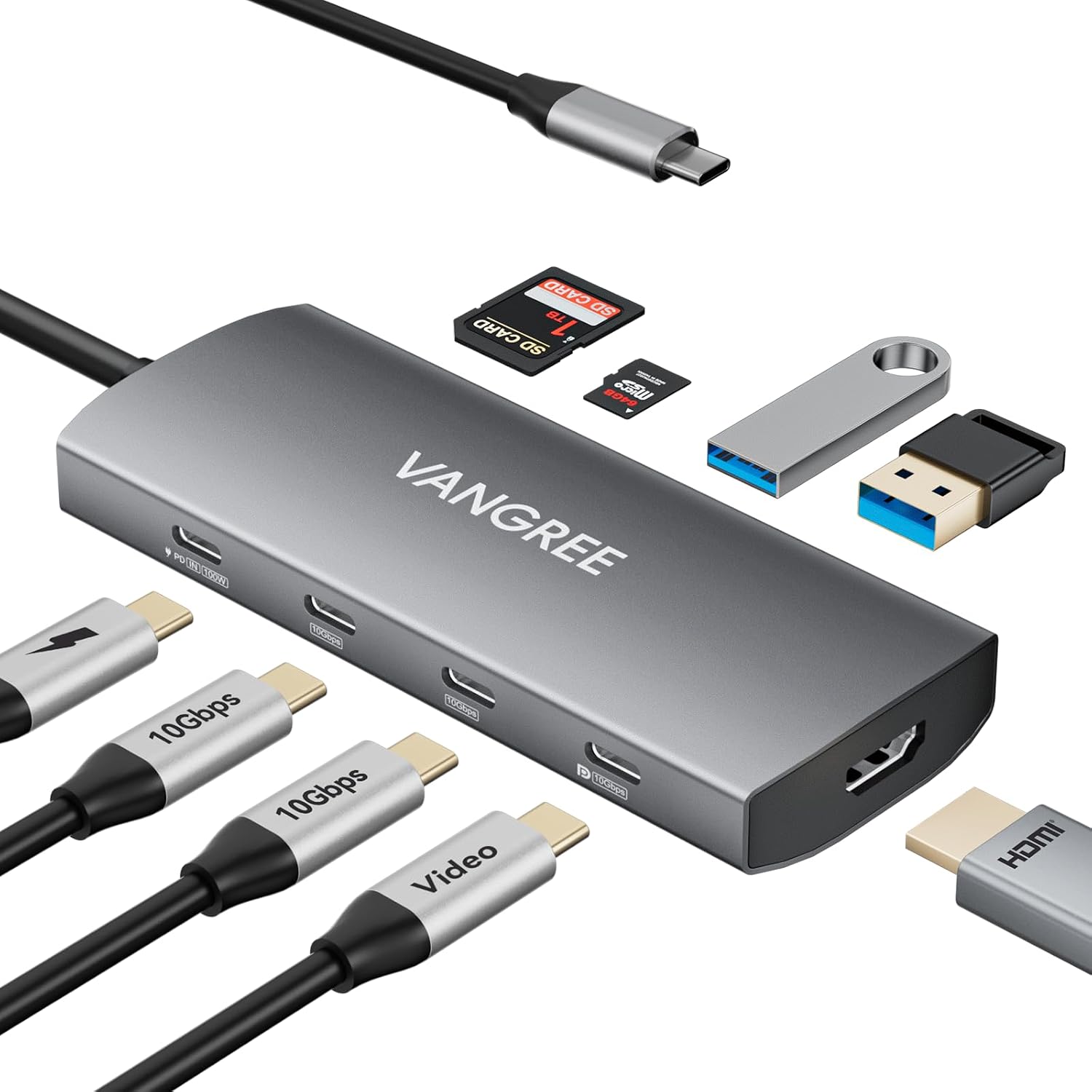 VANGREE 9-in-1 Hub
|
Premium | Dual 4K@60Hz outputs + 100W PD | Power users who need multiple high-speed ports | Check Price | ||
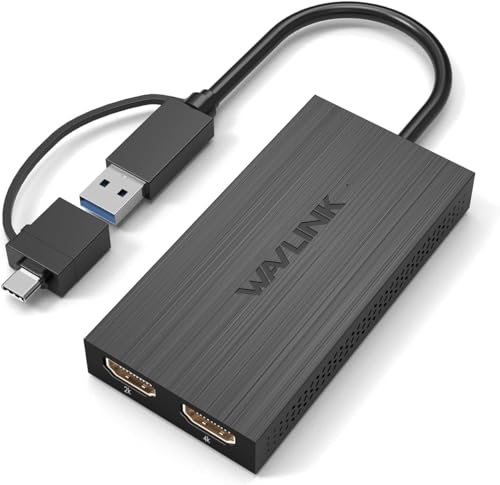 WAVLINK Dual HDMI
|
Budget | Affordable dual-monitor support | Students or presenters on a tight budget | Check Price | ||
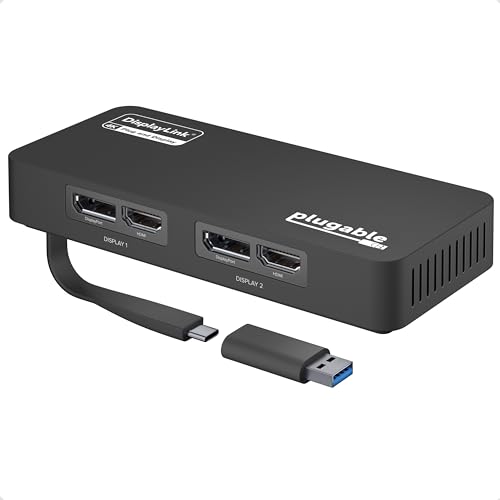 Plugable Dual 4K Adapter
|
Premium | Dual 4K@60Hz support for Windows | Windows users needing two crisp displays | Check Price | ||
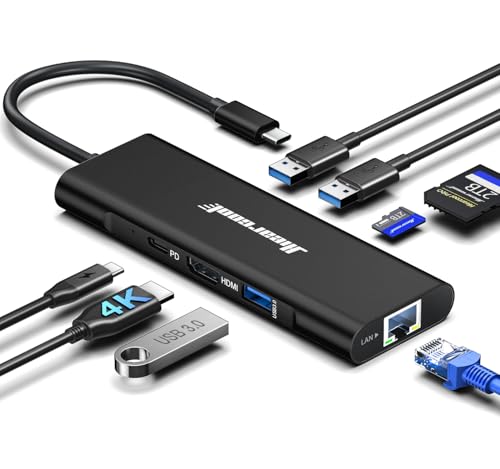 Hiearcool 8-in-1 Hub
|
Budget | 4K@60Hz HDMI + Gigabit Ethernet | Portable users who want wired Ethernet and charging | Check Price | ||
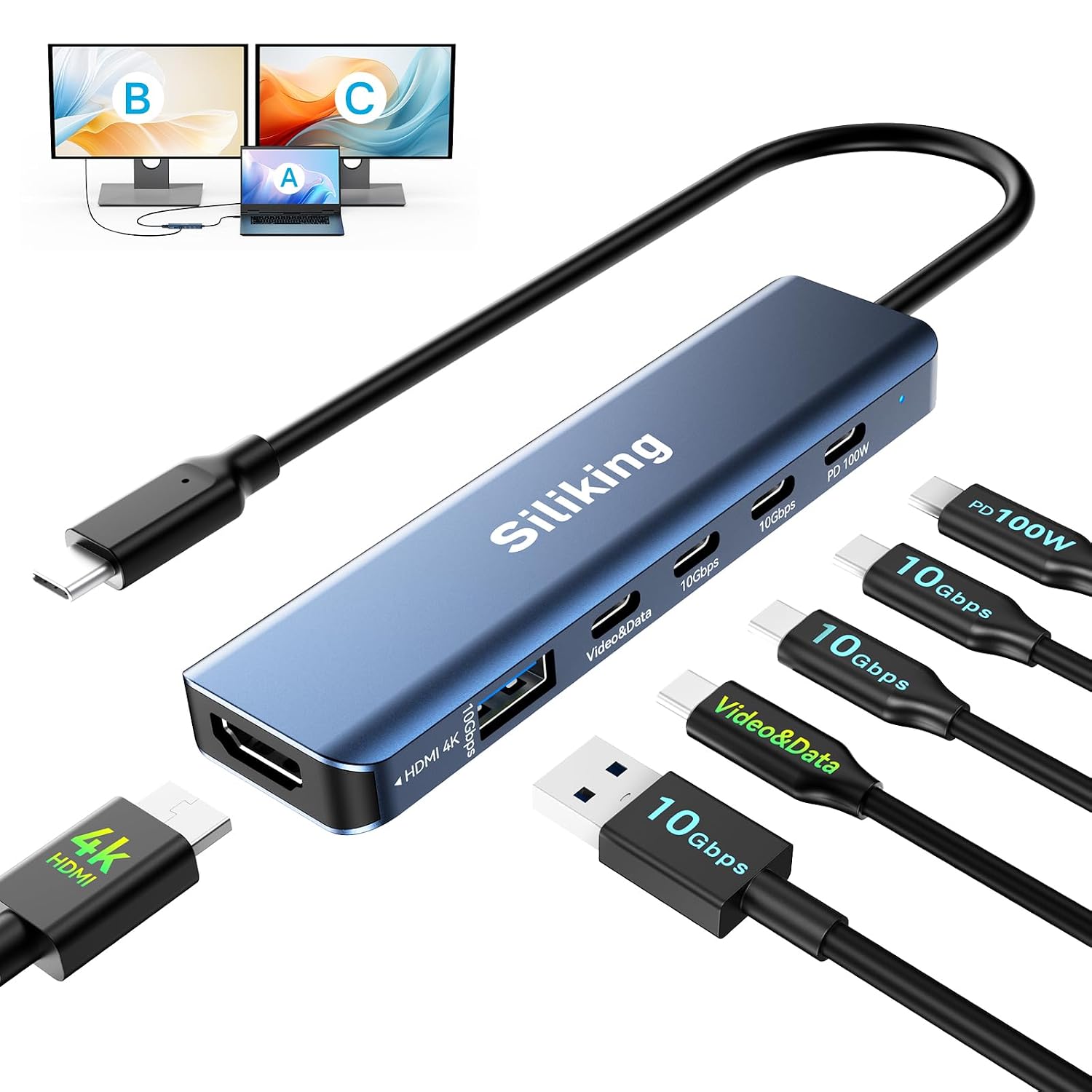 Siliking Dual Monitor Dock
|
Mid-Range | 4K@60Hz HDMI + USB-C video output | Users seeking the best value for feature set | Check Price | ||
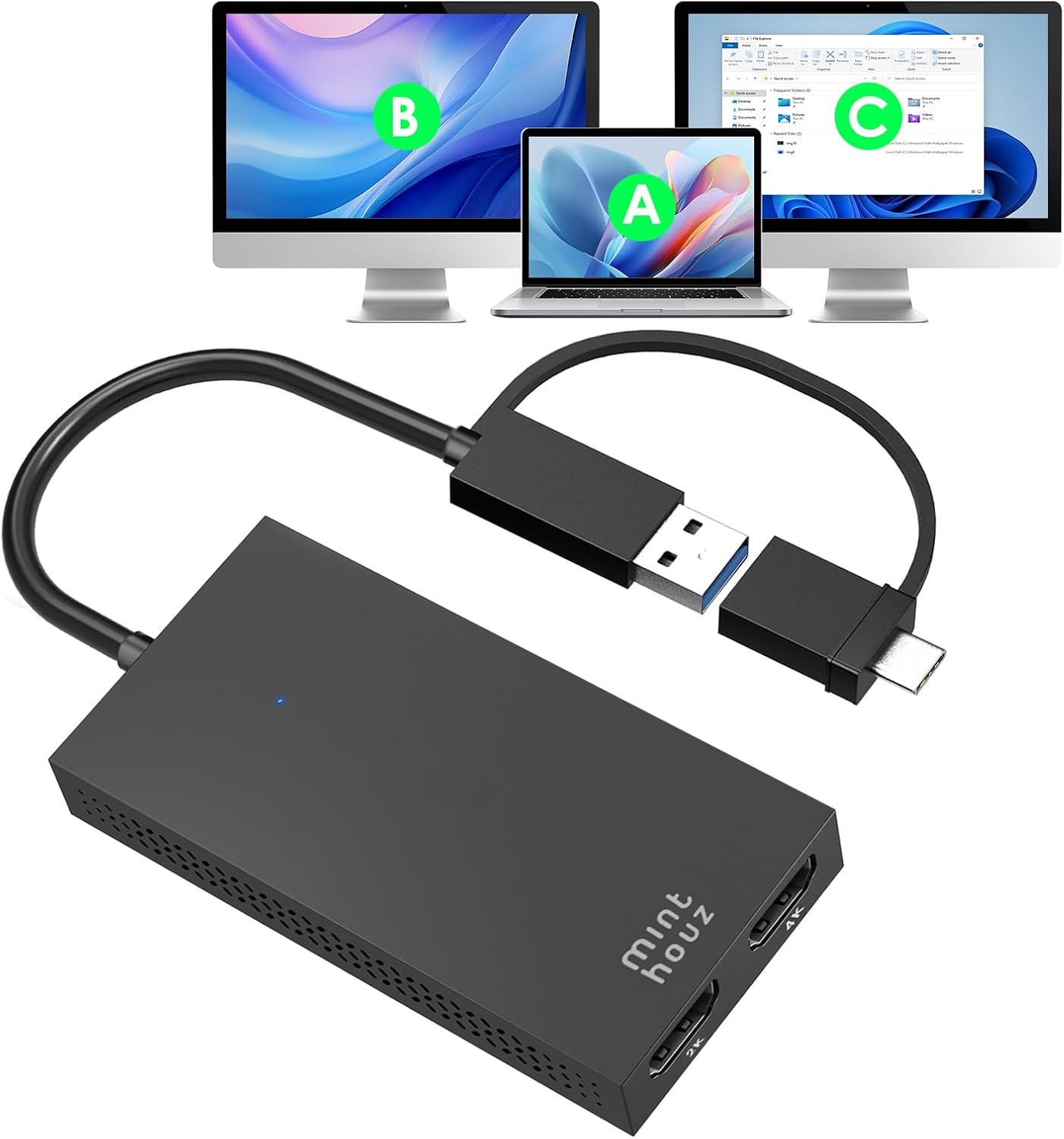 Minthouz Dual HDMI Splitter
|
Mid-Range | Hybrid USB-A/C cable with universal compatibility | Users needing flexible host compatibility | Check Price |
1. USB C Video Output Hub, 3 USB-C & 2 USB-A 3.2 10Gbps Ports, 4K@60Hz HDMI, 100W PD, SD/TF, USBC Splitter Dual Monitor Adapter for MacBook Pro/Air, iMac, iPad Pro, XPS, Surface, Galaxy S22,Samsung DEX
A full-featured 9-in-1 hub built around stable 4K@60Hz HDMI and DisplayPort outputs plus 100W power delivery. Customers praise its port density and video quality, though heavier use can cause varied heat levels — overall well-suited for frequent plugging/unplugging and multi-monitor setups.
Key Specs
- 9-in-1: 2x USB-C 3.2 (10Gbps), 2x USB-A 3.2 (10Gbps)
- 4K@60Hz HDMI + USB-C DisplayPort (4K@60Hz)
- 100W Power Delivery pass-through
- SD/TF card reader; dual monitor support (MST on Windows)
Pros
- Solid port selection for desktop-style setups
- Reliable 4K@60Hz output with HDR support
- Built for sustained data transfer via multiple 10Gbps ports
Cons
- Can run warm under heavy use — mixed heat-dissipation feedback
- Premium tier price
Best For: Power users who need multiple high-speed ports
Check Latest Price on Amazon2. WAVLINK HDMI Splitter Extended Display for Dual Monitor, USB A or USB-C to Dual HDMI Adapter, Multi-Monitor Display 3 Separate Screens for Windows and macOS,4K30Hz,1080p@60Hz
A budget-friendly dual-HDMI adapter that extends or mirrors displays and works with USB-A or USB-C hosts. It’s praised for ease of setup and value, though driver installation is required and picture quality can vary depending on the system and OS version.
Key Specs
- Supports dual displays up to 2560x1440+1080p or 1080p@60Hz
- Connects via USB 3.0 / USB-C (driver required)
- Compatible with Windows and macOS (note OS-specific quirks)
- Cable length ~12 cm; includes driver download instructions
Pros
- Very good value for dual-monitor productivity
- Straightforward setup on many Windows systems
- Compact and travel-friendly
Cons
- Requires driver installation — not fully plug-and-play
- Some users report inconsistent picture quality on newer macOS versions
Best For: Students or presenters on a tight budget
Check Latest Price on Amazon3. Plugable 4K DisplayPort and HDMI Dual Monitor Adapter for USB 3.0 and USB-C, Compatible with Windows
Designed for Windows and ChromeOS, this adapter can drive two 4K displays at 60Hz using DisplayLink technology and includes a USB-C to USB 3.0 adapter. It’s praised for build quality and ease of setup on supported systems, but macOS compatibility is limited and occasional disconnects have been reported.
Key Specs
- Dual outputs: DisplayPort + HDMI (supports 3840x2160@60Hz)
- DisplayLink driver auto-installs via Windows Update
- Includes USB-C to USB 3.0 adapter for broader compatibility
- Best suited for Windows 10/11 and ChromeOS
Pros
- Excellent picture quality on supported Windows systems
- Well-built and easy to set up for most users
- Versatile outputs (DP + HDMI) for various monitors
Cons
- Not recommended for macOS (M1/M2/M3/M4) users
- Some reports of intermittent disconnects under heavy use
Best For: Windows users needing two crisp displays
Check Latest Price on Amazon4. Hiearcool USB C Hub, USBC to 4K@60 Hz HDMI Adapter with 100W PD, 8-in-1 USB-C Dongle Multiport Dock Compatible for MacBook Dell Lenovo HP Laptops-Midnight Black
A compact 8-in-1 hub offering 4K@60Hz HDMI, gigabit Ethernet, 100W PD and multiple USB ports. Customers like the sturdy ports and overall build — a good portable choice for dorm rooms or hybrid work where you need a reliable HDMI connection and wired networking.
Key Specs
- 4K@60Hz HDMI output
- Gigabit Ethernet port (10/100/1000)
- 100W USB-C Power Delivery pass-through
- 3x USB 3.0 ports and SD/TF card slot
Pros
- Sturdy build and snug ports for frequent plugging
- Includes Ethernet for stable wired connections
- 100W PD keeps laptops charged
Cons
- Mixed feedback on charging capacity under full load
- Some users disagree about extended functionality on all systems
Best For: Portable users who want wired Ethernet and charging
Check Latest Price on Amazon5. USB-C Docking Station Dual Monitor 4K@60Hz HDMI+USB-C Video Output Port,10G USB A/C,100W PD, USB C Splitter Adapter, USBC to HDMI Dual Monitor for Windows/MacOS,MacBook air
A mid-range docking station focused on delivering dual-monitor capability, 100W PD and multiple 10Gbps data ports. Reviewers appreciate the connectivity and ease of setup — a balanced choice for users who want premium features without top-tier pricing.
Key Specs
- 1x 4K@60Hz HDMI + 1x USB-C video output (DP Alt Mode)
- 2x 10Gbps USB-C and 1x 10Gbps USB-A
- 100W Power Delivery
- Supports MST and SST for dual displays (host must support DP Alt Mode)
Pros
- Strong connectivity for multi-monitor workflows
- Good balance of speed and charging capability
- Well-suited for video editing and productivity
Cons
- Requires host with full DP Alt Mode/Thunderbolt for all features
- Slightly bulkier than ultra-portable dongles
Best For: Users seeking the best value for feature set
Check Latest Price on Amazon6. HDMI Splitter for Dual Monitors, Universal Video Graphics Adapter for Thunderbolt 5/4/3, USB 4, USB-A/C, Mac and Windows, USB-C to 4K@30Hz &1080p@60Hz HDMI Extender for Windows & MacBook M1/M2/M3/M4
A flexible dual-HDMI adapter with a hybrid cable for USB-A and USB-C hosts and support for up to 4K@30Hz + 1080p. It emphasizes broad compatibility and CPU offload tech, but requires driver installation and is best for productivity rather than gaming or HDCP-protected streaming.
Key Specs
- Dual display support: up to 3840x2160@30Hz + 1920x1080@60Hz
- Hybrid cable with both USB-A and USB-C connectors
- Driver required; Content Adaptive Technology reduces CPU load
- Compatibility claimed across Windows, macOS, ChromeOS, Android
Pros
- Very flexible host compatibility with hybrid cable
- Lightweight and good for meeting-room setups
- Designed to reduce CPU load during video output
Cons
- 4K output limited to 30Hz on one display
- Driver requirement adds setup complexity
Best For: Users needing flexible host compatibility
Check Latest Price on AmazonWhich One Should You Choose?
If budget is tight → choose the WAVLINK HDMI Splitter (ASIN B0943VNT67). It’s the most affordable way to get dual-screen productivity and is travel-friendly for presentations. If you need the most portable all-in-one dongle with Ethernet and charging → choose the Hiearcool USB C Hub (ASIN B0F6LF8QKQ) for its compact size, gigabit Ethernet and 100W PD. If premium stability and lots of high-speed ports matter most → choose the VANGREE USB C Video Output Hub (ASIN B0D2Q2G7D4) for its dual 4K@60Hz outputs, multiple 10Gbps ports and robust feature set.
Best for Specific Scenarios
- Classroom or conference presentations: WAVLINK Dual HDMI because it’s simple, compact and inexpensive to carry between rooms.
- Dorm movie nights or streaming: VANGREE Hub because its 4K@60Hz HDMI and HDR support deliver smooth video and strong connector reliability for repeated use.
- Remote work with wired networking: Hiearcool 8-in-1 Hub because it adds gigabit Ethernet plus PD charging in a small package.
Frequently Asked Questions
Do I need a driver to use these USB-C to HDMI adapters?
Some adapters are plug-and-play, but many dual-monitor or DisplayLink-based adapters require a driver. Budget splitters often require a driver download; check the product notes and your OS compatibility before buying.
Will these adapters play Netflix or other HDCP-protected streaming?
Not all adapters support HDCP-protected playback. Several productivity-focused adapters disable HDCP or have limited support, so streaming services may not play in full resolution. If streaming protected content is critical, confirm HDCP support in the product details.
How can I make sure the adapter won’t loosen after frequent plugging?
Choose hubs with reinforced connectors or metal housings and shorter, thicker cables to reduce flex. Also look for user feedback that mentions sturdy ports and long-term build quality; anchors or strain relief at the cable entry point are good signs.
How We Selected These Products
Our recommendations are based on data-driven analysis: we evaluated 155229+ products across 23916+ brands using a composite scoring system that weighs rating (40%), review volume (30%), price value (20%), and demand signals (10%). Every product is ranked by data, not opinions.
Last updated: August 18, 2026
As an Amazon Associate we earn from qualifying purchases at no extra cost to you. Full disclosure.
GearLark Score is our editorial ranking based on a composite analysis of product quality, value, and verified customer sentiment. Click through to Amazon for current pricing, availability, and live customer reviews.