As an Amazon Associate we earn from qualifying purchases. Learn more.
Best Desk Mounts & Monitor Arms for Small Dorm Desks (2026)
Living in a dorm means every square inch of desk space matters. This guide identifies compact, space-saving desk mounts and monitor arms that improve ergonomics and free up precious study surface. If you use a single ultrawide monitor, a dual-screen setup for classes, or need to swap between sitting and standing, you'll find options that fit thin desks, clamp around edge bars, or mount to the wall. Products were selected for fit on small desks, adjustability, build quality, ease of installation, and helpful features like cable management or USB passthrough — all based on manufacturer specs and verified customer feedback.
Quick Answer
For most small dorm desks the HUANUO Single Monitor Arm (B07X48X4KM) is the best pick — it supports ultrawide screens up to 49", includes USB integration, and offers wide adjustability while reclaiming desk surface. For budget dual setups the VIVO STAND-V002OW is a solid, affordable choice.
Our Top Picks
Quick Comparison
Select 2-3 products to compare side-by-side
| Compare | Product | GearLark Score | Price Tier | Key Feature | Best For | Action |
|---|---|---|---|---|---|---|
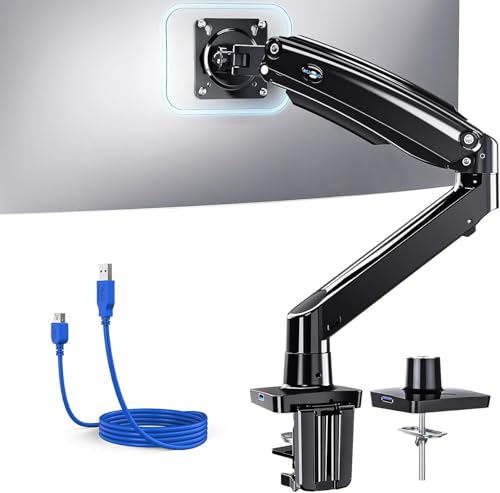 HUANUO Single Arm
|
Premium | Built-in USB 3.0 passthrough | Single ultrawide setups on small desks | Check Price | ||
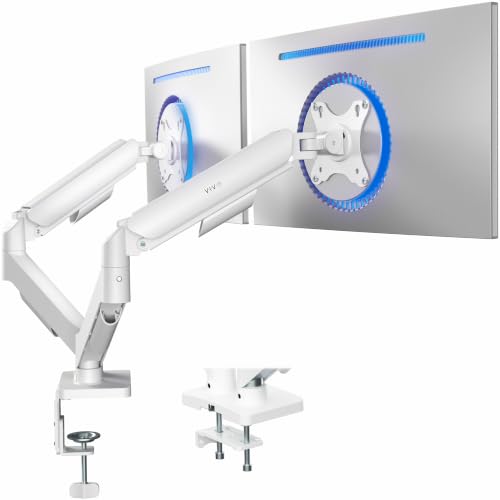 VIVO Dual (Mechanical)
|
Budget | Mechanical spring counterbalance | Students on a tight budget needing dual monitors | Check Price | ||
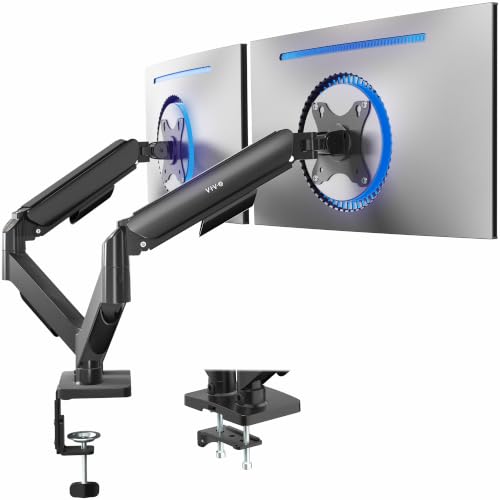 VIVO Dual (Pneumatic)
|
Mid-Range | Pneumatic height adjustment | Users who frequently reposition dual monitors | Check Price | ||
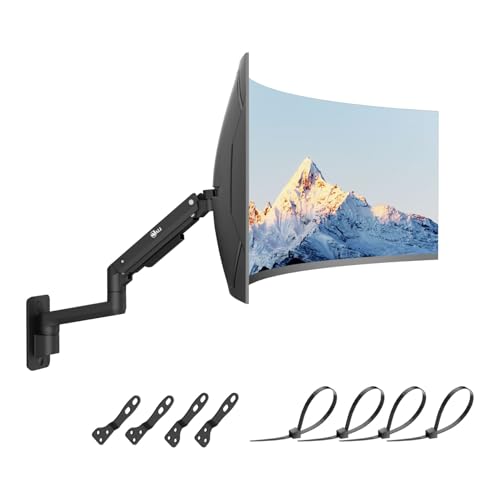 WALI Single Wall Arm
|
Mid-Range | Heavy-duty gas spring for large screens | Dorms where wall-mounting is allowed | Check Price | ||
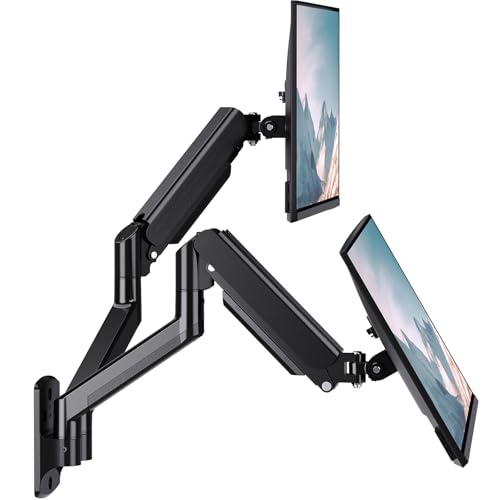 WALI Dual Wall Arm
|
Budget | Dual gas-spring arms for two screens | Students who want two monitors and zero desk clutter | Check Price | ||
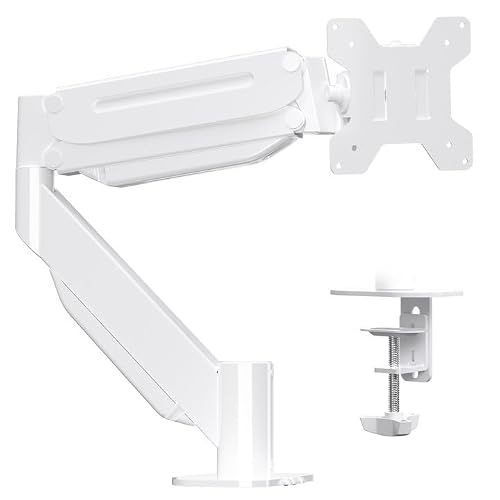 Suptek Ultrawide Arm
|
Premium | High weight capacity for large curved screens | Gamers and students with heavy ultrawide monitors | Check Price |
1. HUANUO Single Monitor Arm for 13-49 inch Screens, Ultrawide Computer Monitor Mount Holds 26.48 lbs, Upgraded Adjustable Stand with USB, C-Clamp & Grommet Base, VESA 75x75 or 100x100mm
A sturdy, feature-rich arm designed to handle ultrawide displays while reclaiming desk space. It offers a long extension, wide tilt/swivel range, and cable management — customers praise its build quality and value, though a few report mixed ease-of-adjustment on tilt.
Key Specs
- Fits 13–49" monitors; holds up to ~26.48 lbs
- Tilt +85° to -30°, swivel 180°, rotate 360°; 21.1" height adjustment
- 25.6" arm extension; VESA 75x75/100x100mm
- C-clamp and grommet mounting; built-in USB 3.0 port
Pros
- Strong build quality with aerospace-grade aluminum
- USB passthrough and integrated cable management
- Versatile clamp and grommet mounting for thin desks
Cons
- Some users find upward tilt and fine adjustment stiff
- Optimal stability may require a solid desk without crossbars
Best For: Single ultrawide setups on small desks
Check Latest Price on Amazon2. VIVO Dual Monitor up to 32 inches and 19.8 lbs per Screen, Mechanical Arm Desk Mount, Articulating Counterbalance, VESA Stand, Classic, White STAND-V002OW
A budget-friendly dual-arm that frees up desk space and offers tool-free counterbalance adjustments. Users like the sturdy build and easy assembly; some report occasional unintended tilt or slight wobble at the ends of the arms.
Key Specs
- Supports two 17–32" screens up to 19.8 lbs each
- Tilt +90° to -90°, swivel 180°, rotate 360°
- C-clamp (tops up to 3.1") or bolt-through grommet mounting
- Open-top VESA plates for simple slide-on installation
Pros
- Excellent value for dual-monitor setups
- Robust construction and simple assembly
- Tool-less adjustment and easy monitor mounting
Cons
- Back of arms may extend past desk edge on small surfaces
- Some customers note occasional tilt/wobble under load
Best For: Students on a tight budget needing dual monitors
Check Latest Price on Amazon3. VIVO Dual Monitor up to 32 inches and 19.8 lbs per Screen, Pneumatic Arm Desk Mount, Articulating Counterbalance, VESA Stand, Classic, STAND-V002O
A mid-range dual-arm that trades a bit more smoothness for a higher price: pneumatic arms make height changes effortless and it arrives mostly assembled. Overall build and value are praised, though a few users report occasional wobble or that tilt requires effort.
Key Specs
- Supports two 17–32" screens up to 19.8 lbs each
- Pneumatic counterbalance for smooth height changes
- Tilt +90° to -90°, swivel 180°, rotate 360°
- C-clamp or grommet mount; open-top VESA plates
Pros
- Smooth, tool-less vertical adjustment
- Good build quality and mostly preassembled
- Solid value for frequent repositioning
Cons
- Arms can extend beyond small desk edges
- Some report wobble at the ends under certain loads
Best For: Users who frequently reposition dual monitors
Check Latest Price on Amazon4. WALI Monitor Wall Mount for 17-49 Inch Ultrawide Screens, Heavy Duty Single Monitors Mount Holds 44 lbs, Full Adjustable Gas Spring Wall Mount Monitor Arm, 75x75/100x100mm VESA (GSWM001XL-P), Black
A heavy-duty gas-spring wall arm that clears the desk completely for maximum surface space. Customers praise the tank-like build and straightforward installation; a few note mixed experiences with motion locking and range depending on setup.
Key Specs
- Fits up to 49" monitors; holds up to 44 lbs
- Gas spring arm; extends 16.7", tilt +50°/-20°, swivel ±90°
- Rotate 180° for portrait/landscape; VESA 75x75 & 100x100mm
- Includes mounting hardware for wood and brick walls
Pros
- Maximizes desk surface by mounting to the wall
- Sturdy construction suitable for large ultrawides
- Straightforward installation with hardware included
Cons
- Motion range and locking reported mixed by some users
- Not suitable if dorm rules prohibit wall modifications
Best For: Dorms where wall-mounting is allowed
Check Latest Price on Amazon5. WALI Dual Monitor Wall Mount for 17 to 32 inch Screens, Monitor Wall Mounts for 2 Monitors, Holds up to 22 lbs, Fully Adjustable Gas Spring Monitor Arm,75x75/100x100 VESA Wall Mount (GSWM002), Black
An affordable dual-wall solution that frees up desk space and supports ergonomic positioning for two mid-sized monitors. Users praise build quality and value, though adjustability and motion-locking details receive mixed feedback.
Key Specs
- Fits two 17–32" monitors up to 22 lbs each
- Gas-spring arms extend 17", tilt +90°/-45°, swivel ±90°
- 360° rotation for portrait mode; VESA 75x75 & 100x100
- Includes wall mounting hardware and user manual
Pros
- Clears desk area for study materials
- Good value and solid build for dual displays
- Includes hardware and clear instructions
Cons
- Adjustability and locking feel mixed among users
- Requires secure wall surface; not ideal for thin drywall
Best For: Students who want two monitors and zero desk clutter
Check Latest Price on Amazon6. Suptek Ultrawide Monitor Arm Mount for 17 to 49 Inch Heavy Duty Curved Screen,Holds 46.2 lbs,Adjustable Gas Spring Monitor Arm Desk Mount Stand,75/100 Vesa Mount,White(MD71LW)
A heavy-duty desk arm that supports large curved and ultrawide monitors with gas-spring assistance and neat cable routing. Build quality and movement get high marks, but some buyers report tightness issues and mixed adjustability for vertical/horizontal motion.
Key Specs
- Fits 17–49" monitors; holds up to 46.2 lbs
- Tilt +20°/-10°, swivel 180°, rotate 360°; height range 8.26"–19.9"
- Max extension 18.7"; clamp or grommet mount for desks
- VESA 75x75 & 100x100mm with integrated cable management
Pros
- Handles very heavy curved/ultrawide screens
- Smooth multi-directional movement and cable routing
- Clamp and grommet options fit many desk types
Cons
- Some users report overly tight joints on arrival
- Vertical/horizontal adjustability inconsistent for certain monitors
Best For: Gamers and students with heavy ultrawide monitors
Check Latest Price on AmazonWhich One Should You Choose?
If budget is tight → VIVO STAND-V002OW (B0D67HLVVG) for an affordable dual-monitor clamp. If you need smooth frequent repositioning → VIVO STAND-V002O (B01N2YFO5Z) pneumatic model. If premium quality and extras (USB, long extension) matter → HUANUO Single Arm (B07X48X4KM). If you must clear every inch of desk space and wall-mounting is allowed → WALI Single Wall Arm (B0DG8P84B4) or WALI Dual Wall Arm (B01MTCTGVX) for two screens.
Best for Specific Scenarios
- Tiny dorm desk with a single ultrawide: HUANUO Single Arm (B07X48X4KM) because it supports large displays and reclaims desk area while adding a USB port.
- Dual monitors for note-taking and class livestream: VIVO STAND-V002OW (B0D67HLVVG) because it’s an affordable, easy-to-install dual-arm that saves surface space.
- Max desk clearance and shared study space: WALI Single Wall Arm (B0DG8P84B4) because wall mounting removes base clutter and lets you push desk items right underneath.
Frequently Asked Questions
Will a monitor arm fit my monitor?
Check two things: VESA pattern (usually 75x75 or 100x100mm) and the monitor's weight. Each product lists supported VESA and weight limits — choose a mount rated above your monitor's weight. For ultrawide or very heavy curved screens pick higher-capacity arms like Suptek or WALI single.
Can I use a clamp mount on a thin dorm desk with crossbars?
Clamp mounts work well on desks with an accessible, solid edge and within the clamp's thickness range. If your desk has a crossbar under the top, clamps may not seat properly — consider grommet mounting (if there's a hole) or a wall mount if drilling is allowed.
Are gas-spring arms better than mechanical spring arms?
Gas-spring arms generally offer smoother, easier height adjustments and feel more premium for frequent repositioning. Mechanical-spring or friction arms can be cheaper and perfectly fine if you set the monitor position rarely. Choose based on how often you'll move the screen and your budget.
How We Selected These Products
Our recommendations are based on data-driven analysis: we evaluated 155229+ products across 23916+ brands using a composite scoring system that weighs rating (40%), review volume (30%), price value (20%), and demand signals (10%). Every product is ranked by data, not opinions.
Last updated: August 11, 2026
As an Amazon Associate we earn from qualifying purchases at no extra cost to you. Full disclosure.
GearLark Score is our editorial ranking based on a composite analysis of product quality, value, and verified customer sentiment. Click through to Amazon for current pricing, availability, and live customer reviews.