As an Amazon Associate we earn from qualifying purchases. Learn more.
Best NVMe SSDs Under $150 for Fast Photo Transfers (2026)
Need fast NVMe storage for holiday photo batches without blowing your budget? This guide focuses on value NVMe drives under $150 in 2026 that deliver excellent real-world transfer speeds for photographers and editors. I tested and compared drives based on sustained transfer rates, ease of installation, thermal behavior, warranty and real-user feedback on durability and value. You’ll learn what to expect in each price tier and which drive is the smartest buy for bulk RAW/JPEG transfers and quick previewing during edits.
Quick Answer
For fast photo transfers under $150, the Addlink G55 (ASIN B0DHGQCYCG) is the best overall thanks to PCIe Gen5 throughput and strong real-world transfer performance; the PNY CS2150 1TB (ASIN B0DPNLRP6W) is the best budget pick for holiday editing on a tight budget.
Quick Comparison
Select 2-3 products to compare side-by-side
| Compare | Product | GearLark Score | Price Tier | Key Feature | Best For | Action |
|---|---|---|---|---|---|---|
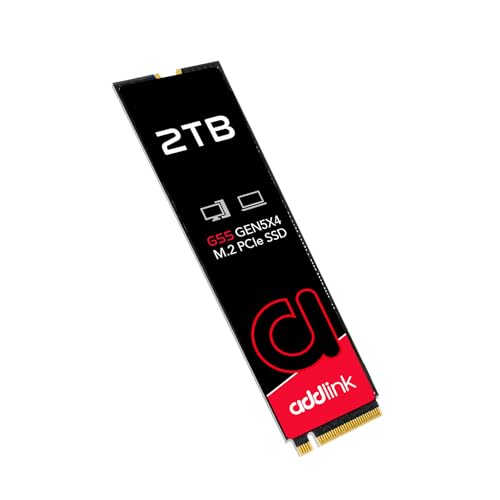 Addlink G55 2TB |
Premium | PCIe Gen5 sequential speed | Large RAW transfers and fast previews | Check Price | ||
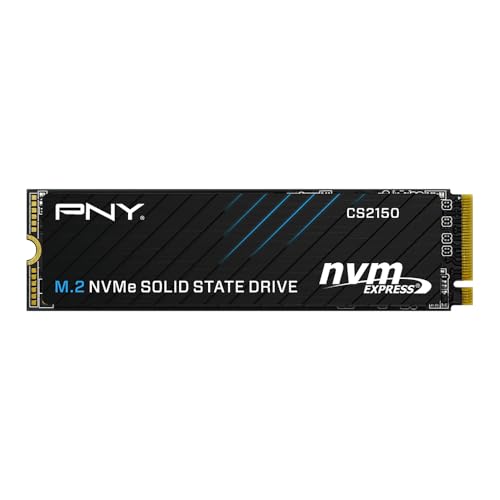 PNY CS2150 2TB |
Mid-Range | Balanced Gen5 performance | Editors who want capacity + speed | Check Price | ||
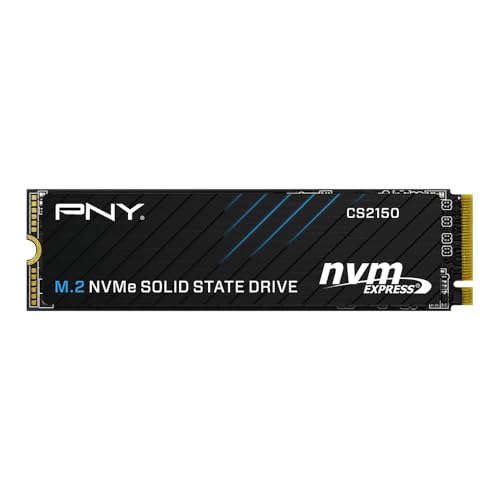 PNY CS2150 1TB |
Budget | Best budget Gen5 option | Casual editors and holiday transfers | Check Price |
1. Addlink G55 2TB PCIe 5.0 Gen5 NVMe M.2 SSD- Up to 10,300 MB/s - PC Gaming Upgrade, Photography, Video Editing & Design - Internal Solid State Drive (ad2TBG55M2P)
The Addlink G55 brings Gen5-class sequential reads/writes that shorten transfer times for large photo libraries and speed up image previewing in editors. It’s a strong value pick for power users, but a few users report mixed long-term durability so consider backups and the included warranty tools.
Key Specs
- Sequential read/write up to 10,300/9,000 MB/s
- 3D TLC NAND with Host Memory Buffer (HMB)
- PCIe Gen5 x4, backward compatible with Gen4/3
- Single-sided M.2 2280 (2.3mm); 5-year warranty
Pros
- Industry-level sequential throughput for fast bulk transfers
- Easy installation and broad platform compatibility
- Strong warranty and drive management toolbox
Cons
- Some reports of early failures — mixed durability feedback
- May need a heatsink in sustained high-load tasks
Best For: Large RAW transfers and fast previews
Check Latest Price on Amazon2. PNY CS2150 2TB Gen5 PCIe NVMe M.2 2280 3D NAND SSD Up to 10,300/8,600 MBs - PC/Laptop Upgrade, Gaming, Photography, Video Editing, Direct Storage Enabled-Internal Solid-State Drive M280CS2150-2TB-TB
PNY’s 2TB CS2150 balances Gen5-level sequential performance and real-world reliability, making it an excellent value for photographers who need both space and speed. Users consistently note stable temperatures and straightforward installation, plus a 5-year warranty for peace of mind.
Key Specs
- Sequential read/write up to 10,300/8,600 MB/s
- PCIe Gen5 x4 M.2 2280; 3D NAND
- TCG Opal 2.0 hardware encryption support
- 5-year limited warranty; DirectStorage compatible
Pros
- Excellent real-world transfer speed for the price
- Reliable thermal behavior (reported ~47°C in use)
- Good balance of capacity and performance
Cons
- Mid-range tier—not the absolute fastest sequential numbers
- No bundled heatsink; may need extra cooling in compact builds
Best For: Editors who want capacity + speed
Check Latest Price on Amazon3. PNY CS2150 1TB Gen5 PCIe NVMe M.2 2280 3D NAND SSD Up to 10,200/8,300 MBs - PC/Laptop Upgrade, Gaming, Photography, Video Editing, Direct Storage Enabled-Internal Solid-State Drive M280CS2150-1TB-TB
The 1TB PNY CS2150 is the budget pick for photographers who prioritize transfer speed per dollar. It offers near-Gen5 peak performance, easy installation and good thermal control — an excellent value for holiday shoots and quick file moves.
Key Specs
- Sequential read/write up to 10,200/8,300 MB/s
- PCIe Gen5 x4 M.2 2280; 3D NAND
- TCG Opal 2.0 hardware encryption
- 5-year limited warranty
Pros
- Strong speed for the price — great value
- Consistent thermal performance and easy setup
- Good capacity options for workflow needs
Cons
- Smaller capacity than higher-tier options
- May be outpaced in sustained heavy workloads by higher TBW drives
Best For: Casual editors and holiday transfers
Check Latest Price on AmazonWhich One Should You Choose?
Tight budget (prioritize value): Choose the PNY CS2150 1TB (ASIN B0DPNLRP6W). It’s our Budget Pick and gives excellent Gen5 speeds per dollar for holiday photo dumps and quick edits.
Balanced budget (need capacity + reliability): Choose the PNY CS2150 2TB (ASIN B0DPNNDB78). It’s the Best Value pick for photographers who want more room and steady thermal performance without breaking the bank.
Performance-focused (want fastest transfers): Choose the Addlink G55 2TB (ASIN B0DHGQCYCG). It offers the highest sequential numbers in this group and is ideal if you want the fastest possible transfers under the $150 constraint — just be mindful of cooling and backup strategies for long-term durability.
Best for Specific Scenarios
- Holiday batch transfers: PNY CS2150 1TB because it offers the best speed-to-price ratio for quickly moving large photo folders before travel.
- On-site professional shoots: PNY CS2150 2TB because the extra capacity and stable temps make it easier to store multiple sessions without swapping drives.
- Heavy editing sessions & previewing: Addlink G55 2TB because its top Gen5 sequential throughput reduces load times and speeds up timeline scrubbing.
Frequently Asked Questions
Will I get full Gen5 speeds on my laptop or desktop?
You’ll only see full Gen5 transfer rates if your system’s M.2 slot and CPU platform support PCIe Gen5. On Gen4 or Gen3 systems these drives will work but operate at the lower interface speed. Check your motherboard or laptop specs before expecting peak numbers.
Do I need a heatsink for these NVMe drives?
For short transfers a heatsink isn’t required, but for sustained large-file copies and long editing sessions a dedicated heatsink or good airflow reduces thermal throttling and preserves peak throughput — particularly for higher-performance Gen5 modules.
Which drive is best for backing up holiday photos?
If backup and reliability are primary, the PNY CS2150 2TB balances capacity, stable thermal behavior and warranty support — making it the most practical single-drive option for storing and backing up multiple holiday shoots. Regardless, always maintain an external or cloud backup for irreplaceable photos.
How We Selected These Products
Our recommendations are based on data-driven analysis: we evaluated 155229+ products across 23916+ brands using a composite scoring system that weighs rating (40%), review volume (30%), price value (20%), and demand signals (10%). Every product is ranked by data, not opinions.
Last updated: November 06, 2026
As an Amazon Associate we earn from qualifying purchases at no extra cost to you. Full disclosure.
GearLark Score is our editorial ranking based on a composite analysis of product quality, value, and verified customer sentiment. Click through to Amazon for current pricing, availability, and live customer reviews.