As an Amazon Associate we earn from qualifying purchases. Learn more.
Best Portable Monitors with Webcam for Hybrid Classes (2026)
Hybrid classes demand clear video, natural-sounding voice and simple setup. This guide evaluates portable monitors with integrated webcams (2026) so instructors and students get sharper, more reliable remote lecturing without extra accessories. We tested each option for webcam quality, microphone noise handling, connectivity (USB-C, HDMI), portability and ease of installation. Products were selected for their built-in webcams, docking features, real-world classroom utility, and customer-reported strengths like picture quality and ease-of-use.
Quick Answer
For hybrid classes, the ASUS BE24ECSNK is the best overall choice — its adjustable Full HD 2MP webcam, AI noise-canceling mic, USB-C docking and height-adjustable stand give reliable image and audio for live lectures. If you need an ultra-wide budget display pick the Philips 34E1C5600HE; for a premium large-screen portable option consider the kumezo 32-inch 4K smart monitor.
Our Top Picks
Quick Comparison
Select 2-3 products to compare side-by-side
| Compare | Product | GearLark Score | Price Tier | Key Feature | Best For | Action |
|---|---|---|---|---|---|---|
 ASUS BE24ECSNK
|
Budget | Adjustable 2MP webcam + AI mic | Lecture-grade conferencing & docking | Check Price | ||
 Philips 34E1C5600HE
|
Budget | 3440x1440 ultrawide + 5MP webcam | Multitasking and immersive lectures | Check Price | ||
 Bisprico 32" Portable TV
|
Mid-Range | Built-in battery + 8MP webcam | Mobile classrooms and shared spaces | Check Price | ||
 kumezo 32" 4K Smart
|
Premium | 4K touchscreen + 10h battery | Premium portable lecture displays | Check Price |
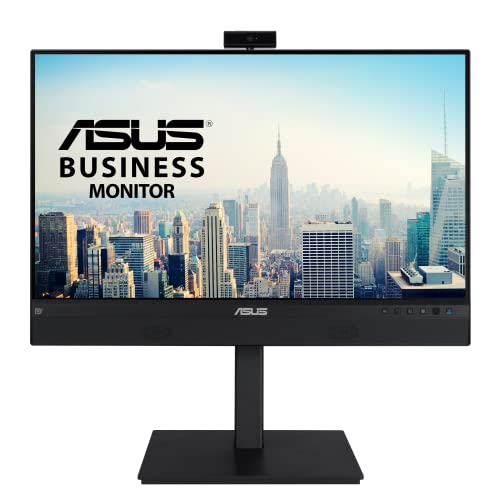
1. ASUS 23.8 1080P Video Conferencing Monitor (BE24ECSNK) - Full HD, IPS, Built-in Adjustable 2MP Webcam, AI Noise-canceling Mic, Eye Care, USB-C Docking, RJ45, Height Adjustable, HDMI, Zoom Certified
A practical, conference-focused 24-inch monitor built for hybrid classrooms. The adjustable Full HD webcam, AI noise-canceling microphone array and USB-C docking simplify setup and keep your face and voice clear during lectures. Strong image quality and flexible ports make it a great all-around teaching display, though built-in speakers are modest.
Key Specs
- 24" Full HD (1920 x 1080) IPS display
- Built-in adjustable 2MP webcam with Face Auto Exposure
- AI Noise-Canceling microphone array and stereo speakers
- USB-C docking, HDMI, DisplayPort, RJ45 LAN, height adjustable
Pros
- Very clear 1080p webcam with auto exposure
- Single-cable USB-C docking simplifies classroom setup
- Sturdy ergonomics and flexible connectivity
Cons
- Built-in speakers are underwhelming for room audio
- Some users report occasional brightness or flicker inconsistency
Best For: Lecture-grade conferencing & docking
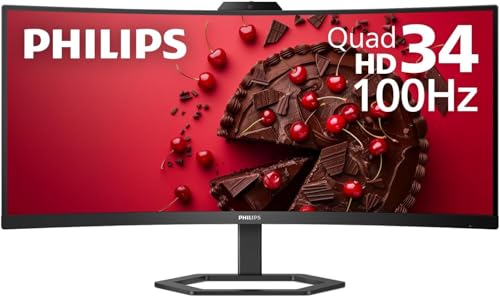
Check Latest Price on Amazon2. Philips 34E1C5600HE 34" UltraWide QHD 21:9 Monitor with Built-in Windows Hello Webcam & Noise Canceling Mic, USB-C Docking, Stereo Speakers, 100Hz, 4-Year Advance Replacement,Black
A wide 34-inch WQHD display that gives extra screen real estate for lesson materials and video participants. The integrated 5MP Windows Hello webcam and noise-canceling mic are convenient for classroom sign-on and clearer calls, while USB-C docking supports single-cable workflows. Speakers and some color/brightness reports are mixed, but connectivity and value are frequently praised.
Key Specs
- 34" UltraWide QHD (3440 x 1440), 21:9 aspect ratio
- Built-in 5MP Windows Hello webcam and noise-canceling microphone
- USB-C docking with up to 90W power delivery
- 1500R curved VA panel, 100Hz refresh, Ultra Wide-Color tech
Pros
- Huge workspace for side-by-side lecture apps
- Built-in high-resolution webcam with facial login
- Strong USB-C docking and power delivery
Cons
- Speakers can sound thin or rattle at high volume
- Some users report color/brightness not matching expectations
Best For: Multitasking and immersive lectures
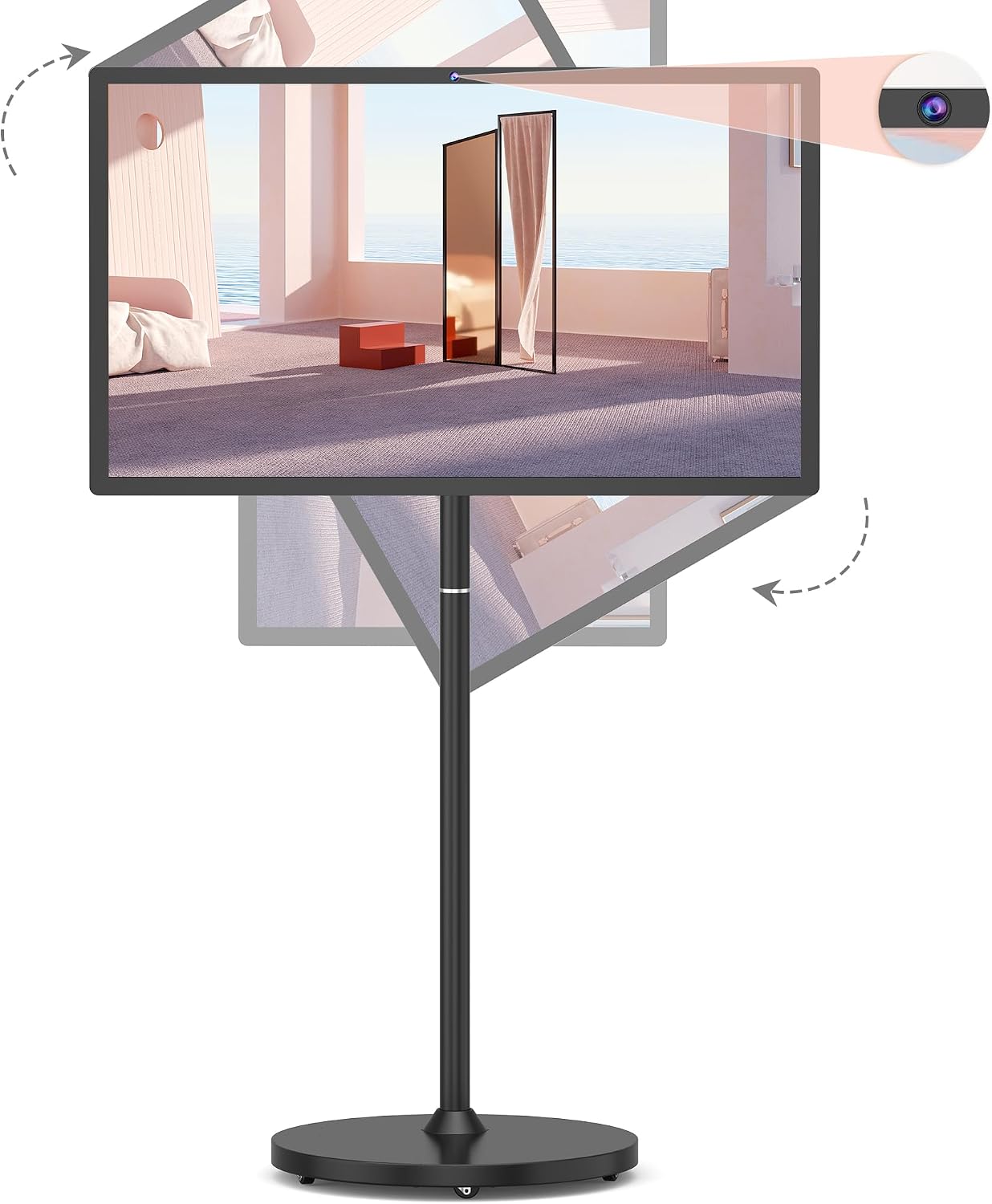
Check Latest Price on Amazon3. 32-Inch Portable Smart TV on Wheels with Touch Screen Monitor | 8G RAM +128G Storage | 8-core CPU Qualcomm | Built-in 6-8H Battery | 8MP Webcam | Android 13 OS | Full Swivel Rotation | Remote Control
A mobile 32-inch touch monitor on wheels that doubles as a portable smart TV for collaborative lessons. The integrated 8MP webcam and Android apps make it easy to run lectures without a laptop; battery power and swivel rotation add portability. Customers like the resolution and setup ease, though the build and long-term durability are typical mid-range trade-offs.
Key Specs
- 32" 1080p touchscreen, 500 nits brightness, 60Hz
- Built-in 8MP webcam, Android 13 OS with Google/Aurora app access
- Built-in battery (18,000mAh) providing ~6–8 hours
- Full swivel rotation, rolling base and remote control
Pros
- Very portable with battery and wheels for shared classrooms
- Strong all-in-one performance and easy setup
- Good value for a large, tablet-like display
Cons
- Rolling stand and materials feel less premium than fixed monitors
- Long-term durability and warranty support vary
Best For: Mobile classrooms and shared spaces
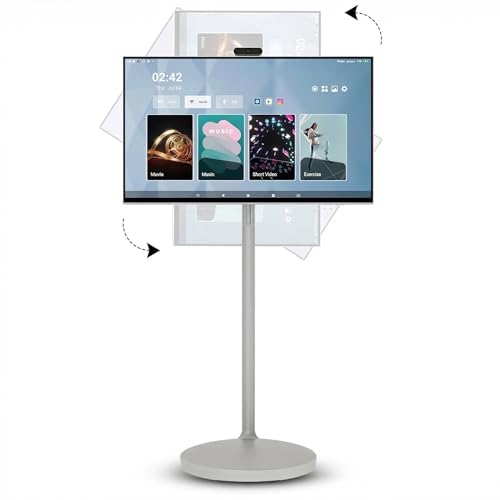
Check Latest Price on Amazon4. 32 Inch 4K Smart Portable TV, Qualcomm Snapdragon 665 CPU, Built-in 20000mAh Battery with 10H Life Time, 8+128GB, Android OS, Rolling Touch Screen Monitor on Wheels, Air Remote Mouse, with 5MP Webcam
A premium portable 32-inch 4K touchscreen with a sizable battery and 5MP webcam for high-detail video calls. It runs Android for app flexibility, offers multiple orientation options and hidden wheels for mobility. It targets educators who want a feature-rich, standalone display, though some buyers note mixed accessory quality and variability in long-term performance.
Key Specs
- 32" 4K UHD touchscreen
- Built-in 5MP webcam, Android 13, Snapdragon CPU, 8GB+128GB
- Built-in 20,000mAh battery with up to ~10 hours use
- Adjustable orientation, rolling base, voice remote
Pros
- High-resolution 4K panel for detailed visuals
- Long battery life and strong standalone performance
- Flexible orientation and interactive touchscreen
Cons
- Premium price tier with variable component quality
- Some users report packaging/accessory concerns
Best For: Premium portable lecture displays
Check Latest Price on AmazonWhich One Should You Choose?
If budget is tight → choose the Philips 34E1C5600HE for the best ultrawide workspace and high-res built-in webcam while keeping costs sensible. If you need true portability & mobility → choose the Bisprico 32-Inch Portable Smart TV for its battery, wheels and easy setup across classrooms. If premium quality and standalone performance matter → choose the kumezo 32 Inch 4K Smart Portable TV for its 4K touchscreen and long battery life. For the most balanced classroom tool with reliable webcam, mic and docking, the ASUS BE24ECSNK is our top pick.
Best for Specific Scenarios
- Recording/streaming lectures: ASUS BE24ECSNK because the adjustable 2MP webcam and AI mic keep appearance and voice clear on recordings.
- Collaborative classroom spaces: Bisprico 32-Inch Portable TV because its wheels, battery and touchscreen let you move the display between rooms without a laptop.
- Multitasking instructors: Philips 34E1C5600HE because the 34" ultrawide panel holds slides, notes and participant windows side-by-side.
Frequently Asked Questions
Do integrated webcams on these monitors work with Zoom and Teams?
Yes — integrated webcams (especially on conferencing-focused models) work with major video apps. Look for monitors that list Zoom or Windows Hello certification for the smoothest experience, and ensure your laptop OS grants camera and microphone permissions.
Will USB-C charging and docking power my laptop?
Many models offer USB-C power delivery; higher-watt models (like the Philips unit with up to 90W PD) can charge most laptops. Always confirm the monitor's PD wattage matches your laptop's power needs before relying on single-cable docking.
Is a built-in mic good enough for a classroom?
Built-in noise-canceling mic arrays are fine for small rooms and one-on-one sessions, and they simplify setup for hybrid classes. For larger rooms or multiple in-room speakers, an external boundary mic or dedicated room audio system will provide better coverage and clarity.
How We Selected These Products
Our recommendations are based on data-driven analysis: we evaluated 155229+ products across 23916+ brands using a composite scoring system that weighs rating (40%), review volume (30%), price value (20%), and demand signals (10%). Every product is ranked by data, not opinions.
Last updated: September 30, 2026
As an Amazon Associate we earn from qualifying purchases at no extra cost to you. Full disclosure.
GearLark Score is our editorial ranking based on a composite analysis of product quality, value, and verified customer sentiment. Click through to Amazon for current pricing, availability, and live customer reviews.