As an Amazon Associate we earn from qualifying purchases. Learn more.
Best Portable Monitors for College Study & Editing (2026)
In 2026, students and campus creatives want second screens that are light enough to carry across campus, color-accurate enough for editing, and cool-running during long remote classes. This guide tests and compares four portable monitors selected for weight, color performance, connectivity (USB-C/HDMI), and practical cooling/build features. Read on if you want a fast recommendation, side-by-side specs, and a buying guide that helps pick the right portable monitor for study, video editing, or on-the-go productivity.
Quick Answer
For most college students who need a lightweight second screen with reliable color and easy USB-C setup, the Lenovo L15 is the best all-around pick — it balances portability, stable connectivity, and an ergonomic stand. If you need the lowest cost option, the Pixio PX160 Wave gives good image quality and universal ports at a budget price.
Our Top Picks
Quick Comparison
Select 2-3 products to compare side-by-side
| Compare | Product | GearLark Score | Price Tier | Key Feature | Best For | Action |
|---|---|---|---|---|---|---|
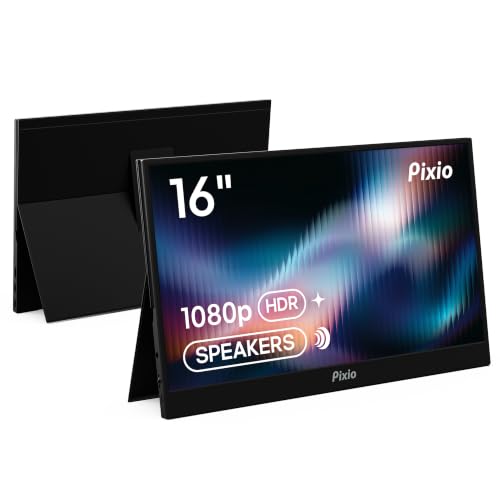 Pixio PX160 Wave
|
Budget | 15.6" FHD IPS with HDR | Students on a budget | Check Price | ||
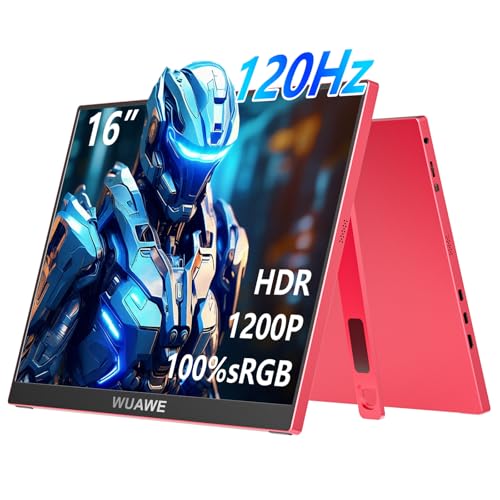 WUAWE 16" 120Hz
|
Budget | 1.5 lb 16" 120Hz IPS | Users prioritizing portability & style | Check Price | ||
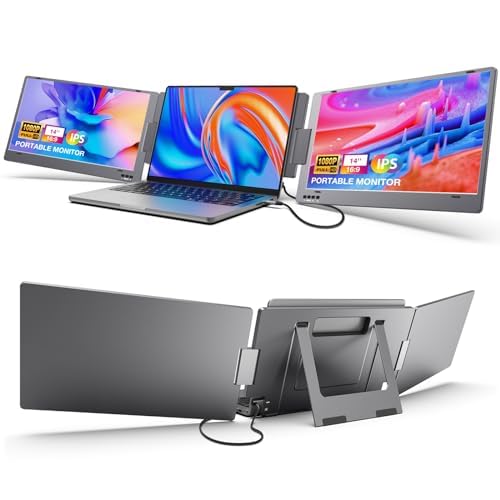 KYY 14" Triple Screen
|
Premium | Foldable multi-screen extender | Power users who need extra screens | Check Price | ||
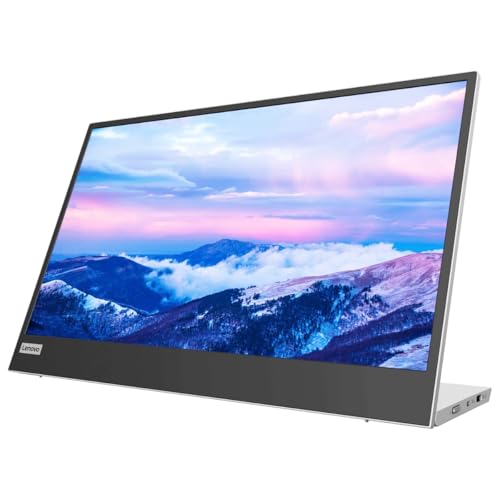 Lenovo L15 15.6"
|
Mid-Range | Height-adjustable stand + dual USB-C | Balanced study and light editing | Check Price |
1. Pixio PX160 Wave Portable Monitor 15.6 inch 60Hz FHD 1080p IPS Panel HDR Screen Cover Stand USB-C HDMI Laptop Screen Extender Portable Monitor for Laptop, PC, Console, Phone
The Pixio PX160 Wave is a budget-friendly 15.6" FHD portable display that punches above its price with an IPS panel, HDR support, and both USB-C and mini-HDMI inputs. It’s a good value pick for multitasking in class or a dorm, though some users report mixed long-term durability and occasional connectivity quirks.
Key Specs
- 15.6" 1920×1080 IPS display
- 60 Hz refresh rate with HDR support
- USB-C and mini-HDMI inputs
- Slim cover-stand design
Pros
- Great value for picture quality and features
- Universal USB-C and HDMI connectivity
- Slim, portable design with cover stand
Cons
- Some reported durability concerns over long-term use
- Mini-HDMI/cable reliability is inconsistent for a few users
Best For: Students on a budget
Check Latest Price on Amazon2. WUAWE 16" 120Hz Portable Monitor for Laptop/MacBook - Rose Red FHD Screen Extender w/USB-C, Travel Second Display for Women, Designer, Remote Work - Valentine/Xmas Gift for Mom/Girlfriend (Red)
WUAWE’s 16" portable monitor emphasizes a lightweight, designer build (about 1.5 lbs) and a 120Hz IPS panel that makes scrolling, remote lectures, and light motion work feel smooth. It’s exceptionally portable and bright with an anti-glare matte finish, but it’s aimed at consumers who value style and mobility over pro-level color calibration.
Key Specs
- 16" 1920×1200 IPS panel (16:10)
- 120 Hz refresh rate
- USB-C power and display
- Ultra-slim aluminum alloy body with magnetic smart cover
Pros
- Very lightweight and easy to carry
- Smooth 120Hz motion for scrolling and UI responsiveness
- Bright matte screen with anti-glare surface
Cons
- Not factory-calibrated for color-critical editing
- Some users report mixed gaming performance
Best For: Users prioritizing portability & style
Check Latest Price on Amazon3. KYY Laptop Screen Extender, 14'' FHD 1080P USB-C Portable Monitor, IPS Computer Monitor, Dual Monitor for Triple Screen, for 12"-16" Laptop (Mac, Wins, Android) Driver Need
The KYY triple-screen extender is a unique option for power users who want extra display real estate attached directly to a laptop — it folds to create two additional panels and supports multiple display modes. It’s feature-rich and well-built, but heavier than single-panel monitors and requires drivers for full functionality, which can complicate setup.
Key Specs
- 14" FHD (1920×1080) IPS panels
- Foldable 0–210° multi-angle design with built-in kickstand
- USB-C plus USB-A converter included (driver required)
- Supports extended/mirror/portrait modes
Pros
- Adds multiple screens for serious multitasking
- Solid construction and versatile mounting angles
- Wide compatibility with included adapters
Cons
- Heavier than single portable panels
- Driver requirement and mixed reliability reports
Best For: Power users who need extra screens
Check Latest Price on Amazon4. Lenovo L15 Portable Monitor, 15.6 Display, Full HD Resolution, IPS Panel, 250 nits Brightness, 60Hz Refresh Rate, USB-C Ports, Height-Adjustable Stand, Flicker-Free Technology, Grey
The Lenovo L15 is the best overall pick for students who want a dependable, well-engineered second screen: it’s lightweight, includes a height-adjustable stand for ergonomic workflows, and uses flicker-free tech for long study sessions. Brightness and connectivity are practical for most campus environments, though the panel is best suited to general editing rather than strict color-critical work.
Key Specs
- 15.6" Full HD IPS display
- 250 nits brightness, 60 Hz refresh rate
- Two USB-C ports for power and display
- Height-adjustable ergonomic stand; flicker-free tech
Pros
- Reliable, ergonomic design with adjustable stand
- Lightweight and easy to travel with
- Simple USB-C connectivity with two ports
Cons
- 250 nits may be dim for bright outdoor use
- Some users report mixed behavior with standby/compatibility
Best For: Balanced study and light editing
Check Latest Price on AmazonWhich One Should You Choose?
If budget is tight → Pixio PX160 Wave (B0F518X9VS). If you need the lightest, most stylish carry option → WUAWE 16" (B0CZR5RH21). If you want the best balance of ergonomics, color and portability → Lenovo L15 (B0B5GRGCX5). If you need serious multi-window multitasking and don't mind extra weight → KYY 14" triple screen (B0CBG93SZX).
Best for Specific Scenarios
- Remote lectures & note-taking: Lenovo L15 because its height-adjustable stand and flicker-free tech make long study sessions comfortable.
- Light photo/video editing on campus: Pixio PX160 Wave because it delivers solid FHD color and universal ports at a budget price.
- Multi-app multitasking / trading: KYY triple screen because it adds two extra panels for spreadsheets and chat windows.
Frequently Asked Questions
Will these portable monitors work with a MacBook or Windows laptop?
Yes — all four models support USB-C video input (USB-C DisplayPort Alt Mode) and most also include HDMI or adapters for wider compatibility. Check your laptop’s ports and whether it supplies power over USB-C; some setups may need a separate power source or adapter.
Are portable monitors good for color-critical editing?
Portable monitors can be fine for basic color grading and editing, but if you do color-critical work professionally you’ll want a properly calibrated monitor or an external colorimeter. The Lenovo and Pixio panels are suitable for student editing; WUAWE and KYY are best for layout and multitasking rather than exact color matches out of the box.
Do these monitors get hot during long sessions and how do I manage cooling?
Most portable monitors use passive cooling and remain cool if housed in metal frames or left with airflow around them. Avoid stacking devices directly on top of each other, use a small laptop stand to increase airflow under both devices, and choose aluminum-bodied models if extended use and heat dispersion are concerns.
How We Selected These Products
Our recommendations are based on data-driven analysis: we evaluated 155229+ products across 23916+ brands using a composite scoring system that weighs rating (40%), review volume (30%), price value (20%), and demand signals (10%). Every product is ranked by data, not opinions.
Last updated: August 11, 2026
As an Amazon Associate we earn from qualifying purchases at no extra cost to you. Full disclosure.
GearLark Score is our editorial ranking based on a composite analysis of product quality, value, and verified customer sentiment. Click through to Amazon for current pricing, availability, and live customer reviews.