As an Amazon Associate we earn from qualifying purchases. Learn more.
Best Portable USB-C Monitors With Integrated Stands for Summer Travel (2026 Guide)
Travelers, creators and remote workers who spend time editing photos, gaming at dusk, or working outdoors need a portable display that pairs good color and high brightness with a reliable integrated stand. This 2026 roundup tests travel-friendly USB-C monitors that include built-in stands or kickstands, prioritize brightness for outdoor/dusk use, and keep weight manageable for packing. I selected these models based on panel specs (nits, color coverage, resolution), connectivity (full-function USB-C, HDMI, power delivery), and real-user feedback about durability and portability to help you pick the best screen for your summer trips.
Quick Answer
For the best travel-ready USB-C monitor with a built-in stand, the ARZOPA 16.1'' 2.5K 180Hz (ASIN B0FDL2VR2C) leads the pack — it pairs a 2.5K panel, 400 nits brightness and an adjustable kickstand in a light, portable package. If you want the cheapest travel option, the ARZOPA 16.1'' 144Hz 1080P (B0F38F1PG7) gives strong value and a stable kickstand for the road.
Our Top Picks
Quick Comparison
Select 2-3 products to compare side-by-side
| Compare | Product | GearLark Score | Price Tier | Key Feature | Best For | Action |
|---|---|---|---|---|---|---|
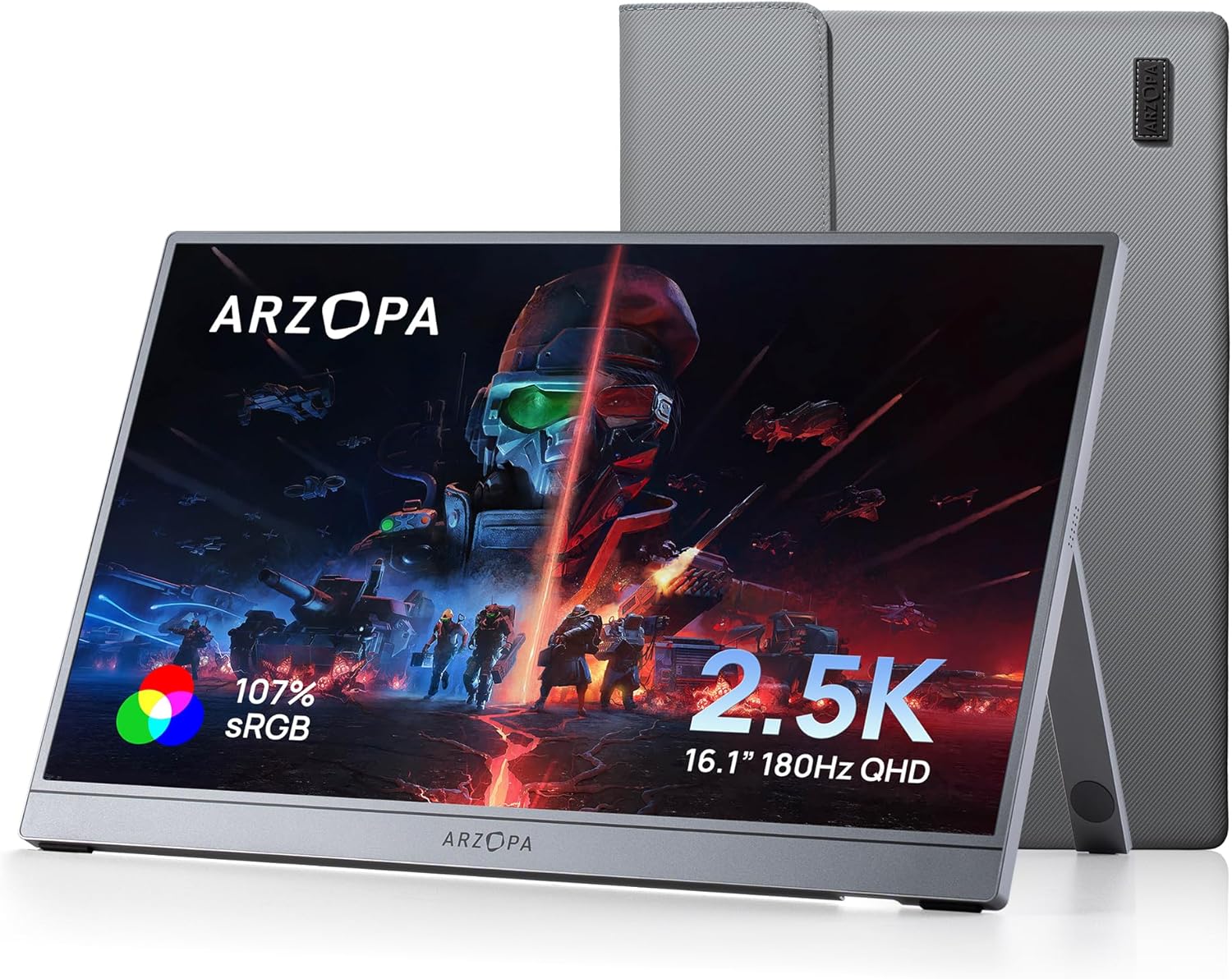 ARZOPA Z3FC 16.1'' 2.5K
|
Premium | 2.5K QHD panel with 180Hz | Gamers and creators on the road | Check Price | ||
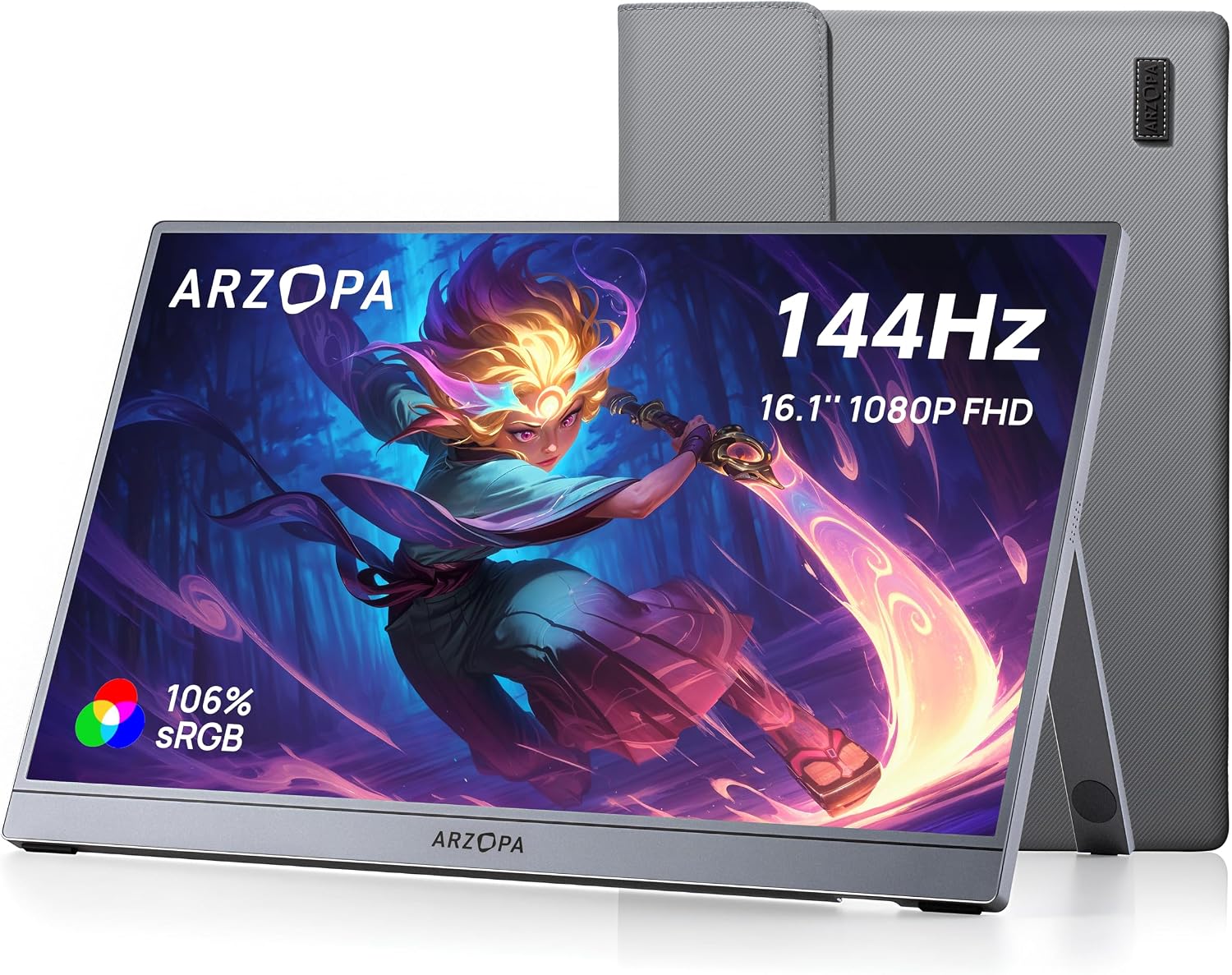 ARZOPA Z1FC 16.1'' 1080P
|
Budget | 144Hz Full HD, ultra-light | Budget gamers and frequent travelers | Check Price | ||
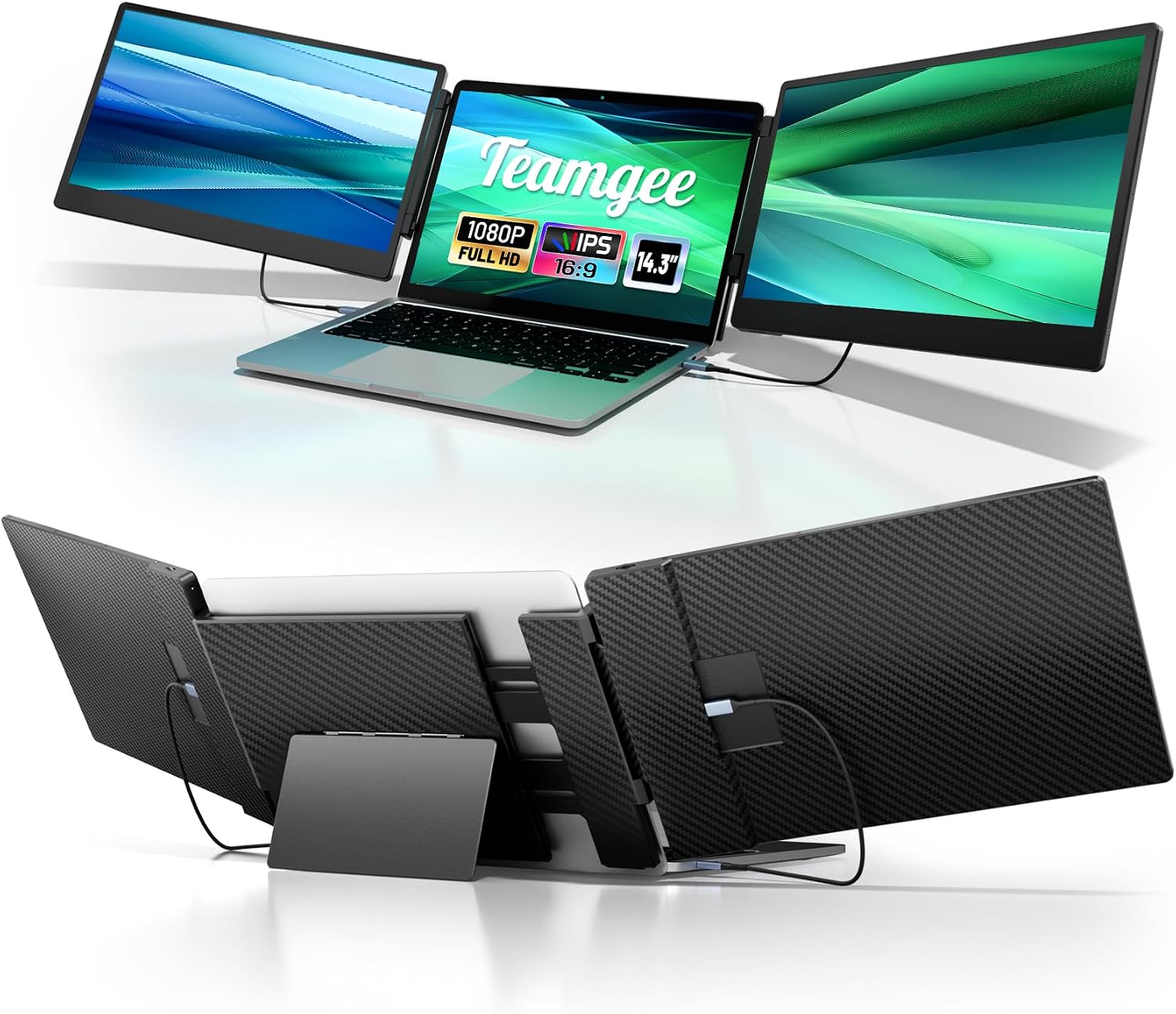 Teamgee 14.3'' Extender
|
Mid-Range | Triple-screen laptop extender | Multitaskers and mobile coders | Check Price | ||
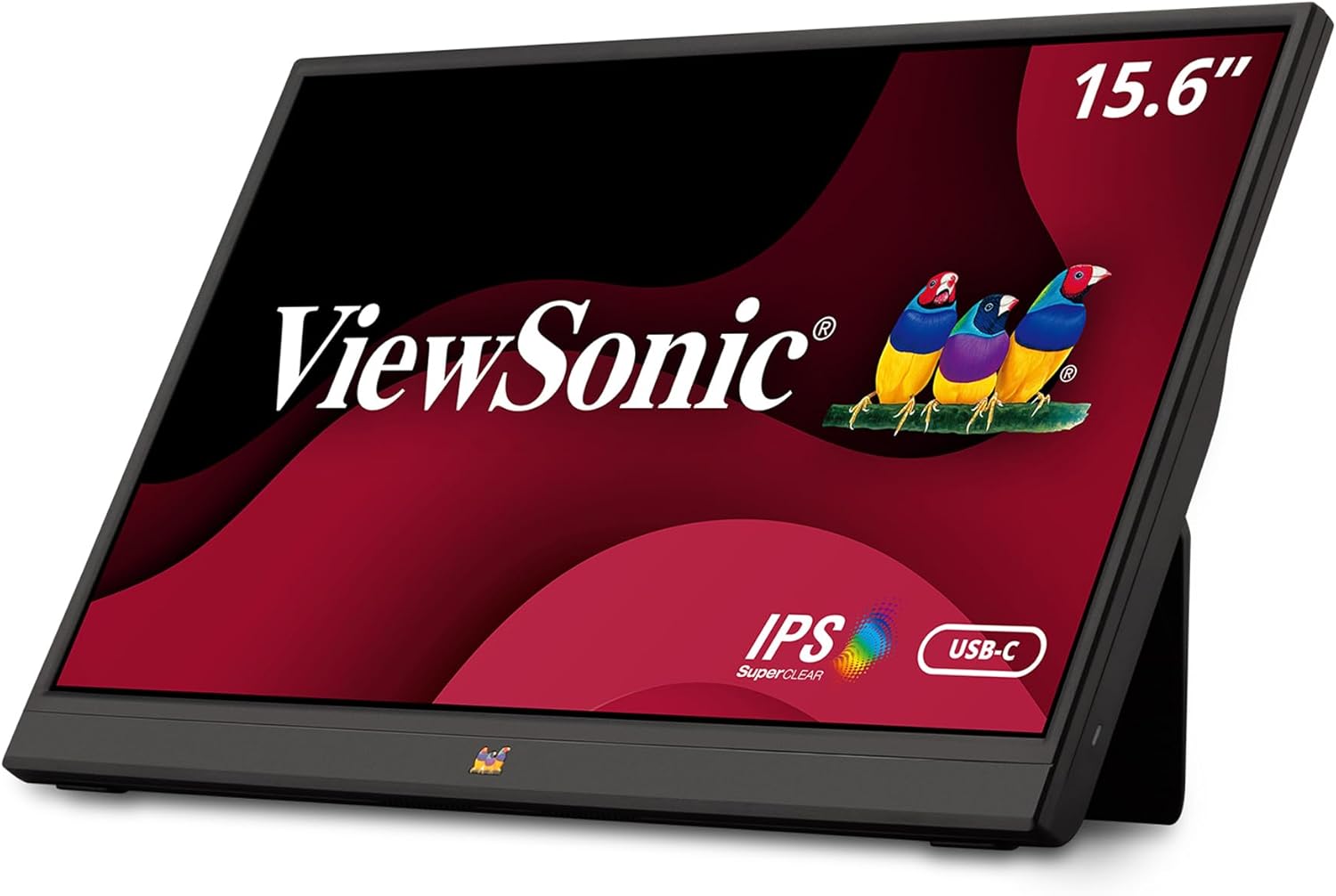 ViewSonic VA1655 15.6''
|
Budget | Two-way 60W USB-C power | Business travelers and productivity | Check Price | ||
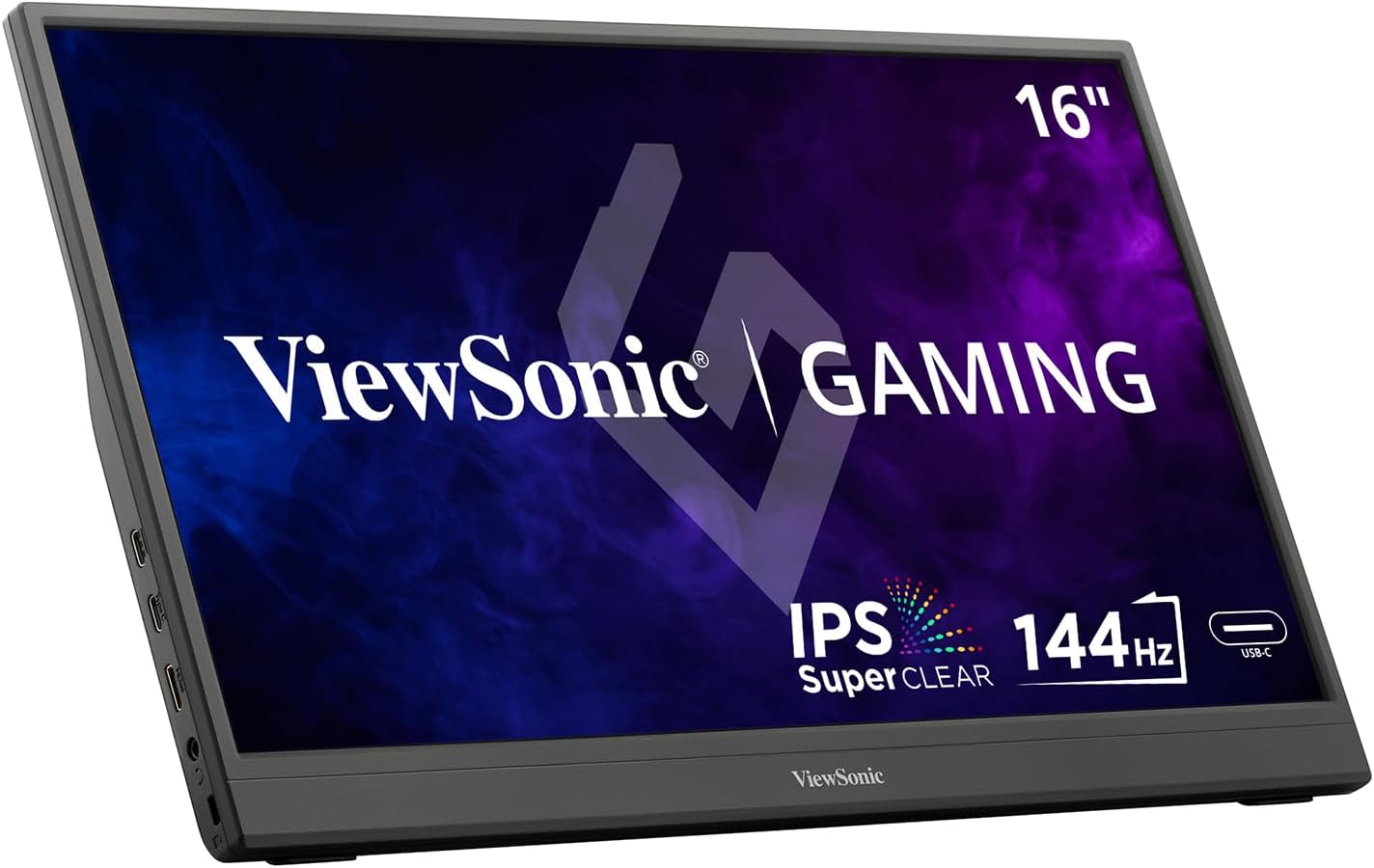 ViewSonic VX1654 16''
|
Mid-Range | 144Hz FreeSync portable gaming | Portable gamers wanting smooth play | Check Price | ||
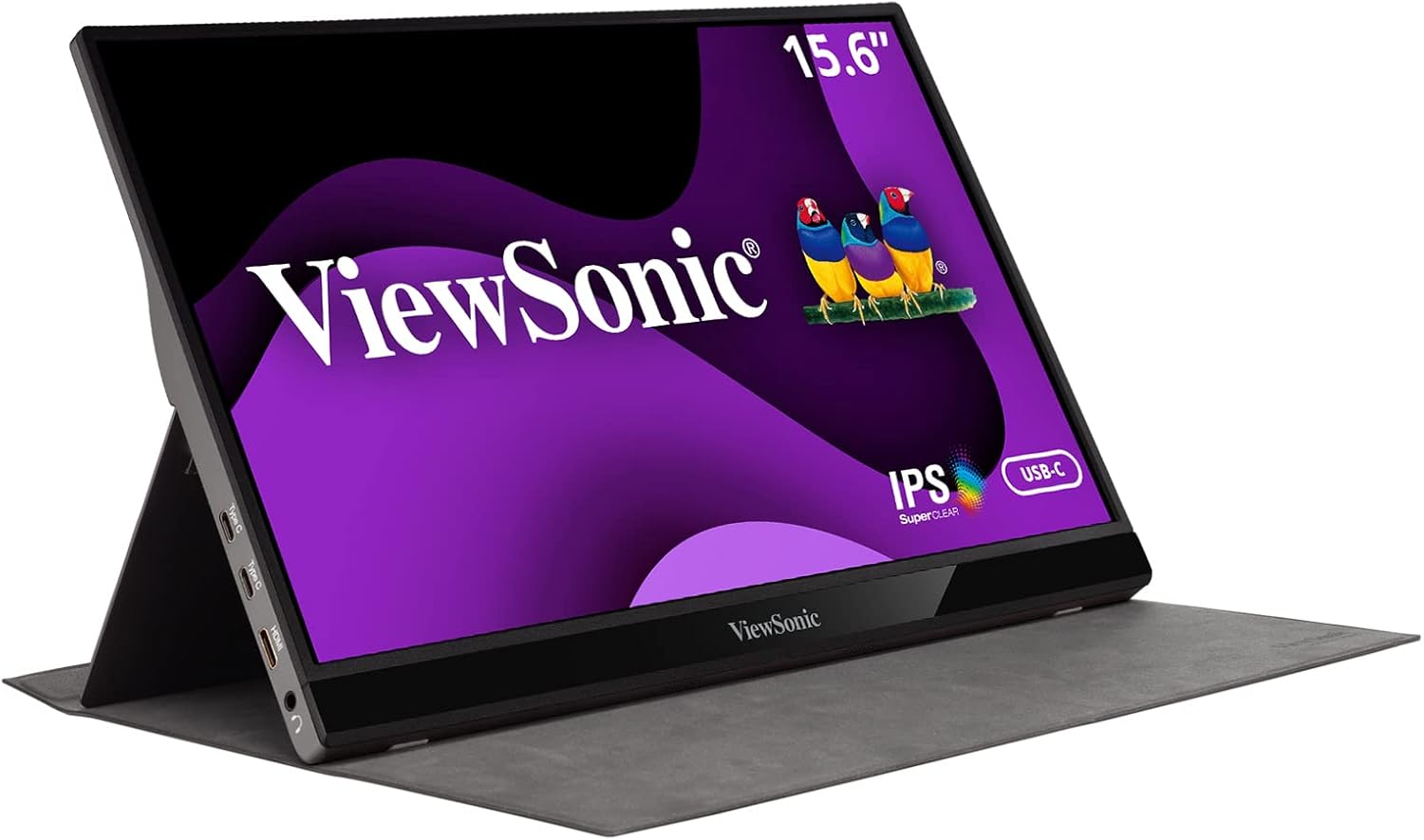 ViewSonic VG1655 15.6''
|
Premium | Aluminum build with 2-way USB-C | Professionals who value build and ports | Check Price |
1. ARZOPA 16.1'' 180Hz 2.5K Portable Monitor, 2560x1440 QHD 107% sRGB Kickstand Portable Gaming Monitor with HDR, Ultra Slim, Eye Care, External Second Screen for Laptop, PC, PS5, Mac, Xbox-Z3FC
The ARZOPA Z3FC pairs a sharp 2560x1440 panel with a very high 180Hz refresh rate and a built-in adjustable kickstand, making it excellent for motion clarity and travel setups. At about 400 nits brightness and wide color coverage, it handles dusk editing and gaming well while staying lightweight and plug-and-play.
Key Specs
- 2560x1440 QHD resolution
- 16.1-inch display, 180Hz refresh
- Approx. 400 nits brightness, HDR support
- USB-C (full function) x2, Mini HDMI, built-in kickstand
Pros
- High-resolution 2.5K panel for detailed images
- Very smooth 180Hz refresh for gaming and motion
- Built-in adjustable kickstand and slim, travel-friendly design
Cons
- Some users report occasional connectivity quirks with certain laptops
- Premium model — heavier on price than basic options
Best For: Gamers and creators on the road
Check Latest Price on Amazon2. ARZOPA 16.1'' 144Hz Portable Gaming Monitor, 106% sRGB 1080P FHD Kickstand Portable Monitor with HDR, Ultra Slim, Eye Care, External Second Screen for Laptop, PC, PS5, Mac, Xbox-Z1FC Gray
This ARZOPA 16.1-inch FHD monitor delivers a high 144Hz refresh in a very lightweight chassis, making it an excellent budget pick for portable gaming and general travel productivity. It includes a stable lockable kickstand and universal plug-and-play USB-C and HDMI connectivity.
Key Specs
- 1920x1080 Full HD resolution
- 16.1-inch display, 144Hz refresh rate
- Lightweight: about 1.7 lbs and 0.3-inch profile
- Full-function USB-C and Mini HDMI, adjustable kickstand
Pros
- Very portable — slips into backpacks easily
- Smooth 144Hz motion for gaming and low-latency use
- Good value for the feature set
Cons
- Some users report intermittent connectivity on specific laptops
- Lower peak brightness than higher-tier panels for bright outdoor use
Best For: Budget gamers and frequent travelers
Check Latest Price on Amazon3. Teamgee 14.3" Laptop Screen Extender, FHD 1080P IPS Portable Monitor with Foldable Stand & Speakers, Compatible with 13-17 Laptops (Diagonal), HDMI/USB-A/Type-C, for Windows/Mac/Chrome/Switch
Teamgee’s dual 14.3-inch extender provides a multi-screen workflow that clips to your laptop to create an effective three-screen setup for heavy multitasking. It’s designed for travel with a foldable 90-degree kickstand, protective case, and multiple port options for flexible connections.
Key Specs
- Dual 14.3-inch IPS displays, 1920x1080 each
- Approx. 300 nits brightness, 74% NTSC color coverage
- HDMI, USB-C and USB-A connectivity
- 90-degree folding kickstand and protective carrying case
Pros
- Transforms a laptop into a triple-screen workstation
- Includes durable carrying case and crush-proof frame
- Multiple connection options suitable for varied devices
Cons
- Lower color gamut than prosumer panels (74% NTSC)
- May require a dock or adapters for some modern laptops
Best For: Multitaskers and mobile coders
Check Latest Price on Amazon4. ViewSonic VA1655 15.6 Inch 1080p FHD IPS Portable Monitor with Built-in Stand, 60W USB C, Mini HDMI, Protective Case and Speakers for PC, Mac, Gaming Consoles, Phones
The ViewSonic VA1655 is a compact 15.6-inch FHD monitor built for business travel: it supports two-way 60W USB-C power, has a built-in stand and protective cover, and comes with a 3-year warranty. It’s lightweight and easy to carry, making it a sensible second screen for plain-air work and presentations.
Key Specs
- 15.6-inch Full HD 1920x1080 IPS display
- 60Hz refresh with anti-glare panel
- Two-way 60W USB-C power delivery and Mini HDMI
- Built-in stand, protective sleeve, weight ~1.5 lbs
Pros
- Two-way USB-C power makes it flexible for travel
- Very portable and lightweight
- Backed by a multi-year warranty and US support
Cons
- Some users report the kickstand can feel fragile over time
- Not the brightest option for direct sun or very bright dusk lighting
Best For: Business travelers and productivity
Check Latest Price on Amazon5. ViewSonic VX1654 16 Inch 1080p IPS Portable Gaming Monitor with 144Hz, AMD FreeSync, 2 Way Powered 60W USB C, Mini HDMI, and Built-in Stand with Protective Cover
The VX1654 brings desktop-like gaming responsiveness to a portable format with 144Hz and FreeSync, while offering two-way 60W USB-C power and a built-in stand for quick setups on the road. It balances performance and travel-minded design at a mid-range price point.
Key Specs
- 15.6-inch Full HD 1920x1080 IPS display
- 144Hz refresh rate with AMD FreeSync
- Two-way 60W USB-C power delivery and Mini HDMI
- Built-in stand and protective cover, weight ~1.5 lbs
Pros
- Fluid 144Hz gaming performance in a portable chassis
- USB-C two-way power simplifies cabling
- Slim and lightweight for travel
Cons
- Stand has been reported as less sturdy by some users
- Brightness and color are good but not class-leading outdoors
Best For: Portable gamers wanting smooth play
Check Latest Price on Amazon6. ViewSonic VG1655 15.6 Inch 1080p Portable Monitor with 2 Way Powered 60W USB C, IPS, Eye Care, Dual Speakers, Built-in Stand with Magnetic Cover
The VG1655 focuses on a premium, durable feel with an aluminum chassis, 60W two-way USB-C, and a detachable magnetic cover that doubles as a stand. It's a solid choice for professionals who want a reliable portable second screen with good connectivity.
Key Specs
- 15.6-inch Full HD 1920x1080 IPS display
- 60Hz refresh, eye-care features
- Two-way 60W USB-C power delivery, Mini HDMI
- Aluminum design, detachable magnetic cover/stand
Pros
- Premium aluminum construction feels durable
- Two-way USB-C and HDMI broaden compatibility
- Clear picture and easy setup for travel productivity
Cons
- Some users report mixed connectivity experiences
- Magnetic cover/stand can feel flimsy on uneven surfaces
Best For: Professionals who value build and ports
Check Latest Price on AmazonWhich One Should You Choose?
If budget is tight → choose the ARZOPA 16.1'' 144Hz 1080P (B0F38F1PG7) for solid performance, low weight and a stable kickstand. If you need the most portable multi-tasking setup → choose the Teamgee 14.3'' Extender (B0CRRMZLM6) to turn a laptop into a three-screen workflow. If premium quality and outdoor/dusk brightness matter most → choose the ARZOPA 16.1'' 2.5K 180Hz (B0FDL2VR2C) for higher resolution, strong color and better peak brightness. For business travelers who value simple power management and warranty support choose the ViewSonic VA1655 (B09237LL5Q). For portable gamers wanting FreeSync and 144Hz responsiveness choose the ViewSonic VX1654 (B0DFGJ2367).
Best for Specific Scenarios
- Outdoor/dusk photo editing: ARZOPA 16.1'' 2.5K because of its 2.5K resolution and higher peak brightness for clearer detail in low-light conditions.
- Lightweight travel and casual gaming: ARZOPA 16.1'' 144Hz 1080P because it balances a high refresh rate with a very light chassis for packing ease.
- Serious multitasking on the go: Teamgee 14.3'' Extender because it expands laptop screen real estate into a triple-display setup with a protective case for travel.
Frequently Asked Questions
Do portable USB-C monitors work plug-and-play with any laptop?
Many modern laptops and devices support full-function USB-C (video + power + data) and will run portable monitors plug-and-play, but compatibility varies. Check whether your laptop’s USB-C port supports DisplayPort Alt Mode or whether you’ll need an adapter or docking station — especially for some MacBooks and enterprise laptops.
How bright should a portable monitor be for outdoor or dusk use?
Aim for at least 300 nits for decent dusk use; 400 nits or higher is preferable when you expect bright daylight or variable outdoor lighting. Also consider anti-glare coatings and an adjustable stand orientation to reduce reflections.
Are integrated stands durable enough for travel?
Stand durability varies by design: metal or reinforced kickstands and foldable feet generally feel more stable than thin folio covers. Look at user feedback for notes about hinge wear or breakage, and pack a protective sleeve or case to reduce stress on the stand while traveling.
How We Selected These Products
Our recommendations are based on data-driven analysis: we evaluated 155229+ products across 23916+ brands using a composite scoring system that weighs rating (40%), review volume (30%), price value (20%), and demand signals (10%). Every product is ranked by data, not opinions.
Last updated: June 20, 2026
As an Amazon Associate we earn from qualifying purchases at no extra cost to you. Full disclosure.
GearLark Score is our editorial ranking based on a composite analysis of product quality, value, and verified customer sentiment. Click through to Amazon for current pricing, availability, and live customer reviews.