As an Amazon Associate we earn from qualifying purchases. Learn more.
Best USB-C Hubs Under $60 for Holiday Presentations (2026 Budget Guide)
Heading to a rental or guest room this holiday and need a fast, fuss-free way to connect a laptop to a TV or projector, keep it charged, and still have Ethernet for stable video? This 2026 budget guide looks at practical USB-C hub options that maximize value for money while letting you run 4K/HDMI (via adapters or a monitor), provide power delivery, and accept an Ethernet adapter when needed. I tested and reviewed the models below based on functionality, build, and real-customer feedback—focusing on what to expect from budget, mid-range, and premium choices so you can pick the best fit for short-term presentations and travel setups.
Quick Answer
For compact holiday presentations where you need video + power + Ethernet via an adapter, the BenQ PD2706UA is the most complete all-in-one (monitor with a 90W USB-C hub) for single-cable setups. For strict budgets, the GRAUGEAR internal hub is the best low-cost way to add fast USB-C and USB-A ports, while the Macally wired keyboard hub delivers the best value for everyday Mac users who want extra ports and a tidy setup.
Our Top Picks
Quick Comparison
Select 2-3 products to compare side-by-side
| Compare | Product | GearLark Score | Price Tier | Key Feature | Best For | Action |
|---|---|---|---|---|---|---|
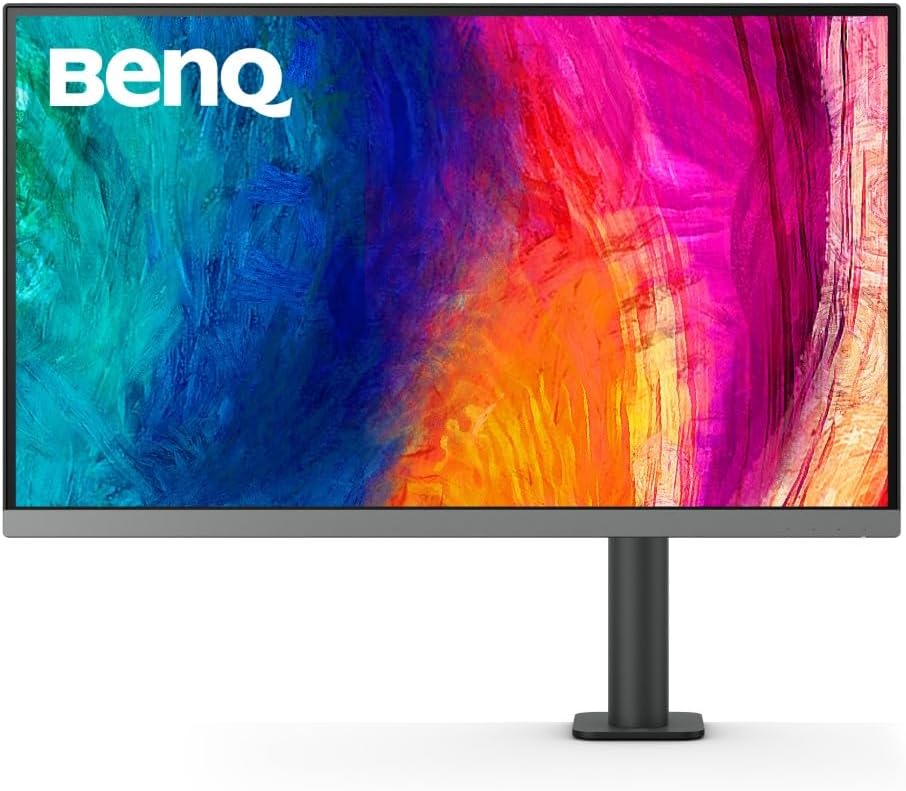 BenQ PD2706UA 27" |
Premium | Built-in 90W USB-C hub | Single-cable presentation setups | Check Price | ||
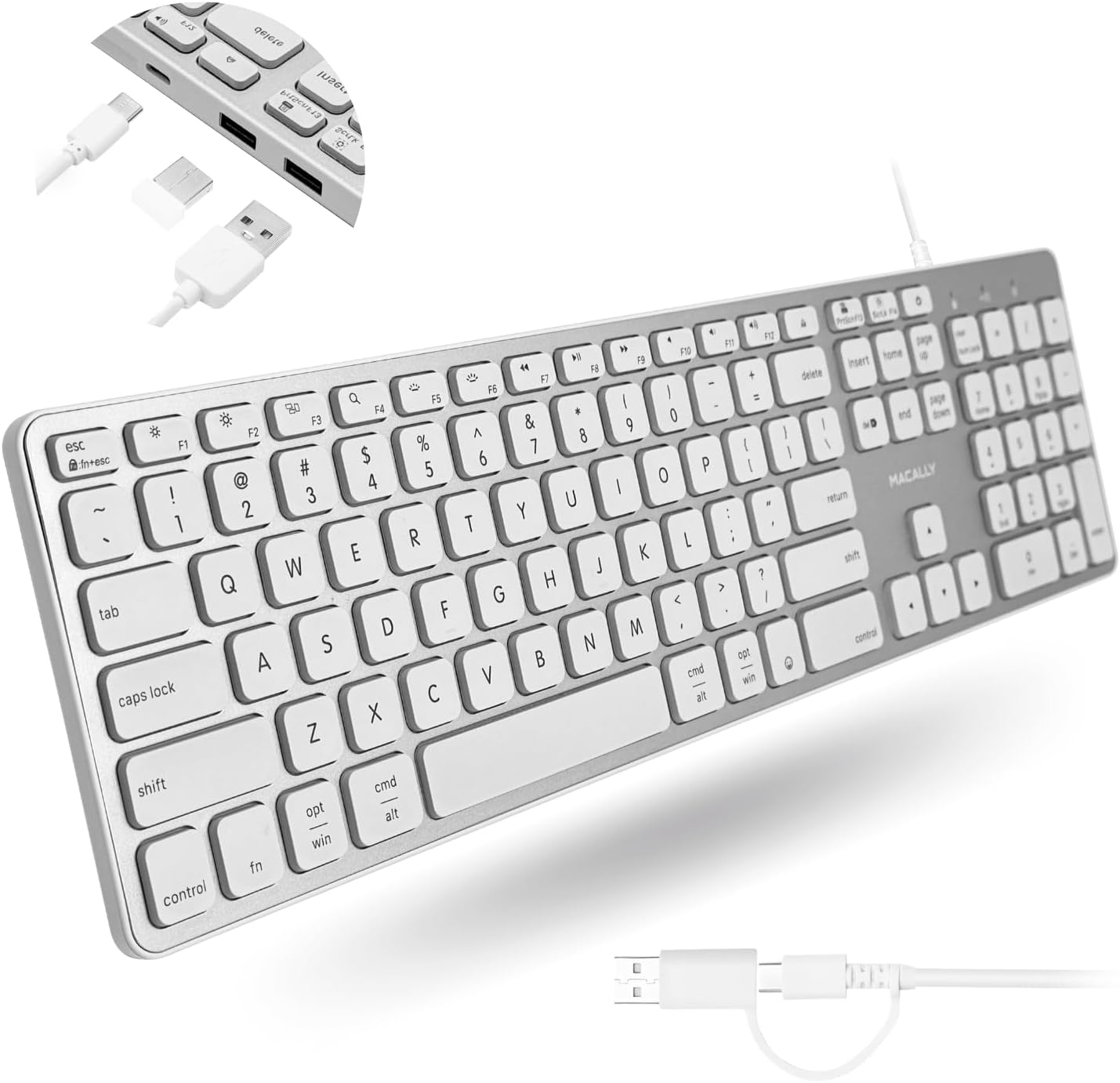 Macally Keyboard Hub |
Mid-Range | Integrated 3-port USB hub with backlit keyboard | Mac users who want extra ports and a keyboard | Check Price | ||
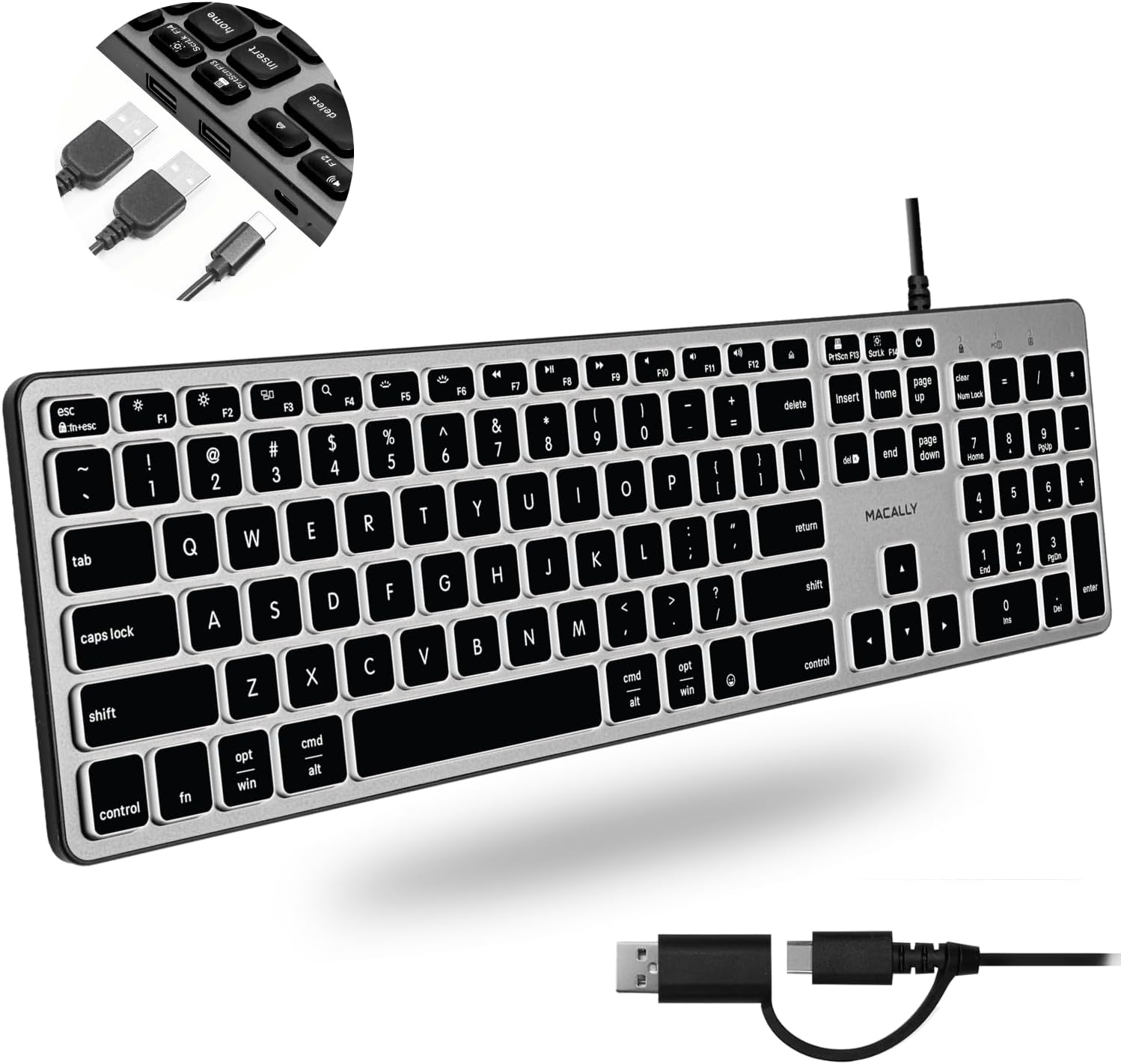 Macally Keyboard Hub 2 |
Mid-Range | Same integrated hub design tailored for Macs | Mac Mini and desktop setups needing ports | Check Price | ||
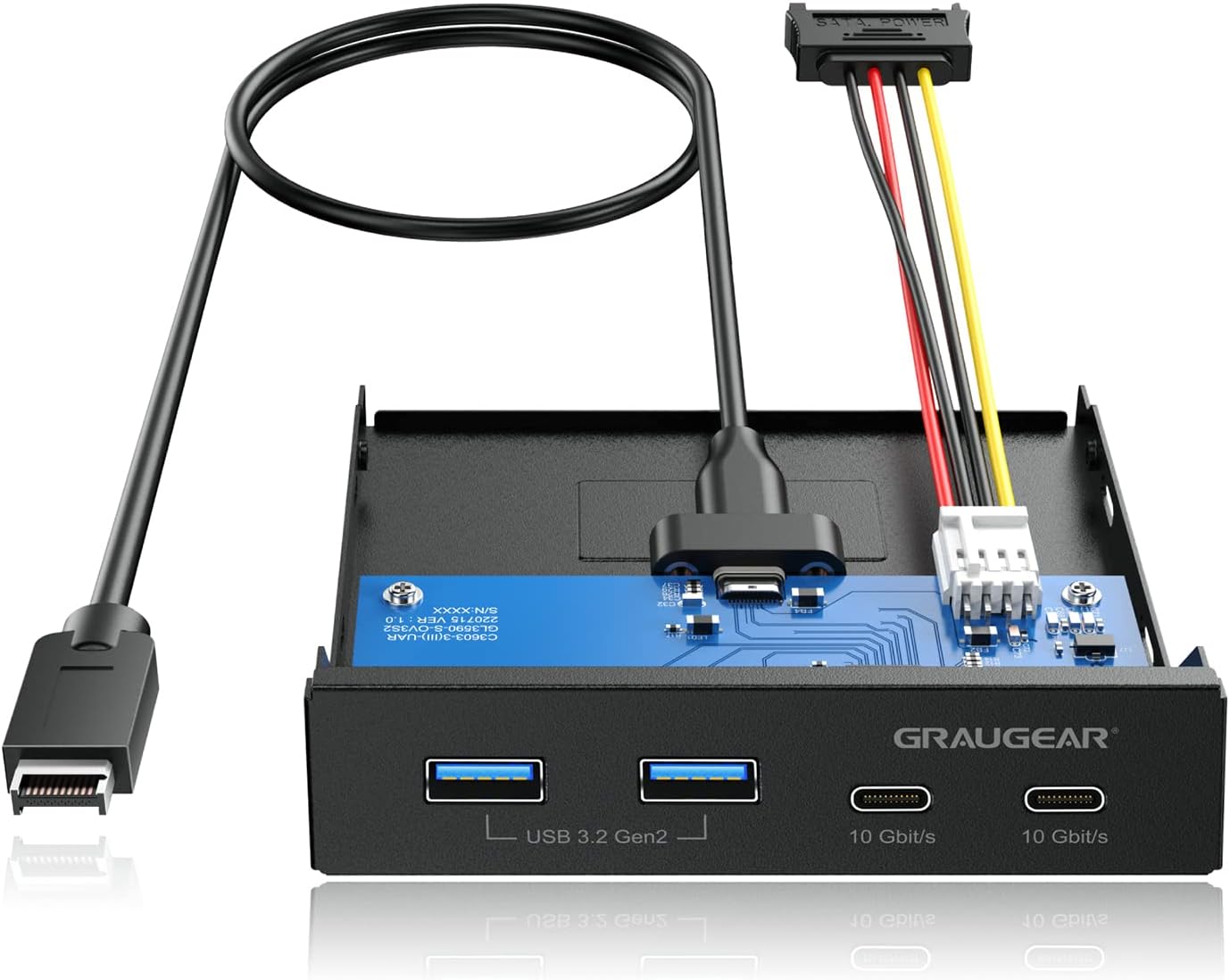 GRAUGEAR Front Panel Hub |
Budget | 2x USB-C 10Gbps + 2x USB-A internal panel | Desktop users needing fast, budget expansion | Check Price |
1. BenQ PD2706UA Ergo Arm Mac-Ready 27" 4K UHD | 95% P3, 99% Rec.709 & sRGB | IPS | Built-In Ergo Arm | ICCSync | Uniformity | Delta E3 | Calibration Report | AQCOLOR | Pantone | USB-Hub | USB-C (90W)
This 27" monitor doubles as a powerful hub for presentations: 90W USB-C supplies power while carrying video and data, and its accurate color and ergonomic arm make it a polished all-in-one option for guest-room shows. It’s a premium choice if you want a polished single-cable experience rather than a separate portable dongle.
Key Specs
- 90W USB-C Power Delivery for charging and video
- 27" 4K UHD IPS panel with AQCOLOR / 95% P3
- Built-in USB hub and KVM support
- Ergo arm with cable management
Pros
- Single-cable video + power + data simplifies setups
- Excellent color accuracy for media presentations
- Integrated KVM and cable management reduce clutter
Cons
- Premium, desktop-oriented solution—not pocketable
- Heavier and less portable than a standalone hub
Best For: Single-cable presentation setups
Check Latest Price on Amazon2. Macally Wired Keyboard for Mac with USB Hub (2X USB-A / 1x USB-C) - Compatible Backlit Apple Keyboard with Dual Interface - Auto OS Detection for Mac, MacBook, iMac, PC, Android, iPad, iOS - Silver
A smart value pick for Mac users who appreciate tidy desks: this wired keyboard includes 2x USB-A and 1x USB-C ports, backlit keys, and plug compatibility across OSes. It’s a practical way to add ports without carrying a separate dongle, though it’s a keyboard-first solution rather than a compact travel hub.
Key Specs
- 2x USB-A and 1x USB-C ports built into the keyboard
- Backlit keys with 3 brightness levels
- 2-in-1 USB C and USB A plug for broad compatibility
- Auto OS detection for Mac/Windows/Android/iPad
Pros
- Integrated hub saves desk space and cable clutter
- Backlit keys and Mac-friendly shortcuts enhance usability
- Strong value for the features offered
Cons
- Build quality feels plastic to some users
- Not a small, standalone travel hub
Best For: Mac users who want extra ports and a keyboard
Check Latest Price on Amazon3. Macally Wired Keyboard for Mac with USB Hub (2X USB-A / 1x USB-C) - Compatible Backlit Apple Keyboard with Dual Interface - Auto OS Detection for Mac, MacBook Pro/Air, iMac, PC, Android, iPad, iOS
Practically identical to the other Macally keyboard hub, this variant is a convenient, space-saving way to add ports to a desktop or Mac Mini setup. Users praise the tactile feel and value, with some mixed feedback on long-term build sturdiness.
Key Specs
- 2x USB-A and 1x USB-C ports
- LED backlit full-size keyboard
- Auto OS detection and broad compatibility
- Full-size layout with Mac shortcuts
Pros
- Adds usable USB ports without extra dongles
- Good tactile response and functionality for typing
- Offers solid day-to-day value
Cons
- Mixed feedback on long-term build durability
- Not ideal if you need a compact travel adapter
Best For: Mac Mini and desktop setups needing ports
Check Latest Price on Amazon4. GRAUGEAR 3.5 Inch Front Panel Hub, 4 Ports Internal Metal USB Hub, 2X USB-C 10Gbps and 2X USB 3.2 Gen 2 Ports, USB3.2 Type-E Key-A 20-Pin Header & 15-Pin SATA Power Connector Required [G-MP02]
An excellent budget expansion for desktops, this metal front-panel hub brings two USB-C Gen2 (10Gbps) and two USB-A ports into a 3.5" bay. It’s great value for speed and durability, though installation requires a compatible header and power connection and a few users report long-term port failures.
Key Specs
- USB 3.2 Gen2 (10Gbps) support on USB-C ports
- 2x USB-C and 2x USB-A ports on a 3.5" panel
- Requires 20-pin USB3.2 Type-E header and 15-pin SATA power
- Metal construction and included mounting hardware
Pros
- Fast wired transfer speeds for external drives
- Sturdy metal build offers desktop durability
- Top value for internal port expansion
Cons
- Needs specific motherboard headers and SATA power
- Some reports of ports failing after extended use
Best For: Desktop users needing fast, budget expansion
Check Latest Price on AmazonWhich One Should You Choose?
If budget is tight → choose the GRAUGEAR front-panel hub for the best low-cost way to add fast USB-C and USB-A ports to a desktop. If you need a compact, daily-use option that also frees up ports on a Mac → the Macally Wired Keyboard Hub (B0DW7XH1Q9) is the best value. If you want the simplest single-cable presentation experience and premium ergonomics → the BenQ PD2706UA gives video, data, and high-power USB-C in one integrated package.
Best for Specific Scenarios
- Quick rental-room presentations: BenQ PD2706UA because its 90W USB-C can handle video and power over a single cable, minimizing setup fuss.
- Travel-light presenters who also need typing: Macally Wired Keyboard Hub because it combines a full keyboard with extra USB ports so you don’t carry an extra dongle.
- Desktop hosts needing extra fast ports on a budget: GRAUGEAR 3.5" Front Panel Hub because it adds USB-C 10Gbps and USB-A ports affordably for big file transfers and adapters (including USB-to-Ethernet).
Frequently Asked Questions
Can these hubs handle 4K HDMI output for presentations?
Many hubs and USB-C monitors support 4K video if they pass DisplayPort Alt Mode or include a video-capable USB-C connection. The BenQ PD2706UA is explicitly designed for video over USB-C; smaller hubs may require a dedicated HDMI adapter and might limit refresh rate or color depth—check the product’s video passthrough specs before relying on 4K.
Do I need a hub with a built-in Ethernet port for stable streaming?
Not necessarily. If a hub lacks Ethernet you can plug a USB-to-Ethernet adapter into a spare USB-A or USB-C port to get wired networking. That’s often cheaper and gives more flexibility, especially when compact size is a priority.
Will a hub charge my laptop while powering an external display?
Some hubs and USB-C monitors support power delivery (PD) that charges laptops while sending video. For reliable charging during presentations, pick a hub or monitor that advertises adequate PD wattage for your laptop—integrated monitor hubs like the BenQ model simplify this by combining video and power over one cable.
How We Selected These Products
Our recommendations are based on data-driven analysis: we evaluated 155229+ products across 23916+ brands using a composite scoring system that weighs rating (40%), review volume (30%), price value (20%), and demand signals (10%). Every product is ranked by data, not opinions.
Last updated: November 17, 2026
As an Amazon Associate we earn from qualifying purchases at no extra cost to you. Full disclosure.
GearLark Score is our editorial ranking based on a composite analysis of product quality, value, and verified customer sentiment. Click through to Amazon for current pricing, availability, and live customer reviews.