As an Amazon Associate we earn from qualifying purchases. Learn more.
Best Webcams for Hosting Holiday Video Calls (2026)
If your family relies on video calls to gather for holidays, this guide is for you. I tested and compared webcams that are quick to set up, handle dim living-room lighting, and frame groups so everyone looks natural on camera. You’ll learn which models make family gatherings look best, why low-light and wide-angle lenses matter for holiday scenes, and which webcam to choose depending on your living room and tech comfort. Products were selected for their ease of use, low-light handling, wide field of view for groups, and real-world customer feedback about image and mic performance.
Quick Answer
For most families hosting holiday video calls the EMEET 1080P Webcam (ASIN B0DSPJPRXD) is the best pick — it combines easy plug-and-play setup, low-light boost, a wide 90° view for group shots, and built-in mics that work well for living-room gatherings.
Our Top Picks
Quick Comparison
Select 2-3 products to compare side-by-side
| Compare | Product | GearLark Score | Price Tier | Key Feature | Best For | Action |
|---|---|---|---|---|---|---|
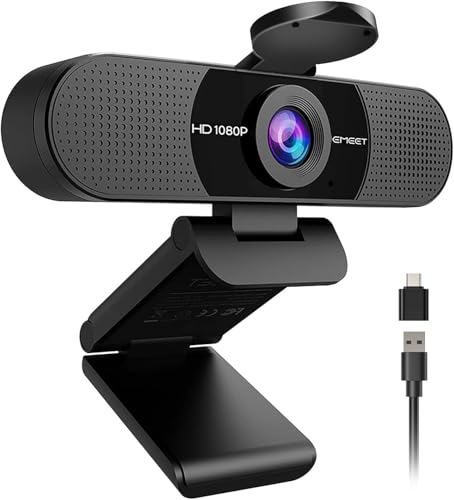 EMEET C960 (2025)
|
Budget | 90° wide view + low-light boost | Families that need wide-framing and quick setup | Check Price | ||
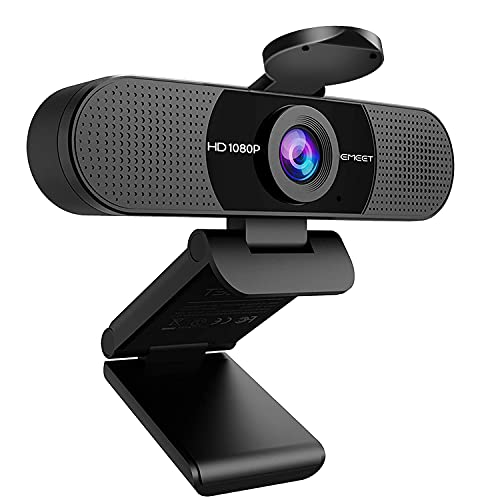 EMEET C960 (Classic)
|
Budget | Low-light boost and 90° lens | Budget-conscious households hosting group calls | Check Price | ||
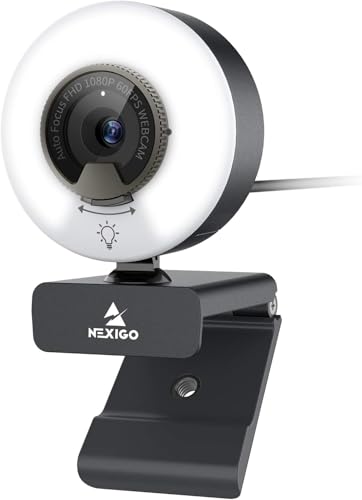 NexiGo N960E
|
Premium | Built-in adjustable ring light | Families who need the best low-light image | Check Price | ||
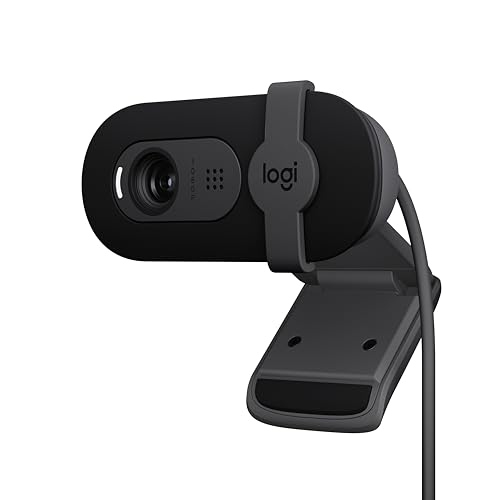 Logitech Brio 101 (Black)
|
Budget | RightLight auto brightness boost | Stylish setups and privacy-conscious families | Check Price | ||
 Logitech Brio 100 (White)
|
Budget | Auto-light balance and color options | Families wanting a color-matching webcam | Check Price | ||
 Logitech C920e
|
Premium | Sturdy clip + privacy screen | Families wanting a reliable, office-grade camera | Check Price |
1. EMEET 1080P Webcam with Microphone, C960 Web Cam, 2 Mics, 90 FOV, USB Type-A & A-to-C Adapter, Plug&Play Computer Camera for Online Calling, Zoom/Teams/Facetime, Switch 2 Camera Support, 2025 Version
The 2025 EMEET C960 is an easy plug-and-play webcam designed for family video calls: its 90° lens fits multiple family members on screen while automatic low-light correction and color boost help dim living rooms look brighter. Setup is straightforward with USB Type-A and an A-to-C adapter, and customers commonly praise its clear picture and value for money.
Key Specs
- 1920 x 1080p Full HD
- 90° field of view
- Built-in dual omnidirectional noise-reduction mics
- USB Type-A with A-to-C adapter, plug-and-play
Pros
- Wide-angle framing for group calls
- Automatic low-light correction and color boost
- Very easy plug-and-play setup
Cons
- Microphone sensitivity receives mixed feedback
- Some users report intermittent functionality issues
Best For: Families that need wide-framing and quick setup
Check Latest Price on Amazon2. EMEET 1080P Webcam with Microphone, C960 Web Camera, 2 Mics Streaming Webcam, 90FOV Computer Camera, Plug and Play USB Web Cam for Online Calling/Conferencing, Zoom/Teams/Facetime/YouTube, Laptop/PC
The original EMEET C960 delivers the same family-friendly wide view and automatic low-light help found in newer versions, making it a strong budget pick for holiday gatherings. It’s praised for picture quality and ease of installation, though microphone performance is inconsistent for some homes.
Key Specs
- 1920 x 1080p Full HD
- 90° wide-angle lens
- Dual noise-reduction microphones
- Foldable clip design and long USB cable
Pros
- Great value for group video calls
- Simple, driver-free installation
- Wide view fits a living room sofa well
Cons
- Mic quality varies by room acoustics
- Some users report functional dropouts over time
Best For: Budget-conscious households hosting group calls
Check Latest Price on Amazon3. NexiGo N960E 1080P 60FPS Webcam with Light, Software Included, Fast AutoFocus, Built-in Privacy Cover, USB Web Camera, Dual Stereo Microphone, for Zoom Meeting Skype Teams Twitch
NexiGo N960E is a premium choice for holiday calls thanks to its built-in adjustable ring light and fast autofocus — it brightens dim rooms without harsh glare and captures smooth 60fps video when motion matters (kids, pets). Setup is still straightforward and customers appreciate the lighting and picture quality, though a few report durability problems after extended use.
Key Specs
- 1080p at up to 60fps
- Three-level adjustable ring fill light (stepless)
- Fast autofocus and built-in privacy cover
- Dual stereo microphone with noise-canceling
Pros
- Best built-in lighting for dim living rooms
- Smooth 60fps for clearer motion
- Privacy shutter and fast autofocus
Cons
- Higher price tier
- Some users report it stops functioning after extended use
Best For: Families who need the best low-light image
Check Latest Price on Amazon4. Logitech Brio 101 Full HD 1080p Webcam for Meetings, Streaming, Desktop, Laptop, PC - Built-in Mic, Shutter, Works with Zoom, Microsoft Teams, Nintendo Switch 2s New GameChat Mode, USB-A,-Black
Logitech Brio 101 delivers dependable Full HD video with RightLight auto-brightening and an integrated privacy shutter, making it a safe, easy-to-use option for family calls. It's appreciated for plug-and-play compatibility and refined colors, though its zoom behavior is limited compared with some competitors.
Key Specs
- Full HD 1080p resolution
- RightLight auto-light balance up to +50%
- Built-in microphone and integrated privacy shutter
- USB-A plug-and-play compatibility
Pros
- Reliable auto brightness for varied lighting
- Integrated privacy cover for peace of mind
- Plug-and-play across major platforms
Cons
- Limited zoom flexibility
- Build and durability are average for the tier
Best For: Stylish setups and privacy-conscious families
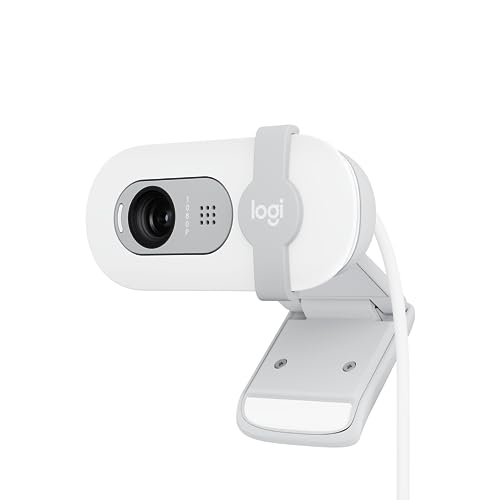
Check Latest Price on Amazon5. Logitech Brio 100 Full HD 1080p Webcam for Meetings, Streaming, Desktop, Laptop, PC - Built-in Mic, Shutter, Works with Zoom, Microsoft Teams, Nintendo Switch 2s New GameChat Mode-Off -White
The Brio 100 gives the same dependable Full HD imaging and RightLight auto-brightening as its sibling but in a white finish for setups that prefer lighter aesthetics. It's easy to set up and works across platforms; like other budget webcams, its microphone and zoom capabilities are functional but not exceptional.
Key Specs
- 1080p Full HD
- RightLight auto-light balance
- Integrated privacy slide
- Made with post-consumer recycled plastic
Pros
- Good automatic light handling
- Attractive color option for modern setups
- Easy setup and broad compatibility
Cons
- Zoom control is limited
- Microphone performance is adequate but not standout
Best For: Families wanting a color-matching webcam
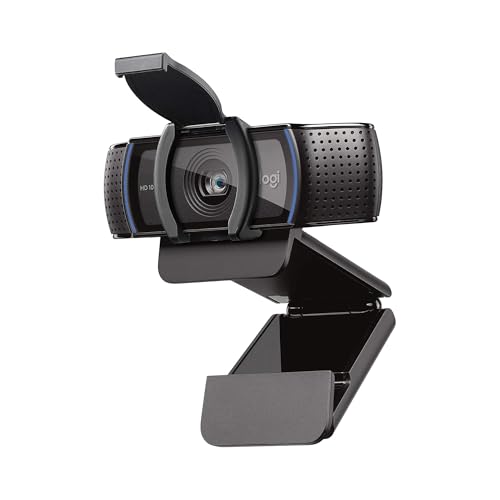
Check Latest Price on Amazon6. Logitech C920e HD 1080p Mic-Disabled Webcam, certified for Zoom and Microsoft Teams, TAA Compliant
The Logitech C920e is a workhorse webcam with dependable optics, HD autofocus, and a flip privacy screen — a solid pick if you want a durable, well-engineered camera for mixed family and remote-work use. It balances video clarity with easy mounting options, though some buyers have mixed experiences with microphone control and software integration.
Key Specs
- 1080p HD with autofocus
- 78° field of view
- Dual integrated omnidirectional microphones (mic-disabled model available)
- Detachable privacy screen and tripod thread
Pros
- Consistent, well-engineered video quality
- Sturdy clip and tripod compatibility
- Good autofocus and light correction
Cons
- Mic behavior and software setup vary by system
- Less wide FOV for large group shots
Best For: Families wanting a reliable, office-grade camera
Check Latest Price on AmazonWhich One Should You Choose?
If budget is tight → EMEET C960 (Classic) B07M6Y7355. It gives the wide angle and automatic low-light help families need for occasional holiday gatherings and is very easy to set up. If you need portable and plug-and-play for different rooms → EMEET C960 (2025) B0DSPJPRXD. It adds a modern cable and adapter support while keeping the same wide view and low-light correction. If premium image and built-in lighting matter → NexiGo N960E B0921VFJ2C. Its adjustable ring light and 60fps capture motion and dim rooms better for kids and active family scenes.
Best for Specific Scenarios
- Large family on one couch: EMEET C960 (2025) because the 90° lens captures multiple people without reshuffling seating.
- Grandparents in a dim living room: NexiGo N960E because the stepless ring light brightens faces gently and reduces shadows on older skin tones.
- Mixed work-and-family setup: Logitech C920e because its office-grade build, tripod thread, and reliable autofocus suit both meetings and holiday calls.
Frequently Asked Questions
Do I need a ring light for holiday calls?
Not always. Many webcams include low-light correction that helps modestly dim rooms, but a built-in ring light (like the NexiGo) or a separate soft light gives the most consistent, flattering results in very dim living rooms.
Can built-in mics pick up everyone on the couch?
Built-in dual omnidirectional mics will usually pick up a small group on a single couch if the laptop or webcam sits centrally, but pickup and clarity depend on room size and background noise. For large gatherings or noisy kitchens, an external microphone or central placement improves audio.
How do I make setup simple for less tech-savvy relatives?
Choose a plug-and-play webcam with USB-A/C support and no drivers required, position it before the call, test audio/video once, and send a short one-line instruction (click allow camera/mic) in advance. Models noted here favor straightforward setup for holiday use.
How We Selected These Products
Our recommendations are based on data-driven analysis: we evaluated 155229+ products across 23916+ brands using a composite scoring system that weighs rating (40%), review volume (30%), price value (20%), and demand signals (10%). Every product is ranked by data, not opinions.
Last updated: October 03, 2026
As an Amazon Associate we earn from qualifying purchases at no extra cost to you. Full disclosure.
GearLark Score is our editorial ranking based on a composite analysis of product quality, value, and verified customer sentiment. Click through to Amazon for current pricing, availability, and live customer reviews.