As an Amazon Associate we earn from qualifying purchases. Learn more.
Best Monitor Light Bars Under $60 for Video Calls & Late-Night Study (2026)
Looking for a monitor light bar that sharpens your on-camera look, reduces screen glare and won’t hog desk space or power? This guide focuses on budget-minded options that deliver adjustable color temperature, even asymmetric illumination and compact mounting—ideal for dorm desks and late-night study sessions. We tested and compared six popular bars and ring options based on lighting quality, adjustability, installation fit, and real-user feedback on value and durability. Read on to find the best pick for tight budgets, the best value upgrade, and what to expect at each price tier in 2026.
Quick Answer
For most dorm desks and video calls the Quntis RGB Pro+ (B0D5BBPJ23) is the best value: it balances even front lighting, adjustable color temperature and an RGB backlight in a long 20" bar. If you want the cheapest solid option, the Diirglus (B09TGT4G5G) is the best budget pick for compact mounting and low power USB-C operation.
Our Top Picks
Quick Comparison
Select 2-3 products to compare side-by-side
| Compare | Product | GearLark Score | Price Tier | Key Feature | Best For | Action |
|---|---|---|---|---|---|---|
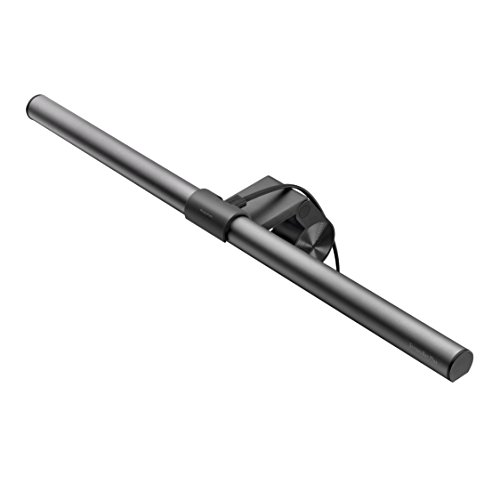 BenQ ScreenBar
|
Premium | Auto-dimming plus hue control | Users wanting premium, glare-free desk lighting | Check Price | ||
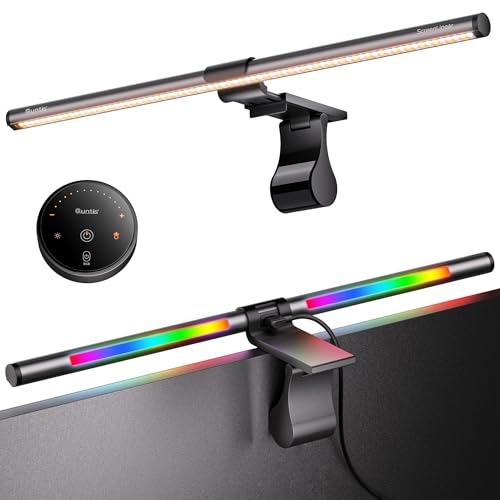 Quntis RGB Pro+
|
Mid-Range | 20" bar with RGB backlight and remote | Large monitors and creators who want color control | Check Price | ||
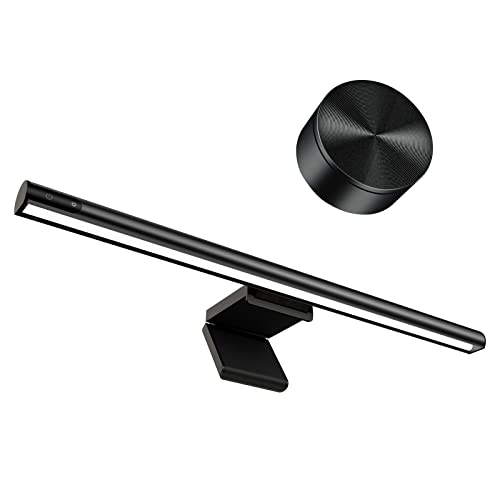 Diirglus Monitor Light
|
Budget | Wireless mini remote and dual-control | Tight dorm desks and budget-conscious buyers | Check Price | ||
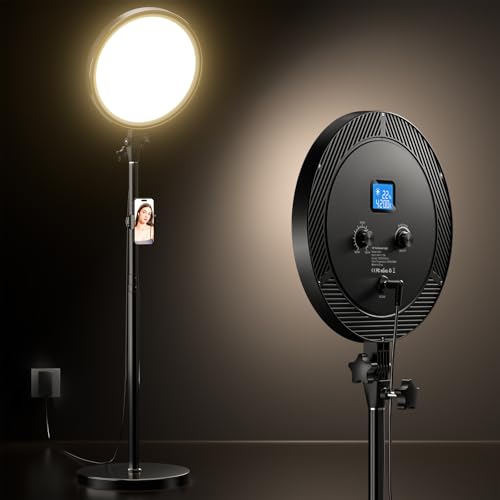 UBeesize Ring Light
|
Mid-Range | Large ring with edge-emitting soft light | Streamers and mobile-first creators | Check Price | ||
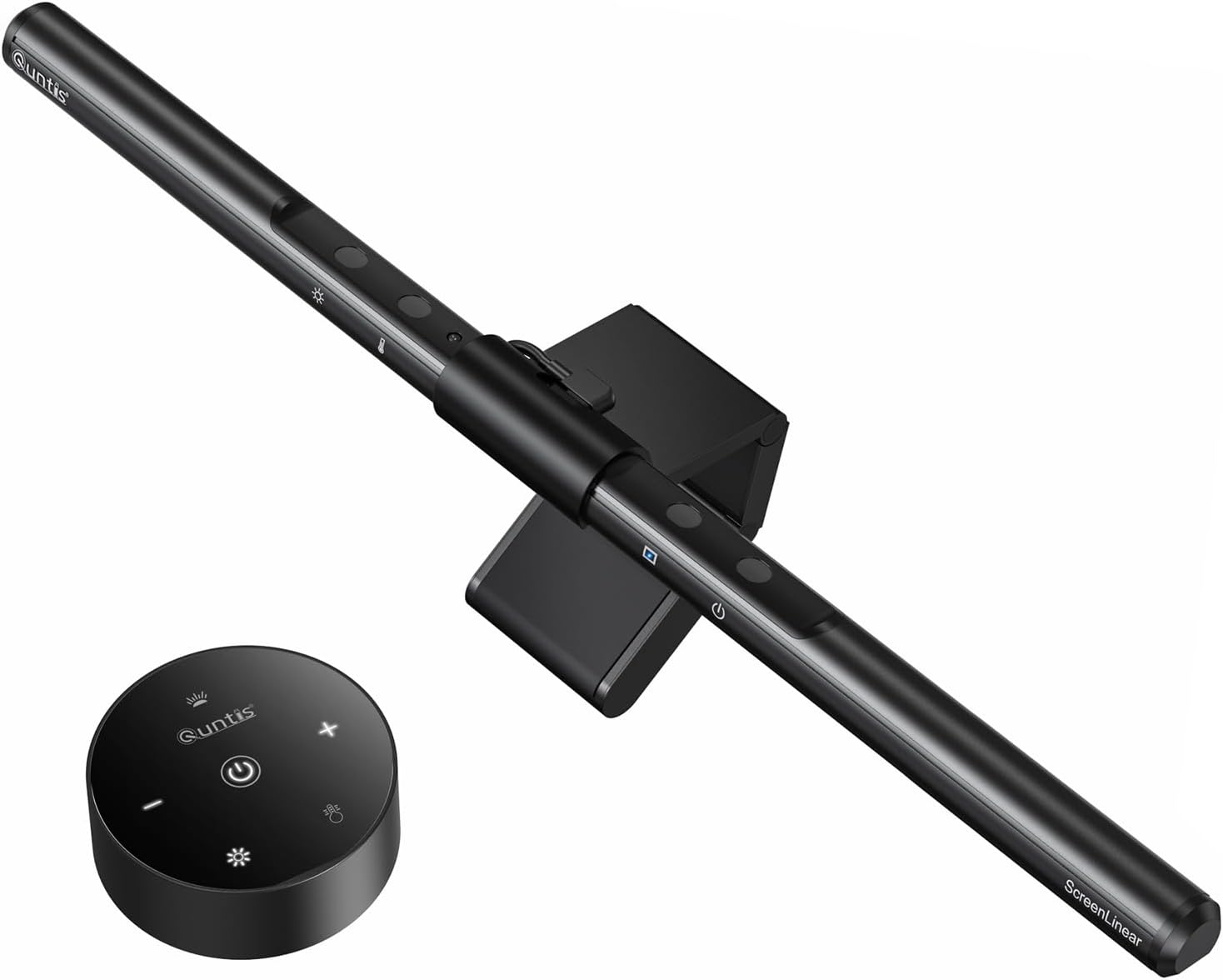 Quntis Screen Lamp
|
Budget | Auto-dimming sensor with touch and remote | Home office and students wanting auto-brightness | Check Price | ||
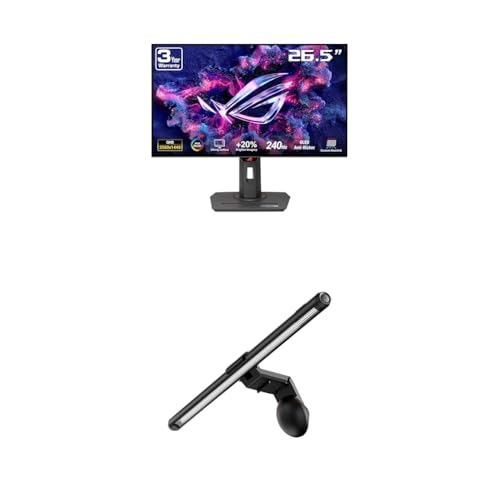 ASUS ROG Light Bar
|
Premium | ROG Aura sync and magnetic clamp | Gamers wanting unified RGB lighting with monitor | Check Price |
1. BenQ ScreenBar Monitor Light, LED Computer, Auto-Dimming, Hue Adjustment Features, E-Reading USB Powered Lamp for Desk/Gaming/ Home/ Office, Complements with backlight/RGB Setups(Black)
The BenQ ScreenBar is a well-engineered monitor lamp with an ambient sensor and smooth hue adjustment that produces even desk illumination without reflecting on screen. It’s space-saving and easy to mount, making it a solid choice when build quality and consistent color are priorities.
Key Specs
- Auto-dimming ambient light sensor
- Adjustable color temperature (hue adjustment)
- Patented asymmetrical optical design for zero screen glare
- USB powered, clip-on mounting (no base)
Pros
- Excellent even illumination and eye-friendly design
- Auto-dimming simplifies evening study or video calls
- Sleek clip saves desk space and fits many monitors
Cons
- Premium-tier product (higher cost than basic bars)
- Some shoppers report concerns about long-term durability vs. price
Best For: Users wanting premium, glare-free desk lighting
Check Latest Price on Amazon2. Quntis RGB Pro+ Monitor Light Bar with Remote, 15 Modes Gaming Backlight, 4 Colors & Brightness Dimmable Fronlight, 20" Ra95 Eye-Care USB Reading Monitor Lamp, No Glare, Upgraded Clip for All Monitor
Quntis RGB Pro+ brings a long, aluminum 20" light bar with a remote, high CRI (Ra95) front lighting and RGB backlight. It delivers wide, uniform desk illumination, strong color rendering for on-camera accuracy, and extensive brightness/temp control—solid value for the features you get.
Key Specs
- 20-inch aluminum alloy light bar
- 3000–6500K color temperature, 100-step dimming
- RGB backlight with 15 modes and remote control
- Powered by USB-C (DC 5V/1.5A), 144 LEDs, ~50,000-hour life
Pros
- Great balance of features and price—excellent value
- Remote and fine dimming make on-the-fly adjustments easy
- Large coverage ideal for ultrawide/large monitors
Cons
- Longer bar may need extra desk depth clearance behind monitor
- RGB modes add complexity some users don’t need
Best For: Large monitors and creators who want color control
Check Latest Price on Amazon3. Computer Monitor Light Bar,Wireless Remote Control Multiple Screen lamp Dimmer Switch,USB Powered, E-Reading LED Hanging Light,for Office/Home, Brightness/Color Temperature Adjustment
Diirglus is a compact, budget-friendly monitor bar with touch controls plus a tiny wireless remote and Type-C power. Its asymmetric beam keeps light off the screen and its adjustable clamp fits most thin bezels—an excellent no-frills pick for video calls and late-night study.
Key Specs
- 2900–6000K color temperature range
- Touch controls plus 2.4GHz mini wireless remote
- Asymmetric light design to avoid screen reflections
- USB-C power, fits bezels 1–28mm thick
Pros
- Very affordable while offering useful control options
- Compact clip and low power draw work well on dorm desks
- Remote and touch dual-control are convenient
Cons
- Build and long-term durability can vary by unit
- Fewer LEDs/coverage compared with larger mid-range bars
Best For: Tight dorm desks and budget-conscious buyers
Check Latest Price on Amazon4. UBeesize Professional Ring Light with Stand, Phone Holder & Remote 6500K Full-Screen LED Lighting for Makeup, Photography, Studio, Barber, and Live Streaming
The UBeesize ring delivers very even, flattering facial light with edge-emitting tech and stepless dimming; it’s sturdily built and includes a phone mount and remote. It’s larger than a bar, so it’s better for creators who need full-face illumination rather than a desk-focused asymmetric solution.
Key Specs
- Edge-emitting ring for soft, even facial light
- 3000–6500K color temperature, stepless dimming
- Adjustable aluminum pole (height up to ~79.5" incl. base)
- Includes phone holder and camera remote
Pros
- Soft, flattering light for video and streaming
- Sturdy base and good adjustment range
- Remote control for camera and lighting
Cons
- Takes more desk/floor space than a monitor bar
- Less ideal if you only want to reduce screen glare
Best For: Streamers and mobile-first creators
Check Latest Price on Amazon5. Quntis Computer Monitor Lamp, Screen Monitor Light Bar for Eye Caring, USB Reading LED Task Lamp with Auto-Dimming, Dimmable Light Bar, Touch Control, No Glare Space Saving Home Office Desk Lamps
This Quntis bar packs auto-dimming, touch controls and a reliable clamp into a budget package. It’s praised for easy installation, steady suspension and good eye-care lighting, making it a practical choice for everyday study and office work.
Key Specs
- 40cm light bar with 78 LEDs
- Auto-dimming ambient sensor and touch/remote control
- Asymmetric 45° illumination to avoid screen glare
- Fits screens up to 7cm thick
Pros
- Auto-brightness makes it fuss-free for late-night work
- Sturdy clip and consistent light output
- Clear value for the feature set
Cons
- Fewer color/temp steps than higher-end models
- Build quality solid but not premium
Best For: Home office and students wanting auto-brightness
Check Latest Price on Amazon6. ASUS ROG Strix 27 1440P OLED Gaming Monitor (XG27AQDMG) ROG Aura Monitor Light Bar (ALB01)
ASUS’s ROG solution pairs asymmetrical desk lighting with Aura RGB sync for a cohesive gaming setup. It’s designed for gamers who want integrated lighting modes and a robust mounting system, though it’s part of a premium monitor ecosystem rather than a simple standalone bar.
Key Specs
- Asymmetrical lighting design to minimize reflections
- Three lighting modes including Aura RGB sync
- Patented clamp and magnetic buckle for varied thicknesses
- Designed to integrate with ASUS ROG monitors
Pros
- Looks great in gaming setups with synchronized RGB
- Solid clamp and flexible mounting
- Focused desk illumination without screen glare
Cons
- Best used with ASUS ecosystem for full feature set
- Premium positioning vs. standalone budget bars
Best For: Gamers wanting unified RGB lighting with monitor
Check Latest Price on AmazonWhich One Should You Choose?
If budget is tight → Diirglus (B09TGT4G5G). It’s compact, USB-C powered and the best low-cost way to cut glare and improve on-camera lighting. If you want the best value balance (coverage + features) → Quntis RGB Pro+ (B0D5BBPJ23). It’s ideal for larger monitors and creators who want accurate colors and RGB mood lighting. If premium quality and automatic control matter → BenQ ScreenBar (B08Z13H5QM) offers refined auto-dimming and color tuning. If you need full-face, flattering light for streaming with a phone or camera → UBeesize ring light (B0D7HTMKCX). For gamers tied into an ASUS setup who want synchronized lighting, the ASUS ROG solution (B0DR817N15) is the better integrated choice.
Best for Specific Scenarios
- Dorm desk & tight space: Diirglus (B09TGT4G5G) because its compact clip, USB-C power and low power draw are dorm-friendly.
- Large monitor or ultrawide: Quntis RGB Pro+ (B0D5BBPJ23) because the 20" bar and strong uniformity cover wide screens and improve on-camera color rendering.
- Video streaming / full-face lighting: UBeesize ring light (B0D7HTMKCX) because the edge-emitting ring produces soft, even facial light for flattering streams.
Frequently Asked Questions
Will a monitor light bar reduce screen glare?
Yes—choose a model with an asymmetric optical design. These bars aim the light at your desk and keyboard rather than the screen surface, which reduces reflections. Proper positioning (mounted on top center and slightly angled down) helps too.
Can I power these lights from a laptop or power bank?
Most modern bars use USB or USB-C and will run from a laptop USB port, wall USB charger or power bank. Mid-range models may require a 5V/1.5A supply for full brightness—USB-C is the most flexible for dorm setups.
Will the light affect my webcam exposure or skin tone?
Good monitor bars improve webcam exposure by reducing the contrast between a bright screen and a dark face. Look for adjustable color temperature and higher CRI (closer to natural light) to get truer skin tones on camera.
How We Selected These Products
Our recommendations are based on data-driven analysis: we evaluated 155229+ products across 23916+ brands using a composite scoring system that weighs rating (40%), review volume (30%), price value (20%), and demand signals (10%). Every product is ranked by data, not opinions.
Last updated: September 17, 2026
As an Amazon Associate we earn from qualifying purchases at no extra cost to you. Full disclosure.
GearLark Score is our editorial ranking based on a composite analysis of product quality, value, and verified customer sentiment. Click through to Amazon for current pricing, availability, and live customer reviews.