As an Amazon Associate we earn from qualifying purchases. Learn more.
Complete Cozy Home Office Audio & Video Setup Guide (2026)
Autumn calls for warmer tones, softer light, and clearer audio during video meetings. This guide shows a cozy, fall-focused AV kit—monitor light, compact speaker, and practical cable/charging choices—so your background feels inviting and your face is well lit without screen glare. You’ll get product suggestions selected for build quality, ease of installation, low-glare optics, and value, plus tips to pair them into a complete setup that works for small desks and curved monitors.
Quick Answer
For a warm, low-glare fall video-call setup prioritize an eye-care monitor light — the BenQ ScreenBar Pro (B0CZ94MB2R) is our top pick for ultrawide, glare-free illumination; pair it with an OFFSIR speaker (B0DB24JMTN) for budget-friendly desktop sound.
Our Top Picks
Quick Comparison
Select 2-3 products to compare side-by-side
| Compare | Product | GearLark Score | Price Tier | Key Feature | Best For | Action |
|---|---|---|---|---|---|---|
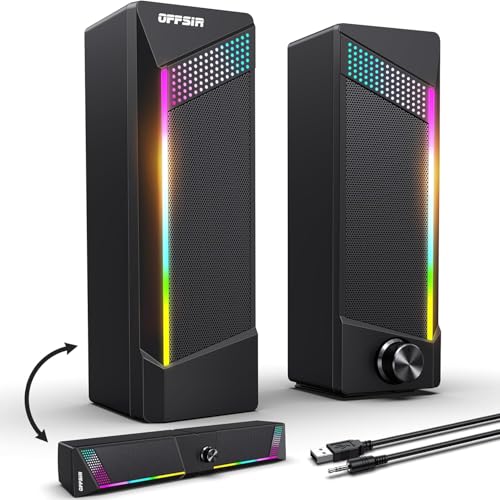 OFFSIR 2-in-1 Speakers
|
Budget | 2-in-1 splicable stereo/soundbar | Budget desktop audio, RGB accent lighting | Check Price | ||
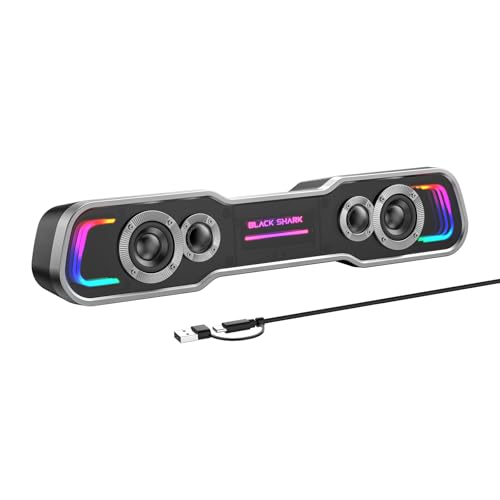 Black Shark BS-SP1
|
Mid-Range | Bluetooth + USB-C power/audio | Users who want wireless pairing and decluttered desk | Check Price | ||
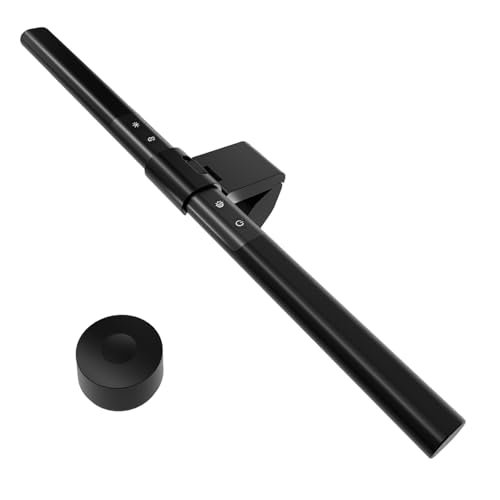 iQuincy Monitor Light
|
Budget | Stepless dimming + auto ambient sensor | Value-focused eye-care lighting | Check Price | ||
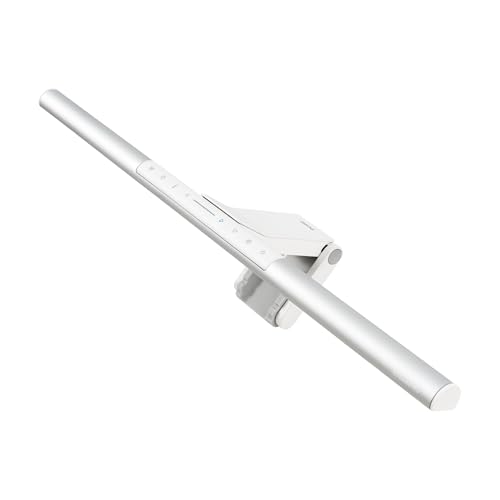 BenQ ScreenBar Pro
|
Premium | Ultrawide glare-free illumination | Professionals who prioritize eye-care lighting | Check Price | ||
 Diirglus Monitor Light
|
Mid-Range | Wireless remote dual-control | Dual-monitor setups and remote control fans | Check Price | ||
 BenQ ScreenBar (Classic)
|
Premium | Auto-dimming with hue adjustment | Users wanting reliable, space-saving desk lighting | Check Price | ||
 Quntis Screen Lamp
|
Mid-Range | Auto-dimming + remote control | Curved monitors and reading-heavy work | Check Price | ||
 VIVO LED Curved Lamp
|
Budget | Curved design fits many monitors | Simple, budget low-glare lighting | Check Price |
1. Computer Speakers, 2 in 1 PC Speaker , Gaming Speakers for PC Computer Laptop Desktop Monitor, RGB Speakers with Touch Sensitive Lighting, USB Powered 3.5mm Aux(Package Only Two Speaker, No Soundbar)
A compact, wired stereo set that can clip together as a mini soundbar or split for wider stereo imaging. Customers praise its surprising volume, clear midrange, and the touch-sensitive RGB breathing lights that add cozy accent illumination for fall calls. The plug-and-play USB + 3.5mm connection makes it simple to add fuller sound to a small desk.
Key Specs
- Dual 5W drivers (2x5W)
- 2-in-1 design: separate stereos or spliced soundbar
- USB powered plus 3.5mm audio cable
- Touch-sensitive RGB lighting and volume knob
- Cable lengths: USB/3.5mm ~58.3 in; inter-speaker cable ~52 in
Pros
- Good sound quality for the price
- Flexible layout as stereo or soundbar
- Easy plug-and-play setup
Cons
- Wired only — no Bluetooth or battery
- Some buyers note durability/packaging quirks
Best For: Budget desktop audio, RGB accent lighting
Check Latest Price on Amazon2. Black Shark Bluetooth Computer Speakers for Desktop, Dynamic Multi-Layer RGB Lighting Gaming PC Speaker with Deep Bass, USB C/USB Powered Sound-bar for Computer Desktop PC Monitor Laptop (BS-SP1)
A compact monitor soundbar that offers USB-C wired audio and Bluetooth streaming for phone or laptop. It delivers richer bass than many budget bars and five RGB lighting modes to match fall tones or a cozy background. The single-cable USB/USB-C option reduces clutter by carrying power and audio together.
Key Specs
- 2x5W drivers with neodymium magnets
- Bluetooth and wired USB/USB-C modes
- Five dynamic RGB lighting modes
- Single-cable USB/USB-C for power and audio
- 30° angled tilt for better sound projection
Pros
- Fuller sound and noticeable bass
- Bluetooth adds flexible wireless use
- Space-saving under-monitor design
Cons
- Bluetooth performance gets mixed feedback
- Bluetooth mode still needs USB power (no battery)
Best For: Users who want wireless pairing and decluttered desk
Check Latest Price on Amazon3. Computer Monitor Light Bar with Remote, Adjustable Auto-Dimming Monitor Lamp for Eye Care, LED Screen Light Bar with USB Powered for Office/Gaming, Stepless Dimming Brightness and Color Temperature
A budget-friendly monitor light bar with stepless dimming, wide color temperature range (3000–6000K), and an ambient light sensor that auto-adjusts. Made from aluminum alloy and sized for most monitors, it cuts screen glare while softly lighting the keyboard area for warm, fall-friendly tones. Customers report easy installation and solid light quality for the price.
Key Specs
- 108 LED lamp beads, aluminum alloy body
- Stepless dimming, 3000–6000K color temperature
- Built-in ambient light sensor for auto-dimming
- USB powered (5V/2A recommended)
- 17-inch length to fit most monitors
Pros
- Excellent value and adjustable warmth
- Auto-sensing keeps illumination comfortable
- Easy to install and use
Cons
- Fixed length may not suit very large screens
- Not as feature-rich as premium light bars
Best For: Value-focused eye-care lighting
Check Latest Price on Amazon4. BenQ ScreenBar Pro LED Monitor Light Bar - Ultrawide Lighting, Motion Sensor, Adjustable Brightness/Color Temperature, Eye-Care USB-C Monitor Lamp, No Glare, Space-Saving, Curved Monitors, Silver
A premium monitor lamp engineered for eye comfort: ultrawide, high-central-lux illumination with asymmetrical optics to avoid screen reflections. It includes an ultrasonic motion sensor for auto on/off and USB-C power compatibility—ideal for curved or large monitors. Users appreciate the precise brightness and color controls that create a warm, professional-looking video-call presence.
Key Specs
- Over 1000 lx central brightness, wide coverage
- Fits 0.17"–2.56" monitor thickness and 1000–1800R curvature
- Ultrasonic motion sensor (auto on/off)
- Asymmetrical optics to prevent screen glare
- USB-C power with included adapter
Pros
- Glare-free, even illumination for video calls
- Auto motion sensor saves power and hassle
- Designed for curved and ultrawide monitors
Cons
- Premium price may not fit every budget
- Some find premium features excessive for small desks
Best For: Professionals who prioritize eye-care lighting
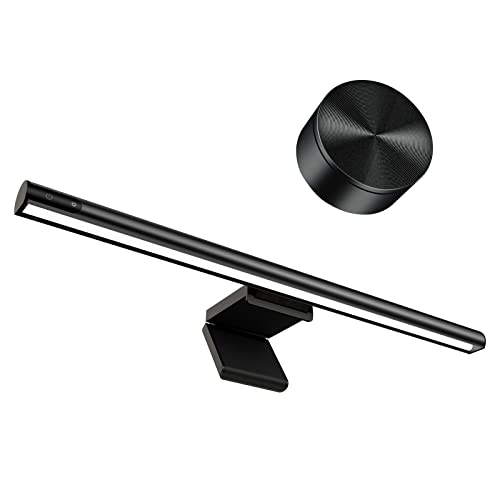
Check Latest Price on Amazon5. Computer Monitor Light Bar,Wireless Remote Control Multiple Screen lamp Dimmer Switch,USB Powered, E-Reading LED Hanging Light,for Office/Home, Brightness/Color Temperature Adjustment
This light bar offers both touch control and a compact wireless remote that can manage two lights at once — handy for dual-monitor desks. The asymmetric beam design prevents screen reflection and the 2900–6000K range supports warm fall tones or cooler task light. Customers like the remote and simple hanging/clamping system.
Key Specs
- Touch control + 45mm mini wireless remote (2.4GHz)
- Asymmetric light design to avoid screen reflection
- 2900–6000K color temperature range
- Hanging/clamping hinge fits bezels 1–28mm thick
- Type-C power input
Pros
- Remote makes multi-screen control simple
- Good brightness and color customization
- Sleek minimal design
Cons
- Remote reliance may complicate setup for some
- Fewer premium safety/features than top-tier bars
Best For: Dual-monitor setups and remote control fans
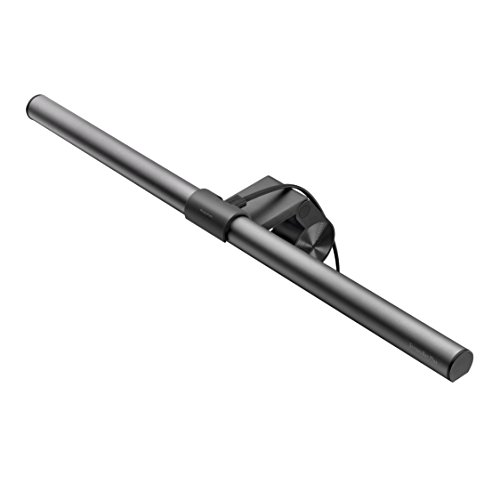
Check Latest Price on Amazon6. BenQ ScreenBar Monitor Light, LED Computer, Auto-Dimming, Hue Adjustment Features, E-Reading USB Powered Lamp for Desk/Gaming/ Home/ Office, Complements with backlight/RGB Setups(Black)
The original BenQ ScreenBar focuses on consistent, eye-friendly lighting with auto-dimming and hue adjustment to switch between warmer and cooler tones. Its patented asymmetrical optics reduce screen glare and the clip-on design frees desk space—solid for readers and video-call hosts wanting refined illumination. Consider this if you want BenQ reliability without extra ultrawide lux of the Pro model.
Key Specs
- Auto-dimming ambient sensor
- Adjustable color temperature (hue adjustment)
- Asymmetrical optics for no screen glare
- USB powered, clip-on mount
- Space-saving, no base design
Pros
- Reliable auto-dimming makes setup effortless
- No-screen-glare optical design
- Space-saving clip mount
Cons
- Less bright/wide than the Pro model
- Premium cost vs basic bars
Best For: Users wanting reliable, space-saving desk lighting
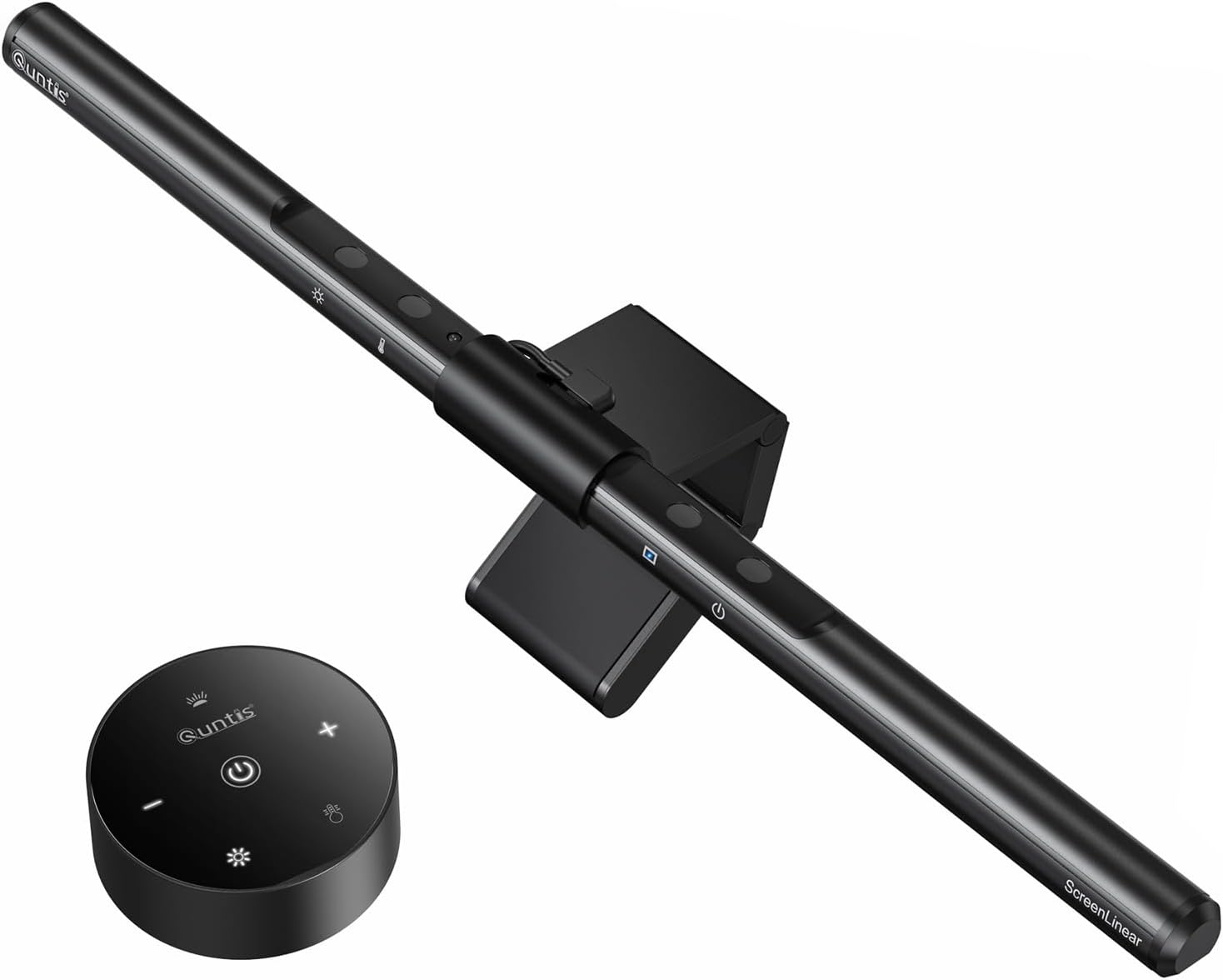
Check Latest Price on Amazon7. Quntis Computer Monitor Lamp, Screen Monitor Light Bar for Eye Caring, USB Reading LED Task Lamp with Auto-Dimming, Dimmable Light Bar, Touch Control, No Glare Space Saving Home Office Desk Lamps
A 40cm light bar with 78 LEDs and 700 LUX output designed around eye protection standards; it has touch and remote control with memory and an auto-dimming sensor. The stable clip design suits thicker and curved screens, and customers highlight its build quality and clear, natural color rendering for comfortable, warm setups.
Key Specs
- 40 cm length, 78 LEDs, ~700 LUX
- Touch control and wireless remote included
- Auto-dimming ambient light sensor
- Asymmetric 45° optics to avoid screen glare
- Fits screens up to ~7 cm thick
Pros
- Sturdy mount and quality construction
- Good, natural light color rendering
- Auto-dimming and memory function
Cons
- Remote needs batteries (included initially)
- Mid-range feature set vs premium options
Best For: Curved monitors and reading-heavy work
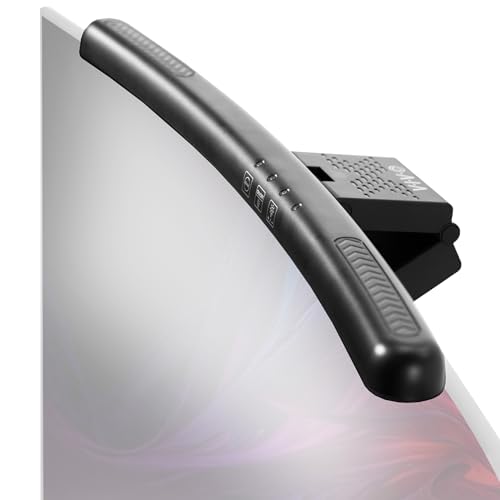
Check Latest Price on Amazon8. VIVO Universal LED Curved Computer Monitor Light Bar, USB Powered Screen Lamp for Home Office, 5 Level Adjustable Brightness and Temperature Reading Light, Black, Desk-LTSB2
A straightforward, low-profile monitor lamp for curved screens with five brightness and color temperature presets. It saves desk space and offers a warm tone option for evening calls. While generally praised for brightness and style, some users report mixed feedback on touch buttons and slight angled positioning on certain displays.
Key Specs
- Fits curved screens up to 1.5" thick
- 5 brightness and color temperature settings
- USB powered with auto-save for last setting
- Low-profile, minimal design
- 3-year manufacturer warranty
Pros
- Affordable, warm evening tones
- Simple plug-and-play operation
- Backed by a 3-year warranty
Cons
- Touch buttons receive mixed feedback
- Some report angledness/crooked mount on certain monitors
Best For: Simple, budget low-glare lighting
Check Latest Price on AmazonWhich One Should You Choose?
If budget is tight → Start with the OFFSIR 2-in-1 Speakers (B0DB24JMTN) plus a budget monitor light like the iQuincy (B0DLGLQRDN) or VIVO (B0CMGG24VY) for a warm, low-cost fall setup. If you need wireless/portable audio with good bass → The Black Shark BS-SP1 (B0DZ68N43X) gives Bluetooth and USB-C convenience. If premium eye-care lighting matters most → The BenQ ScreenBar Pro (B0CZ94MB2R) is the top choice for glare-free, ultrawide illumination and motion-sensor convenience. Pair any of the lights with a small speaker from above and tidy USB-C cables to finish a cozy, low-glare video-call kit.
Best for Specific Scenarios
- Cozy evening check-ins: iQuincy (B0DLGLQRDN) or VIVO (B0CMGG24VY) because their warmer color presets and adjustable brightness create soft, inviting illumination.
- Small desk with one monitor: OFFSIR 2-in-1 Speakers (B0DB24JMTN) because they offer compact stereo or soundbar layout and plug-and-play simplicity.
- Professional calls & long hours: BenQ ScreenBar Pro (B0CZ94MB2R) because of its ultrawide, glare-free optics and motion/auto-dimming that protect your eyes during long autumn workdays.
Frequently Asked Questions
Will a monitor light cause glare on my screen?
Choose a light bar with asymmetric optics or a ‘no-glare’ design — these are engineered to project light downward onto your desk and face, not directly onto the display. Position the bar per the manufacturer instructions and use warm, moderate brightness settings for best results.
Do I need Bluetooth speakers or are wired ones fine?
Wired speakers (USB or 3.5mm) give the most consistent audio and are plug-and-play, which is ideal for video calls. Bluetooth adds convenience for switching to phone audio but compact Bluetooth bars often still require USB power, so consider desk cable routing and power availability.
How warm should a light be for a cozy fall look?
Aim for color temperatures in the 3000–4000K range for a warm, flattering tone that reads well on camera. Cooler temps (5000–6000K) are better for focused daytime work but can look stark for evening calls.
How We Selected These Products
Our recommendations are based on data-driven analysis: we evaluated 155229+ products across 23916+ brands using a composite scoring system that weighs rating (40%), review volume (30%), price value (20%), and demand signals (10%). Every product is ranked by data, not opinions.
Last updated: October 12, 2026
As an Amazon Associate we earn from qualifying purchases at no extra cost to you. Full disclosure.
GearLark Score is our editorial ranking based on a composite analysis of product quality, value, and verified customer sentiment. Click through to Amazon for current pricing, availability, and live customer reviews.