As an Amazon Associate we earn from qualifying purchases. Learn more.
Complete Hot-Weather Laptop Cooling & Charging Setup (2026 Guide)
If your laptop overheats in summer or during long gaming and content-creation sessions, this guide lays out a complete hot-weather cooling and charging setup for 2026. You’ll learn which cooling pads and stands actually move the most air, which designs avoid heat backflow for rear-exhaust laptops, and which charging habits and power accessories reduce battery stress. Products were selected for measurable airflow design, practical features (USB hubs, dust filters, adjustable height), customer feedback on durability and noise, and overall value across Budget, Mid-Range and Premium tiers.
Quick Answer
For an all-around hot-weather setup choose the IETS GT500 Powerful Turbo-Fan (B09D6J56NS); it delivers the strongest airflow and adjustable fan control for aggressive cooling. For tight budgets pick the SOUNDANCE aluminum cooling stand (B089YB9192).
Our Top Picks
Quick Comparison
Select 2-3 products to compare side-by-side
| Compare | Product | GearLark Score | Price Tier | Key Feature | Best For | Action |
|---|---|---|---|---|---|---|
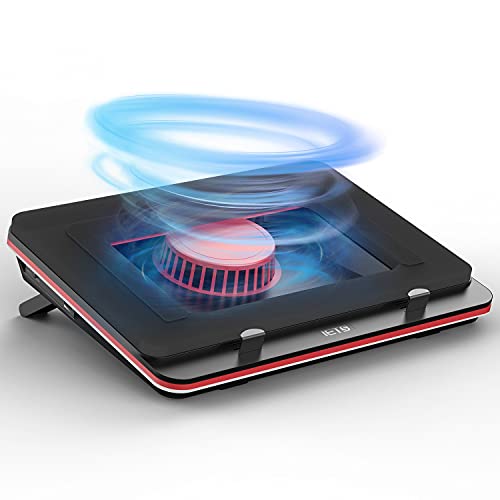 IETS GT500 Turbo-Fan
|
Mid-Range | Industrial turbofan up to 5000 RPM | Aggressive cooling for rear‑exhaust gaming laptops | Check Price | ||
 IETS Supercharged Pad
|
Mid-Range | 5000 RPM turbo fan + RGB | Gamers who want high airflow with RGB flair | Check Price | ||
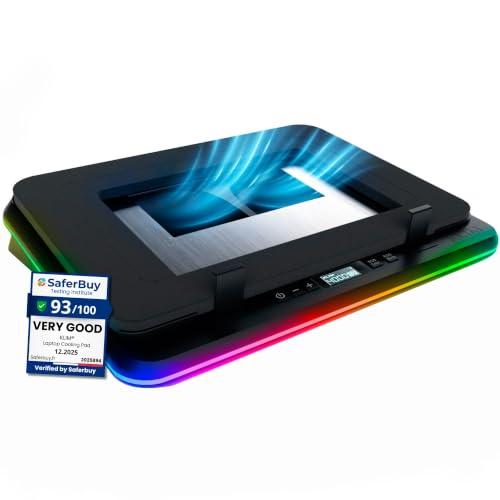 KLIM Turbofrost
|
Mid-Range | Aircraft-grade aluminum construction | Users who value build quality and dual power options | Check Price | ||
 SOUNDANCE Aluminum Stand
|
Budget | Large low-noise 140mm fan + ergonomic stand | Budget-conscious office users and students | Check Price | ||
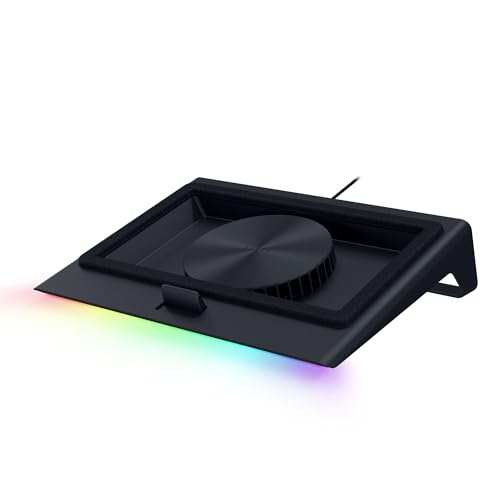 Razer Adaptive Smart
|
Premium | Smart adaptive fan control + airtight chamber | Power users who want automated, profile-based cooling | Check Price | ||
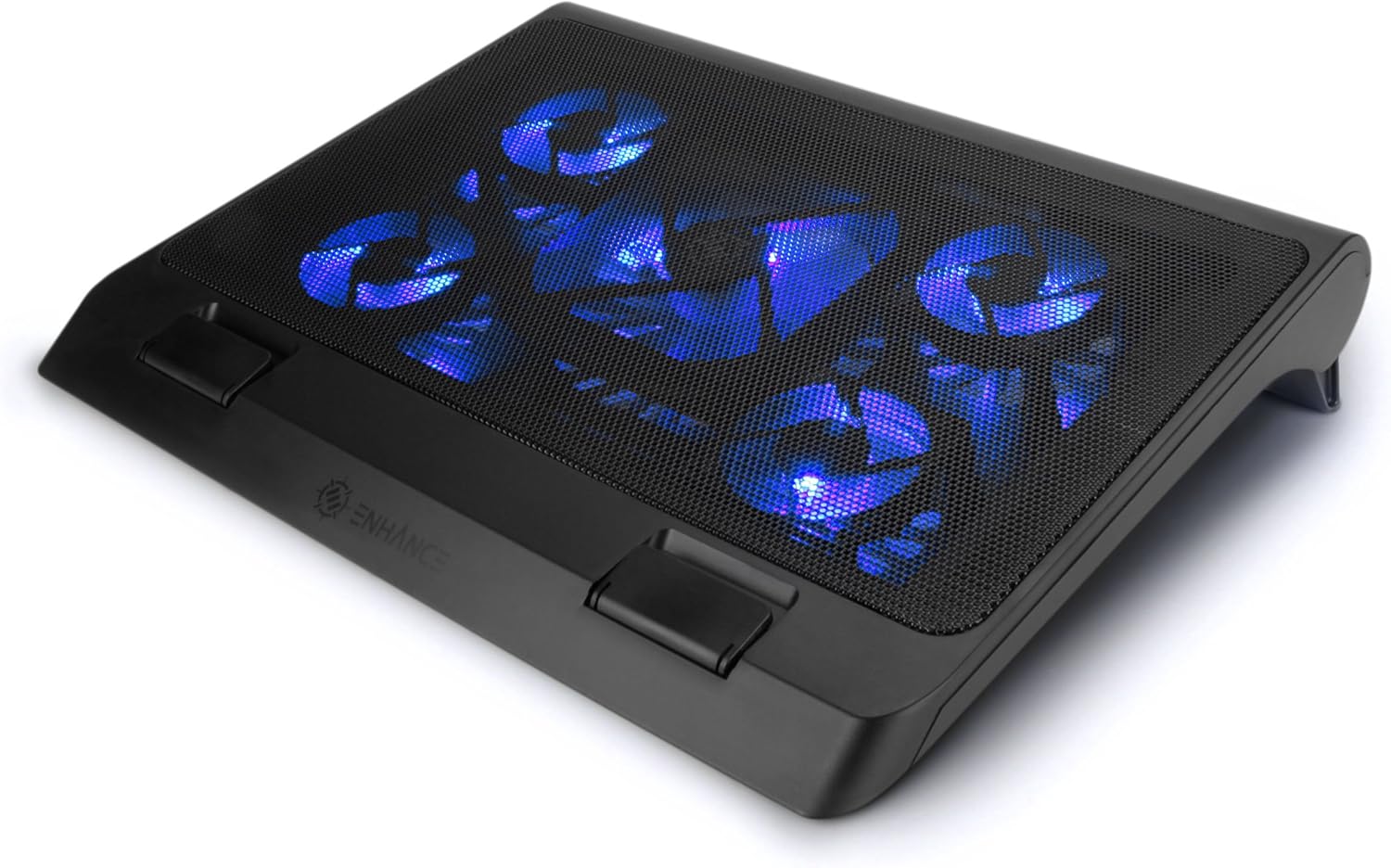 ENHANCE 5-Fan Pad
|
Budget | Five-fan layout with adjustable heights | Casual gamers who want quiet operation | Check Price | ||
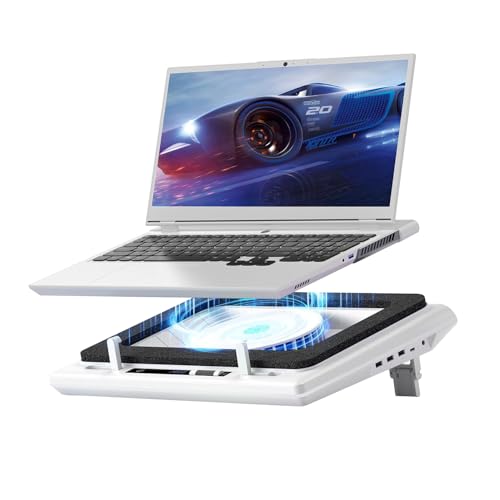 llano V12 Turbo Pad
|
Premium | Large 14cm turbofan + touch controls | Users who want strong single-fan performance and extra features | Check Price |
1. GT500 Powerful Turbo-Fan (5000 RPM) Laptop Cooling Pad with Infinitely Variable Speed,Seal Foam for Rapid Cooling Gaming Laptop,13-17.3inch Laptop Cooler with 3-Port USB Hub
A performance-first cooler: industrial turbo fans plus sealed-foam airflow keep temperatures down even under sustained loads. Infinitely variable speed and a 3-port hub make it flexible, though the highest speeds are noisy and users report mixed long-term durability.
Key Specs
- Industrial-grade turbofan up to 5000 RPM
- Infinitely variable speed control (0–5000 RPM)
- Bottom air intake to prevent rear-exhaust backflow
- Built-in 1-in/3-out USB hub
Pros
- Very strong cooling performance and airflow
- Adjustable speed for balancing noise and cooling
- Integrated USB hub for extra ports
Cons
- Can be loud at top speeds (up to ~65 dB reported)
- Durability reports are mixed over long-term use
Best For: Aggressive cooling for rear‑exhaust gaming laptops
Check Latest Price on Amazon2. Supercharged Laptop Cooling pad with Continuously Variable Speed turbofan,Seal Foam for Rapid Cooling 13-19inch Gaming Laptop,Air Filtration,RGB and USB Hub,Powerful Laptop Cooler
Very similar to the GT500 in cooling philosophy with a stepless turbo fan and bottom intake, but adds RGB and wider size compatibility (13–19 in). Customers praise the cooling capacity, though noise and lighting brightness get mixed feedback.
Key Specs
- Industrial turbo fan up to 5000 RPM
- Stepless fan speed control
- Fits 13–19 inch laptops
- RGB lighting and independent USB hub
Pros
- Powerful cooling and broad size compatibility
- RGB lighting with adjustable modes
- USB hub expands connectivity
Cons
- Can be noisy under heavy load
- RGB brightness and value perceptions are mixed
Best For: Gamers who want high airflow with RGB flair
Check Latest Price on Amazon3. KLIM Turbofrost - Gaming Laptop Cooling Pad - 4 Powerful Turbo Fans - 4 x 4000 RPM, Laptop Cooler 2 Power Modes USB-C/DC, Dynamic RGB, 4-Ports USB, Sealed Foam for Fast Cooling for Laptops up to 17in
A well-built option with four fans working together and an aircraft-grade aluminum body for heat dissipation. Offers dual power modes (USB-C or DC) and an anti-dust system. Noise and cooling reports vary by user and setup.
Key Specs
- Four fans at 4,000 RPM each (combined airflow)
- Aircraft-grade aluminum body for heat dissipation
- Anti-dust system and 360° RGB
- Dual power: USB-C or wall DC
Pros
- Solid build quality and premium materials
- Flexible power options for desktop or portable use
- Anti-dust features help long-term performance
Cons
- Some users report inconsistent cooling gains
- Noise performance is mixed depending on fan profile
Best For: Users who value build quality and dual power options
Check Latest Price on Amazon4. SOUNDANCE Laptop Cooling Pad with Low-Noise Fan and 3.0 USB Hubs, Ventilated Laptop Cooler Prevent Overheating, Ergonomic Laptop Stand Support Up to 17 Gaming Notebook Computer, Aluminum
A sturdy aluminum ergonomic stand with a large low-noise fan and four USB 3.0 ports. Customers praise build quality and functionality for the price, though adjustment ease and noise level get mixed comments.
Key Specs
- Large 140mm low-noise fan
- Adjustable ergonomic height and angle
- Four USB 3.0 ports and separate fan power port
- Fits laptops up to 17.3 inches
Pros
- Good build quality for a budget unit
- USB 3.0 hub is useful for peripherals
- Ergonomic adjustment improves posture
Cons
- Adjustment can be fiddly for some users
- Noise level opinions vary between quiet and a bit loud
Best For: Budget-conscious office users and students
Check Latest Price on Amazon5. Razer Laptop Cooling Pad: Adaptive Smart - Intelligent Fan Control - Airtight Pressure Chamber - Fits Most Laptops & Macbooks 14 to 18" - Preset & Custom Fan Curves - 3 Port USB Type A - Chroma RGB
A premium, feature-rich pad with automatic fan curves, magnetic frames to fit multiple sizes, and an airtight pressure chamber that boosts cooling pressure. Well-engineered but some users flag noise and value tradeoffs.
Key Specs
- Adaptive fan control with preset and custom curves
- Airtight pressure chamber and 140mm brushless fan (up to 3000 RPM)
- Three magnetic frames for 14–18" laptops
- 3-port USB A hub and remappable buttons
Pros
- Smart, automated cooling that adapts by load
- Strong engineering and useful customization
- Two-year manufacturer warranty adds confidence
Cons
- Noise level can be intrusive under heavy loads
- Premium price leads some to question value
Best For: Power users who want automated, profile-based cooling
Check Latest Price on Amazon6. ENHANCE Gaming Laptop Cooling Pad Stand with LED Cooler Fans , Adjustable Height , & Dual USB Port for 17 inch Laptops - 5 Ultra Quiet High Performance Fans 2630 RPM & Built-In Bumpers - Blue
An affordable multi-fan pad with adjustable height and LED controls. Many users like the quiet operation and looks, but durability complaints exist and airflow effectiveness is inconsistent for some heavy laptops.
Key Specs
- Five fans: one 140mm + four 70mm fans
- Three adjustable height settings
- Adjustable fan power and LED brightness
- Front bumpers to secure laptop in place
Pros
- Typically quiet in normal use
- Good value and tidy design
- Multiple height options improve ergonomics
Cons
- Durability issues reported by some users
- Airflow may be insufficient for high-end gaming loads
Best For: Casual gamers who want quiet operation
Check Latest Price on Amazon7. llano V12 Laptop Cooling Pad with 5.5" Turbofan High-Speed Cooling for 15-19 Inch Gaming Laptops, Adjustable Speed & Touch Control, 3-Port USB Hub, with Mousepad, White (No RGB)
A feature-rich cooler with a large turbo fan, touch controls, LED display and removable dust filter. It includes a 36W adapter and mousepad, making it an all-in-one solution, but the turbo mode can be very loud and some buyers reported early failures.
Key Specs
- 14cm large diameter turbo fan with sealed foam
- Touch-sensitive controls and HD LED display
- Removable dust filter and 1-in/3-out USB hub
- Includes 36W power adapter and mousepad
Pros
- Very powerful airflow from the large turbofan
- Convenient touch controls and maintenance-friendly dust filter
- Good set of included accessories
Cons
- Turbo speeds are notably loud
- Some functionality/durability complaints in user reports
Best For: Users who want strong single-fan performance and extra features
Check Latest Price on AmazonWhich One Should You Choose?
If budget is tight → choose the SOUNDANCE aluminum stand (B089YB9192) for solid build, big quiet fan and USB ports. If you need raw cooling power for gaming and rear-exhaust laptops → choose the IETS GT500 Powerful Turbo-Fan (B09D6J56NS). If you want premium, automated control and customization → choose the Razer Adaptive Smart pad (B0DJDWWHTV). For a balance of features and materials pick the KLIM Turbofrost (B0CR9ZSNJY). Remember to pair any pad with a quality USB-C PD charger and a short cable to keep charging heat and voltage losses under control.
Best for Specific Scenarios
- 24/7 streaming or continuous load: KLIM Turbofrost (B0CR9ZSNJY) because of its aluminum body and anti-dust system for longer-term reliability.
- High-performance gaming with rear exhaust: IETS GT500 (B09D6J56NS) because bottom intake sealing and very high RPM fans reduce heat backflow into rear vents.
- Office and remote work (quiet): SOUNDANCE (B089YB9192) or ENHANCE (B016RBRLWA) because they prioritize larger slow fans and ergonomic tilt for silent comfort.
Frequently Asked Questions
Do cooling pads extend my laptop’s battery life?
Cooling pads don’t change battery chemistry, but they reduce operating temperatures. Cooler internals can prevent thermal throttling and reduce stress on battery and components, which helps long-term battery lifespan. Also use battery-preservation modes (limit charge to ~80%) in hot environments to minimize wear.
Will using a cooling pad let me safely game while charging?
Yes, a quality cooling pad reduces surface and internal temps, making gaming while charging safer. For best results use a pad with strong airflow, keep fan speeds moderate to high, and use an appropriate high-quality charger. If temperatures remain high, lower in-game power settings or enable laptop power limits to avoid sustained thermal stress.
How noisy are these cooling pads and how can I reduce noise?
Noise varies by model and fan speed: high-RPM turbo fans are noticeably louder, while larger slow-spinning fans are quieter. To reduce noise, run fans at mid-range speeds, enable smart/automatic fan curves if available, use acoustic foam pads, or pick a model marketed for low-noise operation (look for large fan diameters and noise-mitigating foam).
How We Selected These Products
Our recommendations are based on data-driven analysis: we evaluated 155229+ products across 23916+ brands using a composite scoring system that weighs rating (40%), review volume (30%), price value (20%), and demand signals (10%). Every product is ranked by data, not opinions.
Last updated: August 29, 2026
As an Amazon Associate we earn from qualifying purchases at no extra cost to you. Full disclosure.
GearLark Score is our editorial ranking based on a composite analysis of product quality, value, and verified customer sentiment. Click through to Amazon for current pricing, availability, and live customer reviews.