As an Amazon Associate we earn from qualifying purchases. Learn more.
How to Prevent Laptop Overheating in Hot Dorm Rooms (2026 Guide)
Hot dorm rooms and long lecture days are a bad combo for laptops: high ambient temps make CPUs work harder, fans run louder and batteries drain faster. If you’re a student who uses a laptop for coding, streaming or note-taking, this guide shows practical fixes that cut temperatures and extend runtime. You'll learn which cooling pads and ventilated stands actually move heat away from your machine, plus power strategies to stretch battery life during multi-hour lectures. Products were chosen for real-world cooling performance, adjustability, build quality and portability so you can pick the right tool for cramped dorm desks and lecture halls.
Quick Answer
The fastest way to prevent laptop overheating in a hot dorm is to combine an elevated ventilated stand with active cooling and power-saving settings. The SHUWEI Laptop Cooling Stand with 3 Speed Fan (B0CKMMRPSL) is our top pick for its adjustable height, strong fan modes and anodized-aluminum support that reduces thermals while enabling better battery life when you switch to a low-power profile.
Our Top Picks
Quick Comparison
Select 2-3 products to compare side-by-side
| Compare | Product | GearLark Score | Price Tier | Key Feature | Best For | Action |
|---|---|---|---|---|---|---|
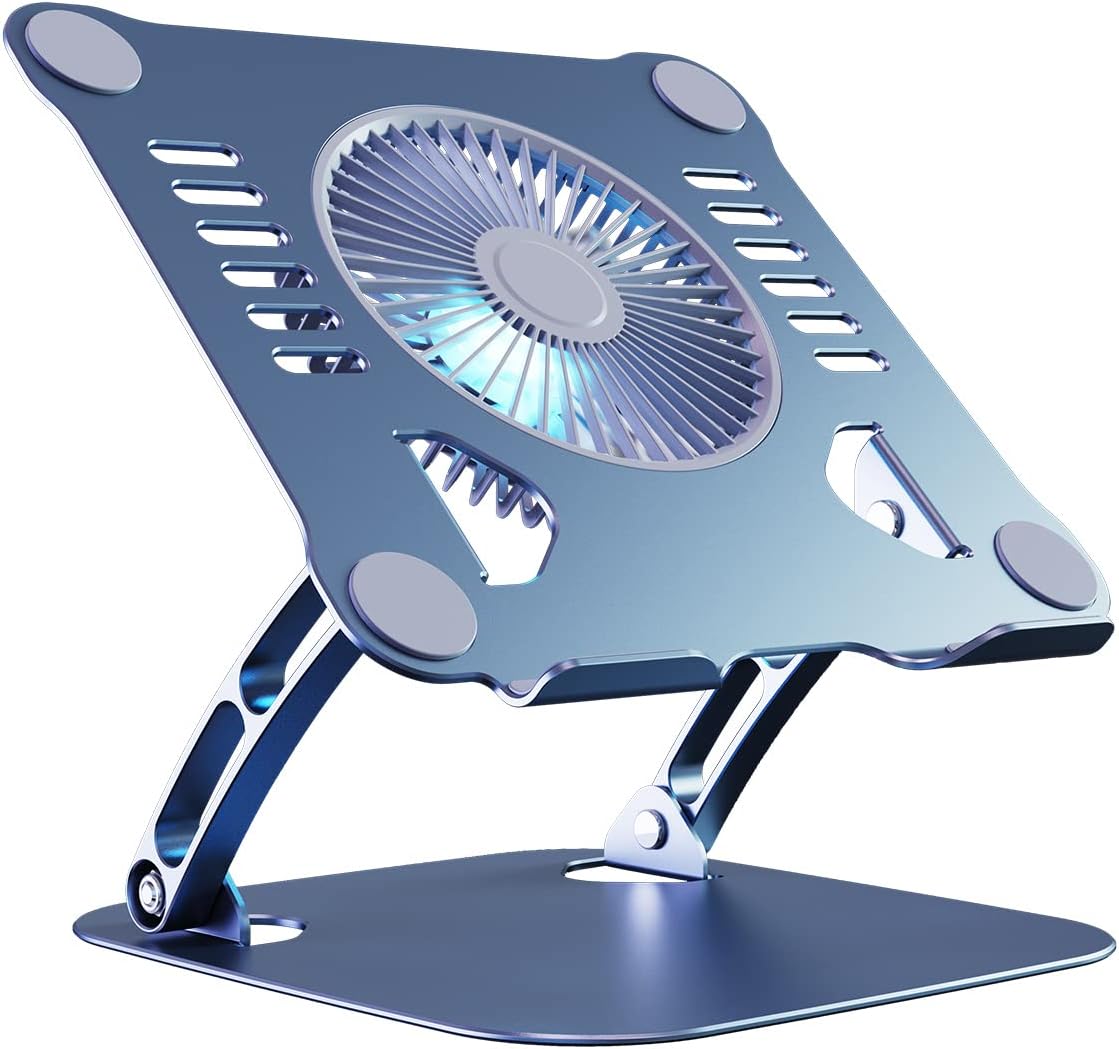 SHUWEI 3-Speed Cooling Stand
|
Budget | Large fan with 3 speed modes | Students who want adjustable ergonomics | Check Price | ||
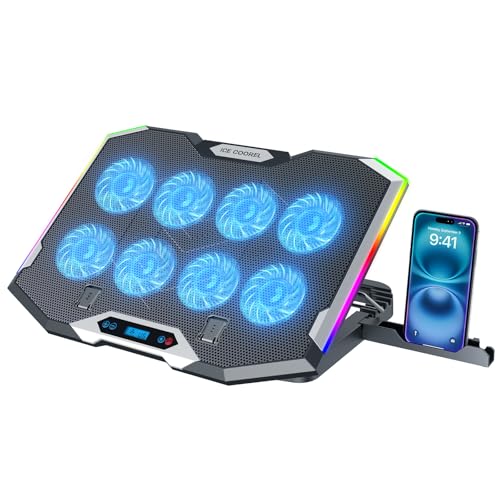 ICE COOREL 8-Fan RGB Pad
|
Budget | Eight distributed fans for wide coverage | Gamers and heavy users with 15–17.3" laptops | Check Price | ||
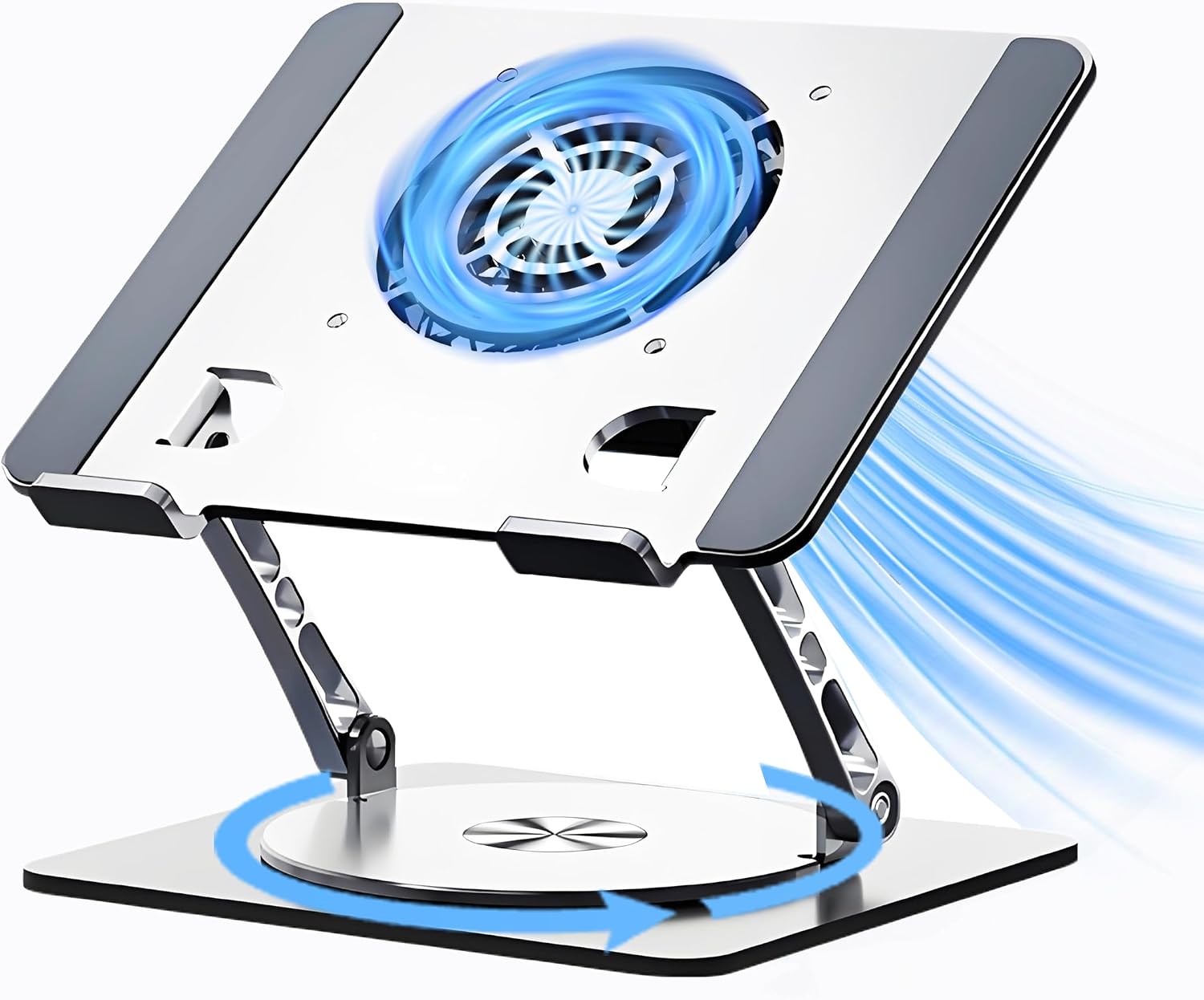 Craftreasure 360° Cooling Stand
|
Mid-Range | 360° rotating base with magnetic levitation fan | Students needing stable, multi-use stand | Check Price | ||
 IETS GT600V2 Turbo Fan Pad
|
Premium | 5.5" industrial turbofan with sealed foam | High-performance gaming laptops and rear-exhaust machines | Check Price | ||
 IETS GT600V1 Turbo Pad
|
Premium | Turbo fan + USB hub and touch start | Users wanting maximum thermal control | Check Price |
1. SHUWEI Laptop Cooling Stand with 3 Speed Fan, Adjustable Height Laptop Stand for Desk, Ergonimic Aluminum Laptop Cooling Pad for 10-15'' Notebook - Bule-Gray
This anodized-aluminum stand raises airflow under the machine and adds an enlarged fan with three speeds to actively move hot air out of the chassis. By combining elevation and active cooling it reduces sustained CPU/GPU throttling and helps batteries run cooler when paired with power-saving settings.
Key Specs
- Supports 10–15" laptops; holds up to 22 lbs
- Three fan speeds (40 / 52 / 85 CFM equivalents)
- Adjustable height to 11.8 in and angle 0–120°
- Anodized aluminum construction
Pros
- Solid build quality and sleek aluminum design
- Effective cooling plus flexible height/angle adjustments
- Easy to use and portable for dorm desks
Cons
- Fan can be noisy at top speed for noise-sensitive users
- Laptop keyboard can feel unstable—external keyboard recommended
Best For: Students who want adjustable ergonomics
Check Latest Price on Amazon2. ICE COOREL Gaming Laptop Cooling Pad with 8 Cooling Fans, Laptop Fan Cooler Pad for 15-17.3 Inch, Notebook Cooler Stand with 6 Height Adjustable, RGB Cooling Pad with Two USB Port + Phone Stand
Eight fans spread airflow across a larger base, lowering surface temps across gaming and work laptops; combined with six height settings it both improves thermal performance and ergonomic posture. Use lower fan modes to balance noise and battery impact during long lectures.
Key Specs
- Designed for 15–17.3" laptops
- Eight cooling fans with adjustable speed
- Six height positions and LCD readout
- Two USB ports + RGB lighting
Pros
- Strong, distributed airflow for larger laptops
- Quiet operation reported at moderate speeds
- Multiple height settings and handy phone stand
Cons
- Durability concerns reported for cables and long-term use
- Mixed impressions on value for money
Best For: Gamers and heavy users with 15–17.3" laptops
Check Latest Price on Amazon3. Laptop Cooling Stand with Fan and 360 Rotating Base, Adjustable Height, for Desk Gaming/Office/Drama Watching and Screen Sharing, Compatible Up to 17 Inches
A premium-feeling carbon steel stand with a magnetic-levitation turbine fan and 360° rotation for screen sharing—this reduces heat while keeping the display at eye level to avoid thermal hotspots from uneven airflow. Its foldable design and USB-A/Type-C support make it convenient for campus carry.
Key Specs
- Compatible with 10–17" devices
- 4.72" magnetic levitation turbine fan; USB-A/Type-C
- Adjustable to 30 cm height; 360° rotation
- Carbon steel construction with non-slip pads
Pros
- Very effective cooling with quiet operation
- Refined build quality and excellent adjustability
- Portable foldable design that protects the laptop
Cons
- Sturdiness received mixed feedback in some setups
- Heavier than ultra-light budget pads
Best For: Students needing stable, multi-use stand
Check Latest Price on Amazon4. GT600 RGB Laptop Cooling Pad Equipped with Gigantic Turbo-Fan(5.5inch Diameter),Sealed Foam for Rapid Cooling Gaming Laptop,14.1-19.3 inch Laptop Cooler with 3-Port USB Hub,Dust Filter
This performance-focused cooler uses a large turbofan and magnetic sealed foam to lock airflow into rear/exhaust vents, delivering dramatic temperature drops for gaming rigs. It’s best when max cooling is needed—expect higher noise at top speeds but excellent sustained thermal control.
Key Specs
- Fits 14.1–19.3" laptops
- 5.5" industrial turbofan; sealed foam interface
- 3-port USB hub, dust filter, adjustable brackets
- Metal body designed for durability
Pros
- Outstanding cooling capacity for demanding laptops
- Solid metal build and useful dust-filter feature
- Designed to work with rear-exhaust laptop layouts
Cons
- Can be loud at higher fan speeds (performance trade-off)
- Value vs. cost received mixed feedback
Best For: High-performance gaming laptops and rear-exhaust machines
Check Latest Price on Amazon5. GT600 Laptop Cooling Pad Equipped with Gigantic Turbo-Fan(5.5inch Diameter),Sealed Foam for Rapid Cooling Gaming Laptop,14.1-19.3 inch Laptop Cooler with 3-Port USB Hub,Dust Filter,Touch Start
Nearly identical to the V2 in concept, the GT600V1 focuses on raw airflow and a sealed interface to stop heat re-circulation on powerful machines. It lowers component temps effectively; choose lower speeds or quieter pads for lecture halls where silence matters.
Key Specs
- 14.1–19.3" compatibility
- 5.5" turbofan with sealed foam coupling
- Touch start, 3-port USB hub, adjustable feet
- Metal chassis for durability
Pros
- Very strong cooling performance and functionality
- Features designed for gamer and creator workflows
- Good compatibility with rear-exhaust designs
Cons
- Noise at high speed can be disruptive in quiet spaces
- Some buyers question value for certain use cases
Best For: Users wanting maximum thermal control
Check Latest Price on AmazonWhich One Should You Choose?
If budget is tight → SHUWEI Laptop Cooling Stand (B0CKMMRPSL): combines strong cooling, adjustable ergonomics and aluminum build for dorm desks. If you need maximum surface coverage for a larger gaming laptop → ICE COOREL 8-Fan Pad (B0BPRSQGQ4). If you want a stable, all-around office/lecture solution with refined build and rotation for screen sharing → Craftreasure 360° Cooling Stand (B0DQ7VLJLQ). For extreme thermal performance on rear-exhaust gaming rigs → IETS GT600 models (B0CDC3XW44 / B0CDC3KBC1), but use quieter modes for lectures or pair with sound-dampening headphones.
Best for Specific Scenarios
- Small dorm desk & general study: SHUWEI (B0CKMMRPSL) because it elevates the laptop and adds targeted active cooling without taking much space.
- Marathon gaming or rendering sessions: IETS GT600V2 (B0CDC3XW44) because its large turbofan and sealed foam force exhaust air out of hot chassis and sustain performance.
- Lecture halls and portability: Craftreasure (B0DQ7VLJLQ) because of its foldable design, USB-C support and quiet magnetic-levitation fan—good balance of portability and functionality.
Frequently Asked Questions
How can I stop my laptop from overheating in a hot dorm room?
Combine elevation (ventilated stand) with active airflow (cooling pad) to keep vents clear and heat moving away. Keep the laptop on a hard, flat surface, clean dust from vents, use a low-power or balanced power plan, dim the display, close unused apps, and consider a desk fan to improve room airflow.
Will a cooling pad drain my laptop battery faster during long lectures?
Cooling pads that draw power over USB use a small amount of energy; on battery they will add to consumption, but the trade-off is often positive because a cooler laptop can run at lower fan and CPU speeds overall. For long battery-only sessions, use low fan modes or plug the pad in if possible, and combine with OS power-saving settings to maximize runtime.
Can a cooling pad fix thermal throttling?
A good cooling pad or ventilated stand can reduce surface and intake temperatures, which helps limit thermal throttling but won’t change internal cooling design. For severe throttling you should also use power limits, ensure vents are unobstructed, and consider internal cleaning or a service if dust buildup is the root cause.
What should I carry for long campus days to avoid heat and short battery life?
Bring a slim ventilated stand or a lightweight USB-powered cooling pad, your laptop charger or a USB-C PD power bank if compatible, and use conservative power settings during lectures. Keep vents clear and avoid running heavy tasks when unplugged.
How We Selected These Products
Our recommendations are based on data-driven analysis: we evaluated 155229+ products across 23916+ brands using a composite scoring system that weighs rating (40%), review volume (30%), price value (20%), and demand signals (10%). Every product is ranked by data, not opinions.
Last updated: August 26, 2026
As an Amazon Associate we earn from qualifying purchases at no extra cost to you. Full disclosure.
GearLark Score is our editorial ranking based on a composite analysis of product quality, value, and verified customer sentiment. Click through to Amazon for current pricing, availability, and live customer reviews.