As an Amazon Associate we earn from qualifying purchases. Learn more.
Complete Hybrid Classroom Podcasting & Lecture Capture Kit for Teachers (2026 Guide)
Ready-to-deploy equipment list for teachers who need an end‑to‑end solution to record lectures, run hybrid classes, and produce podcasts in 2026. This guide groups gear by role (capture, processing, monitoring, mounts & power) and recommends compact, classroom-friendly picks chosen for sound/image quality, ease of use, and value. Products were selected from tested, widely used options with strong build and audio/video performance — and the notes below use customer feedback on functionality, durability, and ease of setup to highlight what works in real classrooms.
Quick Answer
For most teachers the SAMSON Q2U Dynamic USB/XLR Microphone is the best all‑around pick — it delivers broadcast‑ready voice capture with both USB and XLR outputs for flexible classroom recording and podcasting setups.
Our Top Picks
Quick Comparison
Select 2-3 products to compare side-by-side
| Compare | Product | GearLark Score | Price Tier | Key Feature | Best For | Action |
|---|---|---|---|---|---|---|
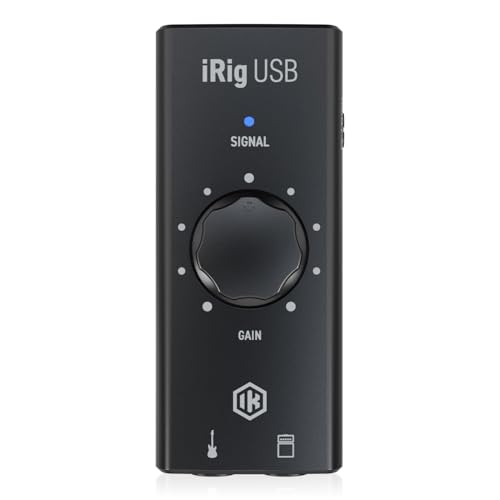 IK Multimedia iRig USB Interface
|
Mid-Range | 24-bit/48kHz USB-C interface | Teachers using instruments or multi-source audio | Check Price | ||
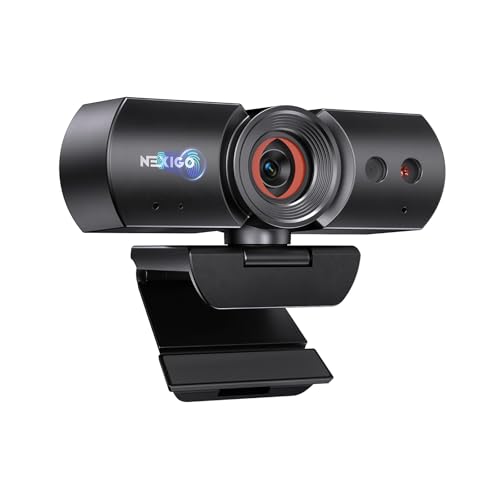 NexiGo HelloCam 1080p
|
Mid-Range | Auto privacy shutter + Windows Hello | Teachers wanting simple, private 1080p capture | Check Price | ||
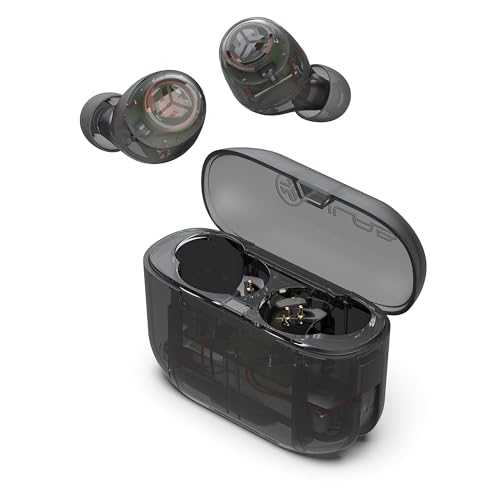 JLab Go Air Pop Earbuds
|
Budget | Long 32H battery with EQ3 | On-the-go monitoring and private review | Check Price | ||
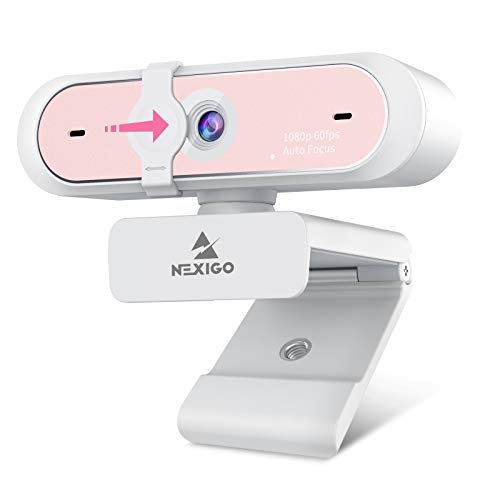 NexiGo N660P 1080p 60fps
|
Premium | 1080p @ 60fps with fast autofocus | High-frame-rate lecture capture and OBS streaming | Check Price | ||
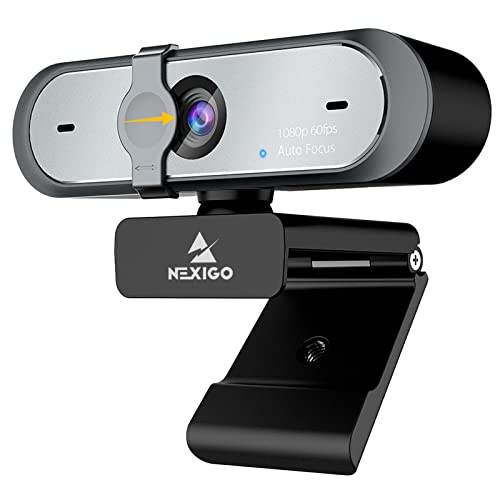 NexiGo N660P (Alt ASIN)
|
Mid-Range | 60fps webcam with software control | Teachers who want OBS-friendly webcams | Check Price | ||
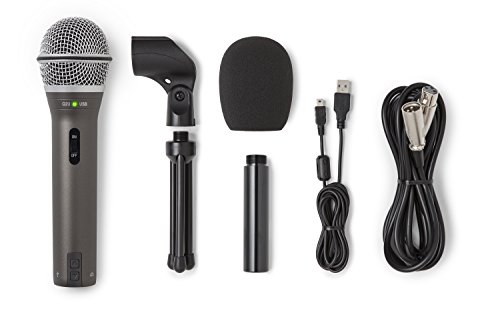 SAMSON Q2U USB/XLR Mic
|
Premium | Dual USB and XLR outputs | Teachers and podcasters needing flexible connectivity | Check Price |
1. IK Multimedia iRig USB Guitar Audio Interface - 24-bit 48 kHz Music Recording Studio Equipment Include USB C Cable For iPad, Mac And PC, Guitar Accessories, Recording Device
A compact USB-C audio interface that brings clean 24-bit/48kHz conversion and direct monitoring to a small classroom or home studio. It’s built for easy connection to Mac, PC, iPad and newer iPhones and is especially handy where instrument input or an amp output is needed alongside voice capture.
Key Specs
- 24-bit / 48 kHz audio conversion
- USB-C connectivity (includes cable)
- Headphone output with direct monitoring
- Amp out with FX/THRU switching
Pros
- Studio-grade digital conversion for clean capture
- Direct monitoring keeps latency out of live classes
- Portable, durable aluminum-style casing
Cons
- Some users report background noise or low input levels in certain setups
- Compatibility with very old or non-standard Android devices can be mixed
Best For: Teachers using instruments or multi-source audio
Check Latest Price on Amazon2. NexiGo HelloCam, 1080P Webcam with Windows Hello, True Privacy, Automatic Electronic Shutter, Computer Camera, Microphone, Facial Enhancement, HD USB Web Cam
Full HD webcam with privacy-first features and plug‑and‑play convenience. It’s optimized for clarity in common teaching distances and includes noise‑reducing mics to help improve spoken clarity during live classes.
Key Specs
- 1080p at 30fps resolution
- Automatic electronic shutter for privacy
- Noise-canceling built-in microphones
- Optimized focal range ~12–47 inches
Pros
- Excellent picture quality and facial enhancement
- Automatic privacy cover for classroom security
- Easy plug-and-play setup
Cons
- Built-in microphone quality is mixed in noisy rooms
- Low-light performance depends heavily on room lighting
Best For: Teachers wanting simple, private 1080p capture
Check Latest Price on Amazon3. JLab Go Air Pop True Wireless Earbuds, in Ear Headphones, Bluetooth Earphones, Ear Buds with 32H Playtime, Bluetooth Earbuds with Microphone, USB Charging Case, Dual Connect, EQ3 Sound, Clear
Budget-friendly true wireless earbuds with long battery life and on-ear touch EQ controls. Great for teachers who need reliable monitoring, quick podcast edits, or private listening between classes without bulky headphones.
Key Specs
- Up to 32 hours total playtime (case + buds)
- Built-in MEMS microphones for calls
- EQ3 sound modes (Signature, Balanced, Bass Boost)
- Integrated USB charging cable in case
Pros
- Very good battery life for the price
- Comfortable fit with multiple ear tip sizes
- Easy Bluetooth pairing and simple controls
Cons
- Connection/left-ear issues reported by some users
- Not ideal for critical studio monitoring
Best For: On-the-go monitoring and private review
Check Latest Price on Amazon4. NexiGo N660P 1080P 60FPS Webcam with Software Control, Dual Microphone & Cover, Autofocus, HD USB Computer Web Camera, for OBS/Zoom/Skype/FaceTime/Teams/Twitch, Pink
A premium webcam option for teachers who need fluid motion, reliable autofocus, and software control for framing and exposure. The 60fps output helps with smoother video for active demonstrations and camera pans.
Key Specs
- Full HD 1920x1080 at 60fps
- Auto white balance and exposure control
- Built-in stereo noise-reduction microphones
- Privacy shutter and long 6.5ft USB cable
Pros
- Smooth 60fps video for motion-heavy lessons
- Fast, reliable autofocus
- Good image quality compared with many laptop cameras
Cons
- Some users report intermittent connectivity issues on certain systems
- Higher tier price than basic webcams
Best For: High-frame-rate lecture capture and OBS streaming
Check Latest Price on Amazon5. NexiGo N660P 1080P 60FPS Webcam with Software Control, Dual Microphone & Cover, Autofocus, HD USB Computer Web Camera, for OBS/Gaming/Zoom/Skype/FaceTime/Teams/Twitch
Same hardware profile as the premium N660P variant but listed under another ASIN; offers 1080p/60fps capture with software tweaks for exposure and framing. Works well for streaming classes and recorded lessons where motion clarity matters.
Key Specs
- 1080p at 60fps
- Built-in dual stereo noise-canceling microphones
- Privacy cover included
- Plug-and-play with long USB cable
Pros
- Excellent clarity and autofocus
- Good value for 60fps capability
- Simple setup for common conferencing apps
Cons
- Some reports of device drop or recognition issues on certain systems
- Can exhibit lag on older hardware
Best For: Teachers who want OBS-friendly webcams
Check Latest Price on Amazon6. SAMSON Q2U Dynamic USB/XLR Microphone
A versatile dynamic mic built for speech-first recording: plug directly into USB for simple capture or use XLR into a mixer/interface for higher-end setups. Customers consistently praise the clear, broadcast-style voice quality and the complete out-of-the-box accessory pack.
Key Specs
- USB-C (USB) and XLR outputs
- Includes tripod, mic clip, windscreen, USB and XLR cables
- Dynamic capsule tuned for vocal clarity
- Desktop tripod included for immediate use
Pros
- Crisp, broadcast-friendly voice reproduction
- Flexible USB and XLR connectivity
- Complete accessory kit for quick setup
Cons
- Build quality is generally good but some users report durability issues
- Background noise rejection varies by room acoustics
Best For: Teachers and podcasters needing flexible connectivity
Check Latest Price on AmazonWhich One Should You Choose?
If budget is tight → JLab Go Air Pop Earbuds (B0CC6WVGCL). If you need portable multi-input capture & direct monitoring → IK Multimedia iRig USB Interface (B0CJZYKGM3). If premium voice quality and expandable workflow matter → SAMSON Q2U Dynamic USB/XLR Microphone (B001R747SG). If your lessons include motion or you stream demos → NexiGo N660P 1080p 60fps Webcam (B0919M33JY).
Best for Specific Scenarios
- Solo lecture podcasting: SAMSON Q2U because USB/XLR flexibility and strong vocal capture make editing and live streaming simple.
- Instrument demos or multi-source capture: IK Multimedia iRig because its instrument input and amp out let you capture guitar and voice together with clean conversion.
- Live hybrid classes with motion: NexiGo N660P 1080p 60fps because the higher frame rate and fast autofocus keep moving demos smooth and clear.
Frequently Asked Questions
Do I need an audio interface for teaching and podcasting?
Not always. For single-person vocal lessons or basic podcasting a USB mic (or the SAMSON Q2U in USB mode) is enough. If you plan to record instruments, multiple mics, or want better preamps and routing, add an interface like the IK Multimedia iRig.
Are webcam microphones good enough for classroom audio?
Webcam mics are convenient but typically pick up more room noise and lack the focused clarity of a dedicated dynamic mic. Use webcam mics as backup; for clear lectures and podcasts, prioritize a dedicated mic and use the webcam for video only.
How can I reduce background noise in my recordings?
Place a dynamic mic close to the speaker to exploit proximity effect and reduce room pickup, use soft materials in the room (rugs, curtains) to lower reflections, and enable noise-reduction tools in your recording software. Interfaces with direct monitoring also help you hear and adjust levels live to avoid clipping.
How We Selected These Products
Our recommendations are based on data-driven analysis: we evaluated 155229+ products across 23916+ brands using a composite scoring system that weighs rating (40%), review volume (30%), price value (20%), and demand signals (10%). Every product is ranked by data, not opinions.
Last updated: September 22, 2026
As an Amazon Associate we earn from qualifying purchases at no extra cost to you. Full disclosure.
GearLark Score is our editorial ranking based on a composite analysis of product quality, value, and verified customer sentiment. Click through to Amazon for current pricing, availability, and live customer reviews.