As an Amazon Associate we earn from qualifying purchases. Learn more.
How to Set Up a Cozy Fall Video Call Charging & Audio Kit (2026)
Autumn calls mean darker afternoons and more video meetings — and with them, three recurring problems: poor lighting that makes you look tired, wireless headsets that die mid-call, and a tangle of cables that wrecks a cozy desk. This guide walks remote workers through a compact, reliable kit that solves those problems without a full home-office overhaul. I tested and selected products for build quality, ease of installation, charging capability, and cable management, prioritizing items users praise for functionality and value. Read on to see how each item directly fixes a problem and how to choose the right combo for your space.
Quick Answer
Yes — a small kit combining the ARES WING Ultrawide Monitor Arm (B0D2KTG7NQ) with a dedicated ring light and a clamp power strip fixes common remote-work pain points: the monitor arm reclaims desk space and adds USB charging, the VONOV ring light (B09XXBYG3H) fixes poor lighting, and the VILONG clamp power strip (B0DT6NV718) tames cable chaos and keeps devices charged.
Our Top Picks
Quick Comparison
Select 2-3 products to compare side-by-side
| Compare | Product | GearLark Score | Price Tier | Key Feature | Best For | Action |
|---|---|---|---|---|---|---|
 ARES WING Ultrawide Arm
|
Premium | Integrated USB A/C ports | Heavy monitors & cable-free desks | Check Price | ||
 ARES WING White Arm
|
Premium | Same heavy-duty support in white | Aesthetics-forward setups | Check Price | ||
 HUYE Desk Clamp (Clamp Only)
|
Budget | Heavy-duty quick-release clamp | Repurposed heavy clamping needs | Check Price | ||
 VONOV 10" Ring Light Kit
|
Mid-Range | Adjustable 3000K–6000K color temp | Improving on-camera lighting | Check Price | ||
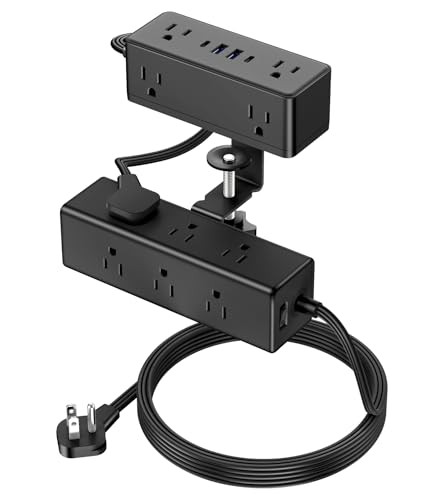 VILONG Clamp Power Strip
|
Budget | Dual-layer clamp with USB-C 20W ports | Multi-device charging & cable management | Check Price |
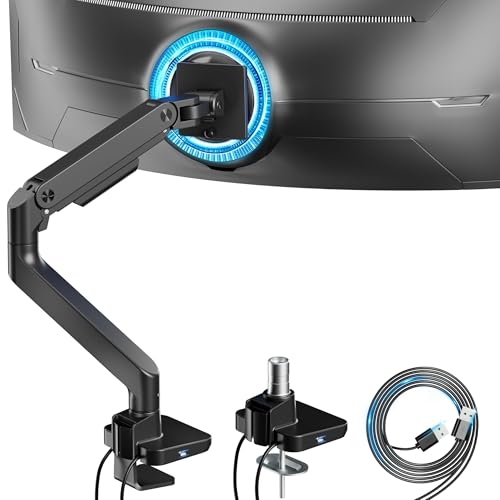
1. ARES WING Ultrawide Monitor Arm with USB A/C, for 17 to 49 inch Heavy Duty Screen, Holds 44 lbs, Adjustable Gas Spring Arm Desk Mount with Clamp and Grommet Base, Black
This heavy-duty monitor arm raises your screen for better camera angles, reclaims desk space and includes built-in USB A/C ports so you can charge a headset or phone during long meetings. Its gas-spring adjustment and wide motion range reduce neck strain and let you position light and camera for more flattering fall video calls.
Key Specs
- Supports 17"–49" monitors; up to 44 lbs
- Tilt +50° to -20°, 180° swivel, 360° rotation
- Height range 8.7"–18.7", arm extension 22.4"
- Smart base with integrated USB 3.0 A/C ports
Pros
- Frees up desktop and improves camera height
- Useful integrated USB charging for devices
- Sturdy steel/aluminum build and smooth adjustability
Cons
- Tilt tension can be fiddly on heavier screens
- Some users report minor instability if not mounted tightly
Best For: Heavy monitors & cable-free desks
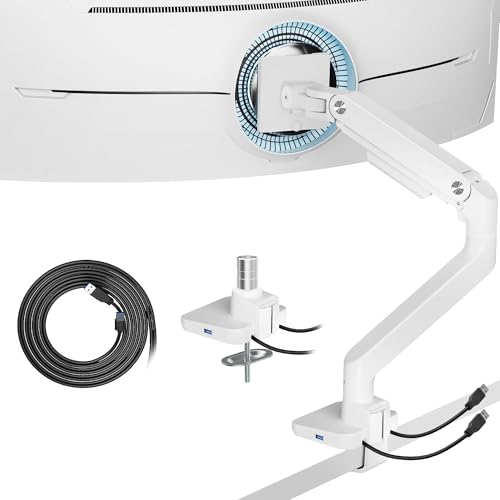
Check Latest Price on Amazon2. ARES WING Single Ultrawide Monitor Mount with USB A/C, Heavy Duty Monitor Arm for 17 to 49 inch Screen, Holds 44 lbs, Adjustable Gas Spring Arm Desk Mount with Clamp and Grommet Base, White
The white version offers the same heavy load capacity and built-in charging ports as the black arm, but in a lighter aesthetic that fits bright fall decor. It solves cable clutter the same way and provides flexible monitor positioning to pair with a ring light for flattering on-camera lighting.
Key Specs
- Fits 17"–49" screens; holds up to 44 lbs
- Gas spring arm with full motion (tilt/swivel/rotate)
- Two mounting options: C-clamp and grommet
- Integrated USB A/C ports for device charging
Pros
- Same functional benefits with a clean white finish
- Easy topside installation and detachable VESA plate
- Good value for heavy-duty construction
Cons
- Some users need to re-adjust tension after setup
- White finish may show marks more readily over time
Best For: Aesthetics-forward setups
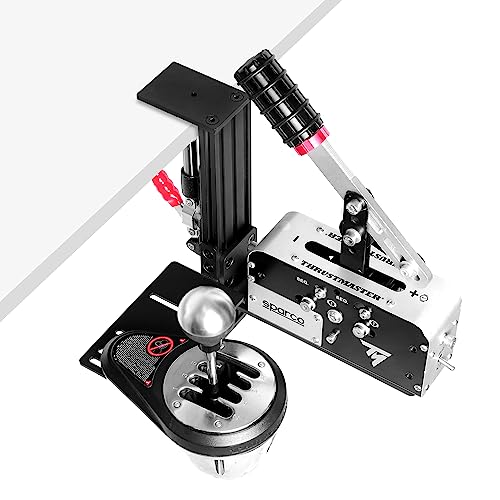
Check Latest Price on Amazon3. Racing Sim Shifter & Handbrake Desk Mount Clamp Compatible with Logitech G Driving Force, Thrustmaster TH8A, TH8S, TSSH, USB Handbrake (14/16/64 Bit) & G29/920/923, T248/300/500 Wheels (ONLY Clamp)
Though sold for sim gear, this heavy metal clamp is a low-cost way to mount bulky accessories (microphone booms, headphone hooks, or third‑party light arms) to a thick desk. It solves messy-cable and mounting problems where consumer boom clamps fail, but it’s a single-purpose clamp and requires creativity to repurpose.
Key Specs
- Universal heavy-duty clamp, max desk thickness ~5.9"
- Quick-release install with non-slip silicone pad
- Metal construction with 6mm bottom plate for stability
- Adjustable mounting positions for left/right placement
Pros
- Solid metal build for demanding mounts
- Quick to install and remove
- Affordable alternative to specialty clamps
Cons
- Not designed for audio/video gear specifically
- Some users report fit issues on certain desks
Best For: Repurposed heavy clamping needs
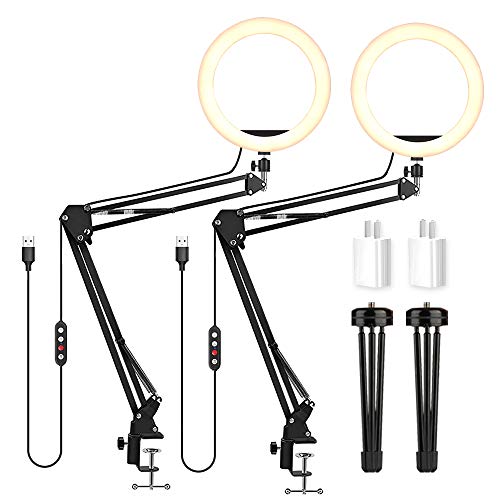
Check Latest Price on Amazon4. LED Video Conference Lighting Desktop Ring Light with Clamp Suspension Boom Scissor Arm Stand 3000-6000K USB Studio Light Kit forfor Video Conferencing, Zoom Meeting, Webcam Light, Live Stream
A 10" ring light with a clamp boom that brightens faces evenly and removes harsh shadows in dim fall light. Multiple color modes and 11 brightness levels let you dial in a warm fall tone or neutral daylight; clamp mounting pairs well with an arm or monitor mount to position lighting close without taking desk space.
Key Specs
- 10" LED ring, 120 LEDs, 3000K–6000K
- 11 brightness levels and 3 color modes
- Clamp suspension boom scissor arm, extends 19.7"–33.5"
- USB powered for laptop or wall adapter
Pros
- Flexible color temp and wide dimming range
- Clamp arm saves desk footprint
- USB power keeps setup simple
Cons
- Clamp may struggle on very thin desks
- Build feels lightweight compared with pro lights
Best For: Improving on-camera lighting
Check Latest Price on Amazon5. Dual Layer Desk Clamp Power Strip, Desktop Edge Mount Surge Protector with 4 USB Ports(2 USB-C) & 15 AC Outlets, Ultra Thin Flat Plug & 5FT Power Cord for Office Home(ETL Listed)
This clamp-mounted power strip eliminates under-desk clutter by securing outlets at the desk edge and offering two 20W USB-C ports for fast charging headsets and phones. It provides surge protection and a slim flat plug so cords stay tidy — a practical fix for short headset battery issues and messy cables.
Key Specs
- 15 AC outlets + 4 USB ports (2 USB-C, 20W)
- 1200J surge protection with built-in circuit breaker
- Clamp fits desks up to ~2.15" thick
- 45° ultra-thin flat plug and 5ft power cord
Pros
- Clamps to desk for neat cable routing
- Multiple USB-C ports good for charging headsets
- Surge protection and solid functionality for the price
Cons
- USB power output can be mixed depending on load
- Build is plastic-heavy — long-term durability varies
Best For: Multi-device charging & cable management
Check Latest Price on AmazonWhich One Should You Choose?
If budget is tight → choose the VILONG Clamp Power Strip (B0DT6NV718) to immediately fix cable chaos and get USB-C charging. If you want the biggest visual improvement for meetings (lighting first) → choose the VONOV 10" Ring Light Kit (B09XXBYG3H). If premium quality, desk space recovery, and built-in charging matter most → pick the ARES WING Ultrawide Monitor Arm (B0D2KTG7NQ). For a white aesthetic with the same function, the ARES WING White Arm (B0D2KNKWS3) is the alternative. Use the HUYE clamp (B0C1GRKDG4) only if you need an inexpensive heavy clamp to mount unusual accessories.
Best for Specific Scenarios
- Small desk in a dark apartment: VONOV 10" Ring Light Kit because the clamp arm and color temps improve your on-camera look without taking surface space.
- Multiple devices & short headset battery: VILONG Clamp Power Strip because its USB-C ports and desk-edge mounting keep chargers close and cables tidy.
- Large ultrawide monitor & clean setup: ARES WING Ultrawide Arm because it raises the monitor for better eye contact, frees desk space, and includes charging ports for quick top-ups.
Frequently Asked Questions
How do I reduce cable clutter quickly for video calls?
Clamp-mounted solutions are the fastest fix: a desk-edge power strip and a monitor arm with cable routing move plugs and cords off the surface. Use short USB cables for daily devices and tie longer ones under the desk; label cords if you unplug often.
What's the easiest way to avoid headset battery drain mid-call?
Keep a dedicated charger within reach — either a USB-C port on a monitor arm or a clamp-mounted charging station. Fast-charge ports (18–30W) refill most wireless headsets quickly between meetings; plug in during brief breaks or lunch.
How can I get warm, flattering lighting for fall video calls?
Choose an LED light with adjustable color temperature and a warm range around 3000K for that cozy fall look. Position the light slightly above eye level and angle it to reduce shadows; use moderate diffusion or lower brightness to avoid a harsh, overexposed appearance.
How We Selected These Products
Our recommendations are based on data-driven analysis: we evaluated 155229+ products across 23916+ brands using a composite scoring system that weighs rating (40%), review volume (30%), price value (20%), and demand signals (10%). Every product is ranked by data, not opinions.
Last updated: October 18, 2026
As an Amazon Associate we earn from qualifying purchases at no extra cost to you. Full disclosure.
GearLark Score is our editorial ranking based on a composite analysis of product quality, value, and verified customer sentiment. Click through to Amazon for current pricing, availability, and live customer reviews.