As an Amazon Associate we earn from qualifying purchases. Learn more.
Thunderbolt/USB-C Hub vs Docking Station vs Portable Monitor (2026)
Students and remote learners need two things: a comfortable workspace with extra screen space, and a setup that’s easy to move between home, dorm and coffee shop. This head-to-head guide compares three 2026 multi-port solutions — a Thunderbolt 4 docking station (MOKiN), a 14" portable 2K monitor (KEFEYA) and a 24" USB-C office monitor with hub features (BenQ) — to help you pick the right balance of portability, ports and screen real estate. Products were selected for strong real-world functionality, build quality and compatibility with common laptops (USB-C/Thunderbolt). Read on for a side-by-side breakdown and a clear recommendation.
Quick Answer
For most students and remote learners the MOKiN Thunderbolt 4 Dock (B0F7R3P86M) is the best all-around choice: it delivers the most ports, the highest power delivery and multi-monitor support. If portability and a crisp secondary display matter more than ports, choose the KEFEYA 14" 2K portable monitor (B0F59X62LM). For a compact desktop monitor with hub features and eye-care tech, the BenQ GW2486TC (B0D2RT21YQ) is best.
Our Top Picks
Quick Comparison
Select 2-3 products to compare side-by-side
| Compare | Product | GearLark Score | Price Tier | Key Feature | Best For | Action |
|---|---|---|---|---|---|---|
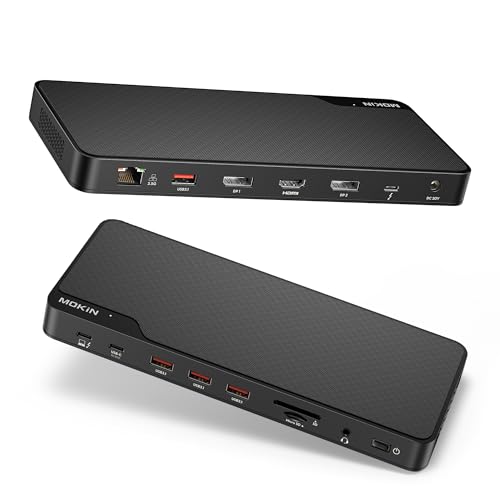 MOKiN Thunderbolt 4 Dock
|
Mid-Range | Thunderbolt 4 with triple 4K / 100W PD | Students needing max ports & power | Check Price | ||
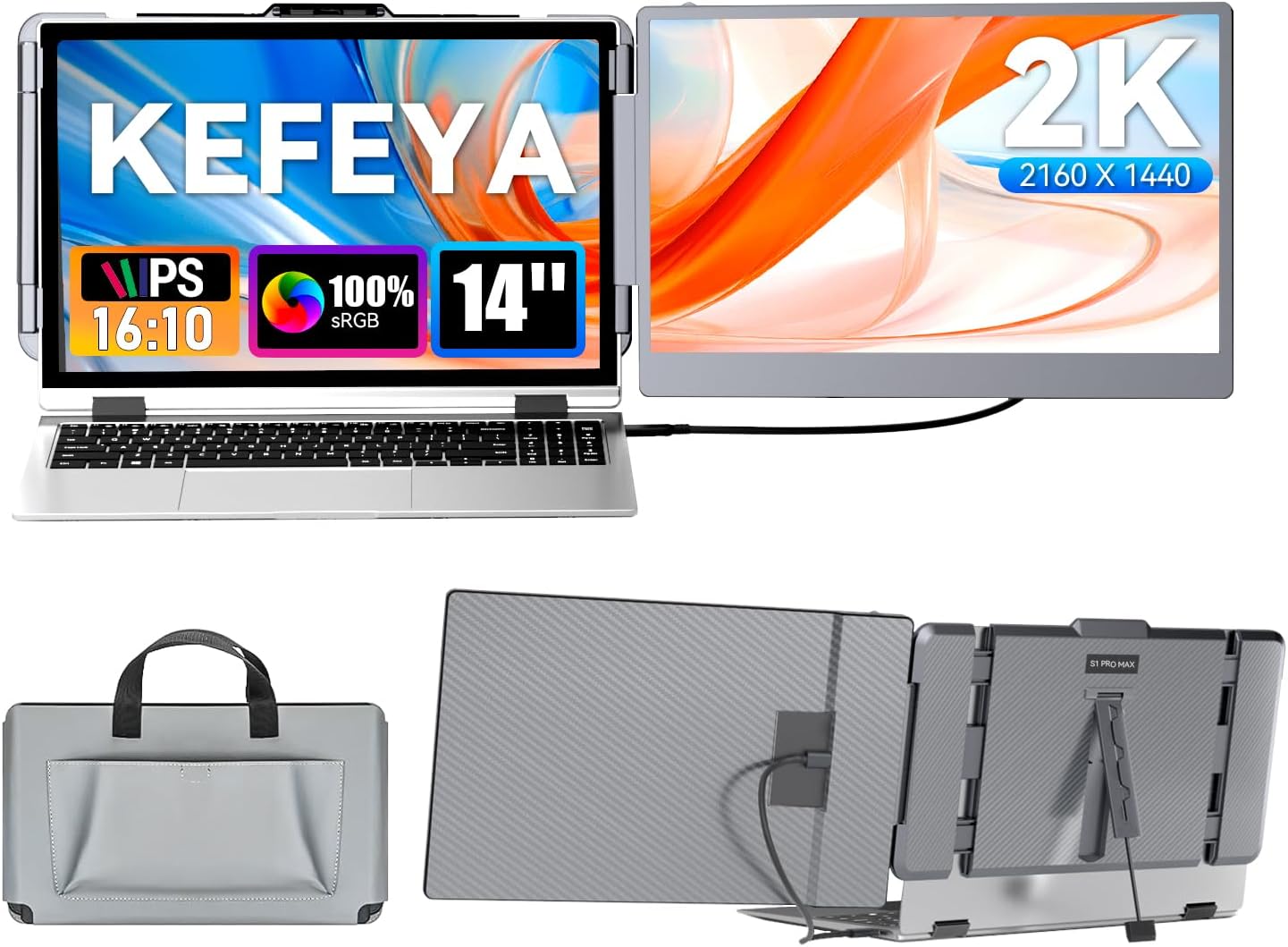 KEFEYA 14" 2K Monitor
|
Mid-Range | 14" 2160x1440 portable 2K display | Mobile students who need a crisp second screen | Check Price | ||
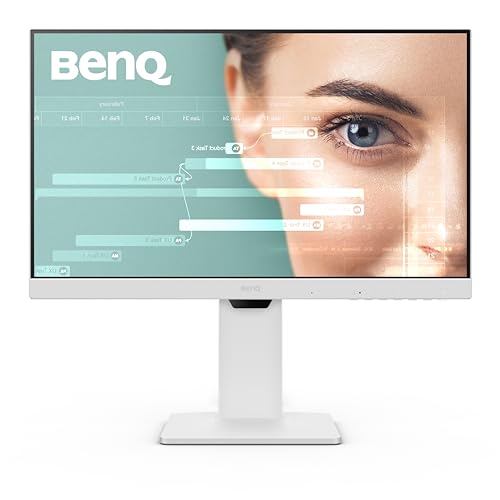 BenQ GW2486TC 24" Monitor
|
Premium | 24" IPS with eye‑care tech & USB‑C hub | Home desk students who want comfort and hub features | Check Price |
1. MOKiN Thunderbolt 4 Dock - 16 Ports, Laptop Docking Station Dual Monitor for MacBook, Docking Station 3 Monitors for Windows with 150W DC Power,TB4 Cable,2.5 Gigabit Ethernet(ThunderboltTM Certified)
A full-featured Thunderbolt 4 docking station that prioritizes ports, power and performance. It’s best for learners who want to run multiple external displays, wired Ethernet and charge a laptop from a single hub. Customers praise its build quality and power delivery, though a dock is less portable than a monitor extender.
Key Specs
- Thunderbolt 4 certified, 40Gbps host port
- Supports up to triple 4K displays or single 8K
- Up to 100W Power Delivery to laptop, 150W DC power included
- Front Thunderbolt downstream port, 2.5Gb Ethernet
Pros
- More ports and multi‑monitor support than KEFEYA and BenQ
- Stronger power delivery (100W) than typical USB‑C hubs
- Build and power supply praised for reliability vs smaller docks
Cons
- Less portable than the KEFEYA portable monitor
- Some users report occasional functionality quirks over time
Best For: Students needing max ports & power
Check Latest Price on Amazon2. KEFEYA Laptop Screen Extender 2K, 2160x1440 QHD Laptop Monitor Extender Dual Screen, 14 Portable Monitor for Laptops 13-17" with USB-C/HDMI Port, Plug n Play for Windows/Mac/Android/Switch/PS5
A lightweight, high‑resolution portable monitor made for on‑the‑go productivity. It delivers 2160x1440 QHD clarity, wide color coverage and plug‑and‑play USB‑C/HDMI compatibility — ideal for students who prioritize screen space and portability over port counts. Users like its easy setup and noticeable boost to multitasking.
Key Specs
- 2160 x 1440 (2K) resolution, 14" panel
- 300 nits brightness, 1000:1 contrast, 100% sRGB
- USB‑C and HDMI input, plug-and-play
- Lightweight design for travel and mobile use
Pros
- Much more portable than the MOKiN dock and BenQ monitor
- Higher native resolution than the BenQ 24" 1080p
- Easy to set up and praised for boosting productivity on the road
Cons
- Fewer built‑in ports and no docking features compared to MOKiN
- Durability can be a concern vs sturdier desktop monitors
Best For: Mobile students who need a crisp second screen
Check Latest Price on Amazon3. BenQ GW2486TC Office USB hub Monitor 24" 1080p | Coding Mode | IPS | Eye-Care Tech | Adaptive Brightness | Height Adjustable | White Monitor | Noice-Cancelling Mic | Daisy Chain | USB-C
A desktop-grade 24" IPS monitor that doubles as a USB‑C hub and office monitor. It emphasizes eye comfort with adaptive brightness and eye‑care modes, and includes a noise‑cancelling mic and USB hub. It’s less portable than the KEFEYA but offers a cleaner, more ergonomic desktop setup.
Key Specs
- 24" 1080p IPS panel with edge‑to‑edge display
- USB‑C connectivity with 60W Power Delivery
- Eye‑Care Tech and Brightness Intelligence adaptive tech
- Built‑in noise‑cancelling microphone and USB hub
Pros
- Better eye‑care and ergonomic features than KEFEYA
- Integrated USB hub and mic reduce the need for extra adapters
- Considered good value and easy to set up compared with premium monitors
Cons
- Lower resolution than the KEFEYA 2K portable monitor
- Less portable than KEFEYA and not as port-dense as MOKiN
Best For: Home desk students who want comfort and hub features
Check Latest Price on AmazonWhich One Should You Choose?
If you need the best all‑around connectivity, especially for multi‑monitor setups and wired networking, buy the MOKiN Thunderbolt 4 Dock (B0F7R3P86M) — it gives the most ports, highest power delivery and flexible outputs. If portability and a crisp secondary screen are your top priorities (classroom, coffee shop, travel), choose the KEFEYA 14" 2K portable monitor (B0F59X62LM). If you want a comfortable home/dorm desktop with eye‑care features, an integrated hub and a larger screen for long study sessions, the BenQ GW2486TC (B0D2RT21YQ) is the best pick.
Best for Specific Scenarios
- Campus commuter who needs a second screen: KEFEYA 14" 2K because it’s lightweight, plug‑and‑play and offers sharper text for note taking.
- Student with many peripherals and multiple monitors: MOKiN Thunderbolt 4 Dock because it provides the most ports, Ethernet and high wattage PD for a full desk setup.
- Remote learner with a fixed desk who cares about eye comfort: BenQ GW2486TC because of its eye‑care tech, height adjustability and integrated USB hub for a tidy workspace.
Frequently Asked Questions
Can a Thunderbolt 4 dock run three monitors from a single laptop?
Many Thunderbolt 4 docks (like the MOKiN) support triple display setups, but actual support depends on your laptop’s GPU and OS. Some laptop models mirror displays or limit extension — check your laptop’s display output capabilities before assuming triple independent displays will work.
Will a portable monitor charge my laptop over USB‑C?
Some portable monitors pass power (USB‑C PD), but many provide limited passthrough (or none). The KEFEYA monitor is USB‑C compatible for video and may support charging depending on the host and cable, but it won’t match a dedicated dock’s higher PD for large laptops.
Is a USB‑C monitor a good replacement for a docking station?
Not exactly. A USB‑C monitor like the BenQ replaces a screen and can offer modest hub features (USB ports, 60W PD), but it won’t provide the sheer port density, Ethernet or power of a full Thunderbolt dock. Choose based on whether you prioritize screen size/comfort or port variety and power.
How We Selected These Products
Our recommendations are based on data-driven analysis: we evaluated 155229+ products across 23916+ brands using a composite scoring system that weighs rating (40%), review volume (30%), price value (20%), and demand signals (10%). Every product is ranked by data, not opinions.
Last updated: August 11, 2026
As an Amazon Associate we earn from qualifying purchases at no extra cost to you. Full disclosure.
GearLark Score is our editorial ranking based on a composite analysis of product quality, value, and verified customer sentiment. Click through to Amazon for current pricing, availability, and live customer reviews.