As an Amazon Associate we earn from qualifying purchases. Learn more.
NVMe vs SATA vs External 1TB SSDs (2026 Comparison)
Choosing between NVMe, SATA and external 1TB SSDs in 2026 comes down to one question: do you want speed, low power and compatibility, or the best value per dollar? This article compares three 1TB drives across form factors: a top-rated SATA 2.5" drive (Western Digital WD Green), a widely reviewed SATA 2.5" duo pack (TEAMGROUP AX2), and a budget-friendly NVMe M.2 (Intel 660p). You’ll learn real-world tradeoffs—speed, sustained write behavior, power use, durability and portability—and get clear recommendations for students, photographers and casual gamers. Products were selected from current best-selling internal 1TB SSDs and evaluated using specs, manufacturer features and typical customer feedback.
Quick Answer
For most students, photographers and casual gamers a 2.5" SATA 1TB drive like the Western Digital 1TB WD Green (WDS100T2G0A) is the best balance of cost, low power draw and dependable everyday performance. If you need the fastest internal throughput for large RAW transfers or game load times, go with the Intel 660p 1TB NVMe (B07GCL6BR4). If you want simple, affordable bulk storage for consoles or media servers, the TEAMGROUP AX2 1TB 2.5" SATA kit (B0B5DLL773) is a solid value pick.
Our Top Picks
Quick Comparison
Select 2-3 products to compare side-by-side
| Compare | Product | GearLark Score | Price Tier | Key Feature | Best For | Action |
|---|---|---|---|---|---|---|
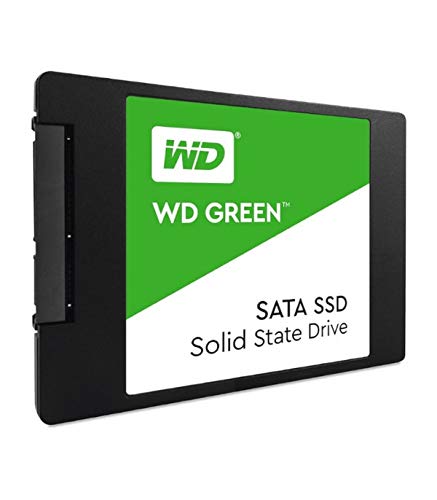 WD Green 1TB
|
Mid-Range | Low power draw and SLC cache | Students & everyday laptop upgrades | Check Price | ||
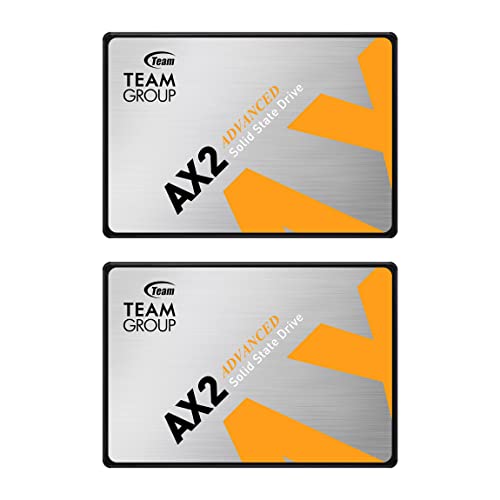 TEAMGROUP AX2 1TB (2-pack)
|
Premium | Two-drive bundle for value or expansion | Media servers, console storage, backups | Check Price | ||
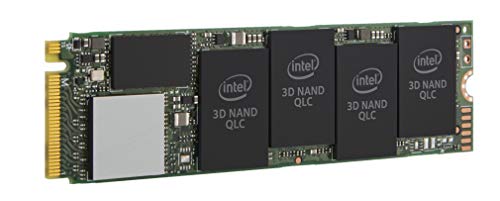 Intel 660p 1TB NVMe
|
Mid-Range | M.2 NVMe 3.0 x4 for higher throughput | Photographers and gamers wanting faster load/import times | Check Price |
1. Western Digital 1TB WD Green Internal PC SSD Solid State Drive - SATA III 6 Gb/s, 2.5"/7mm, Up to 550 MB/s - WDS100T2G0A
A dependable 2.5" SATA drive that balances speed, power efficiency and broad compatibility. Strong for OS boot, everyday file handling and laptop upgrades where battery life matters more than peak NVMe throughput.
Key Specs
- Interface: SATA III 6 Gb/s
- Form factor: 2.5" / 7mm
- Sequential read/write: up to 550 MB/s
- SLC caching and WD SSD Dashboard
- Designed with shock resistance and F.I.T. Lab testing
Pros
- Lower power draw than typical NVMe M.2 drives (better laptop battery life)
- Very easy to install in most laptops and desktops
- Better day-to-day reliability perception vs some low-cost alternatives
Cons
- SATA speeds are noticeably slower than NVMe for large transfers
- Some users report mixed long-term lifespan experience
Best For: Students & everyday laptop upgrades
Check Latest Price on Amazon2. TEAMGROUP AX2 1TB 2 Pack 3D NAND TLC 2.5 Inch SATA III Internal Solid State Drive SSD (Read Speed up to 540 MB/s) Compatible with Laptop & PC Desktop T253A3001T0C1P1
A practical 2.5" SATA option sold in a two-pack that makes adding bulk internal storage convenient. Performs like a solid SATA drive for gaming libraries and media, with features to preserve drive life, though there are occasional reliability reports to be aware of.
Key Specs
- Interface: SATA III 6 Gb/s
- NAND: 3D NAND TLC
- Sequential read/write: up to 540/490 MB/s
- Warranty: 3-year or TBW limited warranty; supports TRIM, S.M.A.R.T.
- Garbage collection and wear-leveling
Pros
- Better value-per-GB when you need two drives or spares
- Good real-world read/write performance for SATA-class drives
- Easy to install for desktop, laptop and PS4/PS5 internal upgrades
Cons
- Some customers report early failures—quality control can vary
- Not as fast as NVMe for large sustained transfers
Best For: Media servers, console storage, backups
Check Latest Price on Amazon3. Intel 660p Series M.2 2280 1TB PCIe NVMe 3.0 x4 3D2, QLC Internal Solid State Drive (SSD) SSDPEKNW010T8X1
Offers NVMe-level sequential throughput at an affordable price thanks to QLC NAND. Excellent for fast boot and shorter file transfers, but QLC and heat behavior mean sustained large writes can slow once cache is exhausted.
Key Specs
- Interface: PCIe NVMe 3.0 x4
- Form factor: M.2 2280
- Sequential read/write: up to 1800 / 1800 MB/s
- NAND: QLC 3D NAND
- Great capacity-per-dollar NVMe option
Pros
- Much faster than SATA for boot, app load and many file transfers
- Small M.2 form factor frees up drive bays and is lighter than 2.5" options
- Excellent value for NVMe-level throughput
Cons
- QLC NAND can show slower sustained write performance and mixed lifespan reports
- May run hotter than SATA 2.5" drives under heavy load
Best For: Photographers and gamers wanting faster load/import times
Check Latest Price on AmazonWhich One Should You Choose?
If budget and battery life are your top concerns (students): choose the Western Digital 1TB WD Green (B07NNRTTCM) for its low power draw, broad compatibility and dependable everyday performance. If you want the most raw internal speed for photo imports and faster game loads (photographers & gamers): choose the Intel 660p 1TB NVMe (B07GCL6BR4), but be aware of QLC behavior on very long sustained writes. If you need affordable bulk internal storage or spare drives for consoles and media servers: choose the TEAMGROUP AX2 1TB 2-pack (B0B5DLL773) for immediate value and easy expansion.
Best for Specific Scenarios
- College student on a budget: Western Digital WD Green — low power and easy laptop fit make it ideal for longer battery life and reliable everyday use.
- Photographer shooting lots of RAW files: Intel 660p NVMe — higher sequential throughput speeds up imports and exports; consider a TLC NVMe for heavier sustained writes.
- Console owner or media server: TEAMGROUP AX2 2-pack — cost-effective way to add multiple internal drives for game libraries and media archives.
Frequently Asked Questions
Can I use an internal M.2 NVMe drive as an external SSD?
Yes. An M.2 NVMe can be used externally with a compatible NVMe-to-USB/Thunderbolt enclosure. Remember the enclosure and host interface (USB 3.2/USB4/Thunderbolt) will limit maximum throughput and may affect heat dissipation.
Is NVMe worth it for gaming?
NVMe provides faster load times and faster installs compared with SATA SSDs, but many games see modest real-world gains. Casual gamers will get a big step up from HDD to SATA SSD; NVMe is more beneficial if you want the fastest possible level loads and transfer speeds.
How important is NAND type (QLC vs TLC)?
TLC generally offers better endurance and sustained-write performance than QLC, which is denser and cheaper. QLC can be fine for everyday use and bursty workloads, but for heavy sustained writes (video editing, long RAW batches) TLC is the safer choice.
How We Selected These Products
Our recommendations are based on data-driven analysis: we evaluated 155229+ products across 23916+ brands using a composite scoring system that weighs rating (40%), review volume (30%), price value (20%), and demand signals (10%). Every product is ranked by data, not opinions.
Last updated: August 12, 2026
As an Amazon Associate we earn from qualifying purchases at no extra cost to you. Full disclosure.
GearLark Score is our editorial ranking based on a composite analysis of product quality, value, and verified customer sentiment. Click through to Amazon for current pricing, availability, and live customer reviews.