As an Amazon Associate we earn from qualifying purchases. Learn more.
PCIe NVMe vs SATA SSD vs External SSD for Student Photographers (2026 Comparison)
Student photographers juggling large RAW files and tight budgets need storage that balances speed, cost and portability. This head-to-head comparison looks at three SATA internal SSDs commonly chosen for laptops and editing rigs in 2026: Crucial BX500 2TB, Samsung 870 EVO 2TB, and Samsung 870 EVO 4TB. You’ll learn how these drives compare for on-the-go photo editing, which trade-offs matter (sequential speed, endurance, price-per-GB, and portability), and which option fits common student workflows. Products were selected by performance tier, customer feedback on build quality and value, and practical suitability for mobile editing.
Quick Answer
For most student photographers who need a balance of speed, reliability and value, the Samsung 870 EVO 2TB (MZ-77E2T0B/AM) is the best overall pick — it maximizes SATA performance while offering broad compatibility and high endurance. If budget is the priority, the Crucial BX500 2TB delivers the most storage per dollar; for maximum capacity and endurance pick the SAMSUNG 870 EVO 4TB.
Our Top Picks
Quick Comparison
Select 2-3 products to compare side-by-side
| Compare | Product | GearLark Score | Price Tier | Key Feature | Best For | Action |
|---|---|---|---|---|---|---|
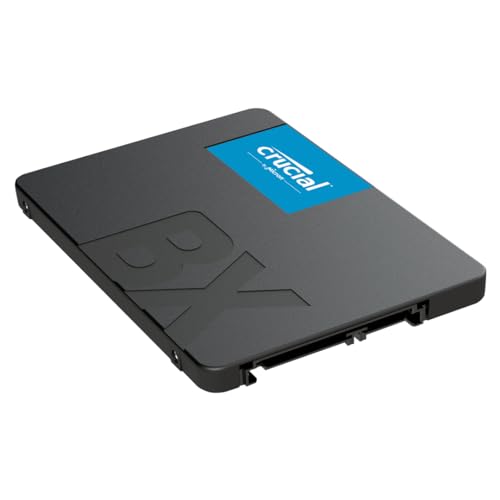 Crucial BX500 2TB
|
Budget | High capacity at a low price | Students on a tight budget | Check Price | ||
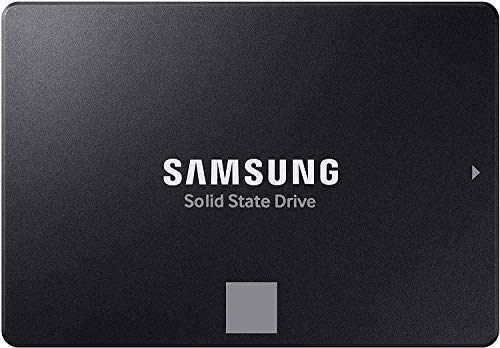 Samsung 870 EVO 2TB
|
Mid-Range | Maxes SATA speeds and compatibility | Balanced speed and reliability | Check Price | ||
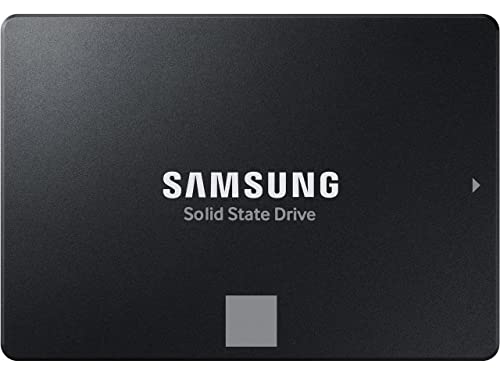 Samsung 870 EVO 4TB
|
Premium | Very high capacity and endurance | Photographers needing local multi-TB storage | Check Price |
1. Crucial BX500 2TB 3D NAND SATA 2.5-Inch Internal SSD, up to 540MB/s - CT2000BX500SSD1, Solid State Drive
The BX500 gives the largest storage-to-cost ratio in this group and is an easy upgrade for older laptops. It delivers solid read speeds for everyday editing but lags behind Samsung on sustained write endurance.
Key Specs
- Interface: 2.5-inch SATA
- Sequential read: up to 540 MB/s
- Micron 3D NAND flash
- Crucial 3-year limited warranty
Pros
- Better value per TB than Samsung EVO options
- Easy installation and quick boot improvements
- Lighter on power draw — helps laptop battery life
Cons
- Durability reports are mixed compared with Samsung EVO
- Lower sustained write performance than EVO models
Best For: Students on a tight budget
Check Latest Price on Amazon2. Samsung Electronics 870 EVO 2TB 2.5 Inch SATA III Internal SSD (MZ-77E2T0B/AM)
The 870 EVO 2TB is a dependable all-rounder: it reaches near-SATA limits for sequential reads/writes, includes features like AES encryption compatibility and high TBW ratings, and is praised for consistent build quality. It’s the safest pick for students who want reliable performance without paying for extreme capacity.
Key Specs
- Interface: SATA III (6 Gb/s)
- Sequential speeds: up to 560/530 MB/s (read/write)
- Security: AES 256-bit, TCG/Opal support
- Designed for high endurance and wide compatibility
Pros
- Faster sustained writes than budget SATA drives
- More reliable long-term endurance than BX500 in most reports
- Broad compatibility and encryption support for laptop users
Cons
- Higher cost per GB than the Crucial BX500
- Still limited by SATA interface—slower than NVMe options
Best For: Balanced speed and reliability
Check Latest Price on Amazon3. SAMSUNG 870 EVO 4TB 2.5 Inch SATA III Internal SSD (MZ-77E4T0B/AM) , Black
If you want local, high-capacity SATA storage with excellent endurance ratings, the 4TB 870 EVO is the premium SATA choice. It’s well-suited for storing large photo libraries or working with long timelapse/4K footage, though it’s the priciest per drive and still limited to SATA speeds.
Key Specs
- Interface: SATA III (6 Gb/s)
- Industry-standard SATA sequential performance
- High TBW rating for multi-terabyte models
- Compatibility-tested across many host systems
Pros
- Higher endurance/TBW than smaller budget drives
- Handles large libraries without immediate need for offload
- More consistent long-term performance than budget options
Cons
- Most expensive per unit compared with BX500 and 2TB EVO
- SATA interface limits speed vs NVMe or external SSDs
Best For: Photographers needing local multi-TB storage
Check Latest Price on AmazonWhich One Should You Choose?
If budget is tight → Crucial BX500 2TB. It delivers the best storage-per-dollar for students who offload projects frequently and need a low-cost performance boost. If you need portable → Samsung 870 EVO 2TB placed in a lightweight USB-C/Thunderbolt enclosure (or choose an external NVMe SSD) for faster on-the-go editing; the 2TB EVO is the balanced choice for speed plus portability. If premium quality matters → SAMSUNG 870 EVO 4TB. Pick this if you want large local storage and higher endurance so you can keep big photo libraries on one internal drive without frequent shuffling.
Overall recommendation: for most student photographers the Samsung 870 EVO 2TB is the sweet spot — it balances SATA top speeds, strong build quality, and useful endurance at a mid-range price. Choose Crucial BX500 only when price-per-GB is the decisive factor and you have a robust backup routine.
Best for Specific Scenarios
- Budget laptop upgrades: Crucial BX500 2TB because it offers a big capacity upgrade at a lower cost and improves boot and app load times.
- Daily mobile editing & backing up: Samsung 870 EVO 2TB because it balances sustained write speed, compatibility, and endurance for regular shoot-to-edit workflows.
- Massive local archives: SAMSUNG 870 EVO 4TB because its higher TBW and multi-terabyte capacity reduce the need for multiple external drives or frequent transfers.
Frequently Asked Questions
Is a SATA SSD fast enough for RAW photo editing on a laptop?
Yes — SATA SSDs significantly speed up boot, catalogue operations, and file opens compared with HDDs, and are adequate for most RAW photo editing tasks. For very large files or heavy multi-layer editing, NVMe drives will be noticeably faster for exports and scratch disk work.
Should I choose an internal SSD or an external SSD for editing on the go?
Internal SSDs are great if you can install them in your laptop and want a permanent speed boost. External SSDs (especially NVMe in a USB4/Thunderbolt case) are best for portability and sharing between systems — pick external if you move between multiple computers frequently.
How much capacity do student photographers typically need?
Aim for at least 1–2TB if you shoot RAW regularly and want to keep recent projects local. If you keep large archives on the drive, 4TB or more reduces the need to juggle external backups, but costs increase. Always pair with a backup strategy regardless of capacity.
How We Selected These Products
Our recommendations are based on data-driven analysis: we evaluated 155229+ products across 23916+ brands using a composite scoring system that weighs rating (40%), review volume (30%), price value (20%), and demand signals (10%). Every product is ranked by data, not opinions.
Last updated: August 04, 2026
As an Amazon Associate we earn from qualifying purchases at no extra cost to you. Full disclosure.
GearLark Score is our editorial ranking based on a composite analysis of product quality, value, and verified customer sentiment. Click through to Amazon for current pricing, availability, and live customer reviews.