As an Amazon Associate we earn from qualifying purchases. Learn more.
How to Build a Compact Photo-Backup Workflow for Move-In Week (2026)
Move‑in week is hectic and dorm rooms have two outlets and zero patience for cables. The problem: you need a fast, compact way to dump camera cards, keep a local copy, optionally make a clone, and push critical photos to the cloud — all without turning your desk into a tangle of drives. This guide shows a low‑clutter, step‑by‑step workflow (cards → SD reader → NVMe/enclosure/portable SSD → cloud) and recommends hardware that balances speed, size, and reliability. Products were chosen for transfer speeds, portability, build quality, interface compatibility (USB4/3.x/Type‑C), and real‑world ease of use for students and content creators on deadline.
Quick Answer
For a compact, low-clutter Move‑In Week photo-backup workflow pick the SAMSUNG T5 EVO Portable SSD (asin B0CMDJXZ19) as your primary fast portable drive — it pairs small size with high capacity and broad compatibility. Pair it with a small NVMe enclosure like the ACASIS TBU 405 Pro or a dual-bay cloner for offline duplicates and cloud sync for off-site safety.
Our Top Picks
Quick Comparison
Select 2-3 products to compare side-by-side
| Compare | Product | GearLark Score | Price Tier | Key Feature | Best For | Action |
|---|---|---|---|---|---|---|
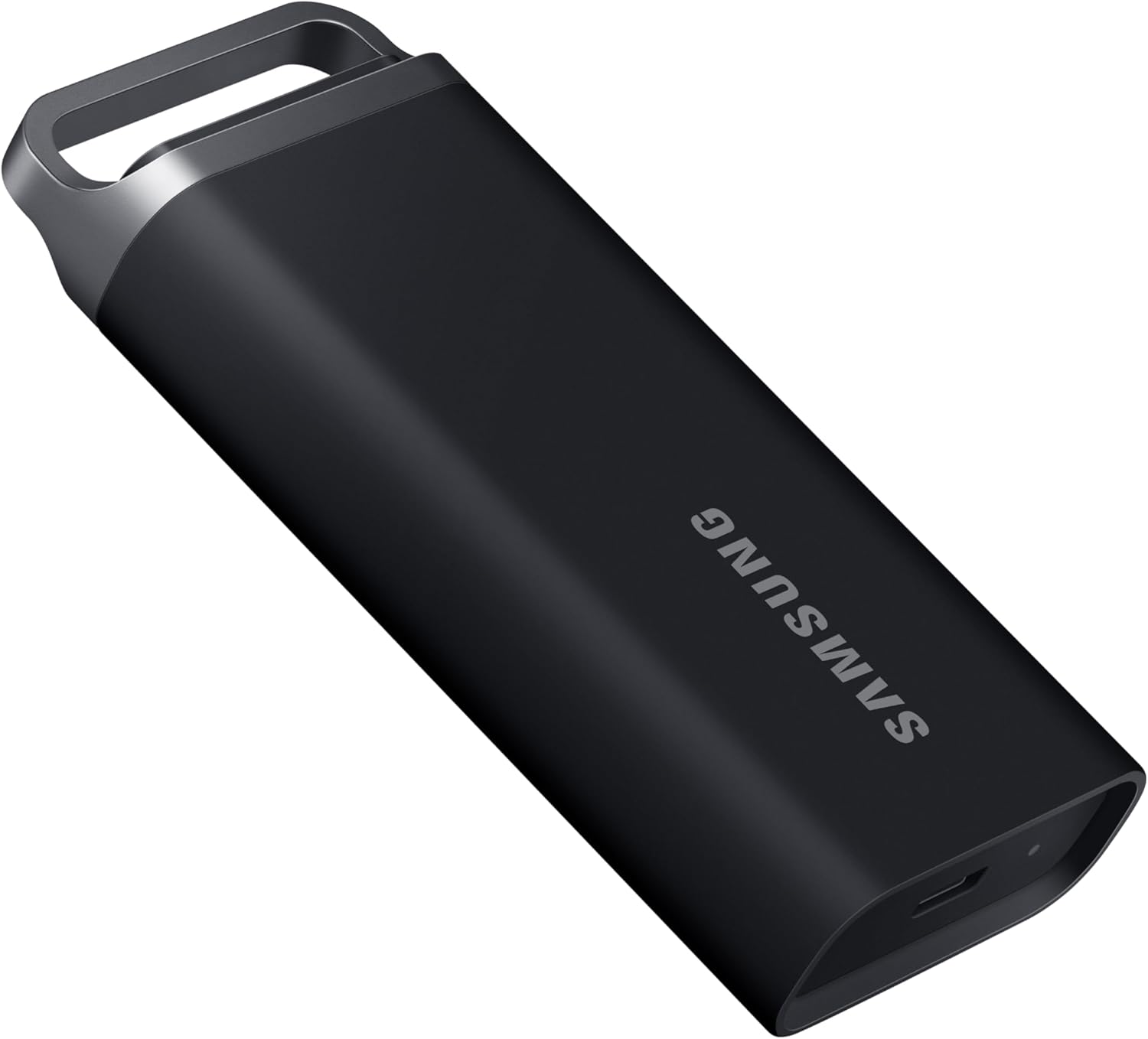 SAMSUNG T5 EVO 4TB
|
Premium | High-capacity, pocketable SSD | Portable primary backup for large shoots | Check Price | ||
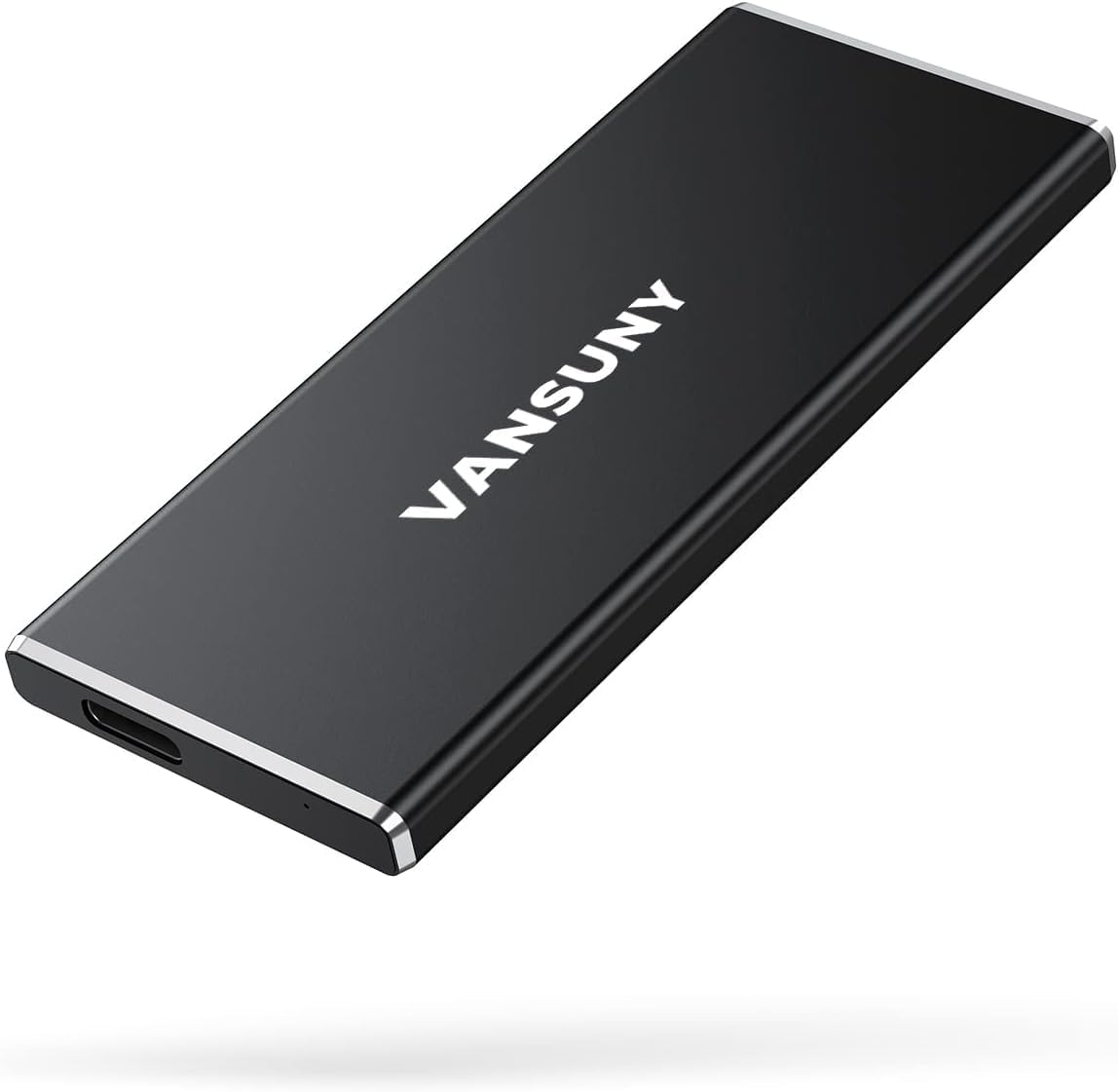 Vansuny 2TB SSD
|
Mid-Range | USB 3.1 Gen2 up to 500MB/s | Students who need strong speed/value tradeoff | Check Price | ||
![[DISCONTINUED] Samsung T1 Portable 500GB USB 3.0 External SSD (MU-PS500B/AM)](/assets/images/products/B00RWXVMRS.jpg) Samsung T1 500GB (Discont.)
Samsung T1 500GB (Discont.)
|
Budget | Ultra-compact legacy SSD | Legacy setups & very small-capacity backups | Check Price | ||
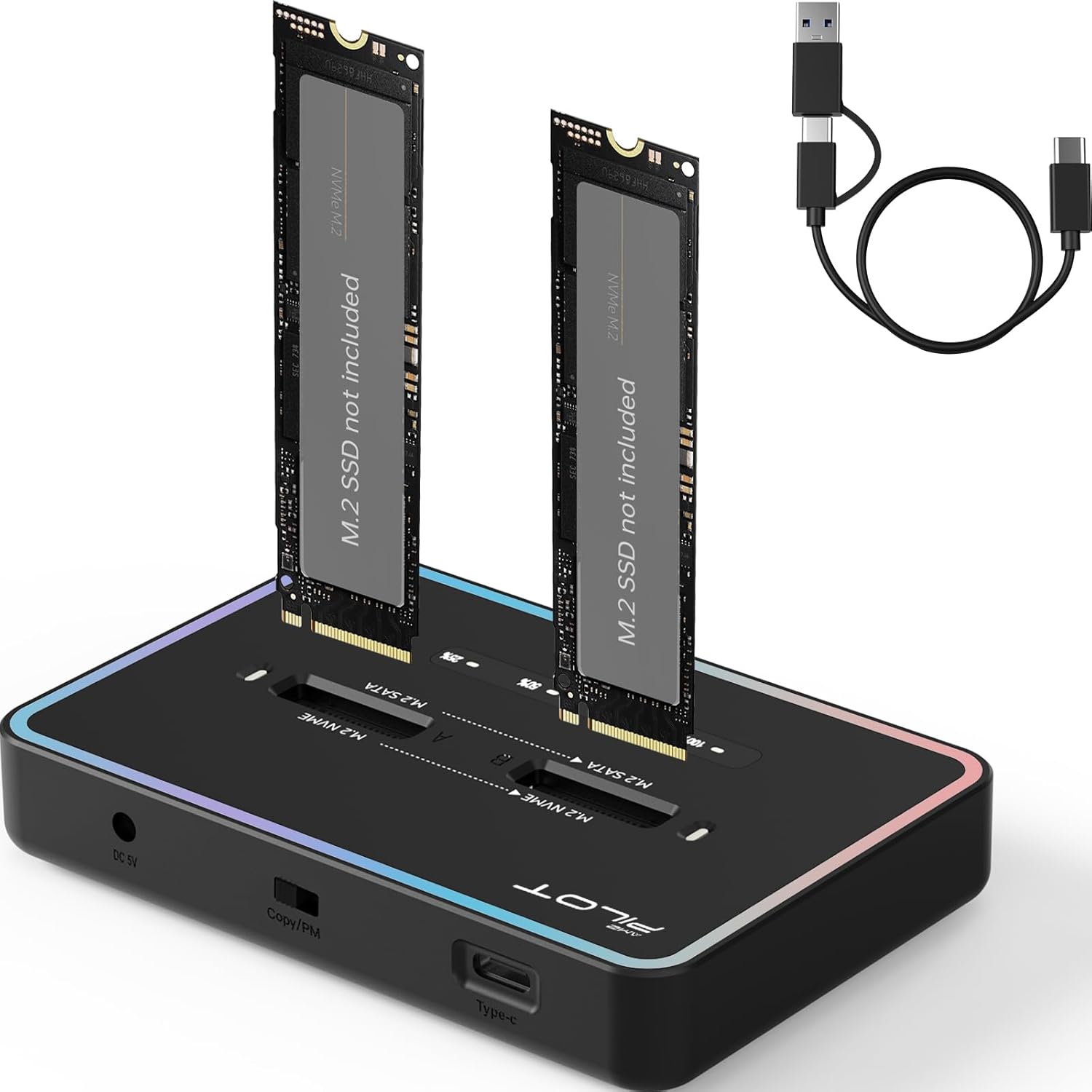 AMZPILOT M.2 Duplicator
|
Premium | Offline one‑button NVMe cloning | Making immediate duplicate copies without a laptop | Check Price | ||
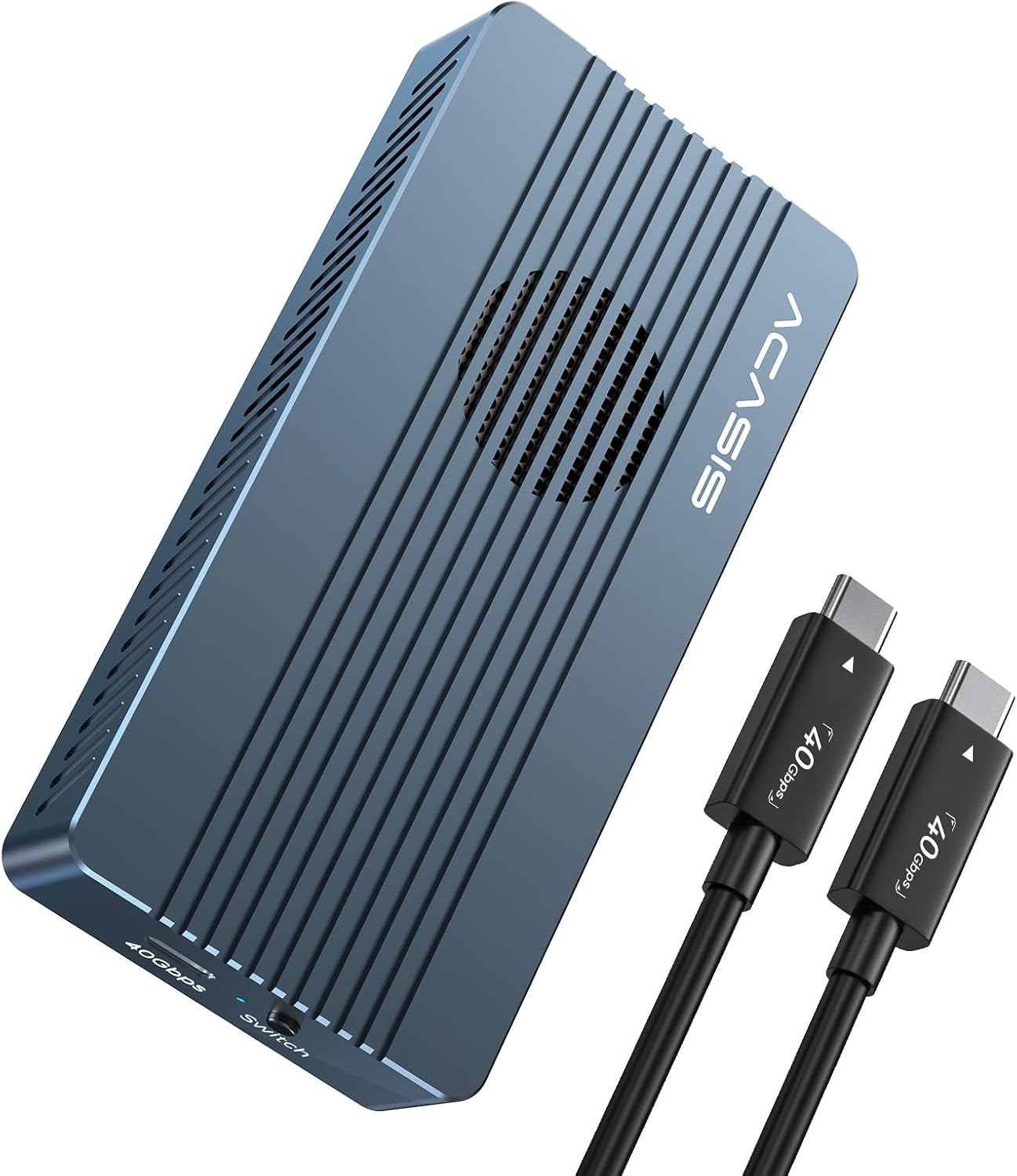 ACASIS TBU 405 PRO
|
Budget | USB4/40Gbps NVMe enclosure with fan | Maximizing NVMe speed from a laptop or iPad | Check Price |
1. SAMSUNG T5 EVO Portable SSD 4TB, USB 3.2 Gen 1 External Solid State Drive, Seq. Read Speeds Up to 460MB/s for Gaming and Content Creation, MU-PH4T0S/AM, Black
The T5 EVO packs high capacity into a pocketable, shock‑resistant enclosure so you can grab a full local backup during move‑in week without extra power bricks. It solves the limited‑outlet, clutter problem by serving as a fast, single-drive landing zone for card dumps before cloud sync.
Key Specs
- Interface: USB 3.2 Gen 1
- Sequential read: up to 460 MB/s (manufacturer spec)
- Capacities: ranges commonly from 2TB–8TB
- Durability: shock-resistant design, drop protection
Pros
- Compact, pocketable size for dorm travel
- Large capacities let you keep full local photo archives
- Solid build quality and wide device compatibility
Cons
- Some users report inconsistent speeds in real use
- Mixed reports about long-term reliability and value
Best For: Portable primary backup for large shoots
Check Latest Price on Amazon2. Vansuny 2TB Portable External SSD, USB 3.1 Gen2 Up to 500MB/s Solid State Drive, Metal USB C Mini Portable External Hard Drive for PC, Laptop, Phones and More
Vansuny offers a compact metal-bodied SSD with advertised Gen2 speeds that make quick card dumps and transfers possible in tight dorm setups. It’s a straightforward, value-focused portable drive that solves the need for fast local backups without adding bulk or a power adapter.
Key Specs
- Interface: USB 3.1 Gen2 (Type‑C)
- Read/write: up to ~500/450 MB/s (manufacturer spec)
- Construction: metal casing for heat dissipation
- Compatibility: Windows, macOS, Android
Pros
- Very good speed-to-price balance for quick backups
- Compact, metal build feels durable and dissipates heat
- Includes cables/adapters to reduce extra purchases
Cons
- Some reports of drives failing or losing data over time
- Occasional compatibility issues with certain systems
Best For: Students who need strong speed/value tradeoff
Check Latest Price on Amazon3. [DISCONTINUED] Samsung T1 Portable 500GB USB 3.0 External SSD (MU-PS500B/AM)
The Samsung T1 is a compact legacy SSD built for speed and portability; it still represents a useful option if you find a unit second‑hand. It addresses the clutter problem by being tiny and easy to stash, though capacity and modern interface features are limited compared with newer models.
Key Specs
- Interface: USB 3.0
- Sequential speed: up to ~450 MB/s (manufacturer spec)
- Encryption: AES 256‑bit password protection
- Form factor: credit‑card‑small, very lightweight
Pros
- Extremely small and lightweight for minimalist setups
- Fast transfers vs older HDD alternatives
- Built-in encryption option for extra security
Cons
- Discontinued — limited capacity and modern features
- Some users report connection issues or early failures
Best For: Legacy setups & very small-capacity backups
Check Latest Price on Amazon4. M.2 Duplicator Cloner Dual-Bay Offline USB C to NVME SATA Docking Station, M.2 Reader 20Gbps for Both (M Key, B+M Key) PCIE NGFF Dock, Size 22110 2280 2260 2242 2230 Enclosure - NN/SS RGB
This dual‑bay M.2 duplicator lets you create an offline clone of an NVMe or SATA M.2 drive with a single button press — ideal for archiving cards to two drives before formatting. It removes the need for a laptop or multiple outlets during a busy move‑in dump-and-store workflow.
Key Specs
- Function: Offline one-button clone (NVMe↔NVMe or SATA↔SATA)
- Interface: USB‑C up to 20Gbps to host (Gen 2x2 spec)
- Supported sizes: 2230/2242/2260/2280/22110
- Capacity support: up to 8TB total (manufacturer guidance)
Pros
- Tool‑free installation and true offline cloning
- Good transfer rates for NVMe-to-host transfers
- Handy for making immediate second copies for redundancy
Cons
- Compatibility quirks — only supports same‑protocol cloning
- Reports of drive recognition issues and some reliability concerns
Best For: Making immediate duplicate copies without a laptop
Check Latest Price on Amazon5. ACASIS 40Gbps M.2 NVMe SSD Enclosure, with Cooling Fan, TBU 405 Pro for M1 M2 Pro/Max, Compatible with USB4/USB3.2/3.1/3.0/2.0, M.2 Enclosure Support 2280/2260/2242/2230 (TBU405 Pro)
The ACASIS TBU 405 Pro turns an M.2 NVMe module into a pocketable, very fast external drive with a built‑in cooling fan — great for lightning card dumps on a USB4/Thunderbolt or USB‑C laptop. It provides the highest transfer ceiling here while staying compact and travel friendly.
Key Specs
- Interface: JHL7440 chipset, USB4/40Gbps compatible
- Performance: up to several GB/s depending on SSD (manufacturer test)
- Cooling: built‑in fan + aluminum alloy shell
- Supported M.2 sizes: 2230/2242/2260/2280
Pros
- Blazing potential speeds on USB4/Thunderbolt hosts
- Built-in fan keeps drives cooler under sustained loads
- Pocketable and compatible with modern Mac and PC
Cons
- Mixed long-term reliability reported by some users
- Fan and enclosure add complexity vs simple portable SSDs
Best For: Maximizing NVMe speed from a laptop or iPad
Check Latest Price on AmazonWhich One Should You Choose?
If budget is tight → ACASIS TBU 405 Pro (B0C8CZB5S7) is the best way to get NVMe speeds using a single enclosure and an existing M.2 drive. If you need the simplest, most portable all‑in‑one backup drive → SAMSUNG T5 EVO (B0CMDJXZ19) is the best overall pick for large, hassle‑free local backups. If you want the best speed-to-price product for everyday card dumps → Vansuny 2TB Portable SSD (B0DSJ46MXV) gives fast transfers at a lower mid‑range cost. If you need to make immediate second copies without a laptop → AMZPILOT M.2 Duplicator (B0CXMRD1M9) provides offline cloning capability.
Best for Specific Scenarios
- Quick card dumps between classes: ACASIS TBU 405 Pro because its USB4/40Gbps ceiling and active cooling let you clear dozens of GB quickly without throttling.
- Minimalist move‑in backup (one drive/one cable): SAMSUNG T5 EVO because it combines high capacity and pocketable design so you can store full photo archives on a single drive.
- Immediate redundancy before cloud upload: AMZPILOT M.2 Duplicator because it can make an offline clone to a second M.2 drive without a laptop or extra software.
Frequently Asked Questions
How do I set up a low‑clutter backup station with only two outlets?
Use a single fast, bus‑powered SSD (like the SAMSUNG T5 EVO or a Vansuny drive) plugged into your laptop’s USB‑C port. Add a compact powered multi‑card reader that draws from the same laptop USB port or a single outlet via a small USB‑C hub. If you need a duplicator, plug the duplicator into the second outlet and run the offline clone while the SSD handles day‑to‑day backups.
Can I back up straight from SD cards without a laptop?
Yes — an M.2 duplicator can clone between internal drives without a computer, and some dedicated card‑to‑SSD devices exist. However, the simplest route is a small USB card reader + portable SSD connected to a laptop/phone for control, or an offline duplicator if you need two independent copies immediately.
Should I buy an NVMe enclosure or a portable SSD for move‑in week?
If you already own an NVMe module and a USB4/Thunderbolt host, an enclosure like the ACASIS TBU 405 Pro gives the best speed per dollar. If you want an all‑in‑one, bus‑powered, fully enclosed solution with fewer compatibility steps, a portable SSD (SAMSUNG T5 EVO or Vansuny) is easier and less fussy for dorm setups.
What’s the best way to get photos off local drives to the cloud with slow dorm Wi‑Fi?
Prioritize local redundancy first: make two local copies (SSD + enclosure or duplicator). Then schedule cloud uploads during off‑peak hours (overnight) or use campus wired connections where possible. Another option is to seed cloud storage at a friend’s place with faster upload speeds, or use a phone hotspot briefly for small critical folders.
How much storage should I bring for a semester of photo work?
Estimate by shooting habits: casual shooting may fit on 1–2TB; frequent RAW/4K work benefits from 4TB or more. If you shoot a lot, choose a larger portable SSD (2–4TB+) and keep a second backup drive or use cloud as the second copy.
How We Selected These Products
Our recommendations are based on data-driven analysis: we evaluated 155229+ products across 23916+ brands using a composite scoring system that weighs rating (40%), review volume (30%), price value (20%), and demand signals (10%). Every product is ranked by data, not opinions.
Last updated: September 21, 2026
As an Amazon Associate we earn from qualifying purchases at no extra cost to you. Full disclosure.
GearLark Score is our editorial ranking based on a composite analysis of product quality, value, and verified customer sentiment. Click through to Amazon for current pricing, availability, and live customer reviews.