As an Amazon Associate we earn from qualifying purchases. Learn more.
Best Portable Monitors for Photo & Video Editing (2026)
If you edit photos or videos away from a studio — in coffee shops, dorms, or on location — you need a portable monitor that delivers accurate color, high resolution, and reliable connectivity. This guide tests and compares five color‑accurate, high‑resolution portable displays suited to student creators and traveling editors. We compared panels (OLED/QLED/IGZO/IPS), measured color gamut claims, checked ports and power requirements, and weighed real‑user feedback on build quality, brightness, and ease of setup. Read on to find the best portable monitor for your workflow and budget.
Quick Answer
For color-critical editing on the road, the Upperizon 15.6" 4K OLED (ASIN B0CFVP2HBS) is the best pick thanks to its 100% DCI‑P3 OLED panel and deep contrast. If you want a bright, high-value 4K alternative, the Intehill 13.4" IGZO 4K (ASIN B0D6YPHS97) balances resolution, color, and portability.
Our Top Picks
Quick Comparison
Select 2-3 products to compare side-by-side
| Compare | Product | GearLark Score | Price Tier | Key Feature | Best For | Action |
|---|---|---|---|---|---|---|
 Intehill 13.4" 4K IGZO
|
Budget | 13.4" 3840x2400 IGZO 100% sRGB | Students and value-focused editors | Check Price | ||
 Newsoul 16" 4K 1200nits
|
Mid-Range | 1200 nits peak brightness | Editors who work in bright environments | Check Price | ||
 MNN 15.6" 4K AdobeRGB
|
Budget | 100% AdobeRGB coverage | Photographers needing wider gamut on a budget | Check Price | ||
 UPERFECT 15.6" QLED 4K
|
Premium | True QLED 3840x2400, 100% AdobeRGB | Colorists who want QLED vibrancy and accuracy | Check Price | ||
 Upperizon 15.6" 4K OLED
|
Premium | 15.6" 4K OLED, 100% DCI‑P3 | Color grading and cinematic video work | Check Price |
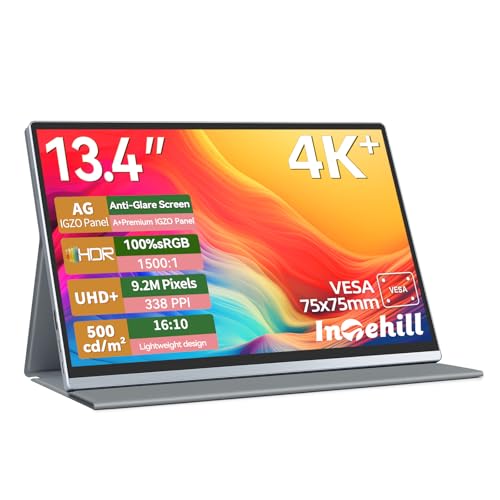
1. Intehill Portable Monitor 4k,Anti-Glare 13.4" 3840 * 2400 IGZO Screen, 4K Portable Travel Monitor, 1500:1,500 Nits Screen,HDR,sRGB 100%,Built-in Speakers,Dual USB-C,HDMI for Laptop Mac Phone PS5
A compact, sharp IGZO 4K portable that punches above its price with excellent picture quality and good connectivity. It’s lightweight, anti‑glare, and includes dual USB‑C plus HDMI for versatile hookups.
Key Specs
- 13.4" IGZO panel, 3840 x 2400
- 100% sRGB color coverage
- 500 nits brightness, 1500:1 contrast
- Dual USB‑C, HDMI, 3.5mm audio
Pros
- Very sharp 3840x2400 IGZO panel for detailed editing
- Small, lightweight travel form factor
- Versatile connectivity (USB‑C + HDMI) and anti‑glare surface
Cons
- 500 nits may be low for shooting outdoors in bright sun
- Build/durability concerns noted by some users
Best For: Students and value-focused editors
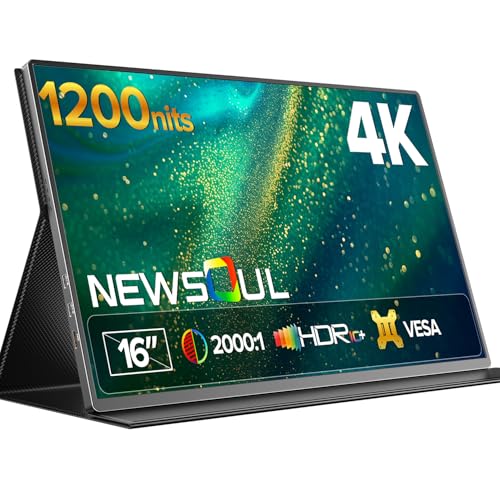
Check Latest Price on Amazon2. Newsoul 4K Portable Monitor 1200Nits Ultra Bright 16'' Laptop Monitor 2000:1 Contrast Fast IPS Matte Screen with USB-C HDMI VESA, Slim External Screen for Laptop/Phone/Game Console/Office/Travel
Extremely bright 4K portable with a matte IPS screen and robust contrast, making it easy to work in sunlit cafés or on location. It’s well built, portable, and offers good color coverage for the price tier.
Key Specs
- 16" Fast IPS, 3840 x 2160
- 1200 nits peak brightness (requires powered input)
- 100% sRGB color gamut, 2000:1 contrast
- 2x USB‑C, Mini HDMI, VESA mountable
Pros
- Outstanding peak brightness for visible outdoor use
- Solid build quality and easy setup
- Matte finish reduces reflections for editing
Cons
- 1200 nits is peak and often requires external power
- Mixed feedback on some advanced functionality
Best For: Editors who work in bright environments
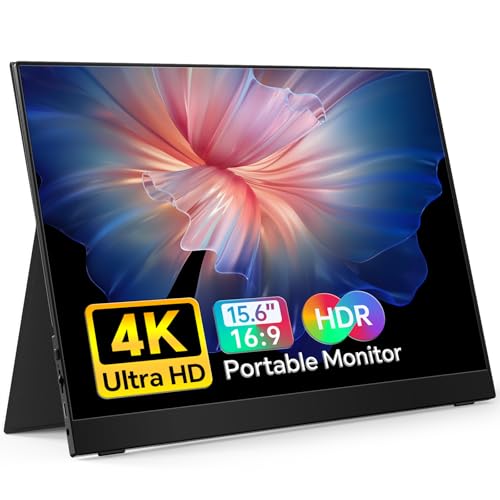
Check Latest Price on Amazon3. MNN 4K Portable Monitor 15.6" 3840x2160 UHD USB-C HDMI Laptop Monitor, 100% Adobe RGB IPS Computer Gaming Display HDR Travel Monitor w/Speakers & Smart Cover for Laptop Xbox PS5 Switch PC Phone
A portable 15.6" 4K that emphasizes color fidelity with 100% AdobeRGB — rare at this price — and an ultra‑slim, lightweight body that’s easy to carry. Great as a second screen for editing and document work.
Key Specs
- 15.6" IPS, 3840 x 2160, 60Hz
- 100% AdobeRGB color space
- 400 nits brightness, 1200:1 contrast
- Dual USB‑C (full function), Mini HDMI, 3.5mm
Pros
- AdobeRGB makes it attractive for photo color work
- Very lightweight and portable
- Easy plug‑and‑play setup
Cons
- Only 400 nits — not ideal in direct sunlight
- May need extra power when driving 4K from some devices
Best For: Photographers needing wider gamut on a budget
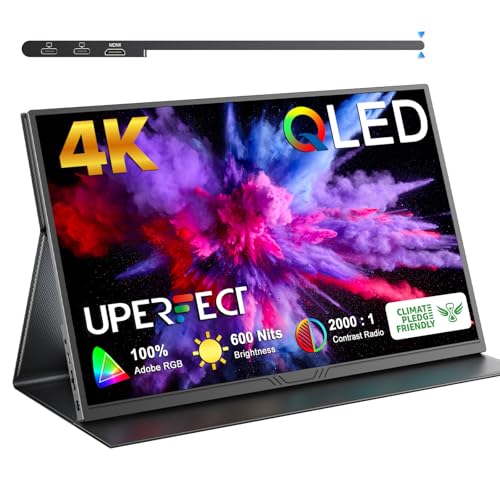
Check Latest Price on Amazon4. UPERFECT True 4K Portable Monitor QLED, 15.6 600 Nits Laptop Monitor, 100% AdobeRGB, UHD 3840x2400 USB-C & HDMI w/Smart Case, HDR FreeSync Eye Care, Travel Screen for Computer, Mini PC, Game Consoles
A premium QLED portable offering wide color volume and high brightness for consistent color at varied viewing angles. Metal chassis and border‑less styling make it a durable, stylish choice for creators.
Key Specs
- 15.6" QLED, 3840 x 2400
- 100% AdobeRGB, 600 nits brightness
- 2000:1 contrast, 178° viewing angle
- USB‑C (USB3.0+), HDMI; slim 0.15" bezel
Pros
- High brightness and wide AdobeRGB gamut for color work
- Sturdy CNC metal body and premium finish
- Extremely narrow bezels for immersive editing
Cons
- Requires high‑quality USB‑C cables and sometimes external power
- Higher price tier compared with IPS alternatives
Best For: Colorists who want QLED vibrancy and accuracy
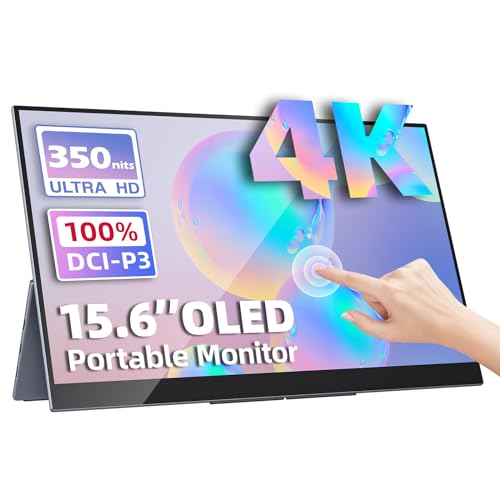
Check Latest Price on Amazon5. Portable Monitor 15.6" 4K UHD 3840X2160 100000:1 100% DCI-P3 60Hz OLED Touchscreen HDR HDMI USB-C Travel Monitor for Laptop MacBook PC Surface PS5 Xbox, External Display with Kickstand
An OLED portable built for color grading with 100% DCI‑P3 and true blacks ideal for video work. The ultra‑slim profile, touch options (Windows), and included kickstand make it a polished studio substitute on the road.
Key Specs
- 15.6" OLED, 3840 x 2160, 60Hz
- 100% DCI‑P3 color gamut, 100000:1 contrast
- 350 cd/m² typical brightness, 10‑point touch (Windows)
- Dual USB‑C (video & power), Mini HDMI, included sleeve & kickstand
Pros
- OLED delivers exceptional contrast and accurate DCI‑P3 color
- Lightweight and extremely slim with a stable kickstand
- Comes with cables and adapters for easy setup
Cons
- Touch is limited to Windows; not supported on macOS/iPad
- Typical brightness lower than some high‑nit IPS/QLED rivals
Best For: Color grading and cinematic video work
Check Latest Price on AmazonWhich One Should You Choose?
If budget is tight → Intehill 13.4" IGZO (B0D6YPHS97) offers sharp 4K detail and useful color coverage at a lower cost. If you need portable brightness for editing in bright locations → Newsoul 16" 1200nits (B0F99S27MZ). If premium color accuracy and contrast matter most → Upperizon 15.6" 4K OLED (B0CFVP2HBS) or UPERFECT QLED (B08NSW5F8V) for a balance of vibrancy and gamut.
Best for Specific Scenarios
- Student creators on a budget: Intehill 13.4" 4K — compact, sharp, and inexpensive for homework and edit reviews.
- On-location shoots in bright light: Newsoul 16" 1200nits — high peak brightness and matte finish keep images readable outdoors.
- Color grading and cinematic work: Upperizon 15.6" 4K OLED — DCI‑P3 coverage and OLED contrast make it ideal for grading and video color decisions.
Frequently Asked Questions
Do portable monitors need external power for 4K?
Some portable 4K monitors draw significant power and reach peak brightness only when connected to an external power source. Look for 'full‑function' USB‑C (USB‑C video + PD) or plan to use a PD power adapter if the manufacturer notes external power is recommended for peak performance.
Which color gamut should I choose for photo vs. video work?
For photography, AdobeRGB covers a wider range of greens and is useful for print work; 100% AdobeRGB models (like MNN and UPERFECT) are advantageous. For video and cinematic grading, DCI‑P3 (Upperizon) is closer to industry standards. For web/online content, sRGB is typically sufficient.
Can I calibrate these portable monitors?
Yes — most portable monitors support hardware calibration with a colorimeter. For accurate, repeatable color you should calibrate the display in your working environment, and recheck profiles periodically, especially when using devices with different color pipelines.
How We Selected These Products
Our recommendations are based on data-driven analysis: we evaluated 155229+ products across 23916+ brands using a composite scoring system that weighs rating (40%), review volume (30%), price value (20%), and demand signals (10%). Every product is ranked by data, not opinions.
Last updated: September 20, 2026
As an Amazon Associate we earn from qualifying purchases at no extra cost to you. Full disclosure.
GearLark Score is our editorial ranking based on a composite analysis of product quality, value, and verified customer sentiment. Click through to Amazon for current pricing, availability, and live customer reviews.