As an Amazon Associate we earn from qualifying purchases. Learn more.
Best Portable Monitors for College Photo & Video Students (2026 Picks)
If you’re a photo or video student juggling classes, group critiques and on‑location shoots, a color-accurate portable monitor can make the difference between sloppy grading and professional edits. This guide tests lightweight, battery- or USB-powered monitors and useful accessories that fit inside a backpack and perform well in dorm rooms, lecture halls and coffee‑shop edit sessions. We prioritized color accuracy, true portability, battery/USB power options, and real-life classroom workflow—then matched features to student use cases so you can pick the best monitor for campus life in 2026.
Quick Answer
For most college photo and video students who need color-accurate, portable screens, the MAGICRAVEN Dual Laptop Screen Extender (B0DRP3RJLV) is the best premium multi-screen solution for on‑laptop editing. If you want an ultra-light standalone travel monitor, the ARZOPA 15.6" (B0CH9XW8RK) balances size, weight and image quality for field edits.
Our Top Picks
Quick Comparison
Select 2-3 products to compare side-by-side
| Compare | Product | GearLark Score | Price Tier | Key Feature | Best For | Action |
|---|---|---|---|---|---|---|
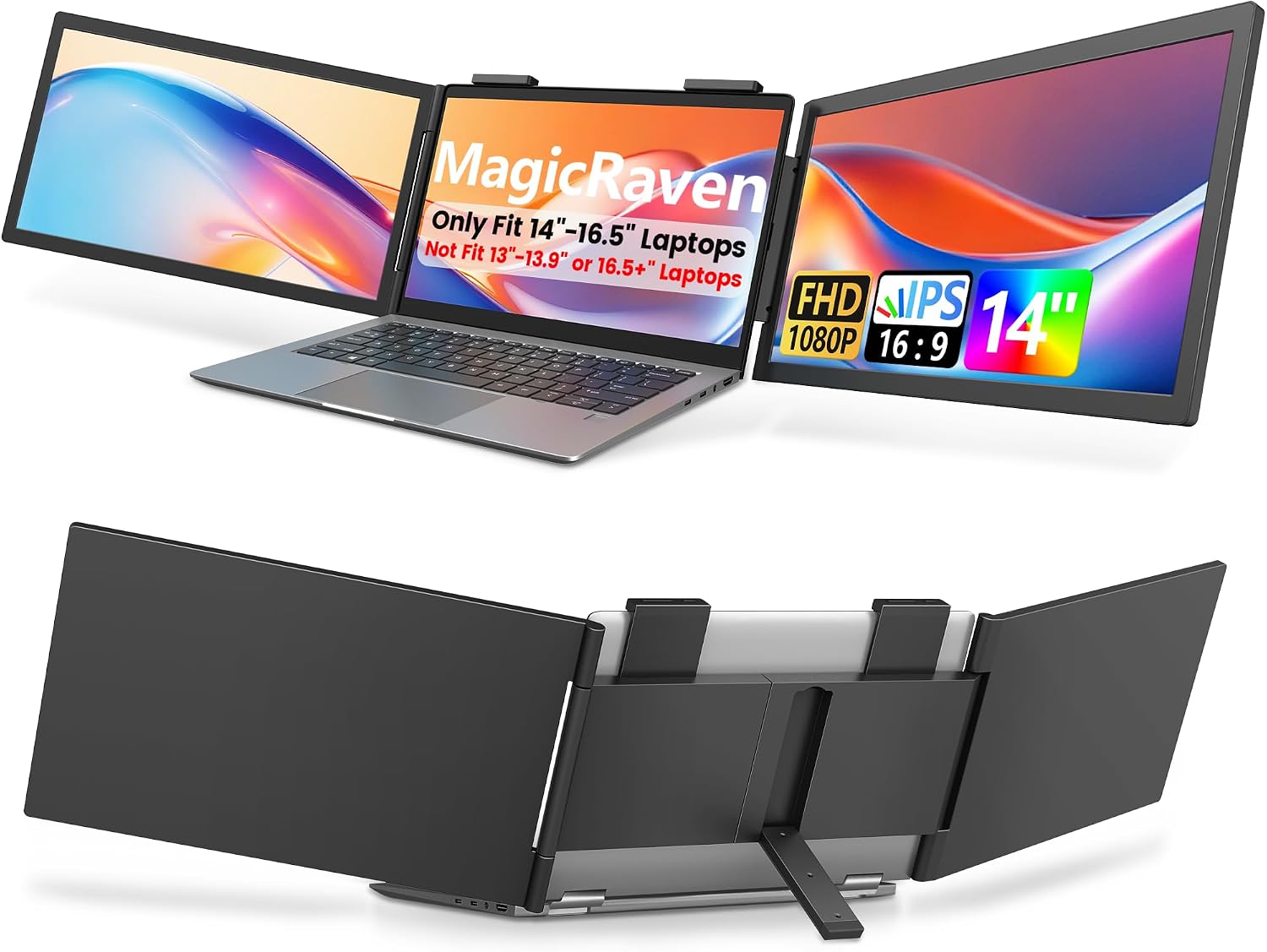 MAGICRAVEN Dual Extender
|
Premium | Attachable triple-screen (100% sRGB) | Students needing multi-screen editing | Check Price | ||
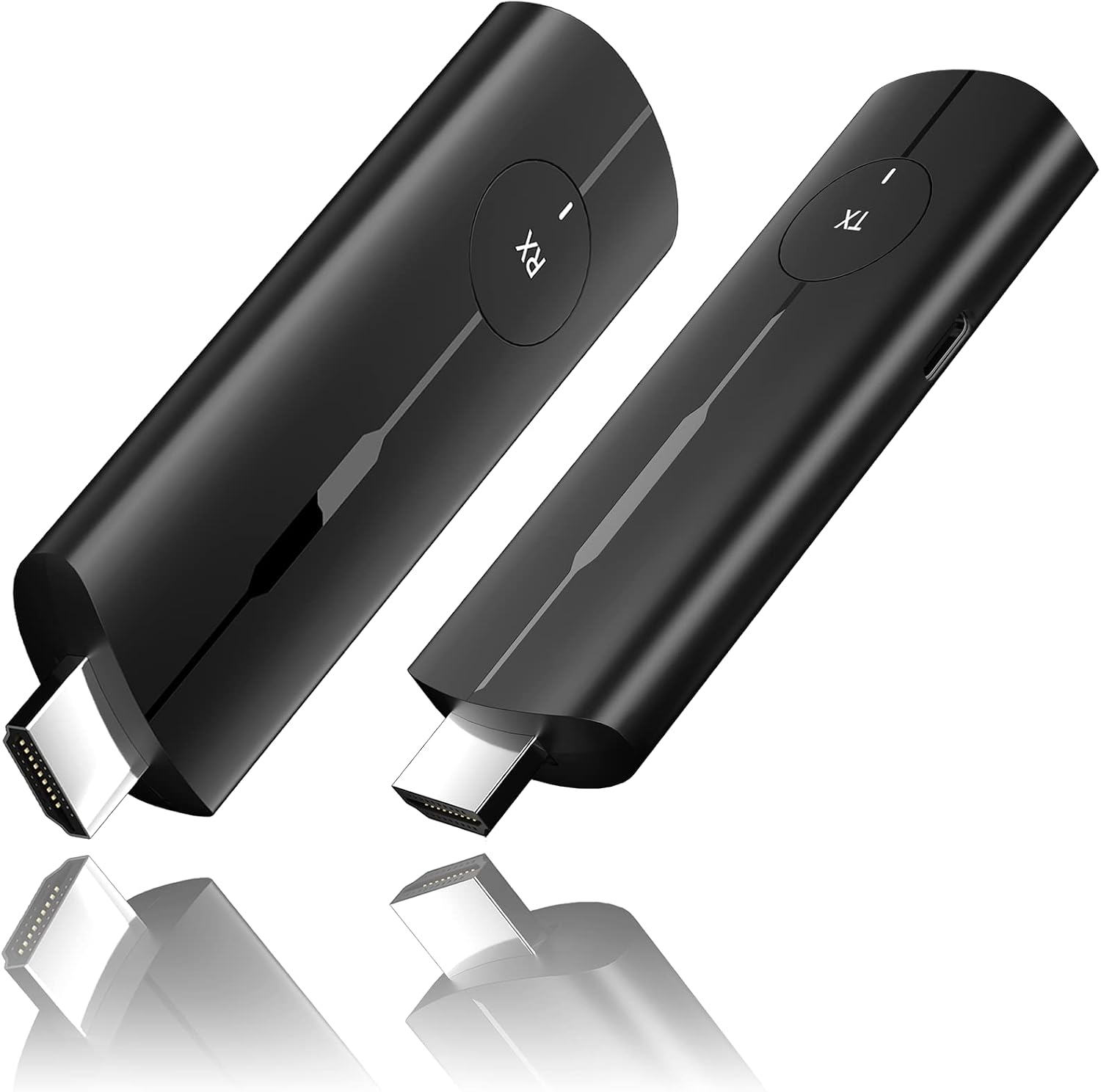 OSDTKRU Wireless HDMI Kit
|
Premium | 1080p60 wireless HDMI up to 98 ft | Group critiques and wireless monitoring | Check Price | ||
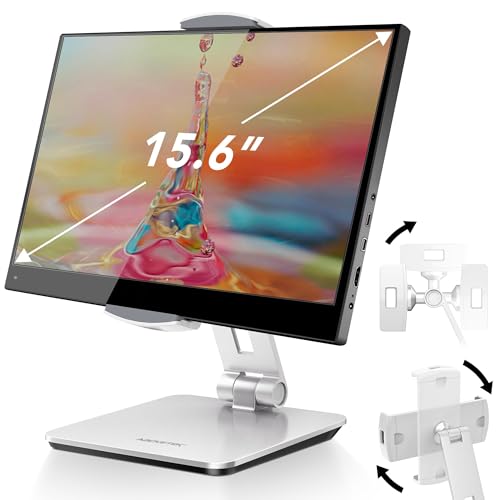 AboveTEK Monitor Stand
|
Budget | Heavy base, 360° swivel | Stable desk setup and vertical critiques | Check Price | ||
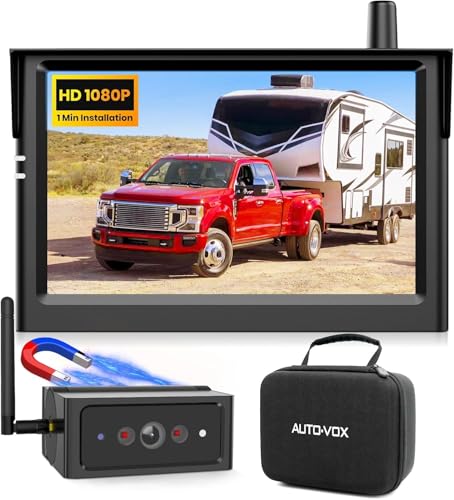 AUTO VOX 5" Portable Monitor
|
Mid-Range | 5" wireless 1080P monitor + magnetic camera | Vehicle-based field shoots and mobile monitoring | Check Price | ||
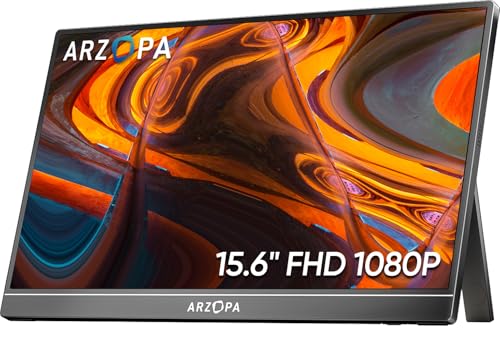 ARZOPA 15.6" FHD
|
Mid-Range | Ultra-slim 15.6" IPS, 1.6 lb | Lightweight travel edits and on-campus critiques | Check Price | ||
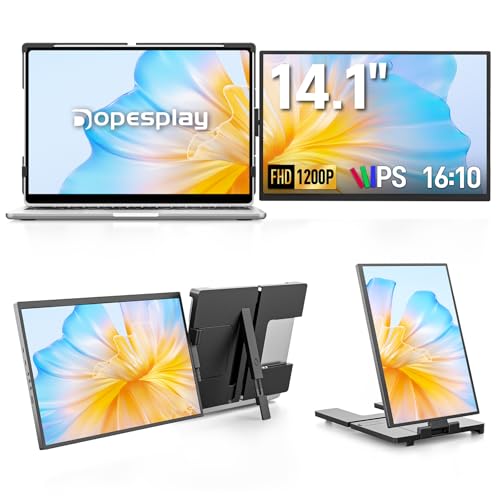 Dopesplay 14" Extender
|
Budget | 14" 1920×1200 (16:10) attachable screen | Budget-conscious students wanting extra screen space | Check Price |
1. Dual Laptop Screen Extender, 14" 1080P IPS Portable Triple Monitor for 14-16.5" Laptops with USB-C Port, Plug and Play, Attachment Screen for Windows/Mac/Android/Switch/PS5/Xbox
A premium attachable extender that turns a laptop into a dual/triple‑screen workstation with full‑sRGB IPS panels—great for timeline/panel separation during edits and in-class critiques. It’s portable but heavier than slim standalone monitors and has mixed feedback on bracket durability.
Key Specs
- 14" FHD IPS (1920×1080)
- 100% sRGB color coverage, 300 nits brightness
- Plug & play via USB-C (single cable on Windows)
- Fits 14"–16.5" laptops; rotates ~250°; weighs ~3.4 lb
Pros
- Excellent color coverage for accurate grading
- Plug-and-play saves setup time between classes
- Creates true multi‑screen workflow on a single laptop
Cons
- Heavier than slim USB‑C monitors for backpacking
- Some users report bracket/sturdiness and durability issues
Best For: Students needing multi-screen editing
Check Latest Price on Amazon2. Wireless HDMI Transmitter and Receiver, Plug & Play Portable Wireless HDMI Extender Kit for Streaming Video and Audio to HDTV/Projector/Monitor from Laptop/PC/TV Box., Black
Not a monitor but an essential accessory: this wireless HDMI kit sends 1080p/60 video to a nearby display without cables—perfect for show-and-tell in critique rooms or streaming a camera feed to a classroom monitor. It’s plug‑and‑play and power‑flexible but depends on a receiving display.
Key Specs
- 1080p @ 60Hz wireless transmission
- Up to ~98 ft (30 m) line-of-sight range
- Plug-and-play; no Wi‑Fi or apps required
- Receiver powered by USB‑C (can draw from monitor)
Pros
- Eliminates messy HDMI runs for group critiques
- Stable signal and easy setup between campus rooms
- Works with many HDMI-equipped monitors and projectors
Cons
- Requires an HDMI display at the receiver end
- Latency and range depend on environment and interference
Best For: Group critiques and wireless monitoring
Check Latest Price on Amazon3. AboveTEK Business Kiosk Aluminum Tablet iPad Stand, 360 Swivel Tablet & Phone Holders for Any 4"-15.6" Display Tablets/Cell Phones/Portable Monitor, Sturdy for Store POS Office (Silver)
A budget aluminum stand that adapts to tablets and portable monitors up to 15.6"—handy for setting a monitor at eye level during critiques, recording lectures, or charging while editing. It’s heavy and steady, though some users report slipping with certain device sizes.
Key Specs
- Fits 4"–15.6" displays
- Aluminum construction with rubber padding
- 360° swivel and 220° tilt range
- Weighted base with cable routing holes
Pros
- Very stable for desktop critique setups
- Adjustable to portrait or landscape grading
- Affordable and versatile across devices
Cons
- Larger monitors may slip with certain angles
- Not useful when you need a true portable screen on the go
Best For: Stable desk setup and vertical critiques
Check Latest Price on Amazon4. AUTO VOX Wireless Backup Camera Magnetic: 5" Portable No Wiring 1 Min Install Trailer Hitch Camera, 2-Channel HD 1080P Car Monitor & IR Night Vision Back Up Camera Systems for Truck, RV, Camper
A purpose-built wireless monitor/camera kit for vehicles that doubles as a small portable 5" display. Its long battery life and magnetic mount make it useful for campus vehicle shoots, gimbal checks or remote camera monitoring, though it’s not a color‑calibrated editing display.
Key Specs
- 5" monitor with 1080P input
- Wireless camera with IR night vision
- Magnetic mount, quick install, IP69K weather rating
- Battery operation claimed for long sessions
Pros
- Truly portable and battery-powered for field work
- Strong wireless signal and easy install on vehicles
- Good clarity and night vision for location monitoring
Cons
- Small screen not suited to color‑critical grading
- Designed for vehicle backup use rather than studio color accuracy
Best For: Vehicle-based field shoots and mobile monitoring
Check Latest Price on Amazon5. ARZOPA Portable Monitor 15.6'' FHD 1080P - Ultra-Slim Portable Laptop Monitor with Kickstand - IPS Display for PC, MAC, Phone, Xbox, PS5 - USB C & HDMI Connectivity - A1
A slim, metal-built 15.6" IPS monitor that’s popular for travel—lightweight at ~1.6 lb and easy to pair via USB‑C or HDMI. It offers solid picture quality and portability for students who need a consistent second screen between dorm, studio and cafés, though it lacks an integrated battery.
Key Specs
- 15.6" FHD IPS (1920×1080)
- Ultra-slim metal build, ~1.6 lb, 0.35" thick
- USB-C and HDMI inputs, built-in adjustable kickstand
- 178° viewing angle, plug-and-play
Pros
- Very lightweight and fits in most laptop sleeves
- Good picture quality and build for the price tier
- Easy to set up between camera, phone and laptop
Cons
- No internal battery—needs USB power or power bank
- Not a true color‑calibration monitor out of the box
Best For: Lightweight travel edits and on-campus critiques
Check Latest Price on Amazon6. Laptop Screen Extender, 14" FHD 1200P IPS External Portable Monitor for Laptop, Plug & Play Dual Screen Monitor for 14"-17" Laptops, Compatible with Mac, Wins, Chrome, Android, Dex
A budget attachable screen with a 16:10 1920×1200 IPS panel that increases vertical space for timelines and scopes. It’s lightweight and easy to pack, but some buyers report mixed functionality depending on the laptop model.
Key Specs
- 14" FHD+ (1920×1200), 16:10 aspect ratio
- Single USB‑C plug-and-play plus HDMI options
- Foldable/detachable design; fits 14"–17.3" laptops
- Adjustable kickstand; customizable brightness/contrast
Pros
- Excellent value and vertical space for editing timelines
- Light and travel-friendly for campus carry
- Simple plug-and-play setup for many devices
Cons
- Functionality can vary by laptop; some incompatibilities reported
- Build durability is mixed in user reports
Best For: Budget-conscious students wanting extra screen space
Check Latest Price on AmazonWhich One Should You Choose?
If budget is tight → Dopesplay (B0D7V6FGCD) gives the best value for extra screen real estate. If you need the lightest, most travel-friendly standalone monitor → ARZOPA 15.6" (B0CH9XW8RK). If you want a premium multi‑screen laptop setup for fast editing and critiquing → MAGICRAVEN (B0DRP3RJLV). If your workflow needs wireless display sharing in classrooms → OSDTKRU Wireless HDMI Kit (B0D2WKKG7D).
Best for Specific Scenarios
- Quick dorm edits between classes: ARZOPA 15.6" because it’s ultra‑slim, light and sets up fast with USB‑C.
- Group critique presentation in a classroom: OSDTKRU Wireless HDMI Kit because it streams your laptop or camera to a projector/monitor with no cable run across the room.
- Multi‑panel timeline work on a laptop: MAGICRAVEN dual/triple extender because it creates extra screens for timelines, scopes and tools without carrying a second full monitor.
- On‑vehicle location monitoring or camera checks: AUTO VOX because its battery, magnetic mount and wireless camera are convenient for vans or mobile rigs.
- Budget extra screen for editing timelines: Dopesplay 14" extender for vertical space and timeline visibility without breaking the student budget.
Frequently Asked Questions
Do portable monitors need their own battery?
Not always. Some portable monitors include internal batteries for untethered use, but many slim USB‑C monitors run from your laptop’s USB‑C power or from a common USB power bank. If you’re often outside classrooms or on location, look for a built‑in battery or confirm the monitor supports power‑bank operation.
Are these monitors color‑accurate enough for grading?
Many portable IPS panels deliver good color for editing and critique, especially those advertising 100% sRGB or factory calibration. For final color grading or print submissions, use a colorimeter to profile the monitor or compare on a calibrated studio display.
Can I use a wireless HDMI kit to send my camera feed to a classroom display?
Yes—plug a camera or laptop HDMI output into the transmitter and the receiver into the classroom display. Wireless kits like the OSDTKRU model are plug‑and‑play for 1080p feeds and save time running long HDMI cables across rooms.
How We Selected These Products
Our recommendations are based on data-driven analysis: we evaluated 155229+ products across 23916+ brands using a composite scoring system that weighs rating (40%), review volume (30%), price value (20%), and demand signals (10%). Every product is ranked by data, not opinions.
Last updated: August 19, 2026
As an Amazon Associate we earn from qualifying purchases at no extra cost to you. Full disclosure.
GearLark Score is our editorial ranking based on a composite analysis of product quality, value, and verified customer sentiment. Click through to Amazon for current pricing, availability, and live customer reviews.