As an Amazon Associate we earn from qualifying purchases. Learn more.
SD Card vs Portable SSD vs NVMe Enclosure: Best Backup for Student Projects (2026)
If you're a media student juggling camera files, class projects and deadlines, choosing between SD cards, a pocket SSD and an NVMe enclosure matters. This article compares three iDsonix portable SSD options side-by-side and explains the tradeoffs versus SD cards and NVMe enclosures — focusing on cost, speed and portability for on-the-go backup. Products were selected for relevance to student workflows (portable form factor, consumer-friendly interfaces, and capacity options). Read on to see which model suits your budget and workflow best.
Quick Answer
For most media students the iDsonix 2TB External SSD (ASIN B0DRFRV7Q2) is the best balance of speed, capacity and portability—faster and more durable than SD cards and more convenient on-the-go than NVMe enclosures. If you need the cheapest entry point choose the iDsonix 1TB (B0DRFQZJVG); if you need maximum local storage pick the 4TB (B0DRFSNZTJ).
Our Top Picks
Quick Comparison
Select 2-3 products to compare side-by-side
| Compare | Product | GearLark Score | Price Tier | Key Feature | Best For | Action |
|---|---|---|---|---|---|---|
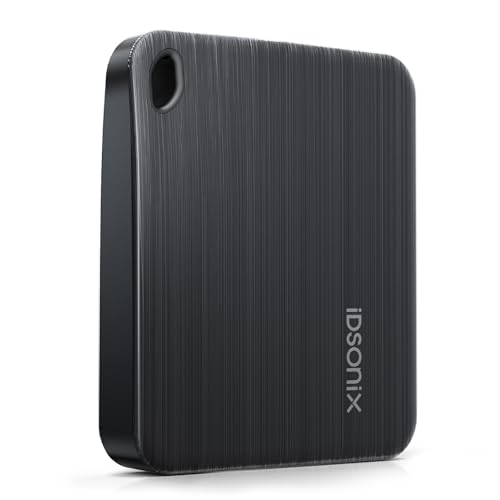 iDsonix 2TB SSD
|
Mid-Range | Balance of capacity & portability | Students needing fast, on-the-go backups | Check Price | ||
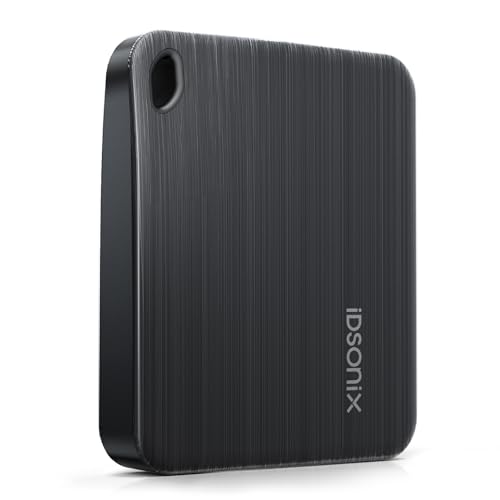 iDsonix 1TB SSD
|
Budget | Lowest cost entry to SSD backup | Students on a tight budget who still want SSD speed | Check Price | ||
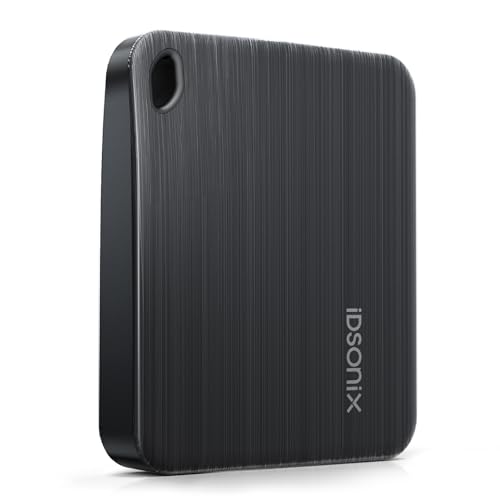 iDsonix 4TB SSD
|
Premium | Maximum local capacity | Students who keep large local libraries and raw footage | Check Price |
1. iDsonix 2TB External SSD - USB 3.2 Gen 1 Read Speed up to 466MB/s Portable Solid State Drive for Backup Videos and Photos, Compatible with Mac, PC, Tablet, iPhone 15 - i5PLUS
The 2TB iDsonix portable SSD blends roomy storage with pocketable size and a brushed, scratch-resistant finish. It delivers high transfer throughput (USB 3.2 Gen 1 / up to 5Gbps) that speeds moving camera files and project bundles—an excellent midpoint between price and performance for media students.
Key Specs
- Capacity: 2TB
- Interface: USB 3.2 Gen 1 (up to 5Gbps)
- Read speed: up to 466 MB/s
- Design: Brushed surface + hanging-hole for lanyard
- Compatibility: Mac, PC, Tablet, iPhone 15 (adapter required)
Pros
- Better balance of cost-per-GB than the 4TB option
- Faster file transfer than typical SD cards for mass backups
- Compact, durable brushed housing with a lanyard hole improves portability
Cons
- Not as fast as Thunderbolt NVMe enclosures for heavy editing
- Mid-range cost may still be higher than swapping multiple SD cards
Best For: Students needing fast, on-the-go backups
Check Latest Price on Amazon2. iDsonix 1TB External SSD - USB 3.2 Gen 1 Read Speed up to 466MB/s Portable Solid State Drive for Backup Videos and Photos, Compatible with Mac, PC, Tablet, iPhone 15 - i5PLUS
The 1TB iDsonix gives media students an affordable SSD option with the same compact, scratch-resistant design and USB 3.2 Gen 1 interface. It’s the best budget pick for reliable, fast backups when you don’t need multi-terabyte capacity.
Key Specs
- Capacity: 1TB
- Interface: USB 3.2 Gen 1 (up to 5Gbps)
- Read speed: up to 466 MB/s
- Design: Brushed finish with hanging-hole
- Compatibility: Mac, PC, Tablet, iPhone 15 (adapter required)
Pros
- Lower price point than larger capacities
- Same portable, durable build as the mid and premium models
- Good value for students who archive selectively
Cons
- Smaller capacity means more frequent offloads or additional drives
- Value per GB is lower than buying larger drives if you need lots of storage
Best For: Students on a tight budget who still want SSD speed
Check Latest Price on Amazon3. iDsonix 4TB External SSD - USB 3.2 Gen 1 Read Speed up to 466MB/s Portable Solid State Drive for Backup Videos and Photos, Compatible with Mac, PC, Tablet, iPhone 15 - i5PLUS
The 4TB iDsonix packs maximum capacity into the same pocketable design, letting you carry entire semester projects and raw camera footage without juggling cards. It’s best when you need local, offline storage rather than relying on cloud transfers.
Key Specs
- Capacity: 4TB
- Interface: USB 3.2 Gen 1 (up to 5Gbps)
- Read speed: up to 466 MB/s
- Design: Brushed surface with lanyard hole
- Compatibility: Mac, PC, Tablet, iPhone 15 (adapter required)
Pros
- More storage than the 1TB and 2TB options — fewer swaps during shoots
- Same compact, durable build as other iDsonix models
- Convenient for carrying large projects between classes and studios
Cons
- Higher premium cost versus smaller-capacity models
- Still limited by USB 3.2 Gen 1 speeds compared with Thunderbolt NVMe enclosures
Best For: Students who keep large local libraries and raw footage
Check Latest Price on AmazonWhich One Should You Choose?
If budget is tight → choose the iDsonix 1TB External SSD (ASIN B0DRFQZJVG). It gives SSD speeds and a rugged portable design at the lowest cost tier, good for selective backup and student budgets. If you want the best balance of capacity, speed and portability → choose the iDsonix 2TB External SSD (ASIN B0DRFRV7Q2). It’s the most practical all-rounder for offloading camera cards, carrying project vaults, and moving files between devices. If premium capacity matters and you prefer fewer drive swaps → choose the iDsonix 4TB External SSD (ASIN B0DRFSNZTJ). It stores entire projects locally but costs more and remains limited by USB 3.2 Gen 1 speeds compared with a Thunderbolt NVMe enclosure.
Best for Specific Scenarios
- Quick on-location backup: iDsonix 2TB SSD because it balances speed and capacity without extra adapters.
- Lowest upfront cost: iDsonix 1TB SSD because it gives SSD reliability and portability for a tight student budget.
- Carry a semester of footage: iDsonix 4TB SSD because it minimizes swaps and keeps full projects in one drive.
Frequently Asked Questions
Can I edit directly from these portable SSDs?
Yes — for many editing tasks the USB 3.2 Gen 1 interface and the listed read speeds let you edit HD and some 4K workflows directly. For the fastest multi-stream 4K or RAW editing, a Thunderbolt NVMe setup will outperform USB 3.2 Gen 1.
Are these drives compatible with my phone or tablet?
They support Mac, PC and many tablets; connecting to an iPhone 15 or some phones may require a USB-C adapter. Check your device’s USB host mode and file system compatibility before transferring large projects.
Should I use an SSD or SD cards for long-term backup?
Use both: SD cards are primary capture media but not reliable as the only backup. A portable SSD gives a fast, durable local backup. For true redundancy, keep a second copy (another drive or cloud storage) in a separate location.
How We Selected These Products
Our recommendations are based on data-driven analysis: we evaluated 155229+ products across 23916+ brands using a composite scoring system that weighs rating (40%), review volume (30%), price value (20%), and demand signals (10%). Every product is ranked by data, not opinions.
Last updated: August 14, 2026
As an Amazon Associate we earn from qualifying purchases at no extra cost to you. Full disclosure.
GearLark Score is our editorial ranking based on a composite analysis of product quality, value, and verified customer sentiment. Click through to Amazon for current pricing, availability, and live customer reviews.