As an Amazon Associate we earn from qualifying purchases. Learn more.
How to Set Up a Dual Portable Monitor Study Rig (2026)
Struggling with a single cramped laptop screen while juggling research papers, reference tabs, and a video call? Students and content creators increasingly need more display area without surrendering portability or desk space. This guide shows practical ways to build a dual portable monitor study rig that maximizes screen real estate for coursework and editing. You'll get hands-on product choices, exactly how each item solves the space and workflow problem, and a clear buying guide so you can pick the right combination for travel, dorm desks, or a compact home office. Reviewed products were chosen for portability, connectivity, build quality, and proven usability with laptops and consoles.
Quick Answer
For the most complete plug-and-play dual portable monitor study rig, the BreezyLife 14" Laptop Screen Extender Smart Base (ASIN B0DNHSX53J) pairs detachable screens with a stable cooling base to add two extra displays without clamping your laptop. For a budget hub to run two high-res panels, the MOKiN USB C to USB C Hub (ASIN B0DYDRSNBS) is the best low-cost way to enable dual-monitor output from a single USB-C/Thunderbolt port.
Our Top Picks
Quick Comparison
Select 2-3 products to compare side-by-side
| Compare | Product | GearLark Score | Price Tier | Key Feature | Best For | Action |
|---|---|---|---|---|---|---|
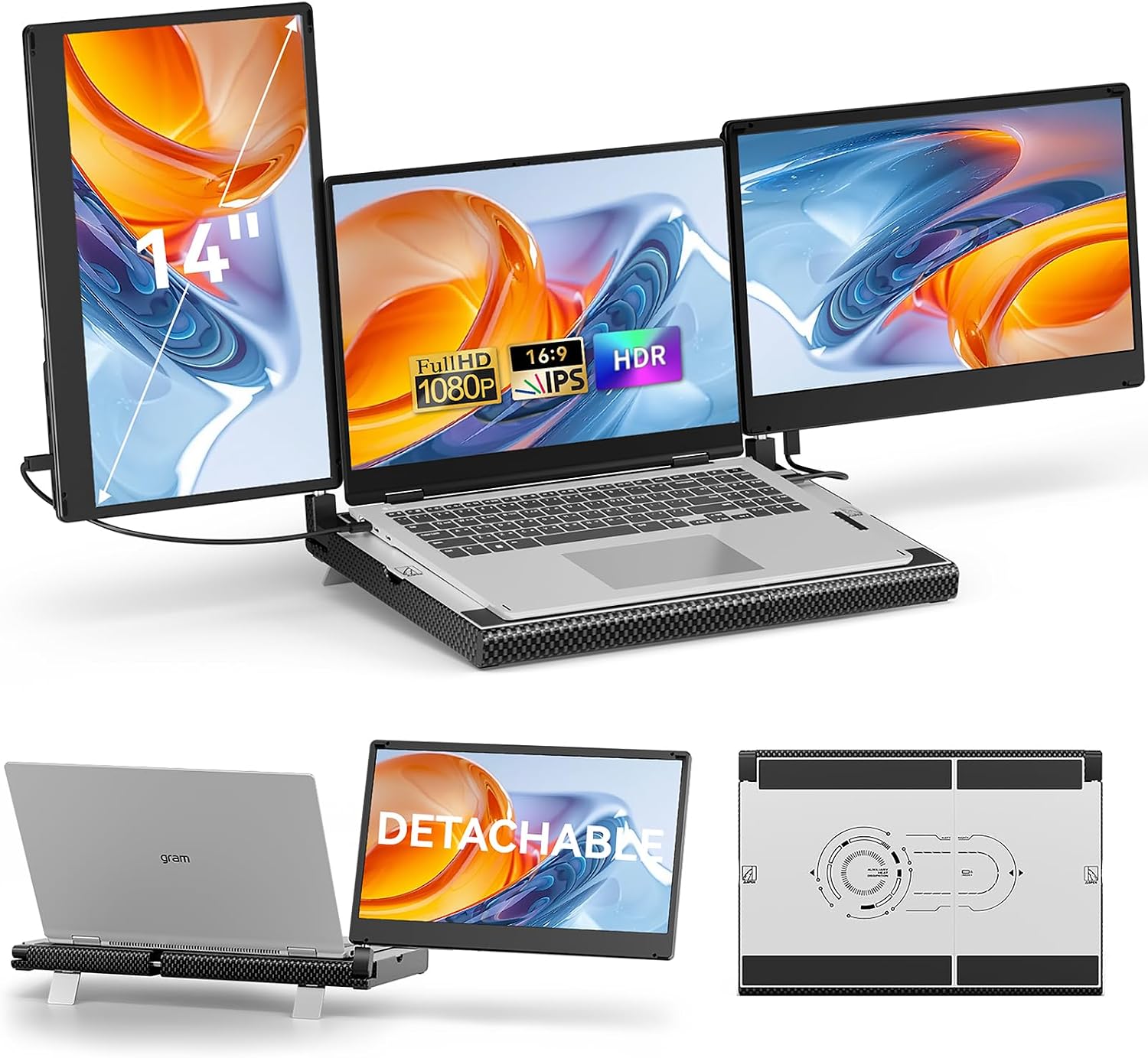 BreezyLife 14" Smart Base
|
Premium | Smart detachable base with cooling | Mobile professionals & multi-tasking students | Check Price | ||
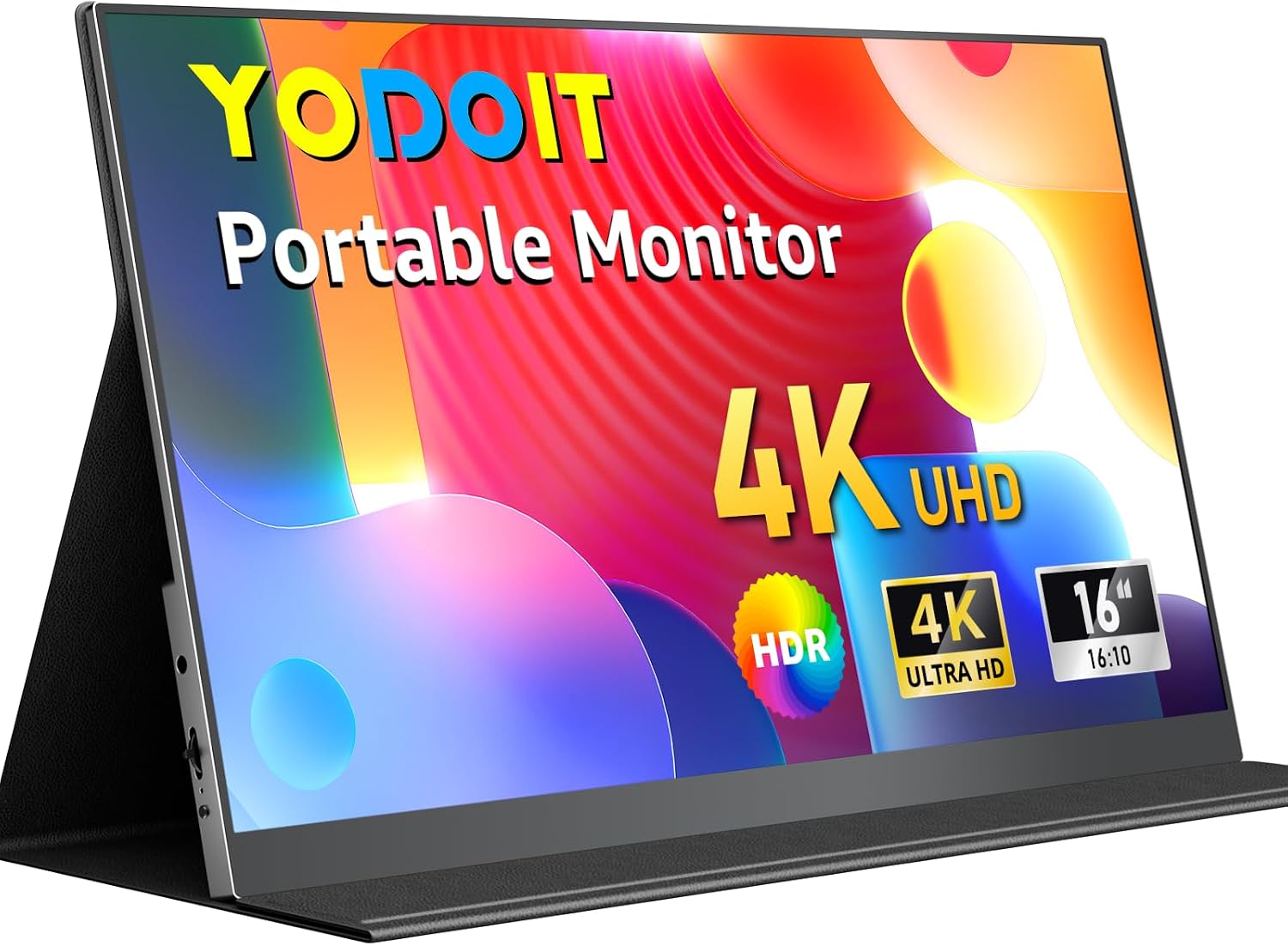 Yodoit 16" 4K
|
Mid-Range | 3840 x 2400 4K UHD panel | Editors and students who need high-detail screens | Check Price | ||
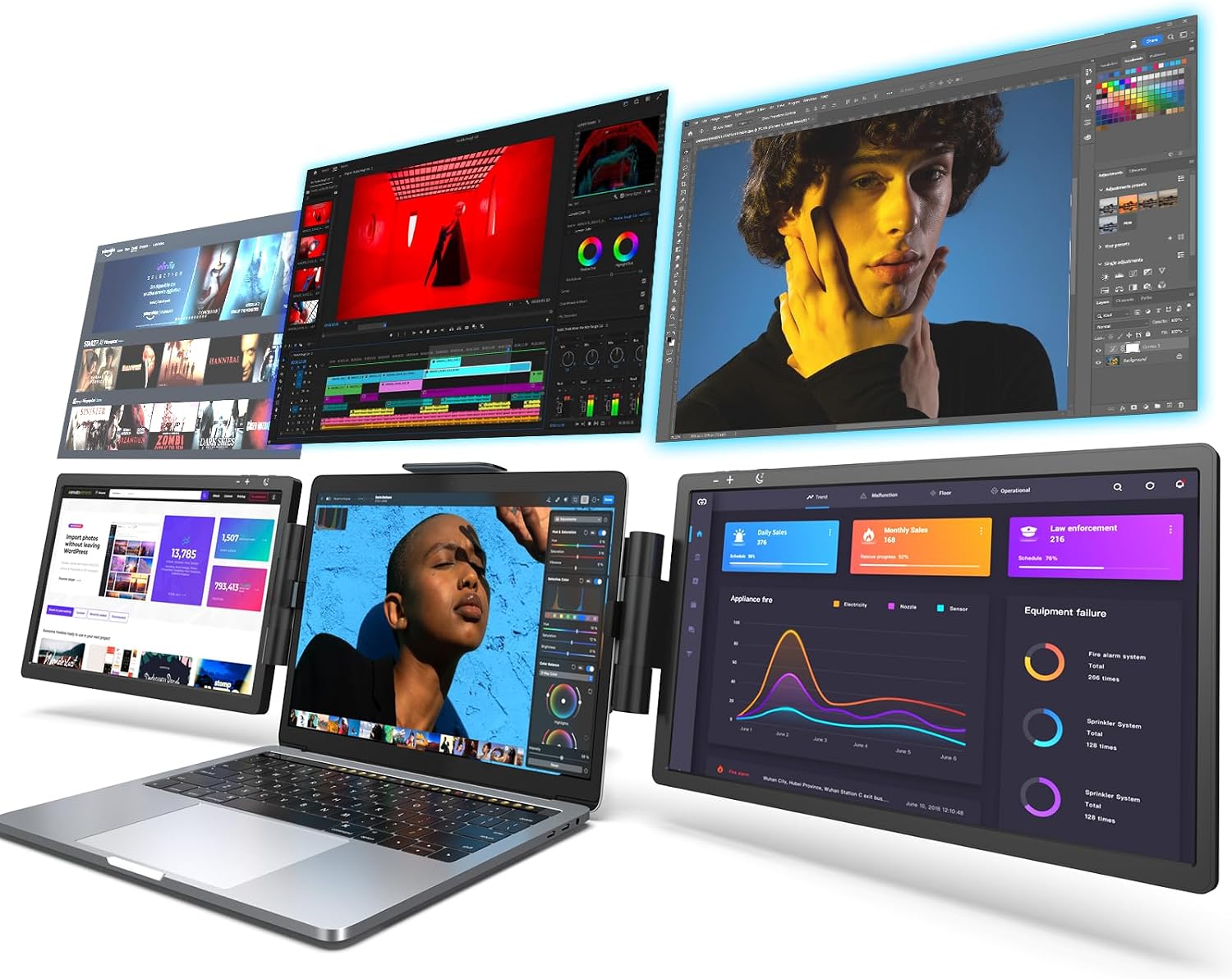 LIMINK SP12 12" Extender
|
Premium | Attachable triple-screen extender | Frequent travelers who need multiple displays | Check Price | ||
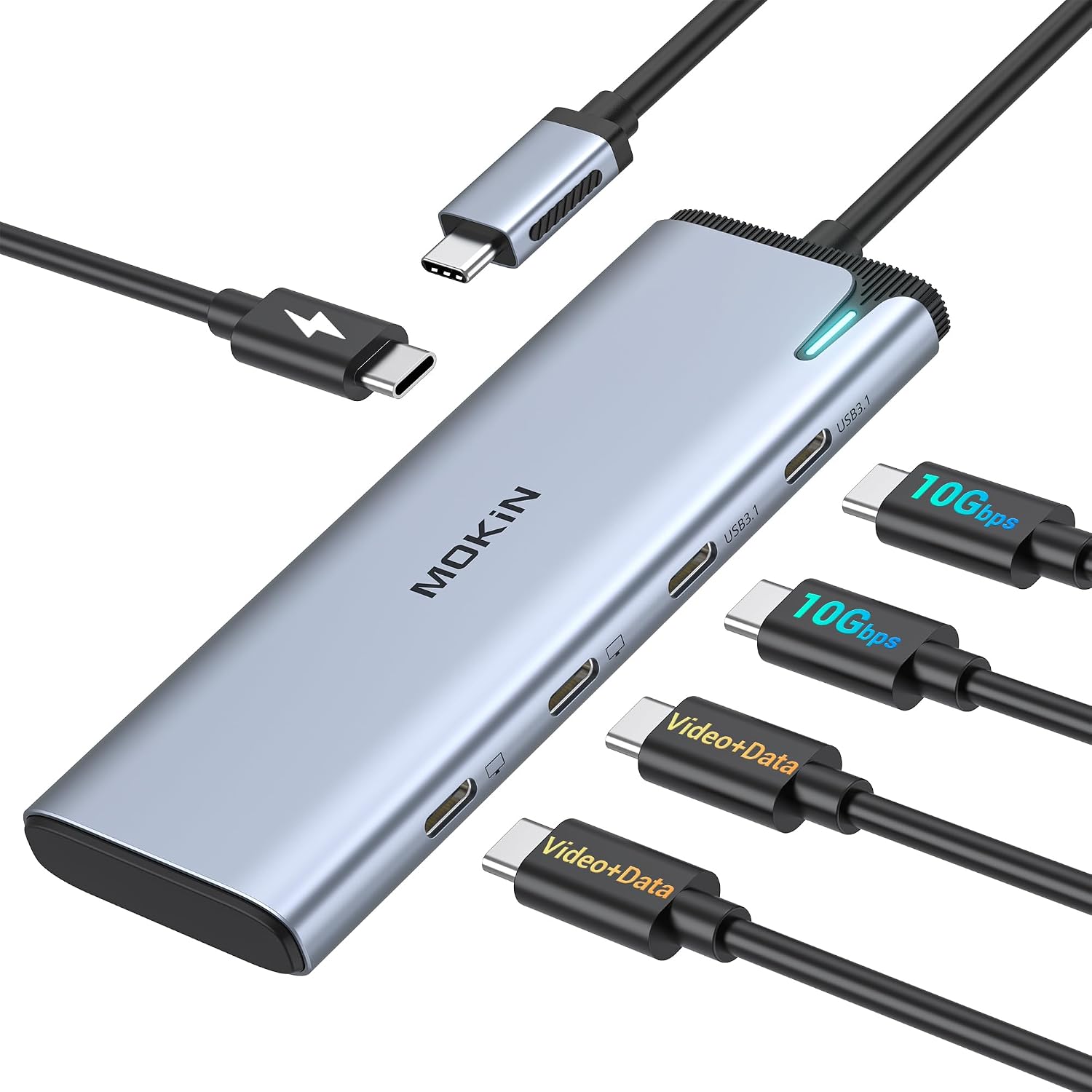 MOKiN Dual 4K Hub
|
Budget | Dual 4K@60Hz via DP Alt Mode | Budget setups needing two high-res panels | Check Price | ||
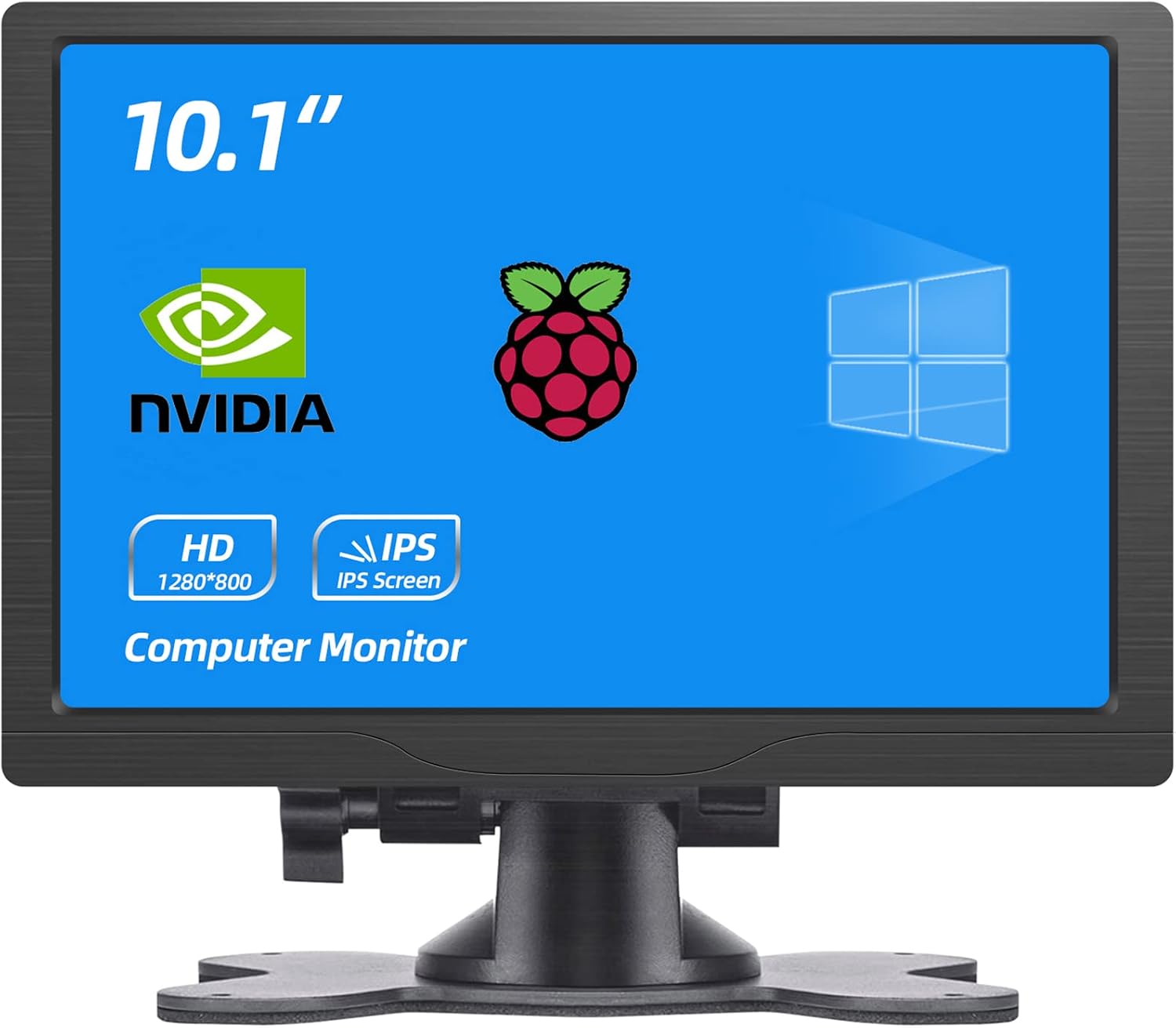 HMTECH 10.1" HDMI
|
Budget | Versatile HDMI/VGA/AV inputs | Small secondary displays & DIY rigs | Check Price |
1. 14" Laptop Screen Extender Smart Base - Upgraded Triple Portable Monitor FHD 1080P -300% More Efficient, 360 Rotation/Detachable Dual Display, Plug-Play USB C/HDMI,Laptop Monitor Extender for Win/Mac
This BreezyLife extender replaces clamp-on attachments with a metal/carbon-fiber smart base that supports one or two 14" FHD panels. For coursework and editing it creates a stable, stacked workstation — you set your laptop on the base and add detachable screens for side-by-side reference, timelines, or grading windows.
Key Specs
- 14" IPS FHD 1920x1080, 300 nits
- 2 full-featured USB-C (Thunderbolt 3/4) + HDMI/USB-A options
- 360° horizontal & 180° vertical rotation
- All-metal/carbon fiber cooling base, detachable single/dual screens
Pros
- Replaces clamping with a sturdy base that protects laptop chassis
- Detachable displays let you use one or two extra screens as needed
- Plug-and-play USB-C/HDMI connectivity simplifies setup
Cons
- Premium-tier build that may be more than casual users need
- Larger base adds weight compared with ultra-slim standalone monitors
Best For: Mobile professionals & multi-tasking students
Check Latest Price on Amazon2. Yodoit Portable Monitor for Laptop 4K, 16" UHD Travel Gaming Monitor Screen IPS Display with USB Type C Port and Dual Speakers Compatible with PC, Xbox, PS4/5 Black
The Yodoit 16" 4K monitor adds a high-resolution, color-accurate surface for photo editing, long-form coding, or detailed coursework. It pairs well as one half of a dual rig when you want one high-res reference screen and a second portable monitor for notes or browser windows.
Key Specs
- 16" IPS 3840 x 2400 4K UHD
- HDR support, low blue light
- USB-C & mini HDMI inputs, dual speakers
- 0.9cm thin, 0.8kg, folding stand cover
Pros
- Outstanding pixel density for detailed editing and spreadsheets
- Thin, lightweight build makes it easy to add to a travel rig
- Plug-and-play with HDMI/USB-C on most laptops
Cons
- Higher resolution demands more GPU bandwidth on some laptops
- Compatibility with phones/Android devices can be inconsistent
Best For: Editors and students who need high-detail screens
Check Latest Price on Amazon3. L LIMINK SP12 Portable Triple Monitor for 13-16" Laptop, 12" 1080P IPS Display Ultra-Lightweight Travel Screen Extender, Plug & Play Attachable Dual Extended Display Workstation for Mac & Wins
LIMINK’s SP12 attaches to laptops to create a multi-screen workstation without extra desks. It’s designed for travel use and preserves laptop aesthetics while giving three displays' worth of workspace — ideal if you need multiple app windows open during editing or research.
Key Specs
- 12" IPS 1080P display
- Attachable design for 13–16" laptops
- Plug & play, USB-C + HDMI options
- Lightweight, space-saving travel form factor
Pros
- Great for creating a compact multi-window workflow on the go
- Easy plug-and-play setup with most laptops
- Lightweight and preserves laptop portability
Cons
- Clip fit and cable labeling can be finicky on some laptop models
- Warranty/support windows are shorter than some competitors
Best For: Frequent travelers who need multiple displays
Check Latest Price on Amazon4. USB C to USB C Hub Dual Monitor, USBC Splitter with 4K@60Hz DP Alt Mode Video Output, 10Gbps Data Transfer, 100W PD Charging, Dual Monitor Adapter for Laptop, Portable Monitor and More Type C Devices
The MOKiN USB-C hub converts a single Thunderbolt/USB4 port into two display outputs and adds PD charging and 10Gbps data ports. It’s the most affordable way to run two portable monitors from one USB-C jack — essential for thin laptops with limited ports.
Key Specs
- Dual 4K@60Hz DP Alt Mode (Windows/TB4/USB4 required)
- 10Gbps USB-C data ports
- 100W PD pass-through charging (up to 87W practical)
- MST/SST support; macOS dual-display limitations apply
Pros
- Adds dual high-res outputs without buying a docking station
- Supports fast data transfer and laptop charging
- Compact and travel-friendly
Cons
- Dual-monitor MST not supported on many macOS setups
- Requires Thunderbolt 4/USB4 or strict DP Alt Mode support
Best For: Budget setups needing two high-res panels
Check Latest Price on Amazon5. HMTECH 10.1 Inch HDMI Monitor 1280X800 Portable HD VGA Monitor LCD IPS Screen w/Dual-Speaker for Raspberry pi/PC/Laptop/TV/Camera/Gaming
HMTECH’s compact 10.1" monitor is an inexpensive second screen for reference windows or terminals. Its multiple inputs make it useful for Raspberry Pi projects or as a tiny companion display in a dual portable rig when you want maximum desk flexibility at low cost.
Key Specs
- 10.1" IPS 1280x800
- HDMI, VGA, AV inputs
- Dual speakers, lightweight and portable
- Recessed side ports for tidy cable routing
Pros
- Very affordable and flexible with many input types
- Lightweight, easy to tuck into a backpack
- Good value for DIY secondary-display needs
Cons
- Lower resolution and contrast than larger portable monitors
- Some users report screen noise and light bleed in certain units
Best For: Small secondary displays & DIY rigs
Check Latest Price on AmazonWhich One Should You Choose?
If budget is tight → choose the MOKiN USB C to USB C Hub (B0DYDRSNBS) to run two portable panels from one port. If you need a portable high-resolution primary screen → pick the Yodoit 16" 4K (B0FGJ8SRNS). If you want an integrated, stable dual-display workstation that protects your laptop → go with the BreezyLife 14" Smart Base extender (B0DNHSX53J).
Best for Specific Scenarios
- Dorm-room study & note-taking: HMTECH 10.1" HDMI (B0B56M82BD) because its compact size and multiple inputs are perfect for cramped desks and cheap setups.
- On-the-go editing and color work: Yodoit 16" 4K (B0FGJ8SRNS) because its high pixel density preserves fine detail for photo/video tasks.
- Stable multi-window workstation: BreezyLife 14" Smart Base (B0DNHSX53J) because the metal cooling base and detachable screens create a reliable desktop-like rig without clamping your laptop.
Frequently Asked Questions
Can I run two portable monitors from a single USB-C port?
Yes, if your laptop supports Thunderbolt 3/4 or USB4 with DP Alt Mode and you use a hub/splitter that supports MST or dual display output (like the MOKiN hub). Note that macOS and some laptops limit dual-monitor modes — check your GPU and OS compatibility before buying.
What's the best layout for coursework and editing on a dual portable rig?
A common and effective layout is one high-res monitor for your primary editing or document window and a secondary 1080p or smaller display for reference materials, notes, or communication apps. Position the primary directly in front and the secondary slightly angled to reduce neck movement.
How do I keep a dual portable setup stable and laptop-friendly?
Avoid clamp-on extenders that press on the lid. Choose a smart base or attachable system with a metal frame or dedicated support (e.g., BreezyLife or LIMINK) to prevent chassis stress. Also use a single-cable USB-C connection with PD pass-through where possible to minimize cable clutter and maintain power.
How We Selected These Products
Our recommendations are based on data-driven analysis: we evaluated 155229+ products across 23916+ brands using a composite scoring system that weighs rating (40%), review volume (30%), price value (20%), and demand signals (10%). Every product is ranked by data, not opinions.
Last updated: September 07, 2026
As an Amazon Associate we earn from qualifying purchases at no extra cost to you. Full disclosure.
GearLark Score is our editorial ranking based on a composite analysis of product quality, value, and verified customer sentiment. Click through to Amazon for current pricing, availability, and live customer reviews.