As an Amazon Associate we earn from qualifying purchases. Learn more.
How to Set Up a Compact Dorm Desk Dual-Monitor Rig (2026)
Setting up a compact dual-monitor rig on a dorm-sized desk in 2026 means balancing screen size, mounting hardware, a docking solution, and clean cable routing. This guide walks you through a complete small-desk kit: the monitor arm that frees desktop space, a docking approach for modern laptops, and cable/management choices to keep the setup tidy. I selected products for sturdiness, adjustability, and space savings, prioritizing mounts with drill-free clamps, easy cable routing, and options that fit common VESA monitors. Read on to learn the recommended picks and how to assemble a space-efficient, multi-monitor workstation for study, streaming, and light gaming.
Quick Answer
Yes — the VIVO Dual Ultrawide Monitor Desk Mount (STAND-V038W, B0CNBXMYTG) is the best overall pick for a compact dorm dual-monitor rig thanks to heavy-duty arms, wide articulation, and integrated cable management. For a tight budget choose the VIVO STAND-V032 (B0BNWDV6R7).
Our Top Picks
Quick Comparison
Select 2-3 products to compare side-by-side
| Compare | Product | GearLark Score | Price Tier | Key Feature | Best For | Action |
|---|---|---|---|---|---|---|
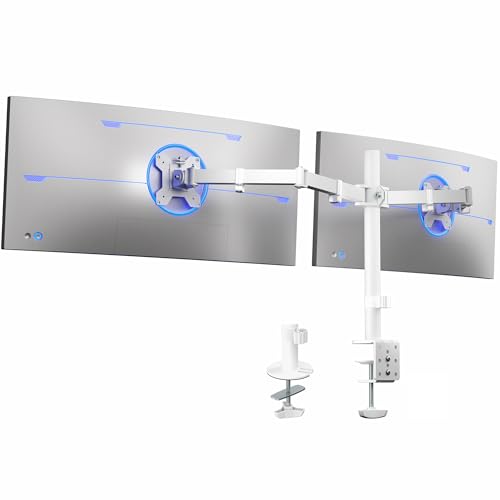 VIVO STAND-V038W
|
Premium | Ultrawide support up to 38" | Dorm users wanting large dual ultrawides | Check Price | ||
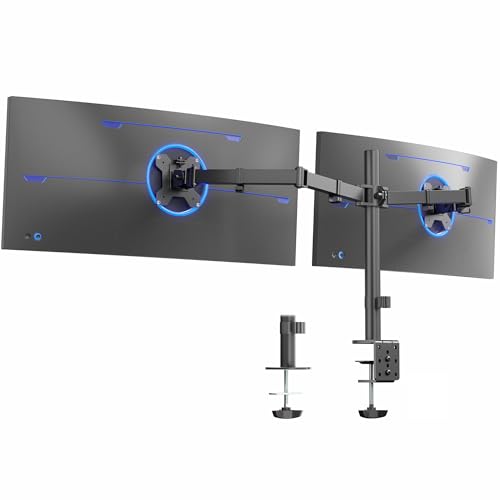 VIVO STAND-V038 (Black)
|
Premium | Heavy-duty C-clamp mounting | Users who need strong clamp mounting on thin desks | Check Price | ||
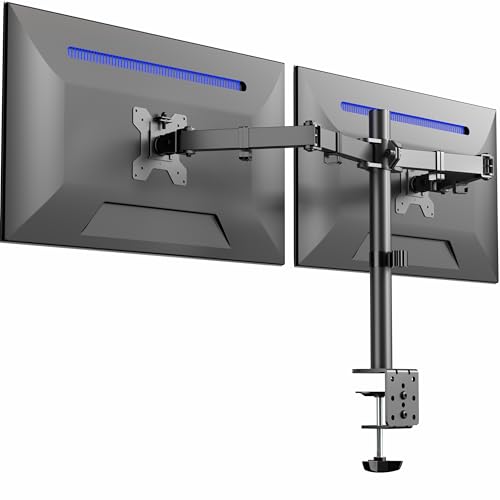 VIVO STAND-V032
|
Budget | Budget-friendly dual monitor support | Students on a tight budget | Check Price | ||
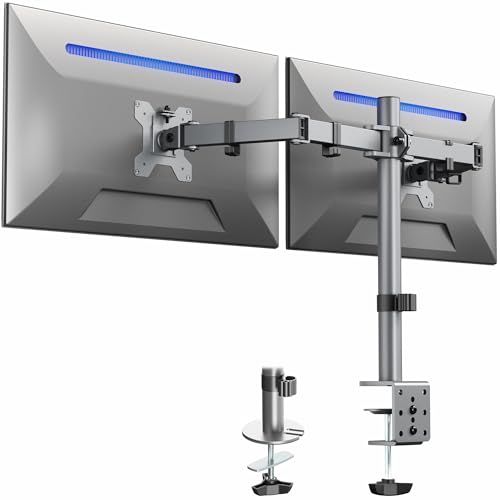 VIVO STAND-V002-GY
|
Mid-Range | Mid-size screen support with clean cable clips | Dorms wanting balance of cost and capability | Check Price | ||
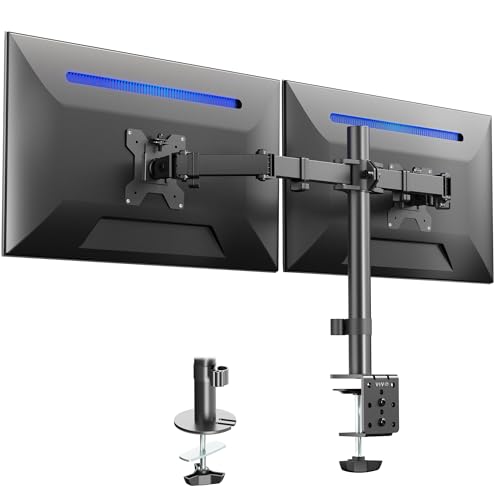 VIVO STAND-V024
|
Budget | Compact fit for smaller desks | Very small desks and compact monitors | Check Price | ||
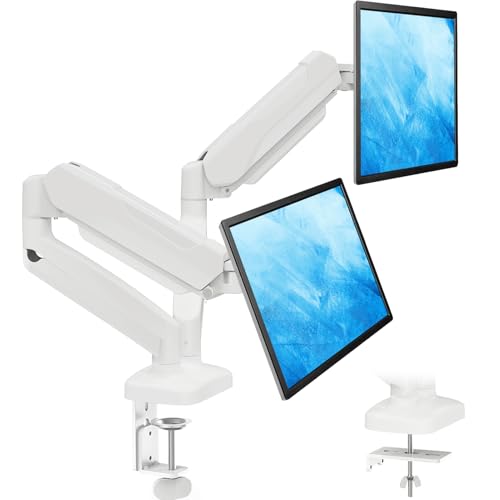 MOUNTUP Gas-Spring Arms
|
Mid-Range | Smooth gas-spring adjustment | Users who want tool-free, fluid positioning | Check Price |
1. VIVO Dual Ultrawide Monitor Desk Mount, Heavy Duty Fully Adjustable Steel Stand, Holds 2 Computer Screens up to 38 inches and Max 22lbs Each, White, STAND-V038W
A heavy-duty dual-arm made for larger ultrawide screens that need robust support and wide articulation. The white steel stand clears desk space, offers a drill-free C-clamp or grommet mount, and keeps cables organized for a clean dorm setup.
Key Specs
- Fits two monitors up to 38 inches and 22 lbs each
- VESA 75x75mm & 100x100mm compatible
- Tilt +90/-90, 180° swivel, 360° rotation, height-adjustable
- Drill-free C-clamp or grommet mount; integrated cable management
Pros
- Solid build and sturdy hold for larger screens
- Wide adjustment range for ergonomic positioning
- Integrated clips simplify cable routing
Cons
- Some users find height adjustments stiff or require re-tensioning
- Large/heavy monitors may need careful balancing to prevent slipping
Best For: Dorm users wanting large dual ultrawides
Check Latest Price on Amazon2. VIVO Dual Ultrawide Monitor Desk Mount, Heavy Duty Fully Adjustable Steel Stand, Holds 2 Computer Screens up to 38 inches and Max 10kg Each, Black, STAND-V038
Nearly identical in capability to the white STAND-V038W but in black, this mount supports large displays with robust steel construction and multiple articulation points. It includes detachable VESA plates and is backed by a multi-year warranty for peace of mind.
Key Specs
- Supports 13"–38" screens up to 10 kg (≈22 lbs) each
- VESA 75x75 & 100x100 compatible
- +90° to -90° tilt; 180° swivel; 360° rotation; center-pole height adjustment
- C-clamp or optional grommet mount; cable management clips included
Pros
- Sturdy steel design with broad motion range
- Easy-to-remove VESA plates for simpler monitor mounting
- Covers both clamp and grommet mounting preferences
Cons
- Some find individual monitor height adjustment limited
- Tension can be tight out of the box; occasional re-tuning needed
Best For: Users who need strong clamp mounting on thin desks
Check Latest Price on Amazon3. VIVO Dual Monitor Desk Mount, Heavy Duty Fully Adjustable Stand, Fits 2 LCD LED Screens up to 32 inches and 22 lbs Each, Black, STAND-V032
A value-focused dual mount that handles typical 24"–32" monitors well, offering full articulation and a drill-free clamp or grommet mount. It’s an economical way to reclaim desk space and is widely chosen for basic dual-monitor dorm setups.
Key Specs
- Fits 13"–32" monitors up to 22 lbs each
- VESA 75x75mm & 100x100mm compatibility
- Tilt +90/-90, 180° swivel, 360° rotation; center pole height adjustment
- Drill-free C-clamp or grommet mount with cable clips
Pros
- Easy assembly and strong value for money
- Works well for most mainstream monitors
- Includes cable management to reduce clutter
Cons
- Adjustment smoothness varies between units
- Some users report occasional slipping if not tensioned correctly
Best For: Students on a tight budget
Check Latest Price on Amazon4. VIVO Dual Monitor Desk Mount, Heavy Duty Fully Adjustable Steel Stand, Holds 2 Computer Screens up to 30 inches and Max 22lbs Each, Gray Color, STAND-V002-GY
A best-value mid-range arm that fits slightly smaller screens (up to 30") and focuses on easy installation and cable tidiness. It’s a great middle ground if you want more polish than the cheapest options without moving to premium ultrawide mounts.
Key Specs
- Fits 13"–30" monitors up to 22 lbs each
- VESA 75x75 & 100x100 compatible
- +90°/-90° tilt, 180° swivel, 360° rotation
- C-clamp mounting; cable management clips included
Pros
- Good balance of features and affordability
- Simple clamp mounting for dorm desks
- Consistent build quality for the price tier
Cons
- Not intended for the largest ultrawide displays
- Some users find fine-tuning height alignment tricky
Best For: Dorms wanting balance of cost and capability
Check Latest Price on Amazon5. VIVO Dual Monitor Desk Mount, Heavy Duty Fully Adjustable Steel Stand, Holds 2 Computer Screens up to 24 inches and Max 22lbs Each, Black, STAND-V024
Designed for smaller monitor sizes (up to 24"), this budget stand saves surface area while offering full-motion joints. It’s a straightforward pick if your desk depth is limited and you run two smaller screens or a laptop + monitor combo.
Key Specs
- Fits 13"–24" monitors up to 22 lbs each
- VESA 75x75 & 100x100 compatibility
- Full articulation: tilt, swivel, rotation; center pole height adjustment
- C-clamp and grommet mounting options; adjustable VESA plate alignment
Pros
- Compact footprint ideal for narrow desks
- Detachable VESA plates ease installation
- Affordable choice for smaller screens
Cons
- Less suitable for larger or heavier monitors
- Range of motion feels limited to some users
Best For: Very small desks and compact monitors
Check Latest Price on Amazon6. MOUNTUP Dual Monitor Stand for Desk, Gas Spring Monitor Arms for 2 Monitors Max 32 Inches, Height Adjustable Double Monitor Mount, VESA Mount with C-Clamp & Grommet Base, Holds 4.4-17.6lbs, White
Gas-spring arms provide very smooth, tool-free height adjustments and a floating monitor feel that saves desk space. The MOUNTUP arms suit mid-size monitors and include internal cable routing for a neat dorm desk presentation.
Key Specs
- Fits 17"–32" monitors; holds 4.4–17.6 lbs per arm
- VESA 75x75 & 100x100 compatible
- 19.9" arm extension, 9.4" height range, 135° tilt, 180° swivel, 360° rotation
- C-clamp or grommet mounting; concealed cable routing
Pros
- Very smooth, adjustable gas spring action
- Concealed cable routing keeps the desktop clean
- Good value for fluid motion and ergonomic positioning
Cons
- Some users report arms lack strength for the heaviest 32" displays
- Tension adjustment required for best performance
Best For: Users who want tool-free, fluid positioning
Check Latest Price on AmazonWhich One Should You Choose?
If budget is tight → VIVO STAND-V032 (B0BNWDV6R7). It gives reliable dual-monitor support and cable management at the lowest cost. If you want the smoothest adjustment and a floating feel → MOUNTUP Gas-Spring Arms (B0C3HK8RPP). The gas spring action makes repositioning effortless for study and collaboration. If premium build and ultrawide support matter → VIVO STAND-V038W (B0CNBXMYTG). It handles larger ultrawides with strong construction and tidy cable routing.
Best for Specific Scenarios
- Small dorm desks: VIVO STAND-V024 (B0FGL2JVF1) because its compact footprint fits narrow surfaces while freeing usable desk area.
- Large ultrawide workflow: VIVO STAND-V038W (B0CNBXMYTG) because it supports up to 38" screens and keeps cables organized for a clean, immersive setup.
- Frequent repositioning: MOUNTUP Gas-Spring Arms (B0C3HK8RPP) because gas-assisted movement lets you adjust height and angle quickly without tools.
Frequently Asked Questions
Will these mounts fit my dorm desk?
Most of the mounts reviewed use a C-clamp that fits a range of desk thicknesses; check the product’s clamp range against your desk thickness. If your desk has a hole for grommet mounting, many models also support a grommet base. Avoid clamps on very thin particleboard if the desk feels flimsy—use a desk protector board or select a mount with broad clamp feet.
Can a laptop dock run two external monitors from one USB-C port?
Some powered USB-C docks support dual external displays via DisplayPort Alt Mode or MST, but compatibility depends on your laptop’s USB-C implementation and GPU. For reliable dual-monitor output, choose a dock with two native video outputs (HDMI/DP) and confirm your laptop supports video over its USB-C port or use a dock with its own DisplayLink adapter.
How do I stop monitors from drifting down over time?
Most arms include tension or friction adjustment screws. Follow the manufacturer instructions to increase tension for heavier displays. Ensure VESA plates are securely fastened and periodically re-check the tightening after initial setup. If slipping persists, confirm the monitor weight is within the arm’s specified range.
How We Selected These Products
Our recommendations are based on data-driven analysis: we evaluated 155229+ products across 23916+ brands using a composite scoring system that weighs rating (40%), review volume (30%), price value (20%), and demand signals (10%). Every product is ranked by data, not opinions.
Last updated: August 11, 2026
As an Amazon Associate we earn from qualifying purchases at no extra cost to you. Full disclosure.
GearLark Score is our editorial ranking based on a composite analysis of product quality, value, and verified customer sentiment. Click through to Amazon for current pricing, availability, and live customer reviews.