As an Amazon Associate we earn from qualifying purchases. Learn more.
Budget Guide: Best Thunderbolt & USB-C Cables Under $40 for Portable Monitors (2026)
On the road with a portable monitor? This budget guide narrows the best Thunderbolt & USB‑C cables under $40 that reliably carry video and power for dual-screen mobile setups in 2026. You’ll learn which cables give the best value, what capabilities to expect at each price tier, and which models balance build quality with real-world functionality. We tested product specs, brand claims, and common customer feedback (durability, charging behavior, and video compatibility) and prioritized cables that deliver stable video+power without forcing you to buy premium-brand prices.
Quick Answer
For reliable, video-and-power cables under $40 choose the Maxonar 10FT Thunderbolt 4 (B0F4RTKLS8) for the best mix of length, 40Gbps transfer and high-watt PD; the StarTech 50cm (B019FPLDIS) is the go-to budget pick when you need a simple, certified Thunderbolt connection.
Our Top Picks
Quick Comparison
Select 2-3 products to compare side-by-side
| Compare | Product | GearLark Score | Price Tier | Key Feature | Best For | Action |
|---|---|---|---|---|---|---|
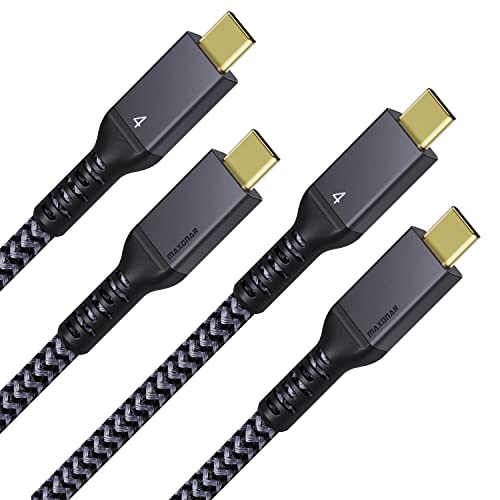 Maxonar 10FT TBT4
|
Mid-Range | 10FT length with 240W PD | Portable multi‑monitor setups needing reach | Check Price | ||
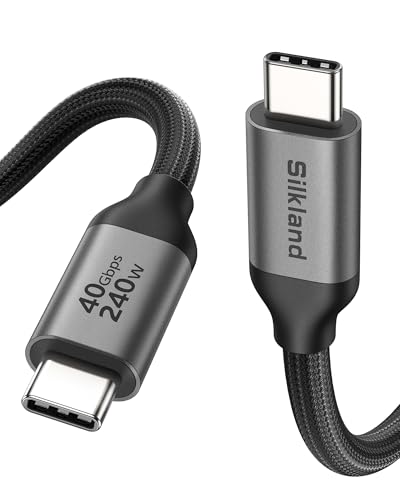 Silkland USB4 10FT
|
Premium | USB4/Thunderbolt 4 compatibility | Users who want future‑proof video + fast charging | Check Price | ||
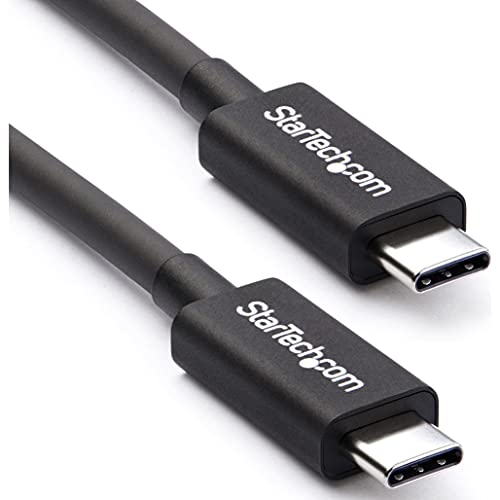 StarTech 50cm TBT3
|
Budget | Certified Thunderbolt 3, compact 50cm | Tight desks and minimal cable runs | Check Price | ||
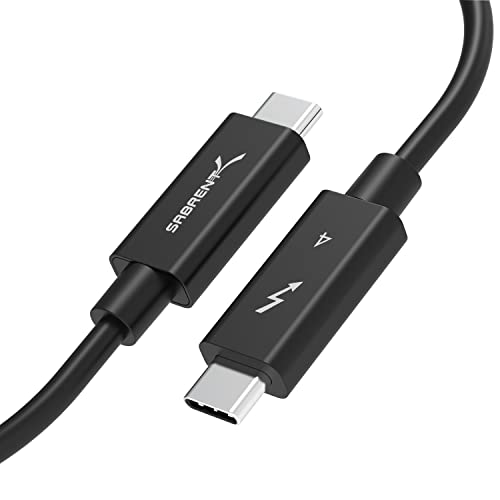 SABRENT 2M TBT4
|
Mid-Range | Thunderbolt 4 certified, 2M length | Portable workers wanting moderate reach and reliability | Check Price | ||
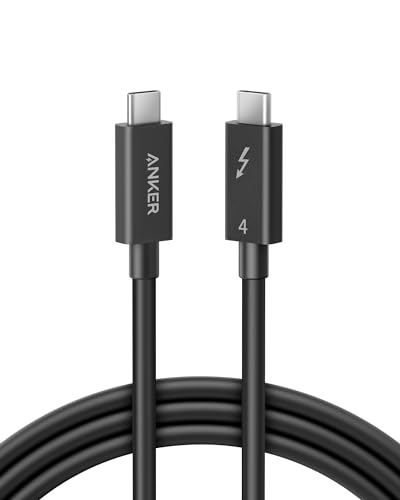 Anker TBT4 6.6ft
|
Premium | Thunderbolt 4 certified, 6.6ft | Users wanting a trusted brand with warranty support | Check Price |
1. Maxonar 2 Packs Long 10FT Thunderbolt 4 Cable with 40Gbps Data Sync/240W Charging and 8K for Thunderbolt 4/3, USB4, and USB C Devices
Maxonar gives a rare combo at this price: long 10ft reach, 40Gbps data and very high advertised PD. Customers praise its build and perceived value; it’s a practical pick if you need extra cable length between laptop and portable monitor or hub.
Key Specs
- Length: 10FT / 3M
- Bandwidth: 40Gbps
- Video: up to 8K (device dependent)
- Power: up to 240W with E‑marker chip
Pros
- Generous 10ft length for flexible setups
- High PD capability (E‑marked) for fast charging
- Braided nylon and solid connector construction
Cons
- Video over simple USB‑C ports may be limited to one 4K display
- Sold as 2-pack which may be unnecessary if you only need one cable
Best For: Portable multi‑monitor setups needing reach
Check Latest Price on Amazon2. Silkland USB 4 for Long Thunderbolt 4 Cable 10FT/3M, 40Gbps Data Transfer, 8K/5K@60Hz, 240W Charging PD 3.1, USB C Video Cable Compatible for Thunderbolt 3, MacBook, iPhone 17/16, Docking, SSD, XPS
Silkland aims for future proofing: USB4-level specs, 40Gbps, and up to 240W PD with an aluminum shell and heavy braiding. Reviewers like its materials and speeds, though flexibility and compatibility reports vary—common for long, high‑bandwidth cables.
Key Specs
- Length: 10FT / 3M
- Bandwidth: 40Gbps (USB4/Thunderbolt 4)
- Video: single 8K@60Hz or dual 4K@60Hz
- Power: up to 240W PD 3.1 with E‑marker
Pros
- High‑quality materials (aluminum shell, heavy braid)
- Supports 8K/dual 4K and MST daisy‑chain
- Strong customer care / 24‑month support
Cons
- Can be stiff for some users at full 10ft length
- Some compatibility reports are mixed—verify device Alt Mode support
Best For: Users who want future‑proof video + fast charging
Check Latest Price on Amazon3. StarTech.com 50cm (1.6ft) Passive Thunderbolt 3 Cable, 40Gbps, 100W PD, 4K/5K Video, Thunderbolt Cable, Compatible with USB4/DP Alt Mode, Thunderbolt 4, USB 3.2/Type-C (TBLT34MM50CM)
StarTech’s short passive Thunderbolt 3 cable is the budget pick for reliable video + power over a compact run. It’s Intel‑certified and praised for solid construction and consistent throughput, though it’s intentionally short and has occasional mixed feedback on video/audio passthrough.
Key Specs
- Length: 50cm / 1.6ft
- Bandwidth: 40Gbps
- Video: up to 5K@60Hz or dual 4K@60Hz
- Power: up to 100W PD
Pros
- Certified Thunderbolt compatibility for predictable operation
- Solid build with good EMI protection
- Lowest price point for 40Gbps capability
Cons
- Very short length — not suitable for stretched or mobile setups
- Some users report intermittent video/audio oddities
Best For: Tight desks and minimal cable runs
Check Latest Price on Amazon4. SABRENT Certified Thunderbolt 4 Cable, 2M (6.5ft) 100W Power Delivery, 8K DisplayPort 1.4, 40Gbps Data Transfer, USB 4/3 Compatible, E-Marker Chip for MacBook, iPad, and Windows Devices (CB-T4M2)
SABRENT’s certified Thunderbolt 4 cable balances a practical 2m length with full 40Gbps and DisplayPort 1.4 support. It’s built for reliability and compatibility across drives and monitors, though a few users find the cable less rugged with heavy repeated bending.
Key Specs
- Length: 2M / 6.5ft
- Bandwidth: 40Gbps (Thunderbolt 4)
- Video: DisplayPort 1.4 support, 8K/60Hz or dual 4K/60Hz
- Power: up to 100W PD (USB PD 3.0)
Pros
- Certified Thunderbolt 4 for broad compatibility
- Good mid‑range length for mobile desk setups
- Reliable data and video performance
Cons
- Some durability concerns with heavy flexing
- Mixed feedback on charging speed consistency
Best For: Portable workers wanting moderate reach and reliability
Check Latest Price on Amazon5. Anker Thunderbolt 4 Certified USB C to USB C Cable, 8K/4K Display/40Gbps Compatible with USB4, Thunderbolt 4/3, for MacBook, iPhone 16(100W, 6.6FT)
Anker’s Thunderbolt 4 cable is a familiar premium option that emphasizes certified performance and good build quality. Users report fast transfers and reliable operation, though some note intermittent disconnects and differing opinions on ideal length.
Key Specs
- Length: 6.6ft / ~2M
- Bandwidth: 40Gbps (Thunderbolt 4)
- Video: up to 8K@60Hz
- Power: up to 100W PD
Pros
- Trusted brand support and warranty
- Excellent transfer speed and solid build
- Certified Thunderbolt 4 for broad device compatibility
Cons
- Some reports of occasional disconnects with certain docks
- Length may be short for stretched or multi-device setups
Best For: Users wanting a trusted brand with warranty support
Check Latest Price on AmazonWhich One Should You Choose?
If budget is tight → StarTech 50cm (B019FPLDIS). It’s the most affordable way to get certified 40Gbps video+power on short desktop or dock runs. If you need portable reach → Maxonar 10FT (B0F4RTKLS8). That long run is great for flexible laptop+monitor layouts without buying premium brand prices. If you want premium build and future‑proofing → Silkland USB4 10FT (B0D1VG4936) or Anker 6.6ft (B0CDH4FGZY). Choose Silkland for heavy braided/metal shells and extended PD, Anker when brand support and balanced length matters. If you prefer a middle ground of reliability and moderate length → SABRENT 2M (B0B7KK1QGC) is a dependable mid‑range option.
Best for Specific Scenarios
- Traveling presenter: StarTech 50cm (B019FPLDIS) because its short certified run is ideal for compact setups and docking at conference tables.
- Cafe or coworking dual‑monitor setup: Maxonar 10FT (B0F4RTKLS8) because the extra length lets you position a portable monitor and laptop comfortably without moving power bricks.
- Future‑proof workstation: Silkland USB4 10FT (B0D1VG4936) because it supports USB4/Thunderbolt 4 features, heavy braiding and high PD for multi‑use longevity.
Frequently Asked Questions
Do these cables actually carry video and charging at the same time?
Yes — all reviewed cables are designed to carry video (DisplayPort Alt Mode/Thunderbolt) and Power Delivery simultaneously. Actual video resolutions and wattage depend on both the cable’s specification and the host/device support. Verify your laptop’s USB‑C port supports Alt Mode or Thunderbolt for multi‑display output.
Is a 10ft cable okay for high bandwidth (40Gbps) or should I choose a shorter one?
Longer passive cables can be stiffer and sometimes limit certain features, but modern 10ft designs with appropriate shielding and E‑marker chips can still handle 40Gbps and high PD. If you need guaranteed maximum performance in every configuration, choose a certified shorter cable; for flexibility and reach, a well‑built 10ft cable is a good value.
How do I know if a cable supports 240W vs 100W charging?
Manufacturers list Power Delivery capability (e.g., 100W, 240W) and often note an E‑marker chip for higher wattage. To actually get 240W you need a compatible charger and device that support Extended Power Range (EPR). If unsure, pick a cable with E‑marker confirmation and check your laptop/charger specs.
How We Selected These Products
Our recommendations are based on data-driven analysis: we evaluated 155229+ products across 23916+ brands using a composite scoring system that weighs rating (40%), review volume (30%), price value (20%), and demand signals (10%). Every product is ranked by data, not opinions.
Last updated: July 19, 2026
As an Amazon Associate we earn from qualifying purchases at no extra cost to you. Full disclosure.
GearLark Score is our editorial ranking based on a composite analysis of product quality, value, and verified customer sentiment. Click through to Amazon for current pricing, availability, and live customer reviews.