As an Amazon Associate we earn from qualifying purchases. Learn more.
USB-C Hub vs Portable Monitor vs Travel Dock: What to Pack for Hotel Work (2026)
Traveling for work means packing light without sacrificing productivity. This head-to-head comparison looks at three compact screen solutions popular for hotel work in 2026: a premium 4K portable monitor, a budget 15.6" FHD travel monitor, and an ultra-compact 10.5" travel screen. You'll learn which is best for photo/video editing, client presentations, and getting extra ports for a lean laptop setup. Products were chosen for portability, display quality, connection options (USB-C/HDMI), and real-world customer feedback about build and functionality.
Quick Answer
For the best balance of color accuracy and portability, choose the UPERFECT True 4K Portable Monitor (B08NSW5F8V) — it delivers the highest resolution and build quality for editing and presentations. If budget or ultra-light travel is your priority, the Dopesplay 15.6" (B0D8JXY8V3) is the best budget pick; the Dopesplay 10.5" (B0FDQY5TGK) is best for extreme portability and quick presentations.
Our Top Picks
Quick Comparison
Select 2-3 products to compare side-by-side
| Compare | Product | GearLark Score | Price Tier | Key Feature | Best For | Action |
|---|---|---|---|---|---|---|
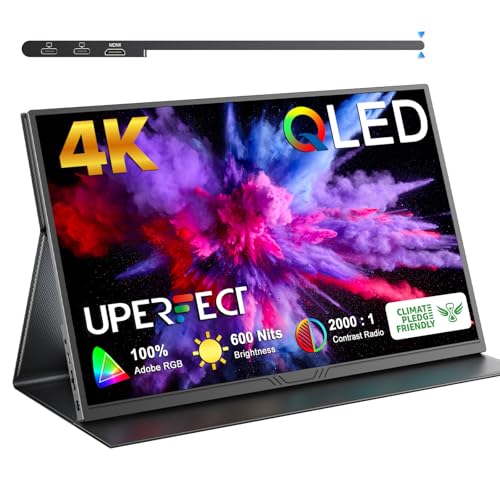 UPERFECT 15.6" 4K QLED
|
Mid-Range | True 4K QLED with 100% AdobeRGB | Color-critical editing & high-impact presentations | Check Price | ||
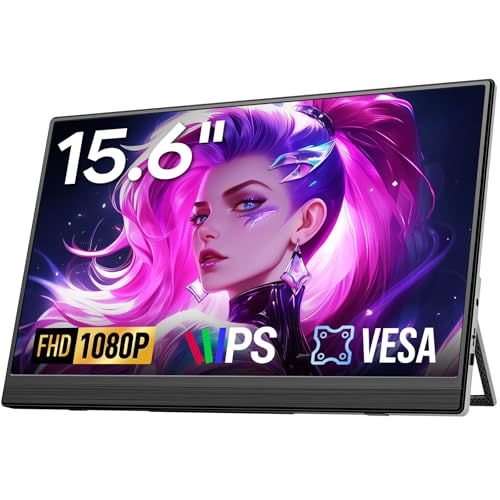 Dopesplay 15.6" FHD
|
Budget | Large 15.6" FHD HDR IPS with kickstand | Budget-conscious travelers who need a big second screen | Check Price | ||
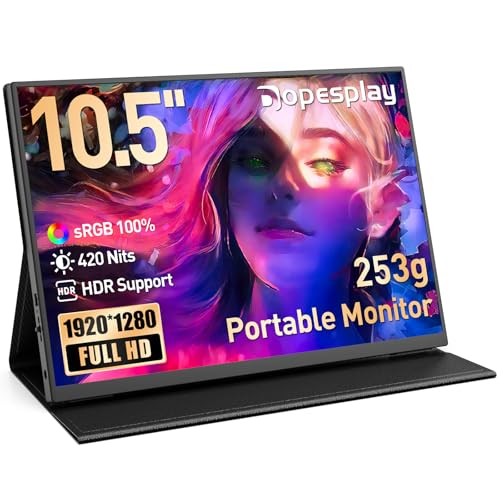 Dopesplay 10.5" 1280P
|
Mid-Range | 420 nits, 100% sRGB in an ultra-light 253g body | Frequent flyers who need the lightest option for presentations | Check Price |
1. UPERFECT True 4K Portable Monitor QLED, 15.6 600 Nits Laptop Monitor, 100% AdobeRGB, UHD 3840x2400 USB-C & HDMI w/Smart Case, HDR FreeSync Eye Care, Travel Screen for Computer, Mini PC, Game Consoles
A premium portable display that prioritizes color accuracy, brightness, and build quality. The UPERFECT 15.6" 4K QLED is the strongest pick for photo/video editing on the road and for presentations that need crisp detail and punchy color.
Key Specs
- 15.6" UHD 3840x2400 QLED panel
- 100% AdobeRGB color gamut, 600 nits peak brightness
- USB-C (video) + HDMI input; best with full-function Type-C
- Frame & chassis: CNC-machined aluminum; 0.15" thin, ~1.5 lbs
Pros
- Superior color accuracy and brightness compared with the Dopesplay models
- Sturdier CNC metal body than budget options, better for frequent travel
- Higher resolution makes it better for detailed editing than either Dopesplay
Cons
- Larger and heavier than the tiny 10.5" Dopesplay (less pocketable)
- Requires full-function USB-C or external power for best performance
Best For: Color-critical editing & high-impact presentations
Check Latest Price on Amazon2. Portable Monitor, 15.6" FHD 1080P Travel Portable Monitor for Laptops, Ultra-Slim External Portable Screen for Laptop with Kickstand, Screen Extender for Laptop PC Mac Phone PS4/5 Xbox Switch
A lightweight, affordable 15.6" FHD portable monitor that gives a roomy second display for spreadsheets, editing timelines, and presentations. It’s a strong budget choice for users who want bigger screen real estate without much extra bulk.
Key Specs
- 15.6" FHD 1080P IPS display with HDR support
- Plug-and-play via USB-C (needs full-function video-capable port)
- Weight ~1.4 lbs, 0.3" thickness; includes kickstand and multiple cables
- 12-month warranty and lifetime technical support
Pros
- Bigger display area than the 10.5" Dopesplay for editing/presentations
- Better value for money compared with the UPERFECT for general tasks
- Easier plug-and-play setup for non-color-critical work than some complex 4K options
Cons
- Less color precision and brightness than the UPERFECT for professional editing
- Requires a full-function USB-C for single-cable video or extra adapters
Best For: Budget-conscious travelers who need a big second screen
Check Latest Price on Amazon3. Portable Monitor,10.5" HDR 1280P Ultra-Thin 100% sRGB Travel Portable Monitor for Laptop, 420 Nits Mini Secondary Display with Protective Case & Speaker, Monitors for Laptop, PC Mac Phone PS4/5 Xbox
The 10.5" Dopesplay is extremely portable, bright for its size, and well suited to slide-based presentations and quick edits on the go. It’s the best pick when absolute lightness and a protective magnetic stand matter most.
Key Specs
- 10.5" 1920x1280 (stated) IPS with 100% sRGB and 420 nits
- Dual full-featured USB-C + HDMI; single-cable video + power possible
- Very light (253 g) with foldable magnetic protective cover
- VESA 75mm compatibility; 12-month warranty
Pros
- More portable and lighter than both larger monitors for travel carry-on
- Better single-cable convenience than some older budget screens
- Stronger color coverage (100% sRGB) than the larger 15.6" Dopesplay for general color tasks
Cons
- Too small for detailed photo/video editing compared with the UPERFECT
- Some users report mixed functionality or durability concerns over time
Best For: Frequent flyers who need the lightest option for presentations
Check Latest Price on AmazonWhich One Should You Choose?
If premium image quality for photo or video editing matters most, pick the UPERFECT True 4K Portable Monitor (B08NSW5F8V) — it offers the best resolution, color accuracy, and a tougher metal chassis. If your priority is a large, inexpensive second screen for spreadsheets and general work, go with the Dopesplay 15.6" FHD (B0D8JXY8V3) — it gives the most screen area for the money. If you travel ultra-light and mainly give presentations or need a tiny second display, choose the Dopesplay 10.5" (B0FDQY5TGK) for its featherweight design and single-cable convenience.
Best for Specific Scenarios
- Color-critical editing on the road: UPERFECT 15.6" 4K (B08NSW5F8V) because it has the highest resolution and AdobeRGB coverage for accurate color work.
- Hotel presentations and quick client demos: Dopesplay 10.5" (B0FDQY5TGK) because it’s the lightest and sets up quickly with its magnetic stand.
- General productivity and multitasking: Dopesplay 15.6" (B0D8JXY8V3) because the larger FHD screen gives more workspace and the best value for typical office tasks.
Frequently Asked Questions
Will these portable monitors work with a MacBook M1/M2/M3?
Most modern MacBooks with full-function USB-C (DisplayPort Alt Mode) will drive these monitors as a second display. Check your MacBook’s ports — if a port doesn’t carry video, use the monitor’s HDMI input with a compatible adapter or an external power source where required.
Do these monitors need external power or a special cable?
A full-function USB-C cable can carry video and power on many setups; however, higher-resolution or brighter monitors (like the 4K UPERFECT) may require an external power source or a higher-spec USB-C cable. Always use the recommended cable and verify your laptop’s USB-C supports PD and DP Alt Mode.
Are these screens good enough for professional photo/video editing?
The UPERFECT 4K with 100% AdobeRGB is well-suited for professional editing. The Dopesplay models provide good color for general work and presentations (the 10.5" covers 100% sRGB), but they’re less ideal for color-critical workflows where the higher gamut and resolution of the UPERFECT are beneficial.
How We Selected These Products
Our recommendations are based on data-driven analysis: we evaluated 155229+ products across 23916+ brands using a composite scoring system that weighs rating (40%), review volume (30%), price value (20%), and demand signals (10%). Every product is ranked by data, not opinions.
Last updated: July 29, 2026
As an Amazon Associate we earn from qualifying purchases at no extra cost to you. Full disclosure.
GearLark Score is our editorial ranking based on a composite analysis of product quality, value, and verified customer sentiment. Click through to Amazon for current pricing, availability, and live customer reviews.