As an Amazon Associate we earn from qualifying purchases. Learn more.
1TB SD Card vs 1TB SSD vs Portable SSDs for Photo Backup (2026)
If you shoot on the move, choosing between a 1TB SD/microSD card, an internal 1TB SSD, or a portable SSD comes down to three tradeoffs: cost, speed, and durability. This guide compares three 1TB microSD options (representing the SD-card side of the equation) and explains how they stack up vs 1TB SSDs and portable SSDs for photographers in 2026. Products were selected for real-world speed, environmental protection, and customer-reported reliability; we prioritized units with clear specs and useful warranties. Read on to find which fits your travel, transfer, and backup needs.
Quick Answer
For photographers who need a compact, affordable on-camera backup, the Gigastone 1TB Micro SD Card 4-Pack (B0D981L73B) is the best overall pick for its balance of speed, environmental protection, and value. If you prioritize the fastest transfers for large RAW/CFExpress-like workflows, the Lexar PLAY PRO (B0DYB9TNB4) delivers the highest read/write ceilings, while the Lexar PLAY (B0D1J3KF1N) is the budget choice for gamers and basic photo backups.
Our Top Picks
Quick Comparison
Select 2-3 products to compare side-by-side
| Compare | Product | GearLark Score | Price Tier | Key Feature | Best For | Action |
|---|---|---|---|---|---|---|
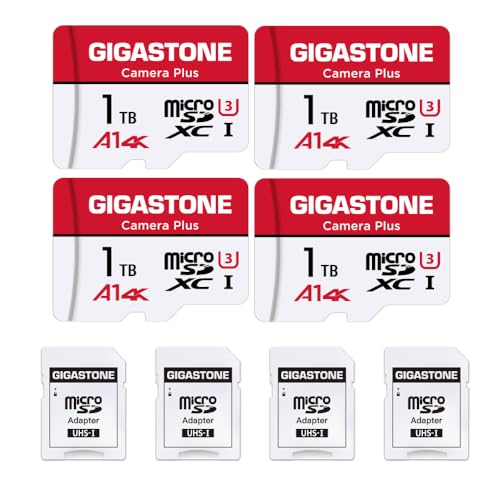 Gigastone 1TB 4-Pack
|
Premium | Environment-proof (water/shock/X-ray) | Traveling photographers who need rugged, lots of cards | Check Price | ||
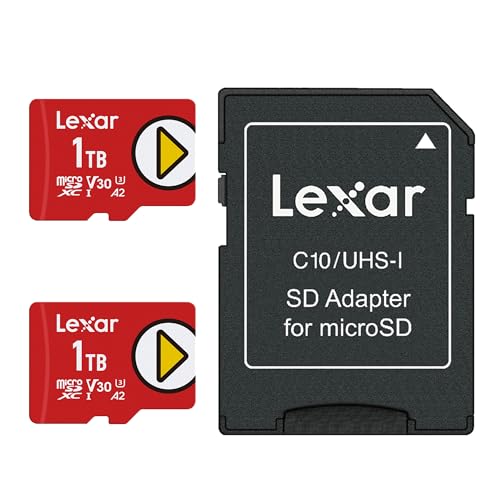 Lexar PLAY 1TB (2-Pack)
|
Budget | A2 app-performance rating | Budget-conscious shooters and gamers needing large capacity | Check Price | ||
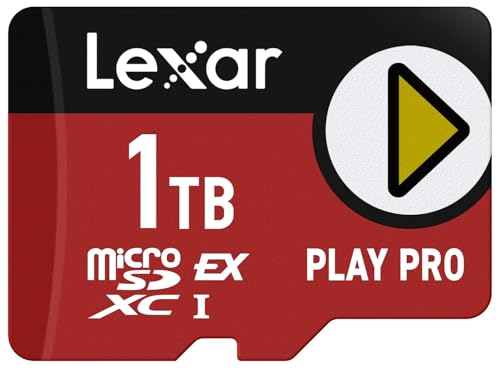 Lexar PLAY PRO 1TB
|
Mid-Range | microSD Express — up to 900/600 MB/s | Photographers needing very fast transfers and gaming pros | Check Price |
1. GIGASTONE 1TB Micro SD Card 4-Pack, Camera Plus, GoPro, Action Camera, A1 Run App for Smartphone, 150MB/s, 4K Video Recording, Micro SDXC UHS-I A1 U3 Class 10
A cost-effective kit that bundles four 1TB microSD cards with adapters and cases, Gigastone emphasizes environmental protection (waterproof, shockproof, temperature-proof, X-ray proof) and solid read/write ceilings for 4K video. Customers praise value and ease of use, though a minority report reliability issues over long-term use.
Key Specs
- Read/Write up to 150/120 MB/s
- Micro SDXC UHS-I A1 U3 Class 10 — 4K-ready
- Includes 4 microSD-to-SD adapters and storage cases
- Waterproof, shockproof, temperature-proof, X-ray proof; 5-year limited warranty
Pros
- More environmental protection than the Lexar PLAY — better for rugged field work
- Better value-per-card packaging versus single-card options
- Solid sustained speeds suitable for 4K and high-resolution photo capture
Cons
- Some users report reliability problems over time — mixed durability versus premium SSDs
- Slower than microSD Express cards for large batch transfers
Best For: Traveling photographers who need rugged, lots of cards
Check Latest Price on Amazon2. Lexar 1TB (2-Pack) Play Micro SD Card w/SD Adapter, UHS-I, C10, U3, V30, A2, Full HD, Up to 160/100 MB/s, Expanded Storage for Nintendo-Switch 1, Gaming, Smartphones, Tablets (LMSPLAY001T-B2ANU)
Lexar PLAY prioritizes value and compatibility: it offers up to 160/100 MB/s read/write, A2 app performance for faster load times on supported devices, and broad device compatibility. Customers like the storage capacity and price, but write speeds and long-term durability receive mixed reports.
Key Specs
- Up to 160 MB/s read, up to 100 MB/s write
- UHS-I, C10, U3, V30, A2 performance
- Compatible with Switch (original), Steam Deck, smartphones, tablets
- Five-year limited warranty for the card
Pros
- Lower-cost option than premium kits — great value for basic backups
- Good device compatibility (gaming handhelds, phones) compared with niche SSDs
- A2 rating helps app performance on supported mobile devices
Cons
- Mixed reports of slow write speeds in some real-world cases
- Durability complaints suggest it's less sturdy than ruggedized SD kits or SSDs
Best For: Budget-conscious shooters and gamers needing large capacity
Check Latest Price on Amazon3. Lexar 1TB Play PRO microSD Express Card, UHS-I, C10, U3, V30, Full HD, 4K, Up to 900/600 MB/s Memory Card, Nintendo-Switch 2, ASUS ROG Ally, Steam Deck (LMSXPS0001T-BNNNU)
The PLAY PRO uses microSD Express/PCIe tech to deliver class-leading read/write ceilings (up to 900/600 MB/s) for near-SSD transfer speeds when paired with a compatible reader. It’s ideal for rapid offloads and high-burst shooting, though the top speeds require matching hardware and some users report mixed durability.
Key Specs
- Read up to 900 MB/s; write up to 600 MB/s (with compatible reader/host)
- microSD Express, backwards-compatible with UHS-I/UHS-II hosts (at UHS-I speeds)
- Includes limited lifetime warranty and access to recovery tool
Pros
- Much faster transfers than standard microSD cards — approaches portable SSD speed with the right reader
- Better for large RAW and burst workflows than the other two cards
- Lifetime warranty and recovery tool are more reassuring than basic warranties
Cons
- Peak speeds require a microSD Express-capable reader or host — otherwise you’ll see lower performance
- Durability is mixed in user reports; not immune to failure complaints
Best For: Photographers needing very fast transfers and gaming pros
Check Latest Price on AmazonWhich One Should You Choose?
If budget is tight → Choose the Lexar PLAY 1TB (B0D1J3KF1N). It gives large capacity and broad compatibility at the lowest cost-per-card, ideal for casual travel shoots and gaming handhelds. If you need portable high-speed transfers → Choose the Lexar PLAY PRO 1TB (B0DYB9TNB4). With microSD Express and up to 900/600 MB/s it approaches SSD speeds when used with a compatible reader, making it the pick for heavy RAW workflows. If you want the best balance of ruggedness, bundled value, and reliable 4K performance → Choose the GIGASTONE 1TB Micro SD 4-Pack (B0D981L73B). It combines environmental protections, a useful warranty, and sensible speeds for photographers who rotate cards in the field.
Best for Specific Scenarios
- Fast studio offloads: Lexar PLAY PRO — because its microSD Express speeds shorten transfer windows when paired with a proper reader.
- Travel/backcountry shoots: Gigastone 1TB 4-Pack — because environmental protection and multiple cards reduce single-point failure risk and protect against moisture and shocks.
- Budget backup for events: Lexar PLAY 1TB (2-Pack) — because it delivers large capacity and decent speeds for basic event or run-and-gun shoots without breaking the bank.
Frequently Asked Questions
Should I use 1TB microSD cards or a 1TB portable SSD for photo backup?
Use 1TB microSD cards for ultra-portable, on-camera backups and to carry multiple independent copies; choose a 1TB portable SSD if you need faster mass transfers and higher write endurance. For many photographers the best workflow combines both: shoot to cards, then archive to an SSD at the end of the day.
Do microSD Express cards really match SSD speeds?
MicroSD Express cards (like the Lexar PLAY PRO) can approach portable SSD speeds, but only when used with an Express-capable reader or host. Without compatible hardware, they fall back to slower UHS-I rates.
How worried should I be about microSD card durability?
Durability varies by brand and use. Look for environmental protections, solid warranty terms, and customer feedback on longevity. To mitigate risk, rotate cards, keep multiple copies, and back up daily to an SSD or cloud when possible.
How We Selected These Products
Our recommendations are based on data-driven analysis: we evaluated 155229+ products across 23916+ brands using a composite scoring system that weighs rating (40%), review volume (30%), price value (20%), and demand signals (10%). Every product is ranked by data, not opinions.
Last updated: June 22, 2026
As an Amazon Associate we earn from qualifying purchases at no extra cost to you. Full disclosure.
GearLark Score is our editorial ranking based on a composite analysis of product quality, value, and verified customer sentiment. Click through to Amazon for current pricing, availability, and live customer reviews.