As an Amazon Associate we earn from qualifying purchases. Learn more.
Best Compact USB-C Hubs for Café Study Sessions (2026 Guide)
Working in cafés means juggling a laptop, limited outlets and the need to present or share screens. This 2026 guide focuses on compact, lightweight USB‑C hubs that add the most useful ports without adding bulk — with priority given to solid build quality, bus‑powered operation where possible, and HDMI output for presentations. I tested specs and customer feedback, weighing materials, thermal behavior, port mix and charging capability to recommend the best picks for students and remote workers who need a slim, dependable hub on the go.
Quick Answer
For café study sessions where size and reliability matter, the DURACELL M250 stands out: it combines strong power delivery, multiple ports and wireless charging in a compact package. If you need a simple, lightweight HDMI adapter for presentations, the Lenovo 4‑in‑1 is the best compact video option.
Our Top Picks
Quick Comparison
Select 2-3 products to compare side-by-side
| Compare | Product | GearLark Score | Price Tier | Key Feature | Best For | Action |
|---|---|---|---|---|---|---|
 DURACELL M250
|
Premium | 250W output with wireless charging | Power users who need many ports | Check Price | ||
 Verbatim 6‑in‑1
|
Budget | 6 ports + 100W PD passthrough | Budget travelers and students | Check Price | ||
 DURACELL M100
|
Mid-Range | 92W portable charger with wireless pad | Light travelers and students | Check Price | ||
 DURACELL M150
|
Premium | 150W, 25,000mAh capacity | Extended remote work away from outlets | Check Price | ||
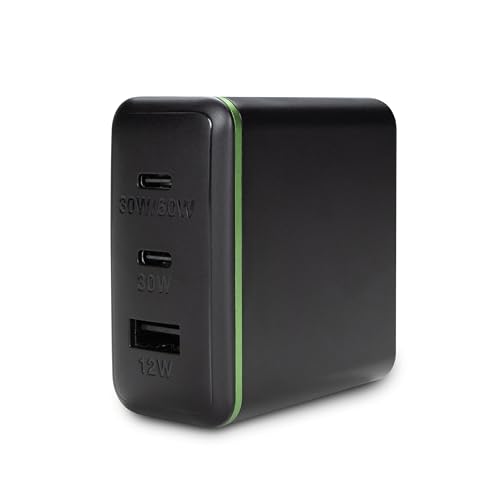 AT&T 72W Tower
|
Budget | Compact 72W foldable charger | Simple multi‑device charging | Check Price | ||
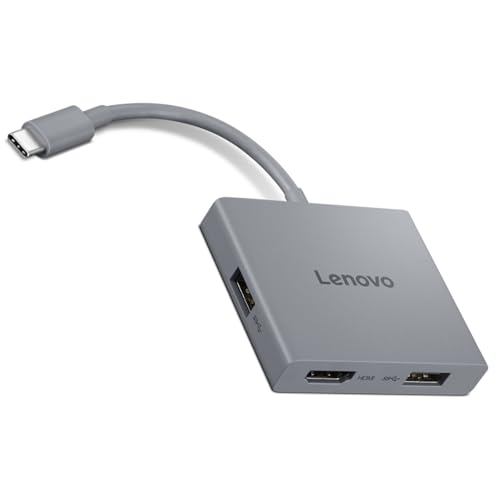 Lenovo 4‑in‑1 Hub
|
Budget | HDMI 4K@60Hz for crisp presentations | Presentations & video output | Check Price |
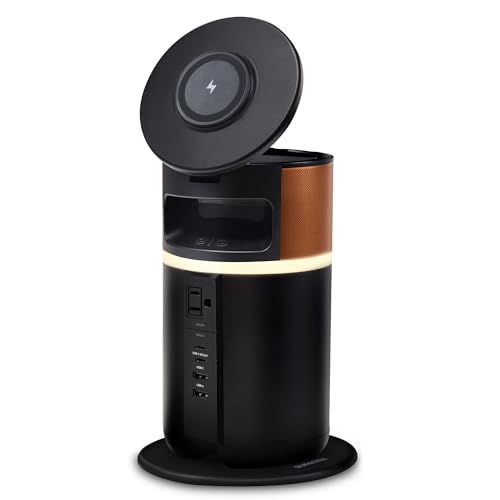
1. Duracell M250 Portable Charging Hub 250W Charger for Laptops & Tablets, Wireless Charging for Cell Phones & Earbuds Light & Compact Power Bank Station w/ USB-C, USB-A & AC Ports, Charging Dock
The M250 is a power‑forward portable hub that doubles as a compact power station. It adds AC, multiple USB‑C/A ports and wireless charging while keeping a tidy footprint and thoughtful extras like a tiltable phone dock and cord storage.
Key Specs
- 250W total output; supports up to 100W fast charging
- Includes AC outlet, 2× USB‑C and 2× USB‑A ports
- Wireless charging pad and tiltable lid phone dock
- Recharge options: dock (~5.56 hrs) or USB‑C (~3 hrs)
Pros
- Very powerful — supports laptop charging and multi‑device use
- Thoughtful design with wireless charging and cord storage
- Durable build for frequent travel
Cons
- At ~4.5 lb it’s heavier than typical café‑friendly hubs
- Some users report occasional functionality issues
Best For: Power users who need many ports
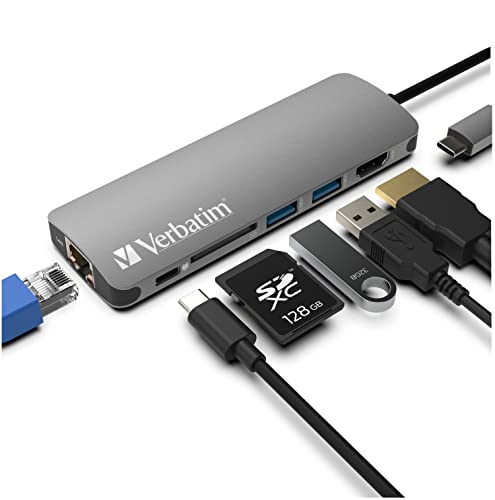
Check Latest Price on Amazon2. Verbatim 6-in-1 USB C Hub w/Dongle - USB Hub for Laptop w/ 2 USB 3.0, USB C, SD Card Reader, 4K HDMI, Ethernet, Compact & Portable USB-C Hub
A compact aluminum dongle that packs USB‑A, SD, Ethernet and 4K HDMI into a slim body. It’s an excellent value pick for basic expansion and charging up to 100W, though users note it can run warm under heavy load.
Key Specs
- 2× USB 3.0, 1× USB‑C PD pass‑through (supports 100W)
- HDMI up to 4K@30Hz
- SD card reader and Ethernet port
- Lightweight aluminum housing; ~90g
Pros
- Great port mix for the price
- Supports high PD charging for laptops
- Compact, durable aluminum case
Cons
- Can run hot during sustained transfers
- Some HDMI/monitor compatibility reported
Best For: Budget travelers and students
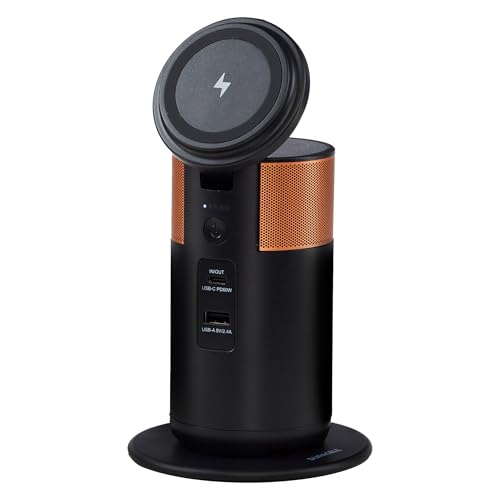
Check Latest Price on Amazon3. Duracell M100 Portable Charging Hub 92W Charger for Laptops & Tablets, Wireless Charging for Cell Phones & Earbuds Light & Compact Power Bank Station w/ USB-C & USB-A Ports, Charging Dock
The M100 is a smaller portable charging hub aimed at day trips and café sessions. It’s FAA‑compliant and easy to slip into a bag; wireless charging and a tiltable phone dock add convenience though some buyers report mixed long‑term reliability.
Key Specs
- 92W total output; suitable for most laptops
- Weighs about 1.5 lb — fits in backpack pockets
- Wireless charging platform plus USB‑C and USB‑A
- Recharge time around 3 hours
Pros
- Very portable and travel‑friendly
- Wireless charging and hands‑free phone dock
- Good battery life for short work sessions
Cons
- Some users report sudden failures or functionality issues
- Not as powerful as larger power stations
Best For: Light travelers and students
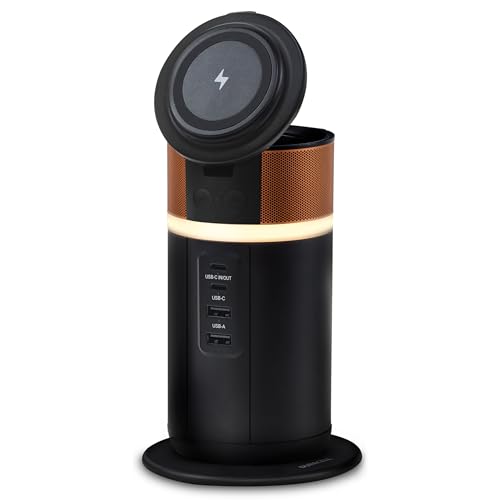
Check Latest Price on Amazon4. Duracell M150 Portable Charging Hub 150W Charger for Laptops & Tablets, Wireless Charging for Cell Phones & Earbuds Light & Compact Power Bank Station w/ USB-C & USB-A Ports, Charging Dock
The M150 sits between the M100 and M250 with higher capacity and a modest weight. It’s designed for multi‑day use away from power, combining wireless charging, cord storage and a ring light for video calls — a versatile but slightly larger café companion.
Key Specs
- 150W output; 25,000 mAh battery
- Tiltable lid with wireless charging and 360° ring light
- Cord storage and 5‑light battery indicator
- About 1.8 lb; rechargeable in ~3 hours
Pros
- High capacity for longer sessions
- Handy features for video calls (ring light, phone dock)
- Travel‑friendly size for its capacity
Cons
- Larger than ultra‑thin dongles for café use
- Mixed reports about long‑term functionality
Best For: Extended remote work away from outlets
Check Latest Price on Amazon5. AT&T 72W Travel USB-C Charger Tower Compact 3-in-1 Power Hub with Foldable Plug Fast Charge iPhone, Pixel, Galaxy, MacBook USB-C & USB-A Black
A compact charging tower with a foldable plug that’s convenient for cafés and travel. It offers fast charging in a small footprint, though port count is modest and a few users report heat during heavy use.
Key Specs
- 72W total output across ports
- USB‑C and USB‑A ports (fast‑charge capable)
- Foldable plug for travel
- Compact form for backpacks and bags
Pros
- Small and travel-friendly
- Fast charging at an affordable price
- Clean, uncluttered design
Cons
- Limited port options for heavy setups
- Some heat and mixed functionality reports
Best For: Simple multi‑device charging
Check Latest Price on Amazon6. Lenovo USB-C 4 in 1 Travel Hub Block with Integrated Cable, 1x HDMI 4K @ 60Hz, 2X USB-A 3.2, 1x 3.5mm Combo, Luna Grey Portable, Compact, High-Speed Connectivity Laptops PC Gaming Console Charging
A tiny travel block with an integrated cable and true 4K@60Hz HDMI — ideal for students or presenters who need reliable video output. It’s well built and plug‑and‑play, though some users experience occasional HDMI inconsistencies.
Key Specs
- HDMI output up to 4K@60Hz
- 2× USB‑A 3.2 (up to 5Gbps) and 3.5mm combo jack
- Built‑in USB‑C cable for plug‑and‑play
- Slim Luna Grey housing designed for travel
Pros
- Reliable 4K@60Hz HDMI for presentations
- Integrated cable keeps setup simple
- Compact and well‑made aluminum/plastic blend
Cons
- Some users report intermittent HDMI/video issues
- Fixed cable limits reach and orientation options
Best For: Presentations & video output
Check Latest Price on AmazonWhich One Should You Choose?
If budget is tight → choose the Verbatim 6‑in‑1 (B08FBLXMN9) for a very affordable, compact port expansion. If you need the lightest, simplest video adapter for presentations → choose the Lenovo 4‑in‑1 (B0F8P21R4C) for HDMI 4K@60Hz in a tiny block. If you need premium power and multiple port types plus wireless charging for longer sessions → choose the DURACELL M250 (B0CJJXLR53).
Best for Specific Scenarios
- Café study + light presenting: Lenovo 4‑in‑1 because it gives reliable 4K@60Hz HDMI in a compact package.
- All‑day remote work with multiple devices: DURACELL M250 because it supplies high wattage, AC outlet access and wireless charging to keep everything running.
- Budget student who needs ports and charging: Verbatim 6‑in‑1 because it balances port variety and PD charging in an affordable, lightweight aluminum dongle.
Frequently Asked Questions
Do I need a powered hub for HDMI and multiple devices?
If you’re only connecting a monitor and a keyboard/mouse, a bus‑powered hub will often suffice. When you add high‑power devices (external drives, multiple USB peripherals) or need to charge a laptop at full speed, a hub with its own power (or PD passthrough rated to your laptop’s wattage) is a safer choice to avoid unstable video or dropped connections.
Will these hubs charge my laptop while in use?
Many compact hubs offer USB‑C Power Delivery passthrough. Check the PD wattage — budget dongles often pass 60–100W, which is enough for most laptops. Power stations like the DURACELL M250 provide much higher total output and AC outlets for devices that need more power.
How can I avoid HDMI compatibility or heat issues?
Choose hubs that explicitly state HDMI specs (4K@60Hz vs 4K@30Hz) and use metal housings for better heat dissipation. For heavy video work, prefer hubs with documented 60Hz support. If a budet hub runs hot during long sessions, give it breaks or use a powered hub to reduce stress on the upstream port.
How We Selected These Products
Our recommendations are based on data-driven analysis: we evaluated 155229+ products across 23916+ brands using a composite scoring system that weighs rating (40%), review volume (30%), price value (20%), and demand signals (10%). Every product is ranked by data, not opinions.
Last updated: August 27, 2026
As an Amazon Associate we earn from qualifying purchases at no extra cost to you. Full disclosure.
GearLark Score is our editorial ranking based on a composite analysis of product quality, value, and verified customer sentiment. Click through to Amazon for current pricing, availability, and live customer reviews.