As an Amazon Associate we earn from qualifying purchases. Learn more.
Best Docking Stations for Short-Term Holiday Rentals (2026)
Short-term holiday rentals need docks that are compact, reliable and compatible with guests’ laptops and handhelds. This guide reviews four compact docking stations that turn a condo or holiday suite into a usable office: we prioritized compatibility across Windows, macOS, ChromeOS and generic USB-C hosts, plus build quality, port variety and ease of setup. Products were selected from recent market leaders and ordered by overall match to rental use-cases, with emphasis on multi-monitor support, power delivery and portability. Read on for quick winners, detailed reviews and a buying guide to match the right dock to your rental setup.
Quick Answer
For a rental that needs a full-office feel with broad compatibility, the HP USB-C Essential Dock G5 (B0BNCG2H1Y) is the top pick for its extensive port set and strong performance. For a compact, budget-friendly travel dock choose the JSAUX HB1101 (B0CJRKM7C5).
Our Top Picks
Quick Comparison
Select 2-3 products to compare side-by-side
| Compare | Product | GearLark Score | Price Tier | Key Feature | Best For | Action |
|---|---|---|---|---|---|---|
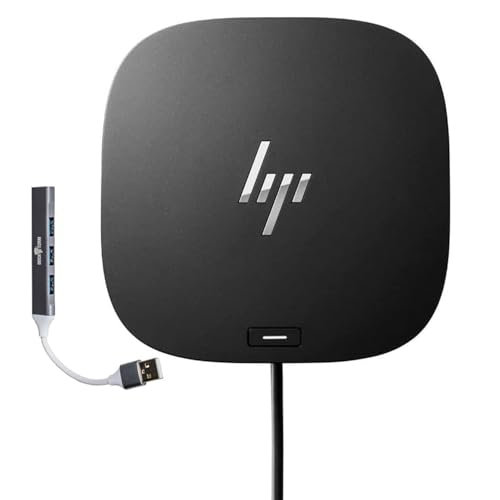 HP USB-C Essential Dock G5 |
Premium | Extensive multiport layout (HDMI/DP/USB/Ethernet) | Rentals wanting a full desktop experience | Check Price | ||
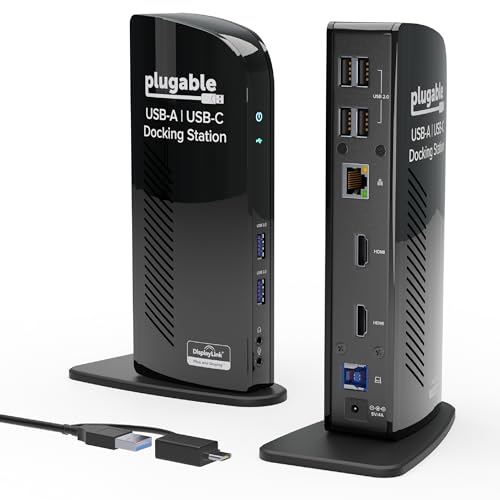 Plugable UD-3900 |
Mid-Range | Dual HDMI 1080p outputs via single cable | Hosts needing reliable dual-monitor plug-and-play | Check Price | ||
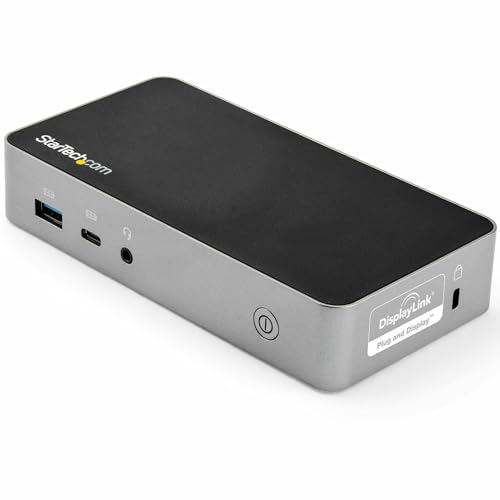 StarTech DK30CHHPD |
Mid-Range | Broad OS compatibility (Windows, macOS, ChromeOS, Linux) | Rentals that host many different device types | Check Price | ||
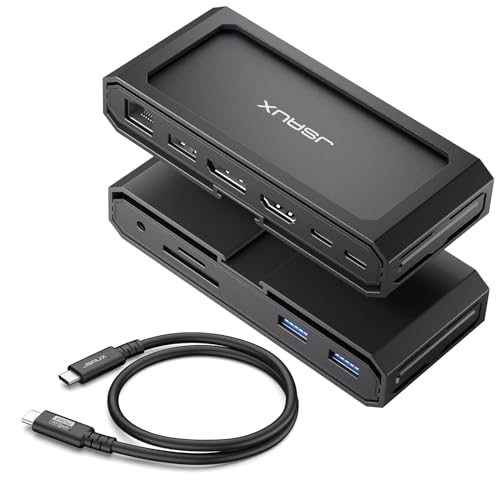 JSAUX HB1101 |
Budget | Compact 11-in-1 with 100W PD and 8K/4K video options | Compact rental setups and travelling hosts | Check Price |
1. HP USB-C Essential Dock G5 Multiport Docking Station with USB-C, HDMI, DisplayPort, Ethernet | Includes Dockztorm Dock
A heavy-duty multiport solution that brings a near-office level of connectivity to a holiday rental. It bundles a powerful multiport dock and offers plentiful video and USB connections plus wired Ethernet — ideal when guests need multiple displays or many peripherals.
Key Specs
- Video outputs: 1 x HDMI 2.1 + multiple DisplayPort options (per included dock)
- Included docking module supports up to 4K and Thunderbolt 3 compatibility
- Power: 90W power supply (plus included USB-C DV4K dock supporting 100W PD)
- Connectivity: USB-C, USB-A ports, RJ45 Ethernet, headphone/mic jack
Pros
- Very comprehensive port selection for multi-monitor setups
- Designed to support high-performance hosts and many peripherals
- Consistently praised for functionality and USB port capacity
Cons
- Premium price tier for rental use
- Unit description notes upgrade/repair handling that can confuse non-technical users
Best For: Rentals wanting a full desktop experience
Check Latest Price on Amazon2. Plugable Universal Laptop Docking Station Dual HDMI Monitor for Windows and Mac (Driver Required), USB 3.0 or USB-C, 2X HDMI, Gigabit Ethernet, Audio, 6 USB Ports (UD-3900)
A proven mid-range dock built around dual-HD 1080p output, wired Ethernet and lots of USB ports. It’s a practical, value-oriented choice for rentals where guests want two external displays for work without breaking the bank.
Key Specs
- Video: 2x HDMI up to 1920x1200 @60Hz (driver required)
- Connectivity: hybrid USB 3.0/USB-C host cable, 6 USB ports, Gigabit Ethernet
- Audio: 3.5mm headphone and microphone jacks
- Power: does not charge the host laptop
Pros
- Easy setup and good dual-monitor support for productivity
- Strong value proposition for the features provided
- Lifetime support and 2-year defect coverage
Cons
- Not 4K-capable; limited for high-resolution displays
- Some users report intermittent connectivity or lag with certain hosts
Best For: Hosts needing reliable dual-monitor plug-and-play
Check Latest Price on Amazon3. StarTech.com USB-C Dock - Dual Monitor 1080p HDMI Laptop Docking Station - 65W Power Delivery - 1x USB-C, 3x USB-A, Ethernet - Dual Video Display USB 3.1 Gen 1 Type-C Dock - Mac & Windows (DK30CHHPD)
A compatibility-focused dock that supports multiple operating systems (including Apple M-series) and dual 1080p displays while offering 65W power delivery and Ethernet. It’s a safe choice when you can’t predict guest devices but need reliable, standardized features.
Key Specs
- Dual HDMI 1080p/60Hz display support
- 65W USB-C Power Delivery for laptop charging
- Ports: 1x USB-C, 3x USB-A, Gigabit Ethernet, 3.5mm audio
- Includes mounting holes, security K-slot and 1m USB-C cable
Pros
- Excellent cross-platform compatibility for mixed guest devices
- Charges many ultrathin laptops while docked (65W PD)
- Built with workspace integration features (mounting, K-slot)
Cons
- 65W PD may be marginal for some high-power laptops
- Functionality feedback is mixed in a few edge cases
Best For: Rentals that host many different device types
Check Latest Price on Amazon4. JSAUX USB-C Laptop Docking Station, 11-in-1 Dock with 8K@30Hz HDMI and DP, 100W PD, USB C and 3 USB A, Gigabit Ethernet, 3.5mm Audio, SD/TF Reader Compatible with Steam Deck, MacBook,ROG Ally-HB1101
A compact, travel-friendly 11-in-1 dock that squeezes 100W power delivery, SD card readers and 8K/4K-capable video into a small footprint. Great for short-term stays where space is limited and guests bring modern laptops or handheld consoles.
Key Specs
- Video: single 8K@30Hz or dual 4K displays via HDMI/DP
- Power Delivery: up to 100W PD (host device limits may apply)
- Extras: SD/TF card reader, Gigabit Ethernet, 2x USB 3.0 + USB 2.0
- Compatibility: Windows/macOS/Linux/Android and select handhelds like Steam Deck
Pros
- Very portable and feature-rich for its size
- High PD rating for fast charging compatible laptops
- Works well with compact devices like Steam Deck
Cons
- Build quality and ergonomics receive mixed feedback
- Some customers question value for money relative to rivals
Best For: Compact rental setups and travelling hosts
Check Latest Price on AmazonWhich One Should You Choose?
If budget is tight → JSAUX HB1101 (B0CJRKM7C5). If you need straightforward dual-monitor plug-and-play for typical productivity work → Plugable UD-3900 (B00ECDM78E). If you expect a wide mix of guest devices and want the broadest compatibility → StarTech DK30CHHPD (B082983Q2J). If you want the most complete multiport premium setup and a near-office feel → HP USB-C Essential Dock G5 (B0BNCG2H1Y).
Best for Specific Scenarios
- Remote worker needing many ports: HP USB-C Essential Dock G5 — because it delivers the most extensive video and USB connectivity for a multi-monitor workstation.
- Quick plug-and-play dual monitors: Plugable UD-3900 — because it supports two external 1080p displays with a simple single cable setup and solid value.
- Small condo or travel hosts: JSAUX HB1101 — because it’s compact, offers high PD and multiple video options without taking up desk space.
Frequently Asked Questions
Will these docks work with a MacBook or Apple M-series?
Many modern docks (like the StarTech model) list macOS and Apple M-series compatibility, but Macs sometimes require a DisplayLink or vendor driver to enable multiple external displays. Always check the product notes for macOS driver requirements and keep driver links or instructions available for guests.
Do docking stations charge laptops?
Some docks include USB-C Power Delivery and will charge laptops — check the PD wattage. StarTech offers 65W PD, the JSAUX lists up to 100W, while the Plugable UD-3900 does not charge the host. Match PD to typical guest laptops: 65W for ultrabooks, 90–100W for larger workstations.
How do I secure a docking station in a short-term rental?
Use docks with a Kensington (K) slot or mounting holes for semi-permanent installation, route cables through discreet clips, and label ports with basic usage steps. Keep a spare power adapter and a short instruction card to reduce guest setup calls.
How We Selected These Products
Our recommendations are based on data-driven analysis: we evaluated 155229+ products across 23916+ brands using a composite scoring system that weighs rating (40%), review volume (30%), price value (20%), and demand signals (10%). Every product is ranked by data, not opinions.
Last updated: November 12, 2026
As an Amazon Associate we earn from qualifying purchases at no extra cost to you. Full disclosure.
GearLark Score is our editorial ranking based on a composite analysis of product quality, value, and verified customer sentiment. Click through to Amazon for current pricing, availability, and live customer reviews.