As an Amazon Associate we earn from qualifying purchases. Learn more.
Best Docking Stations for Multi-Monitor Holiday Workstations (2026)
If you’re building a reliable multi-monitor holiday workstation for heavy use — video calls, long editing sessions or running multiple apps — you need a dock that delivers stable displays, strong Power Delivery (PD) and a wired Ethernet connection. This guide tests and compares docks selected for their multiple-display outputs, PD capability, Ethernet, port variety and real-world durability. You’ll find a premium pick for demanding setups, budget and value options, and clear advice on OS compatibility, power limits and common pitfalls to avoid.
Quick Answer
For heavy-use holiday workstations the Plugable USB C Triple Display Docking Station is the top pick for 2026 thanks to enterprise-grade stability, 100W Power Delivery and three-display support. If you need a low-cost option, the Selore&S-Global 7-in-1 is the best budget pick.
Our Top Picks
Quick Comparison
Select 2-3 products to compare side-by-side
| Compare | Product | GearLark Score | Price Tier | Key Feature | Best For | Action |
|---|---|---|---|---|---|---|
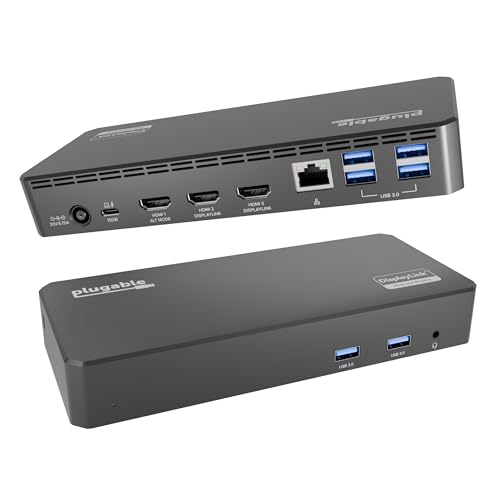 Plugable Triple Display Dock |
Premium | Enterprise-grade 3-display support | Heavy multi-monitor workstation users | Check Price | ||
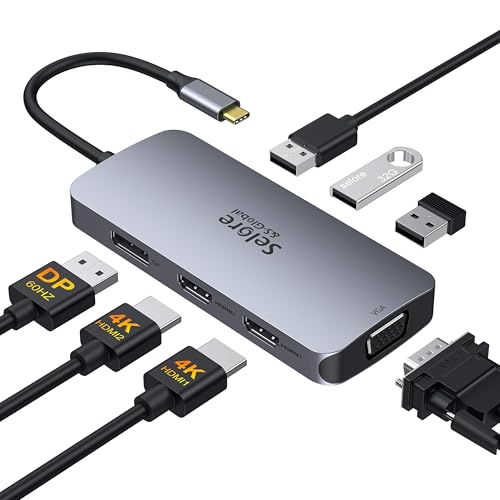 Selore&S-Global 7-in-1 |
Budget | Multiple video outputs (HDMI/DP/VGA) | Budget multi-monitor setups | Check Price | ||
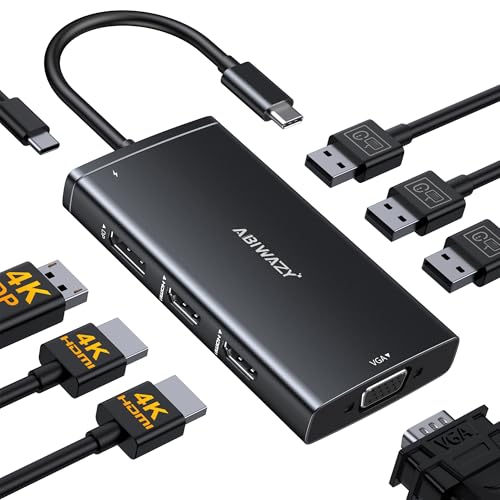 ABIWAZY 8-in-1 Dock |
Mid-Range | Dual 4K-capable HDMI + DP | Users seeking strong port mix at mid price | Check Price | ||
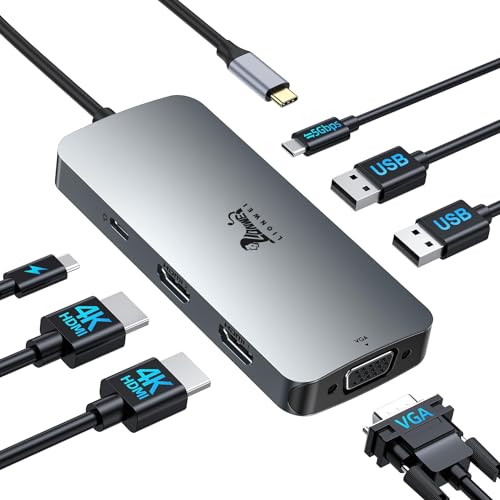 LIONWEI Dual 4K Dock |
Budget | Braided cable and sleek design | Portable holiday workstations | Check Price | ||
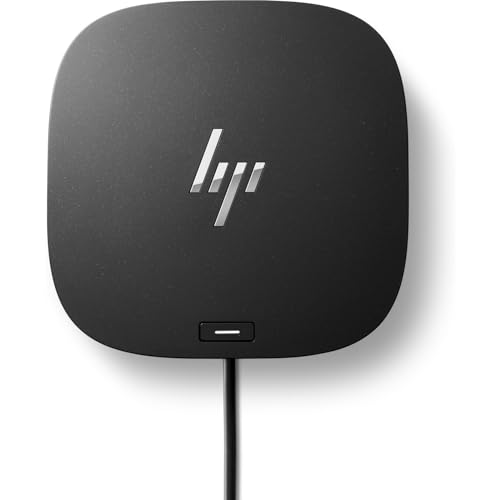 HP Universal Dock G2 |
Premium | Universal USB-C/A support | Users wanting a trusted brand dock | Check Price | ||
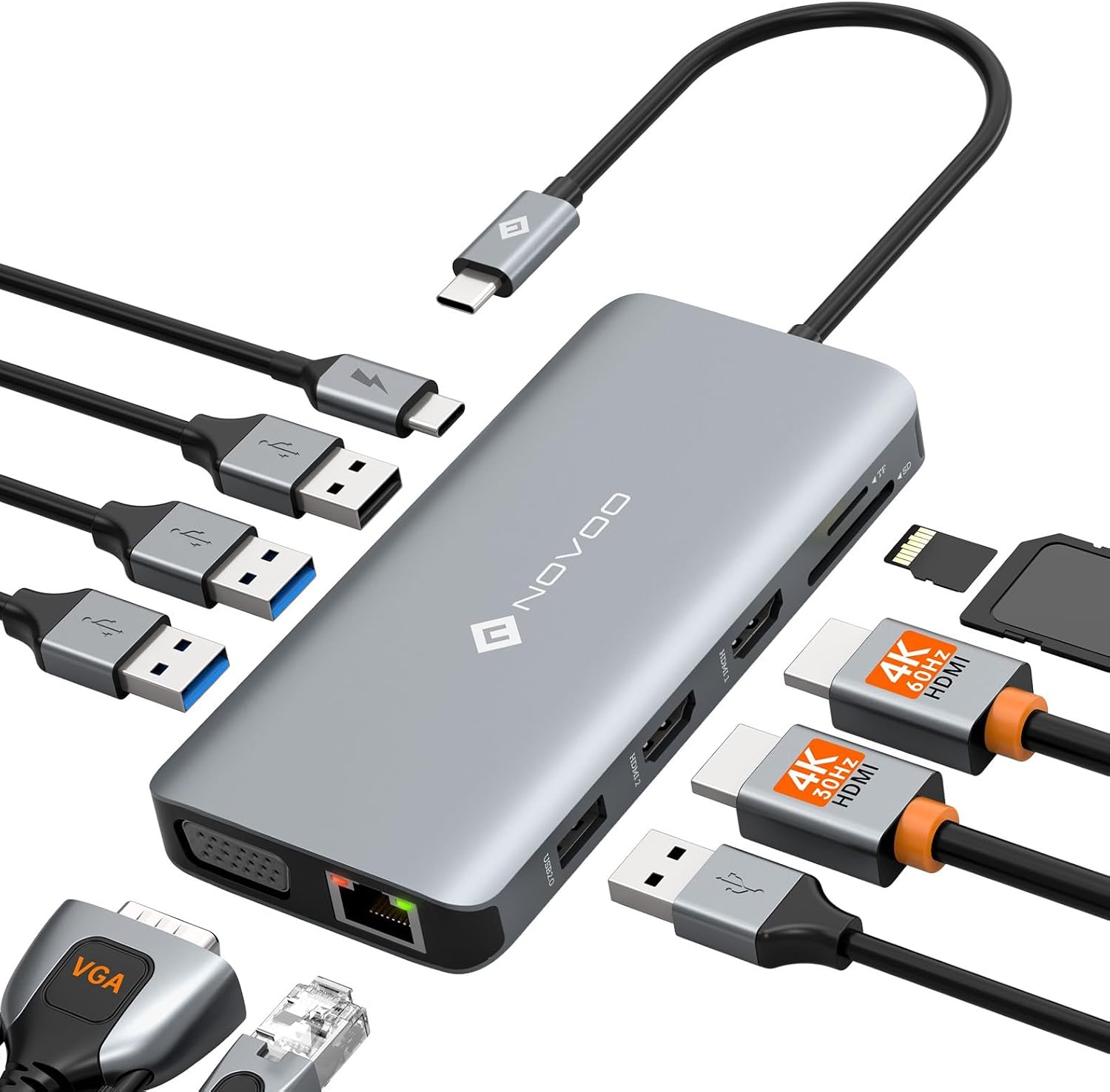 NOVOO 11-in-1 Dock |
Budget | 11-in-1 port set with SD card readers | Users needing lots of ports and card readers | Check Price |
1. Plugable USB C Triple Display Docking Station | 100W PD, 3x HDMI (1x 4K 30Hz, 2x 1080p 60Hz), 6x USB 5Gbps Ports | Windows, macOS, ChromeOS Compatible - Enhance Productivity with Multi-Monitor Support
A robust, IT-friendly dock designed to drive up to three HDMI displays while supplying 100W PD and wired Gigabit Ethernet. It’s engineered for mixed-fleet deployments and offers extensive ports and North American lifetime support, making it ideal for demanding holiday workstations.
Key Specs
- 100W USB-C Power Delivery
- 3x HDMI (1x 4K@30Hz via Alt Mode, 2x 1080p@60Hz via DisplayLink)
- Gigabit Ethernet RJ45
- 6x USB 3.0 (5Gbps) ports
Pros
- Strong multi-display capability for mixed fleets
- 100W PD keeps laptops charged under load
- Generous USB and Ethernet connectivity
Cons
- Some users report intermittent display dropouts
- Not compatible with Linux
Best For: Heavy multi-monitor workstation users
Check Latest Price on Amazon2. USB C to Dual HDMI Adapter,7 in 1 USB C Docking Station to Dual HDMI Displayport VGA,USB to 3USB 2.0, Multi Monitor Adapter for Dell XPS 13 15,Lenovo Yoga,Huawei Matebook X pro,etc
A compact, affordable 7-in-1 hub that offers dual HDMI, DisplayPort and VGA outputs plus basic USB ports. It gives good flexibility for Windows users who need several display types on a tight budget, though long-term reliability of HDMI ports is an area to watch.
Key Specs
- Dual HDMI (1x 4K@60Hz & 1x 4K@30Hz), 1x DP 1.4, 1x VGA
- 3x USB 2.0 ports
- Supports MST on Windows for multiple extended displays
- Requires full-function USB-C/Thunderbolt port on host
Pros
- Very affordable with lots of video outputs
- Easy plug-and-play setup on supported systems
- Works well for mixed-output setups (HDMI/DP/VGA)
Cons
- Reported HDMI port failures after months of use
- Full multi-display features limited to Windows
Best For: Budget multi-monitor setups
Check Latest Price on Amazon3. ABIWAZY USB C Docking Station Dual Monitor for HP Dell Lenovo Thinkpad Surface, 8 in 1 Computer Multiple Monitor Hub Adapter to Dual 4K HDMI,DisplayPort,VGA, 00W PD,3 USB for Windows Laptops(Black)
A versatile mid-range dock that offers two 4K-capable HDMI ports plus DisplayPort and VGA, with PD charging and multiple USB ports. It’s well-suited to users who want compact flexibility and the best value balance between price and features.
Key Specs
- 2x 4K-capable HDMI + 1x DisplayPort + 1x VGA
- USB-C PD charging (up to ~87W available to laptop)
- 3x USB 2.0 ports
- Plug-and-play (Windows MST supported)
Pros
- Good port density and compact footprint
- Solid value for multi-monitor setups
- Easy to use with plug-and-play operation
Cons
- Some users report HDMI lifespan issues
- Dual HDMI+DP requires a specific plug sequence
Best For: Users seeking strong port mix at mid price
Check Latest Price on Amazon4. USB C Docking Station Dual Monitor, LIONWEI Laptop Docking Station with Dual 4K HDMI, VGA, 100W PD, 3 USB, USB C Hub Multiport Adapter for Dell, Lenovo, HP, Surface
An economical dual-4K dock with a braided cable and clean design that supports triple displays in many Windows setups and provides PD charging. It’s a low-cost, attractive option but watch for occasional connection drops reported by some users.
Key Specs
- 2x 4K HDMI + 1x VGA (triple-display support)
- 100W PD (dock uses ~13W, ~87W available for laptop)
- 1x USB-C 3.0 + 2x USB-A (varies by unit)
- Plug-and-play; MST/SST support on Windows
Pros
- Solid build and braided cable feel
- Good value alternative to OEM adapters
- Sleek, compact design
Cons
- Some users report intermittent connection loss
- Limited number of USB 3.0 ports on some units
Best For: Portable holiday workstations
Check Latest Price on Amazon5. HP USB-C/A Universal Dock G2 Schwarz 100W - Dockingstation
HP’s Universal Dock G2 is a brand-name premium option offering universal USB-C/A connectivity and 100W PD. While specifics in this dataset are limited, HP docks typically emphasize compatibility and enterprise-grade support.
Key Specs
- Universal USB-C / USB-A dock form factor
- 100W Power Delivery listed
- Compact retail packaging (model 5TW13AA)
Pros
- Trusted brand with enterprise focus
- Designed for broad USB-C/A compatibility
- Premium positioning
Cons
- Limited public specs in this listing
- Higher price tier without detailed port list here
Best For: Users wanting a trusted brand dock
Check Latest Price on Amazon6. USB C Docking Station Dual HDMI Adapter, 11 in 1 Multi Display Docking Station Dual Monitor with 2 HDMI, VGA, 100W PD, 4 USB, USB C Hub Multiport Dongle Compatible with MacBook/Dell/HP/Lenovo Laptops
An 11-in-1 docking station that packs Ethernet, dual HDMI, VGA, multiple USB-A ports and SD/TF card readers into one unit. It’s a strong choice when you need many connection types, though users report heat and occasional connectivity or durability issues.
Key Specs
- 2x HDMI + VGA + Gigabit Ethernet
- 2x USB-A 3.0 + 2x USB-A 2.0 + USB-C PD
- SD / TF card readers; 100W PD support
Pros
- Impressive port variety and card slots
- Includes wired Ethernet for reliable networking
- Good initial value for the feature set
Cons
- Runs hot during heavy use
- Some reports of connectivity drops and limited durability
Best For: Users needing lots of ports and card readers
Check Latest Price on AmazonWhich One Should You Choose?
If budget is tight → choose Selore&S-Global B08SC432PX for the lowest-cost way to add multiple display outputs and legacy ports. If you want the best value balance → choose ABIWAZY B0D9GQW9RG for robust port density and dual 4K support. If premium stability and enterprise-grade support matter most → choose Plugable B08DDH5CPW for 3-display capability, 100W PD and managed-deployment features. For the most ports and card readers → NOVOO B0CDFRLD43 is the pick, but expect higher heat under sustained load. If you prefer a trusted brand with enterprise positioning → consider the HP Universal Dock G2 B07X67KKNH.
Best for Specific Scenarios
- Heavy remote work & content creation: Plugable (B08DDH5CPW) because it supports three displays, 100W PD and wired Gigabit Ethernet for stable video calls and editing workflows.
- Budget multi-monitor holiday office: Selore&S-Global (B08SC432PX) because it provides multiple video outputs including DP and VGA for older displays at a low price.
- Small desk with multiple peripherals: NOVOO (B0CDFRLD43) because it includes many USB ports, SD/TF card readers and Ethernet for connecting cameras, drives and accessories.
Frequently Asked Questions
Will this dock work with my MacBook M-series?
It depends. Many docks work with M-series Macs but macOS limits extended displays for some hardware — you may need a DisplayLink-based dock (with drivers) to drive three independent displays. Check each product’s compatibility notes and whether drivers are required.
How much laptop charging power will I actually get?
Look at the dock’s PD rating and any notes about power consumed by the dock. A dock that lists 100W PD commonly uses some power itself and may deliver ~87W to the host. If you run several monitors and peripherals, choose a dock with 100W PD or higher and confirm the available wattage for the laptop.
Are cheaper docks reliable for holiday travel and heavy use?
Budget docks can be fine for occasional travel or light workloads, but many users report HDMI port failures, heat and shorter lifespans on lower-cost models. For extended heavy use during a holiday project, a mid-range or premium dock with better build quality and support is a safer bet.
How We Selected These Products
Our recommendations are based on data-driven analysis: we evaluated 155229+ products across 23916+ brands using a composite scoring system that weighs rating (40%), review volume (30%), price value (20%), and demand signals (10%). Every product is ranked by data, not opinions.
Last updated: November 18, 2026
As an Amazon Associate we earn from qualifying purchases at no extra cost to you. Full disclosure.
GearLark Score is our editorial ranking based on a composite analysis of product quality, value, and verified customer sentiment. Click through to Amazon for current pricing, availability, and live customer reviews.