As an Amazon Associate we earn from qualifying purchases. Learn more.
Best Monitor Arms for Dorm Desks (2026)
College students living in dorms need monitor arms that free precious desk space, boost ergonomics for long study sessions, and install without drilling into furniture. This guide tests compact, clamp-friendly arms and a few freestanding options that fit typical dorm desks and thickness limits. You'll learn which arms hold common student monitors and laptops securely, what features matter for shared rooms, and how each pick fits a dorm lifestyle. Products were chosen for space savings, clamp compatibility, ease of install, and proven build quality from customer feedback.
Quick Answer
For most dorm desks the VIVO Dual Monitor Desk Mount (STAND-V032W, ASIN B0BP9SJYL3) is the best pick — its heavy-duty C-clamp, full articulation and cable management free up limited desk space while supporting two 13–32" screens. If you need a tall single-arm for standing study, consider the VIVO STAND-V011W (B0B1986XL3).
Our Top Picks
Quick Comparison
Select 2-3 products to compare side-by-side
| Compare | Product | GearLark Score | Price Tier | Key Feature | Best For | Action |
|---|---|---|---|---|---|---|
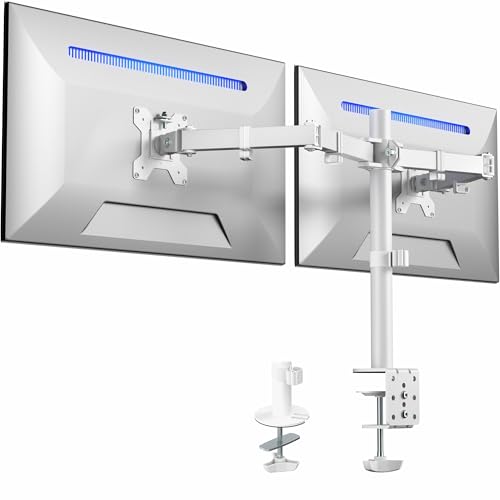 VIVO Dual Clamp Mount
|
Mid-Range | Heavy-duty C-clamp frees desk space | Students with dual monitors on small desks | Check Price | ||
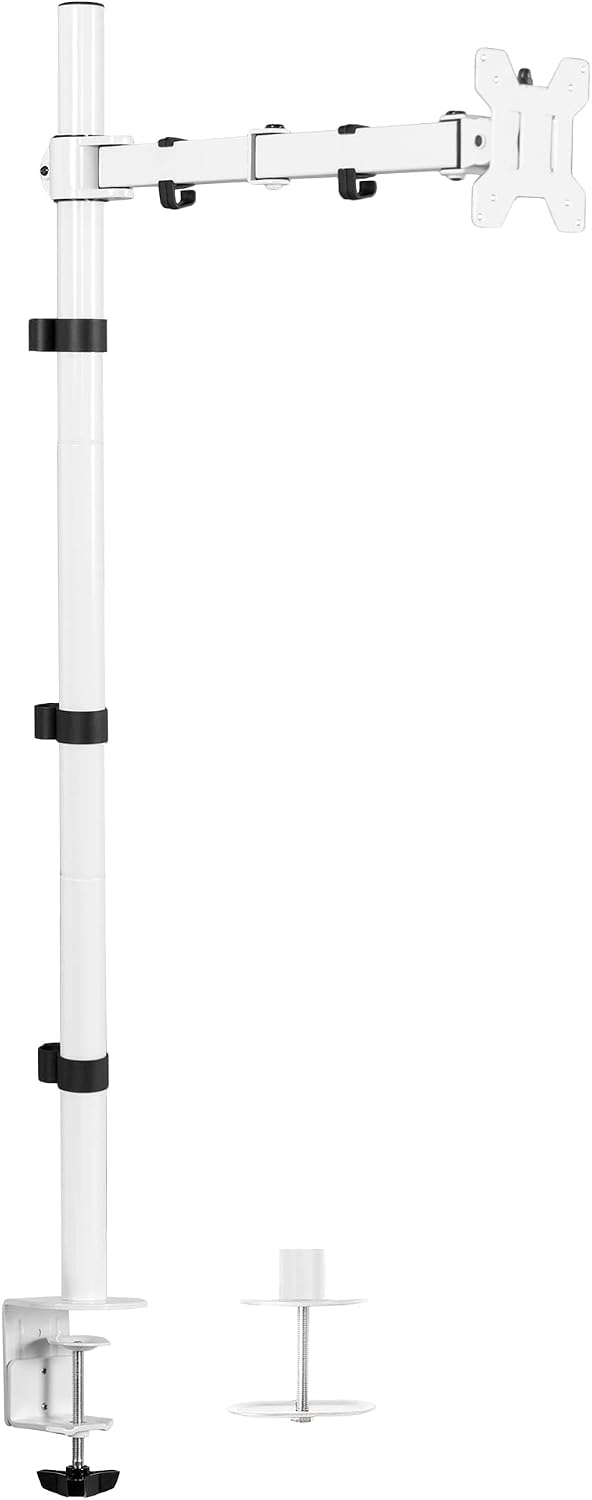 VIVO Extra-Tall Single Arm
|
Mid-Range | 99.1 cm extra-tall pole for sit-stand use | Students who switch between sitting and standing | Check Price | ||
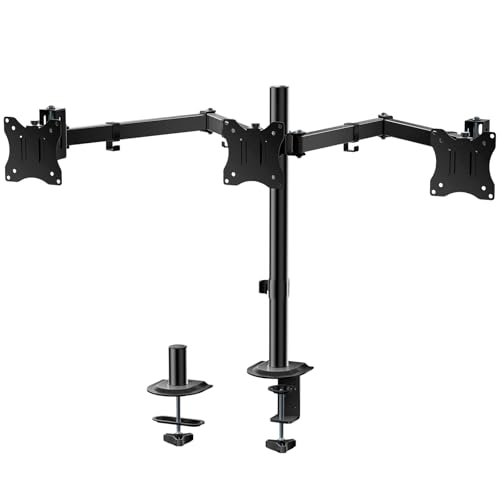 WALI Triple Clamp Mount
|
Mid-Range | Three-arm clamp frees maximum desk area | Multi-monitor students or compact multi-app workflows | Check Price | ||
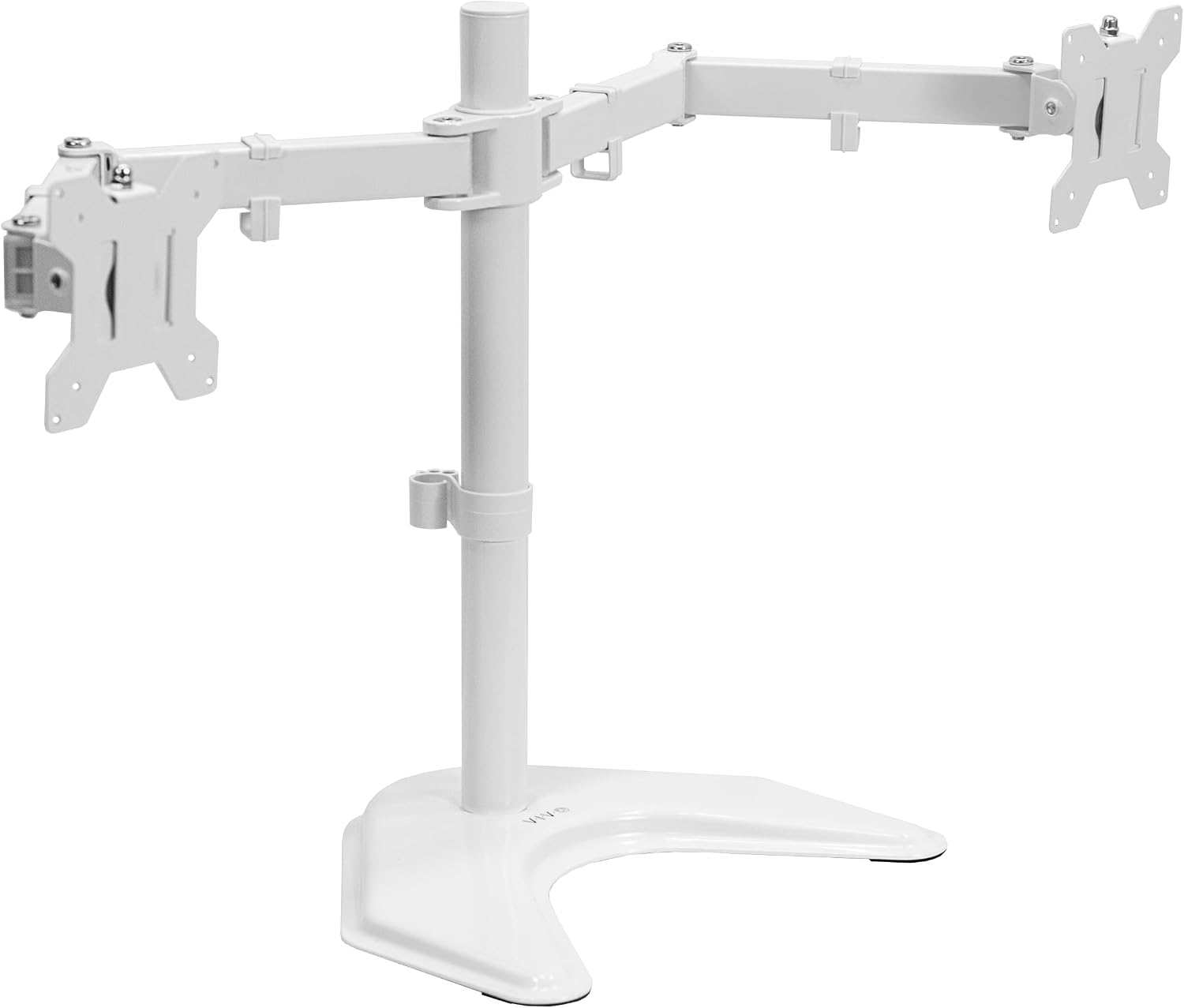 VIVO Dual Free-Standing
|
Mid-Range | Large padded base for clamp-free setups | Students who can't clamp to dorm desks | Check Price | ||
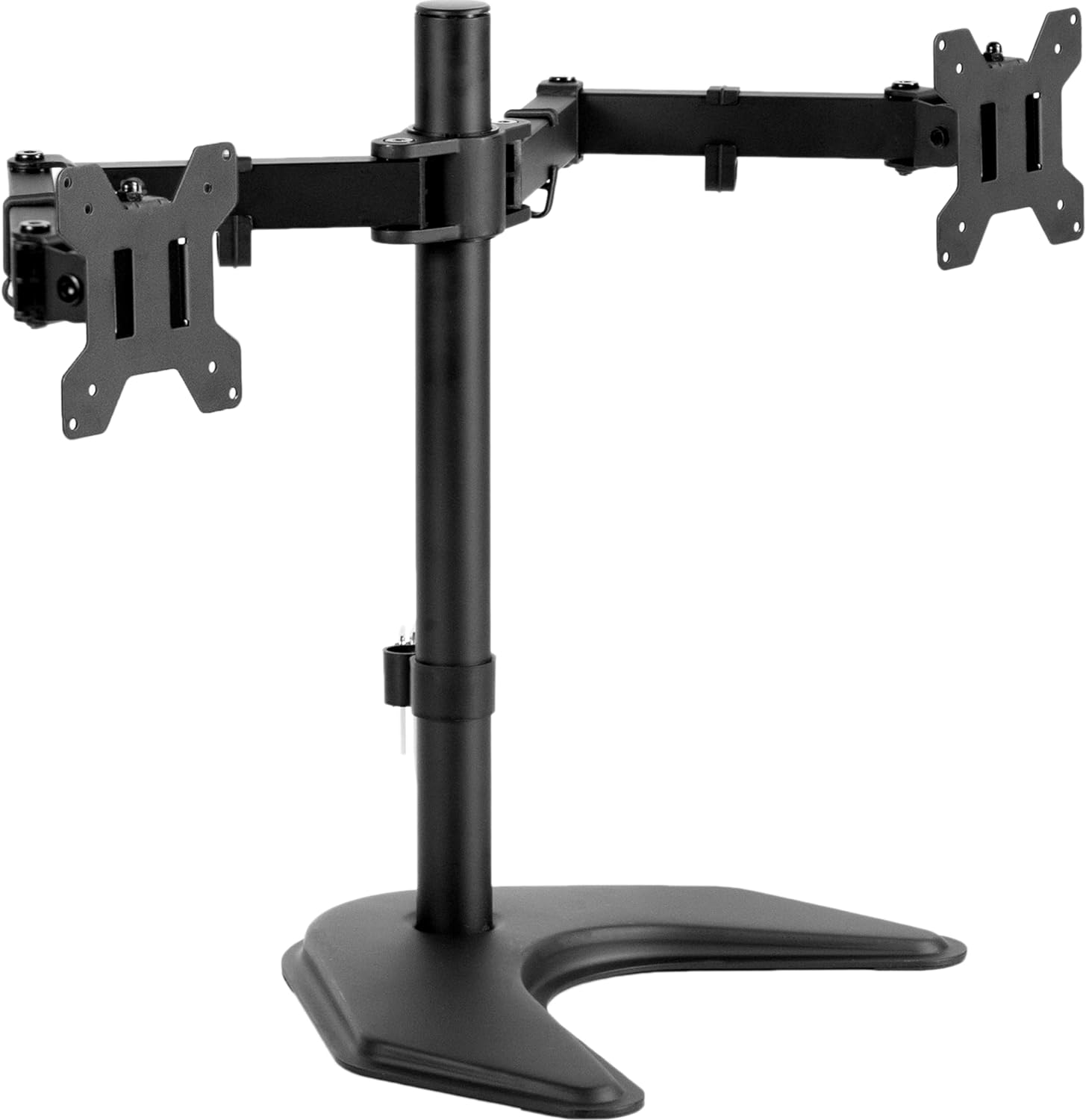 VIVO Dual 27" Free-Stand
|
Mid-Range | Compact free-standing base for smaller dual setups | Students with slightly larger desks who need a stable base | Check Price | ||
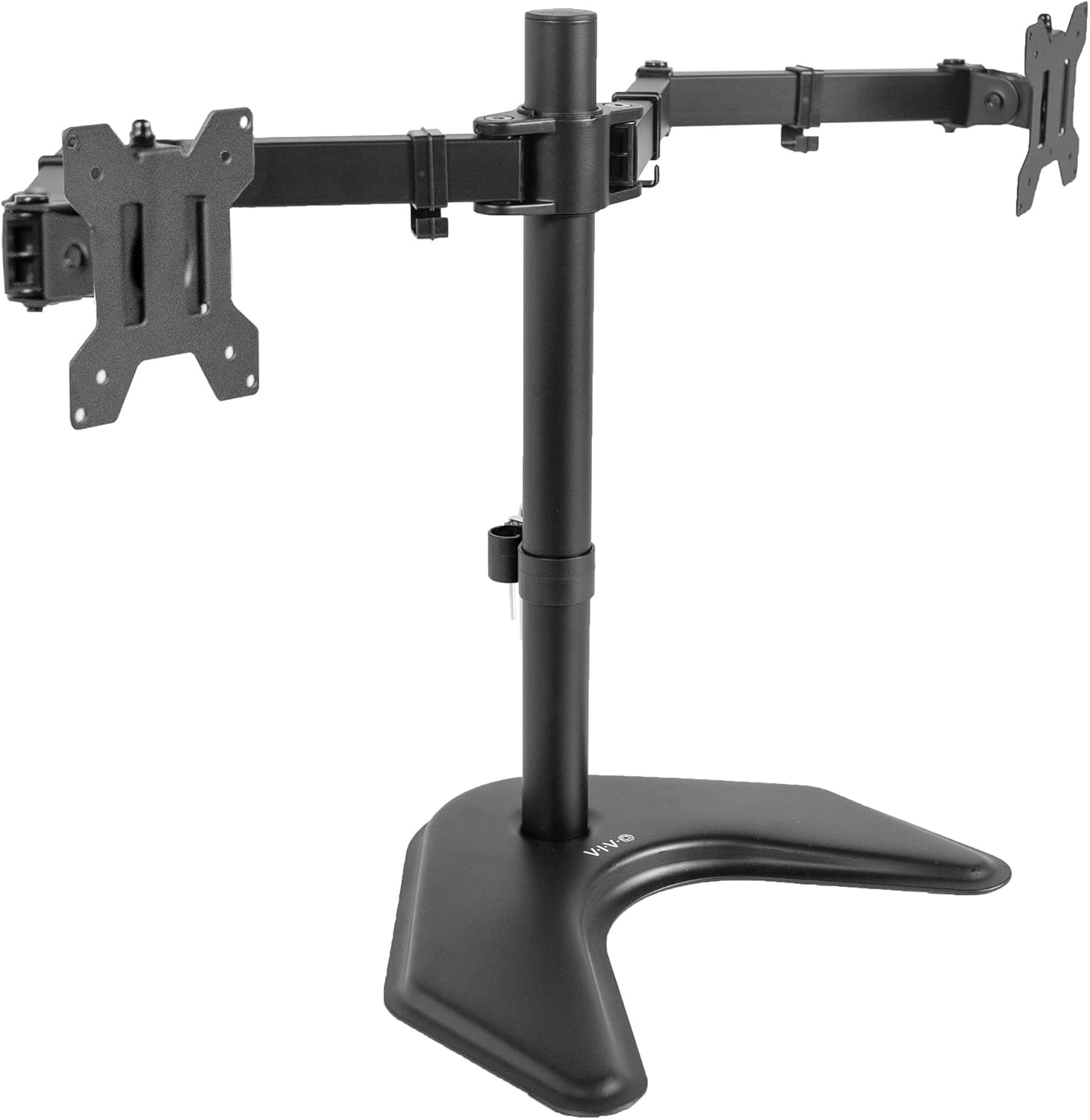 VIVO Dual Free-Standing (Black)
|
Mid-Range | Same heavy base in a black finish | Students wanting a low-contrast, black setup | Check Price |
1. VIVO Dual Monitor Desk Mount, Heavy Duty Fully Adjustable Stand, Fits 2 LCD LED Screens up to 32 inches, White, STAND-V032W
A clamp-mounted dual-arm built for dorm desks where every inch counts. It balances strong steel construction and cable management with wide articulation so two student monitors or a monitor + laptop setup fit neatly above the work surface.
Key Specs
- Fits 13"–32" screens
- Supports up to 10 kg (22 lb) per arm
- VESA 75x75 & 100x100 compatible
- Heavy-duty C-clamp fits desks up to 8.3 cm thick
- Articulation: +90/–90 tilt, 180° swivel, 360° rotation
Pros
- Sturdy steel frame and strong clamp for tight desk setups
- Built-in cable management keeps cords tidy in shared rooms
- Straightforward assembly with detachable VESA plates
Cons
- Some users report height adjustments can be stiff or slip over time
- Heavier monitors may need re-tensioning to avoid sliding down
Best For: Students with dual monitors on small desks
Check Latest Price on Amazon2. VIVO Extra Tall Single Monitor Desk Mount Stand with 39 inch Pole, Features Full Adjustability - Tilt and Articulation, Holds 13 to 32 inch Screens up to 10kg with VESA Mounting, White, STAND-V011W
This tall single-arm is ideal for dorms when you want a single monitor that can rise above textbooks and shelves. The long pole supports sit-stand positioning and includes cable management — useful for quick posture changes during long study or streaming sessions.
Key Specs
- Fits 13"–32" (works with many ultrawides up to 38")
- Holds up to 10 kg (22 lb)
- 99.1 cm (39") extra-tall center pole
- Mount options: heavy-duty C-clamp or grommet (up to 10.2 cm desk thickness)
- Full articulation: tilt, swivel, rotation
Pros
- Tall range for comfortable sit-to-stand study habits
- Easy cable routing keeps a cramped dorm desk tidy
- Solid build and simple assembly
Cons
- Some users report occasional wobble with larger or heavier screens
- Height adjustments can feel stiff or require re-tensioning
Best For: Students who switch between sitting and standing
Check Latest Price on Amazon3. WALI Triple Monitor Mount, Heavy Duty Triple Monitors Stand for 13-27 inch Screens, Adjustable 3 Monitor Desk Mount with Swivel, Tilt, Rotation, Clamp & Grommet Base Kit (M003SN), Black
If you run multiple apps, papers and research windows at once, this triple clamp mount clears a lot of desk real estate. It's designed for smaller 13–27" screens and gives higher monitor counts without resorting to a large freestanding base.
Key Specs
- Fits most 13"–27" monitors
- Holds 4.4–15.4 lbs per monitor
- Mount options: C-clamp (0.39"–3.15") or grommet
- Arms: tilt ±45°, swivel ±90°, rotate 360°; max extension ~25.5"
- Integrated cable management
Pros
- Maximizes usable desk surface — great for cramped dorm desks
- Generally straightforward to install with clear hardware kit
- Appeals to students juggling study, streaming and gaming windows
Cons
- Can be large and heavy for very small desks or cheap particleboard
- Some users report side-to-side wobble with heavier displays
Best For: Multi-monitor students or compact multi-app workflows
Check Latest Price on Amazon4. VIVO Dual LED LCD Monitor Mount, Free-Standing Desk Stand for 2 Screens up to 32 Inch, Heavy-Duty Fully Adjustable Arms with Max VESA 100x100mm, White, STAND-V032FW
This freestanding dual-arm is a solid option when clamp mounting isn't allowed or possible in a dorm. The extra-large base protects surfaces and holds two monitors while still offering full articulation and cable routing.
Key Specs
- Fits 13"–32" screens
- Supports screens up to ~22 lbs
- Detachable VESA plates for installation
- Extra-large base 13" x 10.5" with padding
- Articulation: tilt, swivel, rotation with height adjustment
Pros
- No clamp or drilling — ideal for strict dorm policies
- Clean cable management and easy setup
- Works well on wider desks that can accept the base footprint
Cons
- Base footprint can monopolize a small dorm desk
- Tipping risk if monitors are pulled too far forward without bolting
Best For: Students who can't clamp to dorm desks
Check Latest Price on Amazon5. VIVO STAND-V002F Dual LED LCD Monitor Free-Standing Desk Stand for 2 Screens up to 27 Inch Heavy-Duty Fully Adjustable Arms with Max VESA 100x100mm
A compact freestanding dual-arm tuned for slightly smaller 27" setups — it balances stability and desk protection with good adjustability. Best when clamp mounting isn't an option and you have a bit of desk depth to spare.
Key Specs
- Fits 13"–27" screens
- Supports up to 22 lbs (combined design)
- Detachable cable clips and VESA plates
- Heavy-duty base 13" x 10.5" with padding
- Full articulation plus height adjustment
Pros
- Solid construction and easy assembly
- Smaller base than full-size dual stands while still stable
- Good value for students looking for freestanding option
Cons
- Base still takes up desk space compared with clamp mounts
- Some reports of instability if monitors are positioned beyond center
Best For: Students with slightly larger desks who need a stable base
Check Latest Price on Amazon6. VIVO Dual LED LCD Monitor Mount, Free-Standing Desk Stand for 2 Screens up to 32 Inch, Heavy-Duty Fully Adjustable Arms with Max VESA 100x100mm, Black, STAND-V032F
Black variant of VIVO's freestanding dual stand — same large base and articulation but in a darker finish that blends with most gaming and study setups. Good when clamp mounting isn't allowed and you prefer a sleeker aesthetic.
Key Specs
- Fits 13"–32" screens
- VESA 75x75 & 100x100 compatible
- Large padded base (33cm x 26.7cm)
- Full articulation with height adjustment
- Sturdy steel construction with 3-year warranty
Pros
- Attractive black finish suits gaming and study rigs
- Straightforward installation with detachable VESA plates
- Offers good value and build quality
Cons
- Base footprint may crowd small dorm desks
- Adjustment stiffness and base weight concerns noted by some users
Best For: Students wanting a low-contrast, black setup
Check Latest Price on AmazonWhich One Should You Choose?
If you want the best clamp-mounted, dual-monitor option that saves maximum desk space → choose the VIVO Dual Monitor Desk Mount (STAND-V032W, B0BP9SJYL3). If budget is tight but you need to run many windows or research tabs simultaneously → consider the WALI Triple Monitor Mount (M003SN, B0DY7W6C2D) for strong value and a large workspace. If your goal is sit-stand flexibility with one monitor and minimal footprint → the VIVO Extra Tall Single Mount (STAND-V011W, B0B1986XL3) is the most appropriate. If clamps are not allowed in your dorm or your desk is too thin, pick a freestanding model like the VIVO STAND-V032FW (B0C79VZJB5) or its black counterpart (B0BMB8RT1T).
Best for Specific Scenarios
- Shared dorm desk with a roommate: VIVO Dual Clamp Mount (B0BP9SJYL3) because the C-clamp and cable management free surface area and keep cables neat for both users.
- Frequent standing study sessions: VIVO Extra Tall Single Arm (B0B1986XL3) because the 39" pole makes switching between sitting and standing easy without buying a standing desk.
- No-clamp dorm rules or fragile desks: VIVO Dual Free-Standing (B0C79VZJB5 or B0BMB8RT1T) because the padded heavy base protects surfaces and requires no modification to furniture.
Frequently Asked Questions
Will a clamp-mounted arm damage my dorm desk?
Most clamp-mounted arms include a protective pad and are designed to avoid damage when used properly. Check your desk thickness and the clamp's maximum — thin particleboard desks can compress if the clamp is over-tightened. If you're unsure or the dorm has rules against clamps, choose a freestanding base instead.
How do I know if my monitor will fit the arm?
Confirm three things: VESA mounting holes (usually 75x75 or 100x100 mm), the monitor's weight compared to the arm's per-arm capacity, and screen size recommendations. Detachable VESA plates in most arms make mounting straightforward; if you have an unusual VESA pattern or an ultrawide, check the product notes for compatibility.
My monitor wobbles after installation — what can I do?
First, ensure all bolts are tight per the manual and the VESA plate is fully seated. For gas-spring arms, adjust tension to match your monitor's weight (there's usually a tension bolt). If the desk surface flexes or the clamp isn't secure, reposition the clamp on a thicker part of the desk or use a grommet mount if available. For freestanding bases, ensure the base sits fully on the desk and the monitors stay within the base's center of gravity.
How We Selected These Products
Our recommendations are based on data-driven analysis: we evaluated 155229+ products across 23916+ brands using a composite scoring system that weighs rating (40%), review volume (30%), price value (20%), and demand signals (10%). Every product is ranked by data, not opinions.
Last updated: September 01, 2026
As an Amazon Associate we earn from qualifying purchases at no extra cost to you. Full disclosure.
GearLark Score is our editorial ranking based on a composite analysis of product quality, value, and verified customer sentiment. Click through to Amazon for current pricing, availability, and live customer reviews.