As an Amazon Associate we earn from qualifying purchases. Learn more.
Best Multi-Port USB-C Hubs for Dorm & Home Study (2026 Guide)
If you study in a dorm or set up a home-study desk, a multi-port USB-C hub that adds HDMI, Ethernet and card readers — while handling power reliably — can be the single most useful accessory you buy in 2026. This guide compares five dependable hubs selected for stable power delivery, wired networking, multi-monitor support and card-reading convenience. We'll highlight which hubs excel for different budgets, explain real-world compatibility caveats, and surface user-reported strengths and weaknesses so you can pick the right hub for your laptop or tablet.
Quick Answer
For most students and home workers the Melelink USB C Docking Station (ASIN B0DHPLSFL8) is the best overall pick — it balances multi-monitor video, gigabit Ethernet, SD card access and strong port density with reliable power handling. If you need a high-wattage premium hub, the Plugable 9-in-1 (B0D9R5SNG1) delivers the most charging headroom.
Our Top Picks
Quick Comparison
Select 2-3 products to compare side-by-side
| Compare | Product | GearLark Score | Price Tier | Key Feature | Best For | Action |
|---|---|---|---|---|---|---|
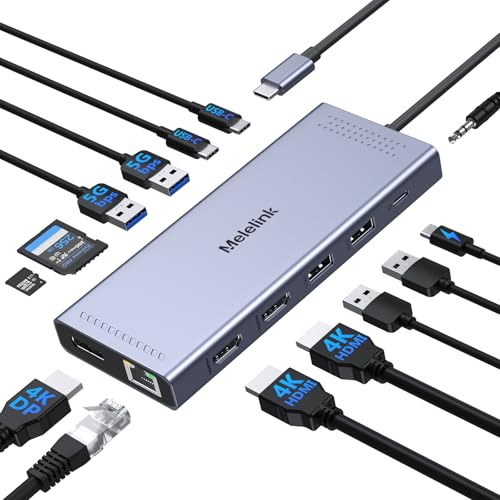 Melelink 14-in-1 Dock
|
Mid-Range | 14 ports including DP + dual HDMI | Students who need many ports and multi-monitor | Check Price | ||
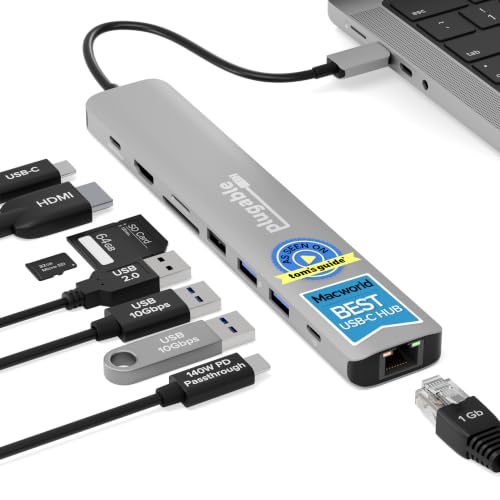 Plugable 9-in-1 (140W)
|
Premium | Up to 140W pass-through charging (PD 3.1 EPR) | Power-hungry laptops and pro users | Check Price | ||
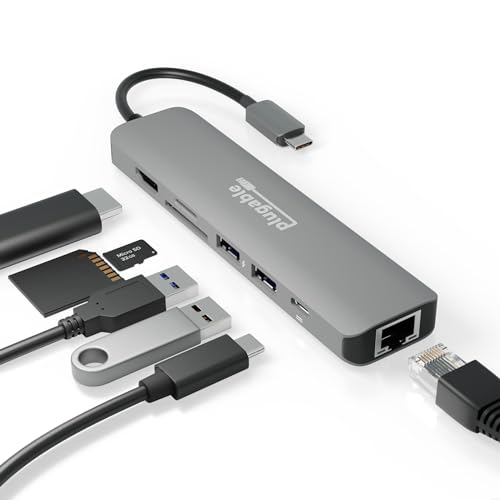 Plugable 7-in-1
|
Budget | Driverless Ethernet + 100W PD | Budget-conscious students and everyday use | Check Price | ||
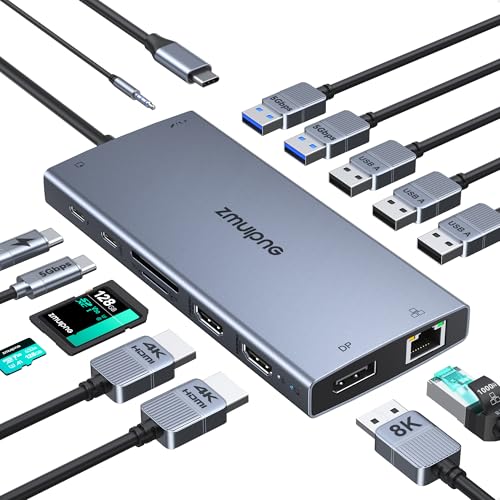 ZMUIPNG 15-in-1 Dock
|
Premium | Triple display support + 8K DP option | Users who want many displays and physical controls | Check Price | ||
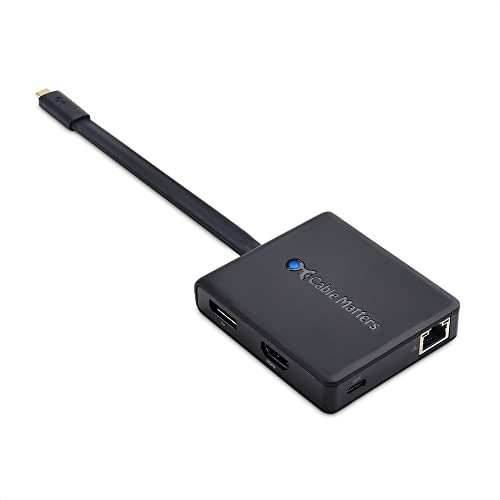 Cable Matters Combo Dock
|
Budget | Choice of HDMI / DP / VGA outputs | Traveling students and mixed-display setups | Check Price |
1. USB C Docking Station Dual Monitor, 14 in 1 Triple Display USB C Hub Multiport Adapter with 2 HDMI 4K,DisplayPort,PD Charging,Ethernet,6 USB C&A Ports,SD/TF, Laptop Docking Station for Dell/HP/Lenovo
A well-rounded docking station that packs HDMI, DisplayPort, gigabit Ethernet and SD card reading into a compact chassis. It balances port density and practical charging for dorm and home study setups while offering good value for the number of features.
Key Specs
- 14-in-1 hub: HDMI1 4K@60Hz, HDMI2 4K@30Hz, DisplayPort 4K@60Hz
- USB-C PD up to 100W (≈87W available to laptop due to hub overhead)
- Gigabit Ethernet (100/1000 Mbps)
- SD / MicroSD card reader up to ~104 MB/s
Pros
- Very high port count — supports dual/triple displays for Windows
- Gigabit Ethernet and SD card slot included for study and media work
- Good value for features and compact footprint
Cons
- Hub reserves power for its ports — expect ~87W usable for laptop charging
- Requires a full-featured USB-C (PD + DisplayPort Alt Mode) port for full functionality
Best For: Students who need many ports and multi-monitor
Check Latest Price on Amazon2. Plugable USB C Hub Multiport Adapter: 9-in-1 with 140W PD Charging, 4K 60Hz HDMI, 10Gbps Data Transfer, Gigabit Ethernet, SD, for USBC, USB4, Thunderbolt MacBook, Windows, Chromebook (USBC-9IN1E)
A premium, well-built hub focused on heavy-duty charging and fast data. If you use power-hungry machines or want high-speed USB and UHS-II card support alongside gigabit Ethernet and 4K60 HDMI, this hub covers those bases.
Key Specs
- 140W input / up to 125W output with PD 3.1 EPR setup
- 4K 60Hz HDMI and 10Gbps USB-C/USB-A ports
- Gigabit Ethernet and UHS-II SD/microSD support
- Built‑in cable and robust metal construction
Pros
- Exceptional pass-through power for large laptops (with PD 3.1 charger/cable)
- Very fast USB data lanes (10Gbps) and UHS-II card support
- Solid build quality and long-term support
Cons
- To get full 140W requires a PD 3.1 EPR charger and cable
- Some users report elevated heat under heavy loads
Best For: Power-hungry laptops and pro users
Check Latest Price on Amazon3. Plugable 7-in-1 USB C Hub Multiport Adapter with Ethernet Driverless Compatibility with Mac, Windows, iPhone 15, Chromebook, USB4, Thunderbolt, 100W Charging, Ethernet, 4K60Hz HDMI, 2X USB, SD/microSD
A compact, affordable hub that covers the essentials: 4K60 HDMI, gigabit Ethernet, SD/microSD and 100W pass-through. It’s a dependable choice when you need portability and basic expansion without extra frills.
Key Specs
- 7-in-1: 4K60 HDMI, Gigabit Ethernet, SD + microSD
- 100W USB-C Power Delivery pass-through
- 2 x USB 3.0 ports (5Gbps)
- Driverless Ethernet compatibility for many systems
Pros
- Compact and portable — easy to stash in a backpack
- Good selection of core ports for study setups
- Generally solid build and value for money
Cons
- Not all laptops will charge at full native wattage depending on host
- Fewer ports than larger docking stations
Best For: Budget-conscious students and everyday use
Check Latest Price on Amazon4. USB C Laptop Docking Station with 2 HDMI 4K@60Hz+DP 8K@30Hz for Dell HP Thinkpad Surface, 15 in 1 USB C Hub Triple Display Multiple Adapter, Dongle with USB A Port+Button+PD+Ethernet+SD/TF+Audio
Extremely feature-rich with multiple display outputs (two 4K HDMI + DP up to 8K), a 3.5mm audio jack, gigabit Ethernet and SD reader. It’s a versatile docking option for multi-monitor Windows setups, with handy physical control buttons and compatibility indicator lights.
Key Specs
- 15-in-1 with 2x HDMI 4K@60Hz and DP up to 8K@30Hz
- 100W PD (≈87W usable to laptop after hub overhead)
- Gigabit Ethernet and 3.5mm audio/mic combo
- Multiple USB 3.0 and USB 2.0 ports plus SD/Micro SD
Pros
- Very flexible video outputs — ideal for multi-monitor projects
- Physical turn-off button and compatibility indicator lights
- Compact for the number of ports included
Cons
- Some users report occasional port functionality issues
- Hub overhead reduces available charging power to the laptop
Best For: Users who want many displays and physical controls
Check Latest Price on Amazon5. Cable Matters USB C Hub with HDMI, DisplayPort, VGA, USB 2.0, Fast Ethernet, 60W Charging - Thunderbolt 4 / USB4 / Thunderbolt 3 Port Compatible with MacBook Pro, Dell XPS, HP Spectre x360 and More
A lightweight, travel-friendly hub that gives you choice in video output (HDMI, DP or VGA) plus Fast Ethernet and 60W charging. It's a practical pick when you need compatibility with projectors or older monitors alongside modest charging.
Key Specs
- Selectable HDMI or DisplayPort up to 4K60, VGA up to 1080p
- 60W USB-C Power Delivery
- Fast Ethernet (100 Mbps class) and USB 2.0 port
- Portable design with tuck-away cable case
Pros
- Very portable and versatile for presentations or school labs
- Multiple video-output options for older displays
- Simple, driver-free setup for many systems
Cons
- Lower charging wattage (60W) than larger docks
- Some users report Ethernet speeds below expected gigabit performance
Best For: Traveling students and mixed-display setups
Check Latest Price on AmazonWhich One Should You Choose?
If budget is tight → choose the Plugable 7-in-1 (ASIN B08NXV94QM) for solid core features and portability. If you want the best balance of ports and value → choose the Melelink 14-in-1 Dock (ASIN B0DHPLSFL8). If premium charging and high-speed data matter most → choose the Plugable 9-in-1 (ASIN B0D9R5SNG1). For the most display flexibility and physical controls → choose the ZMUIPNG 15-in-1 (ASIN B0DSDR5JNW). For travel and legacy displays → choose the Cable Matters combo dock (ASIN B076TRGGM6).
Best for Specific Scenarios
- Dorm room with one monitor: Plugable 7-in-1 (B08NXV94QM) because it’s compact, inexpensive and provides HDMI + Ethernet for stable online classes.
- Home study with dual monitors: Melelink 14-in-1 (B0DHPLSFL8) because it supports multiple displays plus gigabit Ethernet and SD card access for productivity.
- Power-hungry laptop or pro workflows: Plugable 9-in-1 (B0D9R5SNG1) because of the high PD headroom and 10Gbps data lanes for fast transfers and external storage.
Frequently Asked Questions
Will these hubs charge my laptop at full speed?
It depends on both the hub and your laptop. Hubs list maximum PD ratings, but some of that power is used to run the hub itself; many docks reserve 10–15W for internal use so the laptop receives slightly less. Premium hubs with PD 3.1 EPR support (like the Plugable 9-in-1) deliver the highest passthrough if you also use a PD 3.1 EPR charger and compatible cable.
Can I run dual 4K monitors from any of these hubs?
Multi-monitor capability depends on the hub and your computer’s USB-C port. Several hubs here support dual 4K for Windows laptops with MST or DisplayPort Alt Mode, while many macOS systems will mirror displays unless you use a Thunderbolt dock that exposes separate display pipes. Check your laptop’s USB-C feature set (DisplayPort Alt Mode or Thunderbolt/USB4) before assuming dual 4K will work.
Do I need drivers for Ethernet or card readers?
Most modern hubs use driverless USB chipsets that work out of the box with current macOS, Windows and Chrome OS versions, but older operating systems may require drivers. The Plugable 7-in-1 explicitly advertises driverless Ethernet compatibility; if you run into issues, check the manufacturer’s support page for a driver or firmware update.
How We Selected These Products
Our recommendations are based on data-driven analysis: we evaluated 155229+ products across 23916+ brands using a composite scoring system that weighs rating (40%), review volume (30%), price value (20%), and demand signals (10%). Every product is ranked by data, not opinions.
Last updated: August 28, 2026
As an Amazon Associate we earn from qualifying purchases at no extra cost to you. Full disclosure.
GearLark Score is our editorial ranking based on a composite analysis of product quality, value, and verified customer sentiment. Click through to Amazon for current pricing, availability, and live customer reviews.