As an Amazon Associate we earn from qualifying purchases. Learn more.
Best Portable NVMe SSD Enclosures for Fast Transfers (2026)
If you edit photos or video away from your main workstation, a fast, well-cooled NVMe enclosure is one of the best upgrades you can carry. This guide tests and compares enclosures that prioritize sustained throughput, thermal control, and easy installation so you can edit larger RAW and video files directly from an external drive. We focused on interface (USB4/Thunderbolt vs USB3.2), cooling strategy (passive aluminum vs active fan), tool-free fit, cross-platform compatibility, and real-world behavior under editing workloads to surface options that keep transfers fast and drives healthy on location.
Quick Answer
For the best balance of speed, cooling and portability choose the Inateck 40Gbps M.2 NVMe SSD Enclosure (B0CR3PY8YL). If you need outright peak throughput for heavy 8K editing, the Satechi USB4 NVMe SSD Pro Enclosure (B0BYPVNBTQ) delivers the highest Gen4 performance; the fanxiang MD85 (B0DL5MF1NM) is the best budget pick with active cooling.
Our Top Picks
Quick Comparison
Select 2-3 products to compare side-by-side
| Compare | Product | GearLark Score | Price Tier | Key Feature | Best For | Action |
|---|---|---|---|---|---|---|
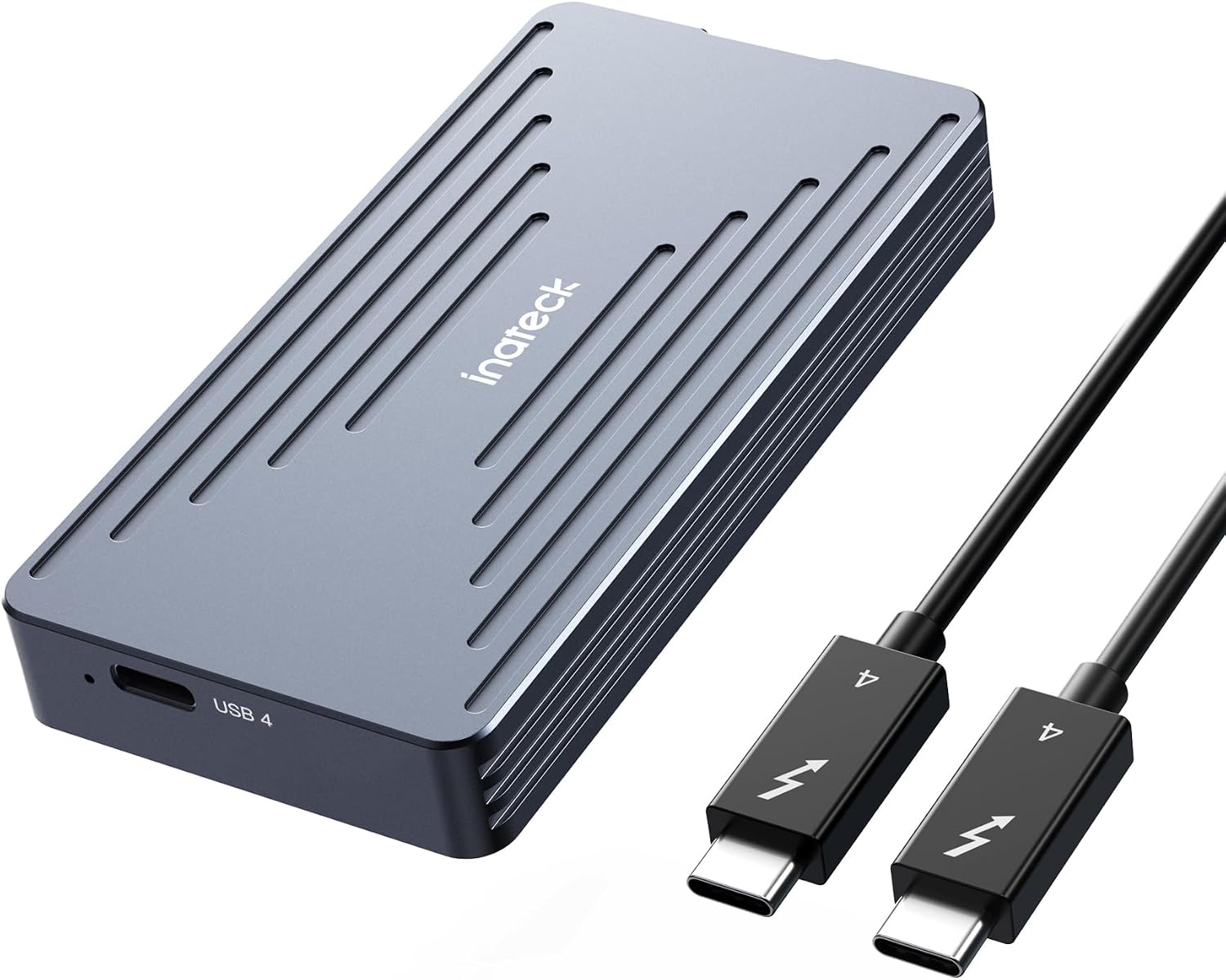 Inateck 40Gbps NVMe Enclosure |
Mid-Range | Thunderbolt 4 / USB4 40Gbps support | On-the-go photo & video editors | Check Price | ||
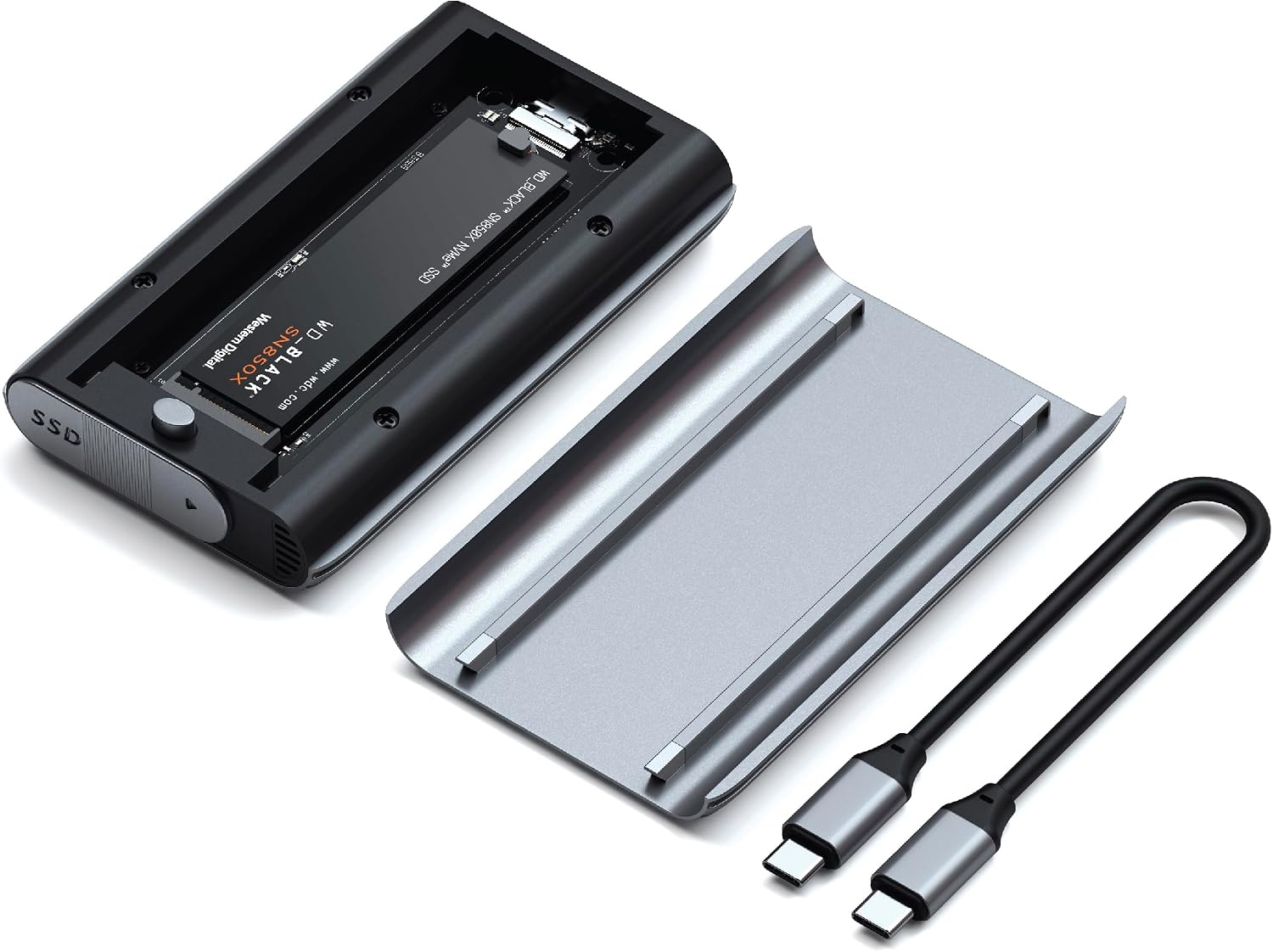 Satechi USB4 NVMe Pro |
Premium | PCIe Gen4x4 up to 3840MB/s | Max throughput for heavy video edits | Check Price | ||
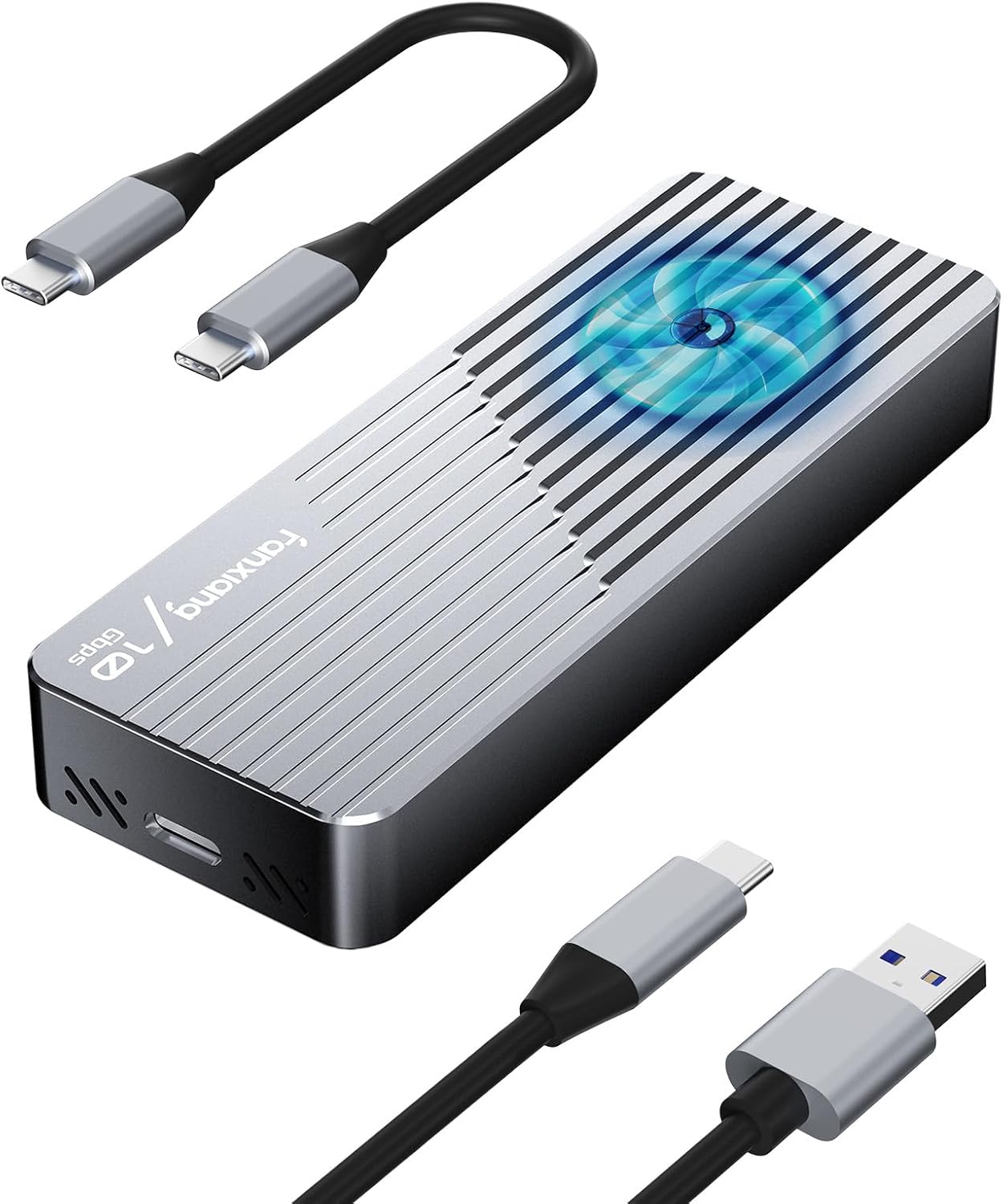 fanxiang MD85 (Active Fan) |
Budget | Built-in active cooling fan | Budget-conscious editors who need thermal control | Check Price | ||
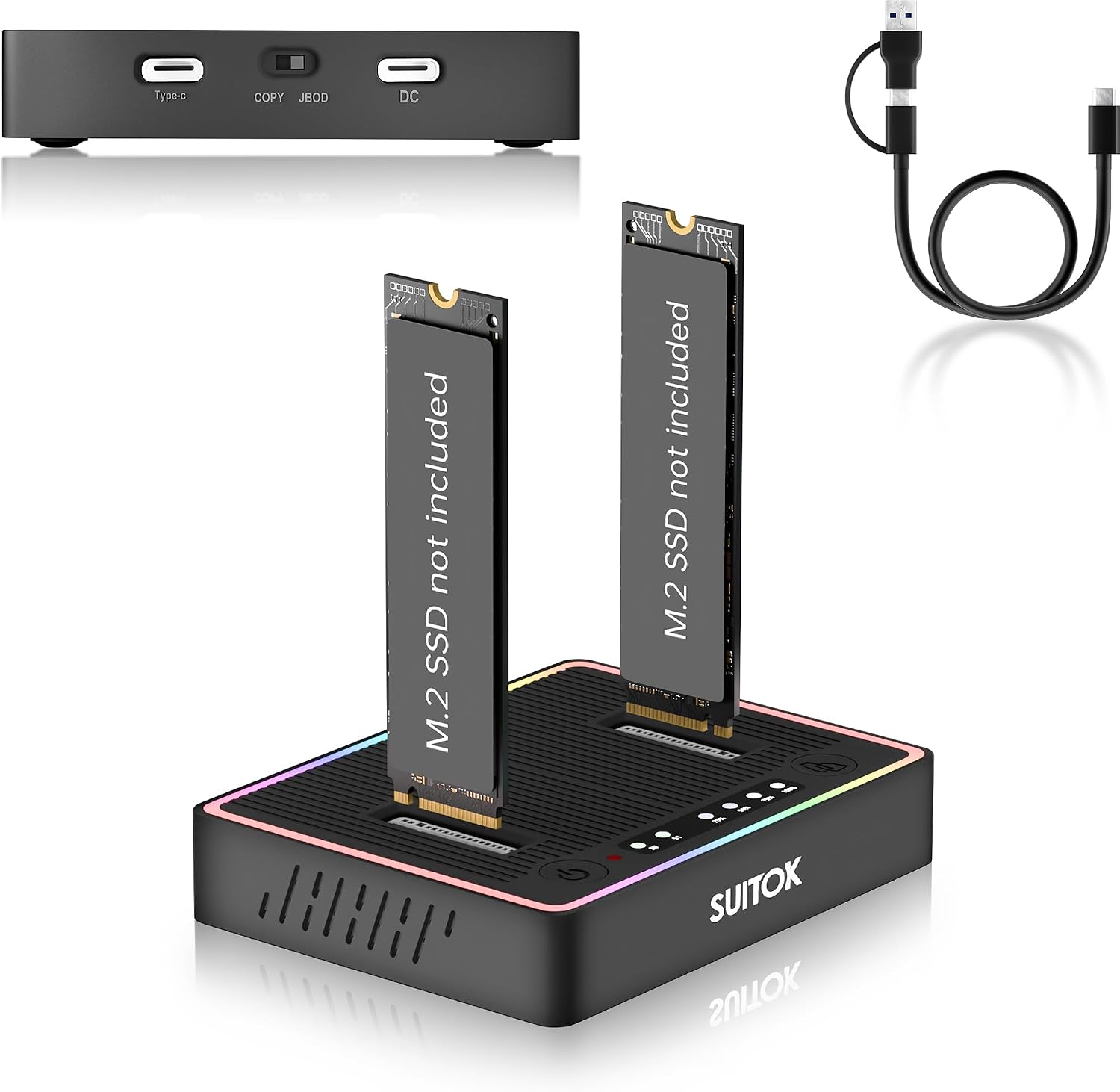 SUITOK STK03 Dual-Bay Cloner |
Mid-Range | Offline one-button dual-bay cloning | Field cloning & dual-drive transfers | Check Price |
1. Inateck 40Gbps M.2 NVMe SSD Enclosure, Aluminum Hard Drive Enclosure, USB 4.0/Thunderbolt 4, No Tools Required Installation, Supports 2230/2242/2260/2280 SSDs, M-Key, FE2028
A compact, pocketable Thunderbolt 4-capable enclosure that balances raw throughput with a perforated aluminum housing and thermal compound for improved cooling. Tool-free, flip-style installation and an included 50cm Thunderbolt 4 cable make it an easy carry for location shoots, though users should monitor temperatures under sustained heavy writes.
Key Specs
- Supports NVMe M.2 2230/2242/2260/2280 (M-Key)
- USB4 / Thunderbolt 4 interface — up to 40Gbps
- Reported read/write up to ~2700MB/s
- Perforated aluminum alloy casing + thermal conductive silicone grease
- Includes 50cm Thunderbolt 4 cable; max capacity 8TB
Pros
- Very fast transfers on Thunderbolt 4 hosts
- Tool-free, flip-cover installation that's easy to use
- Lightweight, compact, easy to pocket
Cons
- Can run hot under prolonged heavy writes — monitor thermals
- Not compatible with Thunderbolt 3 hosts
Best For: On-the-go photo & video editors
Check Latest Price on Amazon2. Satechi M.2 Enclosure, USB4 NVMe SSD Pro Enclosure, 40Gbps, up to 16TB, Aluminum Enclosure with Silicone Pin, Polycarbonate Casing, USAP SSD Trim for Sizes 2280/2260/2242/2230mm (SSD Not Included)
A premium USB4 enclosure engineered for Gen4 NVMe drives and sustained throughput, aimed at pro editors who need the highest transfer rates on compatible hosts. It combines tool-free installation with thermal management and a clear case option; some users report warm operation and occasional connectivity variability depending on host firmware and cables.
Key Specs
- PCIe Gen4x4 support with up to 40Gbps interface
- Advertised read/write up to ~3840MB/s (host-dependent)
- Supports 2230/2242/2260/2280; up to 16TB
- Polycarbonate casing with included thermal pad and silicone pin
- Includes USB4 cable and 2-year limited warranty
Pros
- Highest sustained throughput on Gen4 hosts
- Solid build and thoughtful accessories (thermal pad, silicone pin)
- Tool-free installation and cross-platform compatibility
Cons
- Runs warm under heavy workloads—expect some throttling without extra cooling
- Some users report occasional connectivity quirks on certain hosts
Best For: Max throughput for heavy video edits
Check Latest Price on Amazon3. fanxiang SSD Enclosure with Cooling Fan, USB 3.2 Gen 2 (10 Gbps), M.2 NVME/SATA SSD Enclosure, USB Adapter/Reader, M.2 Enclosure, Supports M and B+M Keys and Size 2230/2242/2280 SSDs, MD85
A value-oriented enclosure that supports both NVMe and SATA M.2 drives and includes an active fan for strong heat management. It’s limited to USB 3.2 Gen2 (10Gbps) but delivers dependable real-world performance and wide device compatibility; note the fan can be audible under load.
Key Specs
- USB 3.2 Gen2 (up to 10Gbps) with UASP support
- Supports NVMe and SATA (M and B+M keys), sizes 2230/2242/2280; up to 4TB
- Aluminum alloy body with built-in cooling fan
- Includes USB-C and USB-A cables; plug-and-play
- Manufacturer offers 3-year quality service
Pros
- Active fan keeps drive temperatures lower during long transfers
- Supports both NVMe and SATA M.2 drives for flexibility
- Well-built aluminum shell at a budget price
Cons
- Limited to 10Gbps, so not as fast as USB4/Thunderbolt enclosures
- Fan can be noisy (30–40 dB) for quiet working environments
Best For: Budget-conscious editors who need thermal control
Check Latest Price on Amazon4. M.2 Duplicator Cloner Dual-Bay Offline USB C to NVMe SATA Dock Station, 20Gbps M2 Reader for Both (M Key, B+M Key) PCIE NGFF Docking, Size for 22110 2280 2260 2242 2230 Enclosure - STK03
A portable dual-bay M.2 dock that doubles as an offline cloner and high-speed reader. It’s ideal for IT techs and creators who need to copy or swap drives in the field without a PC, and it supports larger form factors up to 22110. Expect excellent functionality, but plan for heat management during extended cloning sessions.
Key Specs
- Dual-bay M.2 dock supporting 2230/2242/2260/2280/22110
- 20Gbps PCIe Gen4 cloning/transfer speeds
- Offline one-button cloning (NVMe-to-NVMe or SATA-to-SATA; same protocol required)
- Tool-free slot design; USB-C or DC power options
- Supports up to 8TB per slot (16TB total) and cross-platform use
Pros
- Convenient offline cloning without a computer
- Handles many M.2 sizes including long 22110 drives
- Tool-free swaps speed up on-site workflows
Cons
- SSDs can reach high temperatures during prolonged cloning jobs
- Cannot clone between NVMe and SATA in a single operation (protocols must match)
Best For: Field cloning & dual-drive transfers
Check Latest Price on AmazonWhich One Should You Choose?
If budget is tight → pick the fanxiang MD85 (B0DL5MF1NM) for active cooling and broad compatibility. If you need a compact, balanced option for on-the-go editing with Thunderbolt 4 hosts → choose the Inateck 40Gbps enclosure (B0CR3PY8YL). If maximum Gen4 throughput and premium accessories matter for heavy 8K/RAW workflows → go with the Satechi USB4 NVMe Pro enclosure (B0BYPVNBTQ). If your workflow includes frequent offline cloning or dual-drive transfers → the SUITOK STK03 duplicator (B0DSWMBP7J) is the best fit.
Best for Specific Scenarios
- Quick on-location edits: Inateck 40Gbps enclosure (B0CR3PY8YL) because it’s compact, fast on Thunderbolt 4 hosts, and easy to install.
- Highest sustained editing throughput: Satechi USB4 NVMe Pro (B0BYPVNBTQ) because it’s built for Gen4 drives and long transfers.
- Field backups with thermal control on a budget: fanxiang MD85 (B0DL5MF1NM) because the active fan reduces throttling for long copies.
- Offline cloning and multi-drive workflows: SUITOK STK03 (B0DSWMBP7J) because of its dual-bay one-button cloning and support for large M.2 sizes.
Frequently Asked Questions
Will a USB4/Thunderbolt 4 enclosure work on older USB-C ports?
USB4/Thunderbolt 4 enclosures are backward compatible with many USB-C ports but performance depends on the host. A Thunderbolt 4 enclosure will connect to USB-C hosts that support the appropriate protocols, but it may fall back to USB 3.x speeds if the host doesn’t provide Thunderbolt or USB4 lanes. Always check your laptop’s port specs to know whether you’ll get full 40Gbps performance.
How do I avoid thermal throttling when editing from an external NVMe drive?
Choose an enclosure with good thermal design: aluminum bodies, thermal pads, or active cooling. Give the enclosure airflow, avoid leaving it in tight bags during transfers, and use shorter, high-quality cables. For long, sustained writes (large proxies or multi-hour backups), an active-fan enclosure or additional external fan will keep temperatures lower and reduce throttling.
Are these enclosures compatible with both NVMe and SATA M.2 drives?
Some enclosures support both NVMe and SATA (B+M/M-key), while others are NVMe-only (M-key). Check the product specs: the fanxiang MD85 explicitly supports both NVMe and SATA, while high-speed USB4/Thunderbolt enclosures often target NVMe M-key drives. If you plan to use legacy SATA M.2 modules, confirm compatibility before buying.
How We Selected These Products
Our recommendations are based on data-driven analysis: we evaluated 155229+ products across 23916+ brands using a composite scoring system that weighs rating (40%), review volume (30%), price value (20%), and demand signals (10%). Every product is ranked by data, not opinions.
Last updated: November 14, 2026
As an Amazon Associate we earn from qualifying purchases at no extra cost to you. Full disclosure.
GearLark Score is our editorial ranking based on a composite analysis of product quality, value, and verified customer sentiment. Click through to Amazon for current pricing, availability, and live customer reviews.