As an Amazon Associate we earn from qualifying purchases. Learn more.
Best Portable USB-C Hubs for Student Presentations (2026)
Students who give classroom presentations need a compact, reliable USB-C hub that adds HDMI output, wired Ethernet and card or USB ports without weighing down a backpack. In this roundup we tested and compared six compact hubs and docking dongles that balance portability, video compatibility and connectivity for laptops and tablets in 2026. Products were selected for classroom-friendly features (HDMI at 60Hz or better, gigabit ethernet, solid build and pass-through power), real-world compatibility notes, and customer feedback on durability and ease of use.
Quick Answer
For most students the Sabrent USB-C Hub & SSD Enclosure (B0CH1N88Y7) is the best pick — it pairs a compact aluminum body with HDMI 4K@60Hz, Gigabit Ethernet and a built-in M.2 slot for extra storage. For tight budgets choose the WAVLINK adapter (B0D9D4138S).
Our Top Picks
Quick Comparison
Select 2-3 products to compare side-by-side
| Compare | Product | GearLark Score | Price Tier | Key Feature | Best For | Action |
|---|---|---|---|---|---|---|
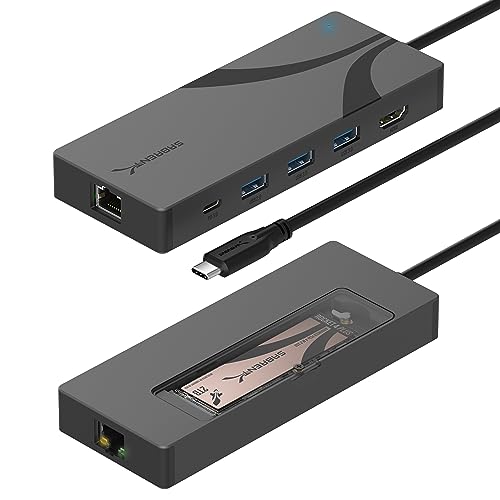 SABRENT 6-Port Hub
|
Premium | Built-in M.2 SSD slot | Students who need extra portable storage | Check Price | ||
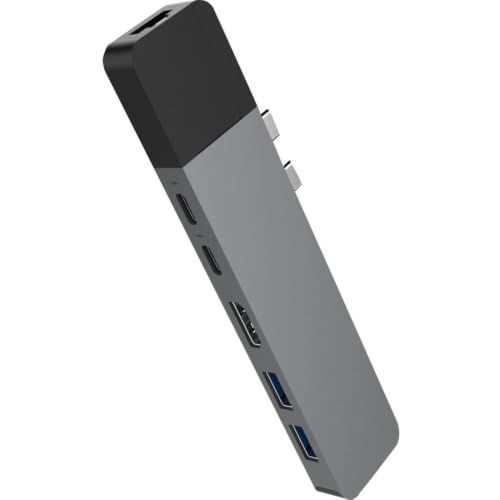 HyperDrive NET 6-in-2
|
Premium | Thunderbolt-grade data + PD | Thunderbolt/USB4 laptop users | Check Price | ||
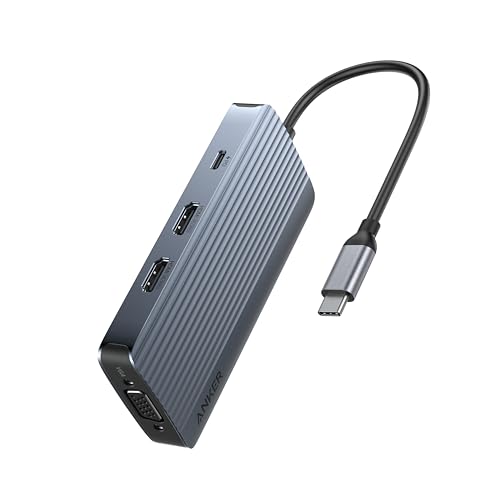 Anker 8-in-1 Hub
|
Mid-Range | Triple-display options | Students needing multi-monitor demos | Check Price | ||
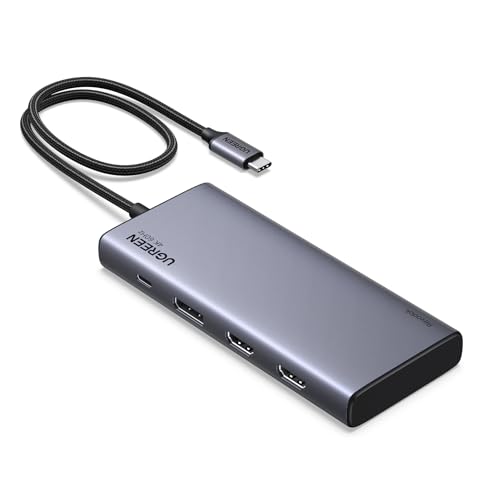 UGREEN 8-in-1 Dock
|
Mid-Range | Two HDMI + DisplayPort outputs | Windows users needing MST multi-monitor | Check Price | ||
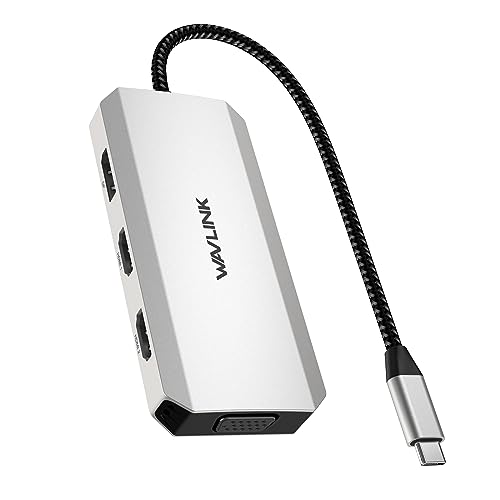 WAVLINK Dual HDMI
|
Budget | Dual HDMI + DP for up to 4 displays (Windows) | Budget-conscious students needing multiple outputs | Check Price | ||
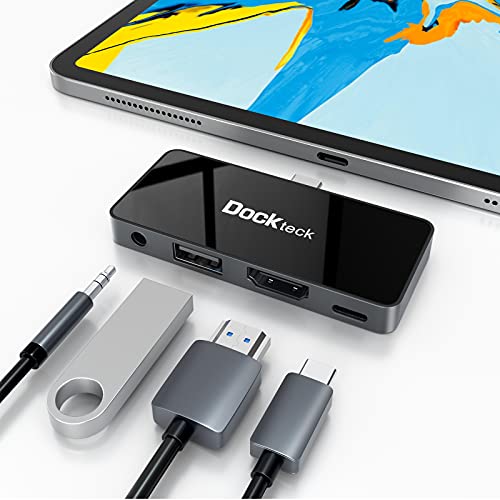 Dockteck 4-in-1 iPad Hub
|
Budget | iPad-specific slim design | iPad Pro/Air users needs simple HDMI + audio | Check Price |
1. SABRENT USB-C Hub & SSD Enclosure, 6-Port Dock with M.2 SSD Slot, 90W Power Delivery, USB 3.0 & 2.0 Ports, 4K HDMI, RJ45 Gigabit Ethernet (HB-6PNV)
A rugged aluminum travel hub that adds HDMI 4K@60Hz, gigabit ethernet and a unique built-in M.2 slot for extra local storage. It offers up to 90W pass-through charging and a mix of USB-A ports for peripherals in a compact package — ideal when you need local media and reliable wired networking for presentations.
Key Specs
- Integrated USB-C cable (USB 3.2 Gen 2x1, 10Gbps)
- Up to 90W pass-through Power Delivery (PD 3.0)
- HDMI 2.0 output up to 4K@60Hz
- Gigabit Ethernet (RJ45) and M.2 2242/2260/2280 slot
Pros
- Adds HDMI 4K@60Hz and stable wired Ethernet for classrooms
- Unique internal M.2 slot for portable SSD storage
- Solid aluminum build and reliable connectivity praised by customers
Cons
- Premium price compared with simpler dongles
- Some users report occasional external HDD compatibility quirks
Best For: Students who need extra portable storage
Check Latest Price on Amazon2. HyperDrive USB C Hub, NET 6-in-2 for MacBook Pro Air, Multi-Port USB-C Dongle w/Gigabit Ethernet, 40Gbps/100W PD, 5Gbps/60W PD, 4K30Hz HDMI
A compact Thunderbolt-capable dongle with high-speed data lanes and dual USB-C support, offering 100W-capable PD and a gigabit ethernet port. It’s a good match for MacBook users who need fast transfers and wired networking, though HDMI output is limited to 4K@30Hz on some hosts.
Key Specs
- 40Gbps data support (Thunderbolt 3/USB4 paths)
- Supports up to 100W Power Delivery
- HDMI output (4K@30Hz)
- Gigabit Ethernet and 2x USB 3.1 (5Gbps) ports
Pros
- Strong build and Ethernet connectivity commonly praised
- High-bandwidth ports for fast data transfers
- Eliminates need for multiple adapters for some setups
Cons
- 4K limited to 30Hz on some devices — not ideal for smooth motion
- Some users report occasional connection stability issues
Best For: Thunderbolt/USB4 laptop users
Check Latest Price on Amazon3. Anker 8-in-1 USB-C Hub, USB C Docking Station Triple Display Multi-Port Dongle with 2 HDMI and VGA, 5Gbps Data Transfers, USB Ports for MacBook Air/Pro, Dell XPS, iPad Pro, and More
Anker’s compact 8-in-1 hub packs two HDMI ports plus VGA and supports triple-display workflows (with OS limitations). It balances portability with generous port capacity and up to 85W PD pass-through, making it a versatile classroom companion when you need multiple outputs.
Key Specs
- 8-in-1 with 2x HDMI + VGA outputs
- One HDMI supports 4K@60Hz (OS dependent)
- USB-A and USB-C at 5Gbps; PD up to 85W
- Compatibility: macOS, Windows, ChromeOS (note: Linux unsupported)
Pros
- Good port density for presentations and peripheral hookups
- Compact size and easy to carry
- Considered strong value for the features included
Cons
- Charging and display behavior can vary by host — mixed reports
- Some users report hubs failing after extended use
Best For: Students needing multi-monitor demos
Check Latest Price on Amazon4. UGREEN 8 in 1 USB C Docking Station with Dual Monitor, 4K Triple Display USBC Hub with 2 HDMI, DP, 2 USB A&C 3.2 Ports, 100W PD, USB-C Dock Compatible for MacBook, Dell, HP, Lenovo, Surface etc
UGREEN offers a robust aluminum dock that supports dual/triple displays (Windows MST for triple screen) with fast 10Gbps USB ports and up to 85W pass-through charging. It’s a durable-feeling option, though a few customers note intermittent display or charging quirks on certain laptops.
Key Specs
- 2x 4K HDMI + 1x 4K DisplayPort (triple display on Windows MST)
- Two 10Gbps USB-C and two 10Gbps USB-A ports
- Up to 85W pass-through charging (100W-rated design)
- Brushed aluminum build and broad device compatibility
Pros
- Well-built aluminum case and good perceived durability
- High-speed USB ports and flexible display options
- Generally good value for a full-featured dock
Cons
- Some users report random disconnects or display resolution limits
- Charging capability can vary across host devices
Best For: Windows users needing MST multi-monitor
Check Latest Price on Amazon5. USB C to Dual HDMI Adapter 4K@60hz, 7-in-1 USB-C Laptop Docking Station with 2xHDMI 1xDisplayport VGA, USB Type C HDMI Splitter Extend 4 Display, 3xUSB 2.0, Multiple Monitor Hub for MacBook/Dell/HP
A budget-friendly multi-output adapter that supports dual 4K outputs (one at 60Hz) plus a DisplayPort and VGA for older projectors. It’s plug-and-play for many Windows setups and is an economical choice for classroom demos, though results vary by host GPU and OS.
Key Specs
- Dual HDMI (1x 4K@60Hz + 1x 4K@30Hz) and 1x 4K@60Hz DP
- 1x 1080p VGA and 3x USB 2.0 ports
- Supports up to four external displays on Windows (MST)
- Driver-free plug-and-play on many devices
Pros
- Excellent budget option with multiple video outputs
- Easy setup for many Windows laptops
- Flexible legacy VGA support for older projectors
Cons
- Mixed reliability reported — some users say it doesn't work on certain hosts
- USB ports limited to USB 2.0 speeds
Best For: Budget-conscious students needing multiple outputs
Check Latest Price on Amazon6. USB C Hub Adapter for iPad Pro 2021 2020 2018 11 12.9 / iPad Air 4 10.9 iPad mini6 Dockteck 4 in 1 iPad Pro USB-C Hub with 100W Power Delivery, 4K@60Hz HDMI Port, USB 2.0 Port and 3.5mm Headphone Jack
A small, lightweight hub designed for iPad Pro and similar tablets that adds a 4K@60Hz HDMI output, a 3.5mm audio jack and 100W PD passthrough. It’s very portable and visually matches iPads, but some users report fit and durability issues on long-term use.
Key Specs
- 4K@60Hz HDMI output tailored for iPad
- 100W Power Delivery passthrough
- USB 2.0 port and 3.5mm headphone jack
- Slim mirrored-glass finish designed to pair with iPad styling
Pros
- Designed for iPad form factor and lightweight portability
- Supports 4K@60Hz HDMI and includes headphone jack
- High PD rating for charging while using the hub
Cons
- Some users report the adapter fits loosely or falls out
- Build quality receives mixed feedback over long-term use
Best For: iPad Pro/Air users needs simple HDMI + audio
Check Latest Price on AmazonWhich One Should You Choose?
If budget is tight → choose the WAVLINK Dual HDMI adapter (B0D9D4138S) for the most video outputs for the price. If you need the most portable, tablet-friendly option → choose the Dockteck iPad hub (B08SLYVPRN). If premium quality and extra storage matter → choose the SABRENT USB-C Hub & SSD Enclosure (B0CH1N88Y7). For the best balance of ports and price → the Anker 8-in-1 (B0D3WS1GC3) delivers broad capability without a premium cost.
Best for Specific Scenarios
- Quick classroom hookup: WAVLINK (B0D9D4138S) because it offers multiple HDMI/DP outputs and VGA for legacy projectors at a low price.
- Video-heavy presentations: SABRENT (B0CH1N88Y7) because HDMI 4K@60Hz and stable Ethernet deliver smoother playback and reliable streaming.
- iPad presentations: Dockteck (B08SLYVPRN) because it’s slim, designed for iPad fit and includes HDMI 4K@60Hz plus audio out.
Frequently Asked Questions
Do I need a hub that supports 4K@60Hz for presentations?
Not always. For most slide decks 1080p or 4K@30Hz is fine, but 4K@60Hz is better if you plan to play high-frame-rate video or want smoother transitions. Check both your laptop’s DP Alt Mode and the hub’s HDMI spec.
Will a hub with Ethernet make my connection more reliable in lecture halls?
Yes. Wired Gigabit Ethernet avoids Wi‑Fi congestion and provides a more consistent connection for streaming demos or video calls. Make sure the hub’s RJ45 port is gigabit-capable if you need higher throughput.
How do I choose between a tiny dongle and a larger dock?
Choose a tiny dongle if you prioritize portability and only need a couple of ports. Choose a larger dock if you want more ports, higher USB speeds, multiple displays or better long-term durability. Also consider whether you need pass-through charging and how much wattage your laptop requires.
How We Selected These Products
Our recommendations are based on data-driven analysis: we evaluated 155229+ products across 23916+ brands using a composite scoring system that weighs rating (40%), review volume (30%), price value (20%), and demand signals (10%). Every product is ranked by data, not opinions.
Last updated: September 12, 2026
As an Amazon Associate we earn from qualifying purchases at no extra cost to you. Full disclosure.
GearLark Score is our editorial ranking based on a composite analysis of product quality, value, and verified customer sentiment. Click through to Amazon for current pricing, availability, and live customer reviews.