As an Amazon Associate we earn from qualifying purchases. Learn more.
Best USB-C Hubs for Dorm Desks and Small Apartments (2026)
If you use a slim laptop in a cramped dorm desk or small apartment, a compact USB-C hub is one of the best upgrades you can buy. This guide focuses on small, well-built hubs and docking stations that add an HDMI display, reliable gigabit Ethernet and SD card access without taking over your desk. We tested and compared practical specs (HDMI/DP support, power delivery, Ethernet stability, SD readers), real-customer feedback on durability and heat, and overall fit for small spaces to pick the models below.
Quick Answer
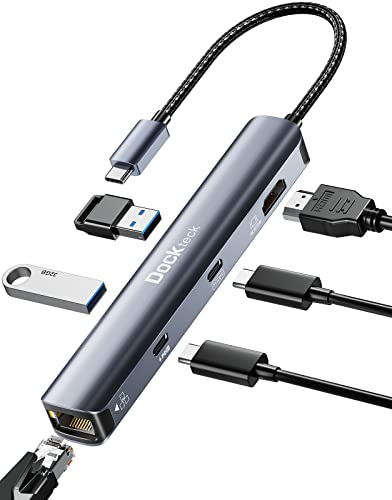
For compact dorm and small-apartment setups the dockteck USB C Hub Ethernet, 6-in-1 (ASIN B09DXB1F8C) is the best overall pick for 2026 — it packs 4K@60Hz HDMI, 1Gbps Ethernet and 100W PD in a pocket-size aluminum shell. If you want the most display flexibility for the price, consider the LIONWEI triple-monitor dock (Best Value).
Our Top Picks
Quick Comparison
Select 2-3 products to compare side-by-side
| Compare | Product | GearLark Score | Price Tier | Key Feature | Best For | Action |
|---|---|---|---|---|---|---|
 dockteck 6-in-1 USB C Hub
|
Budget | 4K@60Hz HDMI plus 100W PD | Thin laptops needing HDMI & Ethernet | Check Price | ||
 LIONWEI Triple Monitor Dock
|
Mid-Range | Dual 4K60 HDMI + DisplayPort | Users who want multiple external monitors (Windows) | Check Price | ||
 Selore 13-in-1 Dock
|
Premium | 13 ports including SD/TF readers | Power users who connect many peripherals | Check Price | ||
 dockteck 7-in-1 Hub
|
Mid-Range | SD/TF slots + 4K@60 HDMI | Photographers and travelers needing card readers | Check Price | ||
 UtechSmart 11-in-1 Dock
|
Premium | Triple-display capability | Users who want 3 external screens (1080p) | Check Price |
1. USB C Hub Ethernet,6 in 1 Laptop Docking Station, Dockteck USB C Multiport Adapter with 4K@60Hz HDMI, 100W PD, 1Gbps LAN, 2 USB 3.0 for MacBook Pro/Air, Surface Pro, XPS and More
A pocket-size aluminum hub that brings 4K@60Hz HDMI, gigabit Ethernet and pass-through charging to thin laptops. Great value for desk-limited setups, though some users report heat and durability issues over long-term use.
Key Specs
- 1× HDMI 4K@60Hz
- 1× USB-C data 5Gbps + 100W PD input (85W output typical)
- 2× USB-A 3.0 (5Gbps)
- 1× RJ45 1Gbps Ethernet
Pros
- Compact, lightweight aluminum shell fits small desks
- Strong feature set for the price: 4K60 HDMI, Ethernet, PD
- Good port quality and value for money for most users
Cons
- Some reports of running hot under heavy use
- Durability concerns from a subset of users over months
Best For: Thin laptops needing HDMI & Ethernet
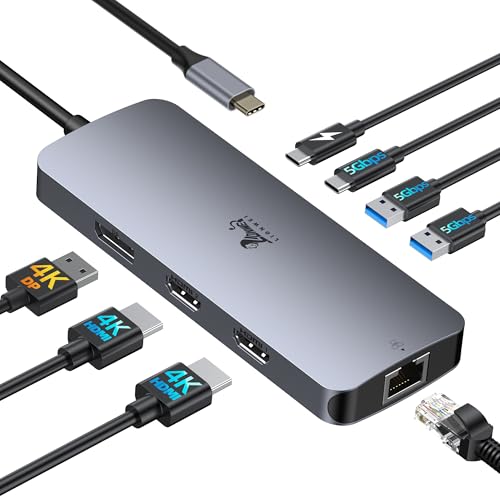
Check Latest Price on Amazon2. USB C Docking Station Dual Monitor, LIONWEI Laptop Docking Station 3 Monitors with 2 HDMI, 4K DisplayPort, 1Gbps Ethernet, 100W PD, 3 USB A/C 3.0, USB C Hub Multiport Adapter for Dell/Lenovo/HP
Offers generous display flexibility — two HDMI ports plus DisplayPort — plus 100W PD and gigabit Ethernet. Well-built and convenient for multi-monitor setups, especially on Windows; macOS users should note mirrored-only behavior for triple displays.
Key Specs
- 2× HDMI 4K@60Hz + 1× DisplayPort 4K@60Hz
- PD charging input 100W, typical output 85W
- 1× RJ45 1Gbps Ethernet
- USB-A and USB-C data ports up to 5Gbps; 18-month warranty
Pros
- Excellent multi-monitor support for Windows users
- Solid build quality and easy installation
- Good value for display-heavy workflows
Cons
- macOS does not support extended triple displays (mirror only)
- Some users report occasional disconnections
Best For: Users who want multiple external monitors (Windows)
Check Latest Price on Amazon3. USB C Docking Station Dual Monitor,Selore 13 in 1 USB C Hub 3 Monitors with Dual HDMI,DP,10G USB A/C,100W PD,5 USB A/C Ports,Gigabit Ethernet,Laptop Docking Station for Dell,Hp,Lenovo,MacBook.etc
A full-featured docking station with two HDMI ports, DisplayPort, 10Gbps-capable USB ports and SD/TF card readers — ideal for creators and multitaskers. Generally praised for quality and value, but display behavior depends on OS and host port capabilities.
Key Specs
- 2× HDMI + 1× DisplayPort (various 4K/60Hz combinations)
- USB A/C ports including 10Gbps-capable ports
- SD and TF card readers (can read simultaneously)
- 1× RJ45 1Gbps Ethernet, PD up to 85W output
Pros
- Very wide port selection for desktop-style workstations
- High-speed USB options and built-in card readers
- Good build quality and perceived value
Cons
- Triple/dual display limits vary by OS and host — macOS often mirrors
- Some users report intermittent connectivity or instability
Best For: Power users who connect many peripherals
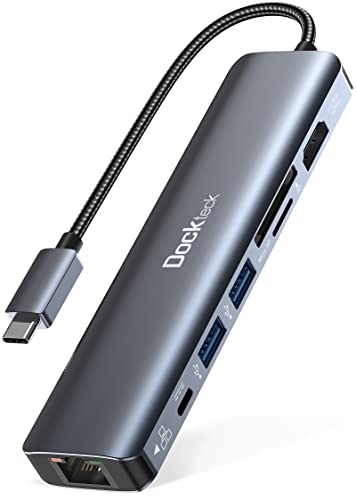
Check Latest Price on Amazon4. dockteck 7-in-1 USB C Hub with 4K 60Hz HDMI, 1Gbps Ethernet, 100W Power Delivery, SD/TF Card Slots, USB 3.0 Data Ports for MacBook, iPad Pro, XPS
A balanced 7-in-1 hub with SD/TF readers, gigabit Ethernet and 4K@60Hz HDMI. Users like its port mix and value, although there are occasional reports of Ethernet problems and heat under heavy loads.
Key Specs
- 1× HDMI 4K@60Hz
- PD up to ~92W (varies with active functions)
- 1× RJ45 1Gbps Ethernet
- SD and TF card slots; 2× USB-A 3.0
Pros
- Handy SD/TF card slots for photo workflows
- Solid port mix for everyday productivity
- Compact design with a warranty and support
Cons
- Some customers report ethernet failures after months of use
- Can get warm during prolonged heavy use
Best For: Photographers and travelers needing card readers
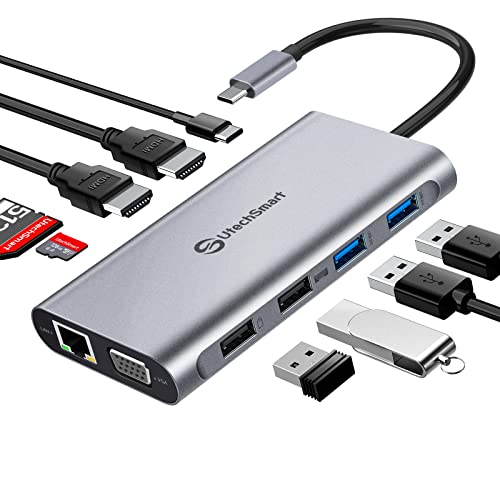
Check Latest Price on Amazon5. USB C Docking Station Dual Monitor, UtechSmart 11 in 1 USB C Hub Triple Display, Laptop Dock with 2 HDMI, Ethernet, VGA, 100W PD, SD/TF Card Slot, 4USB for MacBook Dell HP Surface Lenovo ASUS
One of the more compact triple-display docks that supports two 4K inputs or up to three 1080p monitors. Customers praise its compact size and port capacity, though macOS and some MacBook Pro models may have compatibility limits.
Key Specs
- 2× HDMI (4K up to 30Hz) + VGA; triple monitors up to 1080p@60Hz
- 100W PD (with smart safety protections)
- Gigabit Ethernet, SD/TF card slot
- 2× USB 3.0 + 2× USB 2.0 ports
Pros
- Compact, space-saving aluminum design
- Good port capacity for small-desk workstations
- Easy to use and a cost-effective triple-display option
Cons
- Triple-display extension not supported on macOS (mirror only)
- Some users report compatibility issues with certain MacBook Pro models
Best For: Users who want 3 external screens (1080p)
Check Latest Price on AmazonWhich One Should You Choose?
If budget is tight → choose the dockteck 6-in-1 (B09DXB1F8C) for a compact, affordable way to add HDMI, Ethernet and PD. If you need the most display flexibility for the money → choose the LIONWEI triple-monitor dock (B0B8MPX3ZQ). If you want the most ports and SD/TF readers for photo/video work → choose the Selore 13-in-1 (B0FHK227XX).
Best for Specific Scenarios
- Small desk, single external monitor: dockteck 6-in-1 (B09DXB1F8C) because it’s compact, supports 4K@60Hz and includes Ethernet without taking much space.
- Multi-monitor student workstation: LIONWEI triple-monitor dock (B0B8MPX3ZQ) because it provides two HDMI ports plus DisplayPort for a three-screen setup on Windows.
- Photo and file transfers: dockteck 7-in-1 (B08SLS9W72) or Selore 13-in-1 (B0FHK227XX) because they include SD/TF readers and faster USB ports for large media files.
Frequently Asked Questions
Will these hubs charge my laptop while using HDMI and other ports?
Most hubs here support USB-C Power Delivery (PD) and can pass power to your laptop while driving other ports, but available output varies. Many advertise 100W input and deliver around 60–85W to the host when video/data are active. Check product specs and user feedback if you need full-power charging for a high-end laptop.
Do these docks work with MacBooks and Windows laptops equally?
They work with both, but video behavior differs. Windows laptops with DisplayPort Alt Mode or Thunderbolt typically support extended multi-monitor setups. macOS often limits multi-monitor hubs to mirroring for triple displays—if you need extended triple-monitor support on a Mac, confirm compatibility first.
Is wired Ethernet reliable on compact USB-C hubs?
A gigabit RJ45 port provides a stable connection in many setups, which is useful in crowded Wi‑Fi environments. However, some lower-cost hubs have reported intermittent Ethernet failures over time. To minimize risk, choose hubs with metal housings, positive user feedback about network stability, and a warranty.
How We Selected These Products
Our recommendations are based on data-driven analysis: we evaluated 155229+ products across 23916+ brands using a composite scoring system that weighs rating (40%), review volume (30%), price value (20%), and demand signals (10%). Every product is ranked by data, not opinions.
Last updated: August 13, 2026
As an Amazon Associate we earn from qualifying purchases at no extra cost to you. Full disclosure.
GearLark Score is our editorial ranking based on a composite analysis of product quality, value, and verified customer sentiment. Click through to Amazon for current pricing, availability, and live customer reviews.