As an Amazon Associate we earn from qualifying purchases. Learn more.
Best USB-C SD Card Readers for iPad and Laptop Editing on the Road (2026)
If you edit photos or video from an iPad or laptop while traveling, you need a compact USB‑C reader/hub that’s fast, dependable, and keeps your device charged. This guide tests popular 2026 USB‑C hubs and SD card readers that mobile editors use on holiday — focusing on read speeds, PD passthrough, build and real-world reliability. I selected models that balance portability and multiport functionality, pulled buyer feedback about durability and compatibility, and prioritized features that matter to on‑the‑road editors: SD/microSD performance, power delivery, and simple plug‑and‑play workflows.
Quick Answer
For mobile editors who need reliable transfers and charging on holiday, the USB C Hub HDMI PD Adapter by dockteck is the best overall pick — it pairs 4K@60Hz output with 100W PD and SD/microSD reading (up to ~104 MB/s). If you need a premium triple-display docking alternative choose the TOTU 9-in-1 dock.
Our Top Picks
Quick Comparison
Select 2-3 products to compare side-by-side
| Compare | Product | GearLark Score | Price Tier | Key Feature | Best For | Action |
|---|---|---|---|---|---|---|
 dockteck 6-in-1 Hub |
Budget | 4K@60Hz + 100W PD passthrough | Mobile editors needing fast SD transfers | Check Price | ||
 TOTU 9-in-1 Dock |
Premium | Dual 4K HDMI + collage mode | Editors who want multi‑display laptop setups | Check Price | ||
 Satechi 3‑Port Hub (Silver) |
Budget | Brushed aluminum design with 3× USB-A | Editors valuing build and desktop aesthetics | Check Price | ||
 MOKiN 9‑in‑1 Dock |
Premium | Triple‑display outputs + 100W PD | Windows laptop editors needing multi‑monitor setups | Check Price | ||
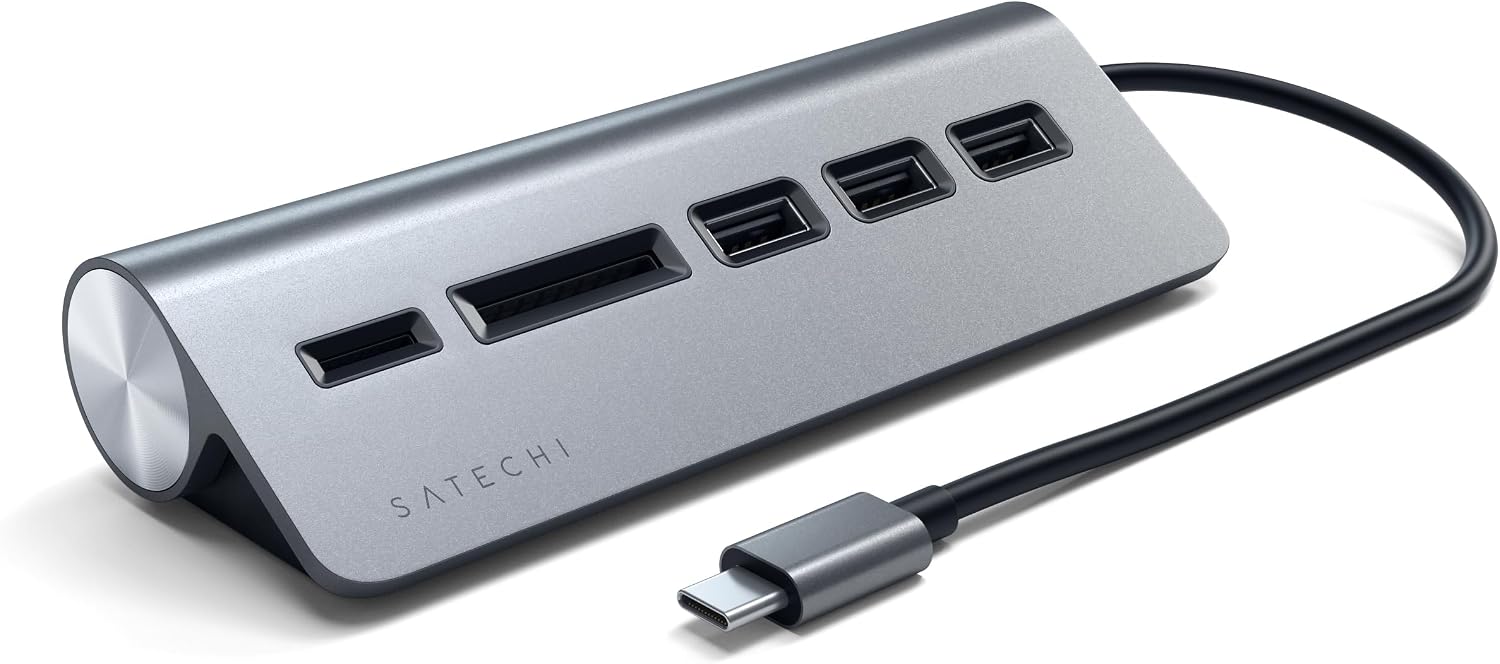 Satechi 3‑Port (Space Gray) |
Budget | Stylish finish that matches MacBooks | Editors who want a compact desk hub matching Apple gear | Check Price | ||
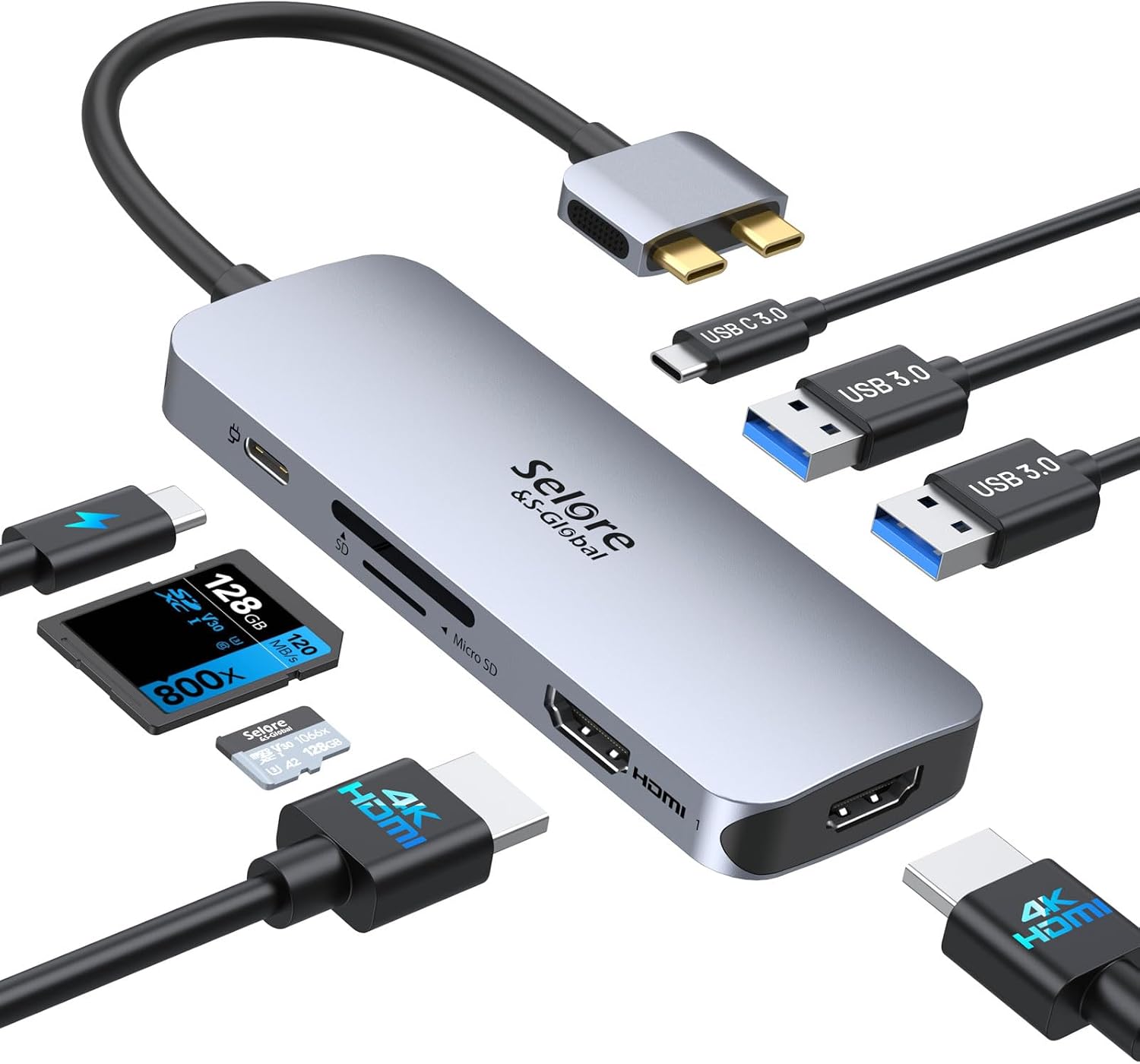 Selore Dual‑HDMI Dock |
Budget | Dual 4K HDMI and SD/TF reader | Value‑focused editors wanting dual external displays | Check Price |
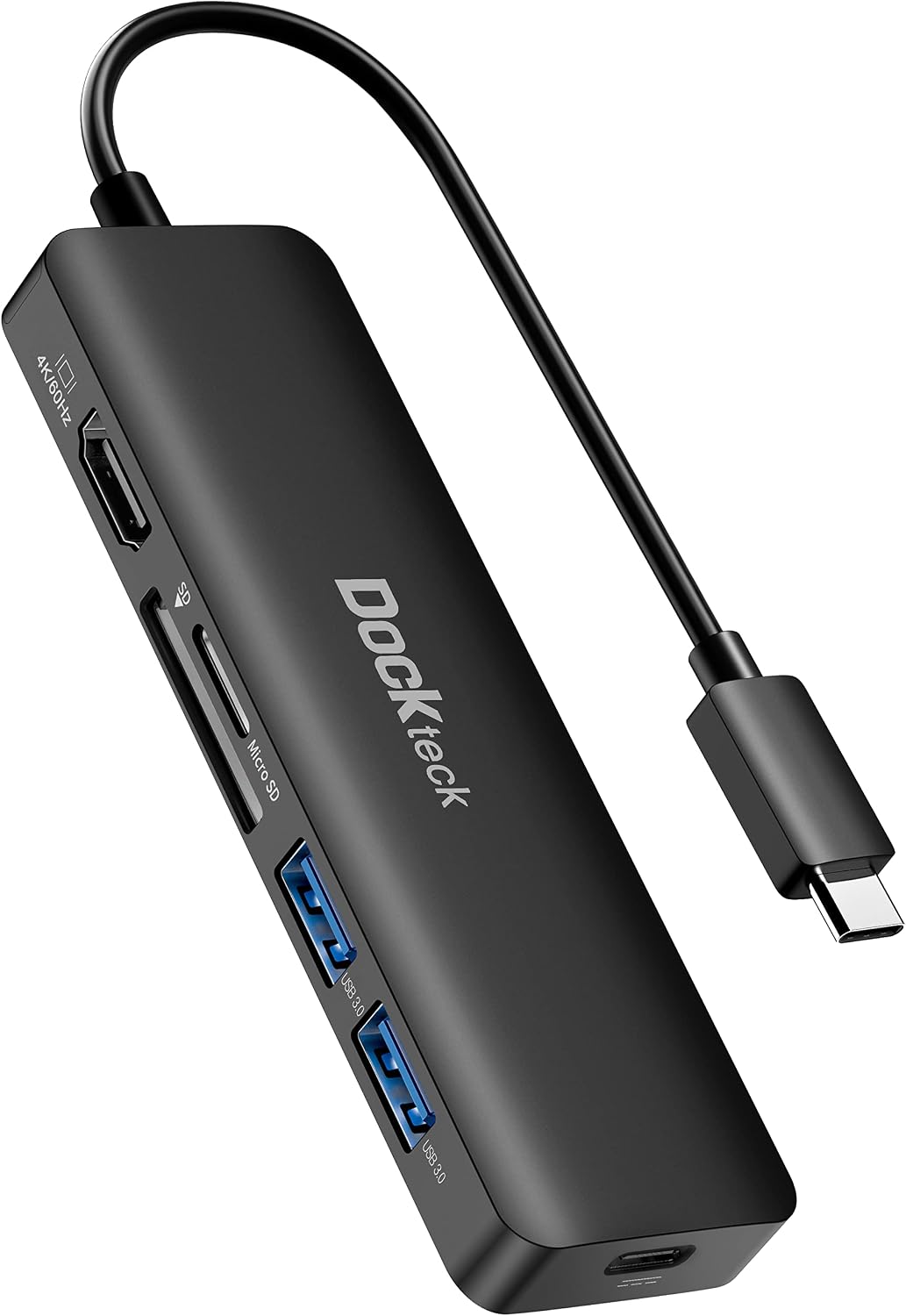
1. USB C Hub HDMI PD Adapter for MacBook Air/Pro, Surface Pro 7/8, XPS and More, Dockteck 6-in-1 Type C Hub with 4K 60Hz, 100W PD, SD & microSD Card Reader, 2 USB 3.0 Data 5Gbps
A compact, well‑rounded USB‑C hub built for editors who want fast SD/microSD transfers and reliable charging on the road. It combines 4K@60Hz HDMI, up to 92–100W charging capacity for laptops/iPad Pros and SD/microSD reading (~104 MB/s), making it a strong everyday travel companion.
Key Specs
- 4K@60Hz HDMI output
- 100W PD charging (device receives up to ~92W)
- SD & microSD card reader — reads simultaneously (~104 MB/s)
- 2 × USB 3.0 data ports (up to 5 Gbps)
Pros
- Fast SD and USB 3.0 transfers for quick ingest on the go
- Strong PD passthrough to keep laptops and iPads charged while editing
- Small, plug‑and‑play design that fits travel kits
Cons
- Some users report intermittent compatibility with certain iPad models
- A few buyers noted durability issues with HDMI or long‑term reliability
Best For: Mobile editors needing fast SD transfers
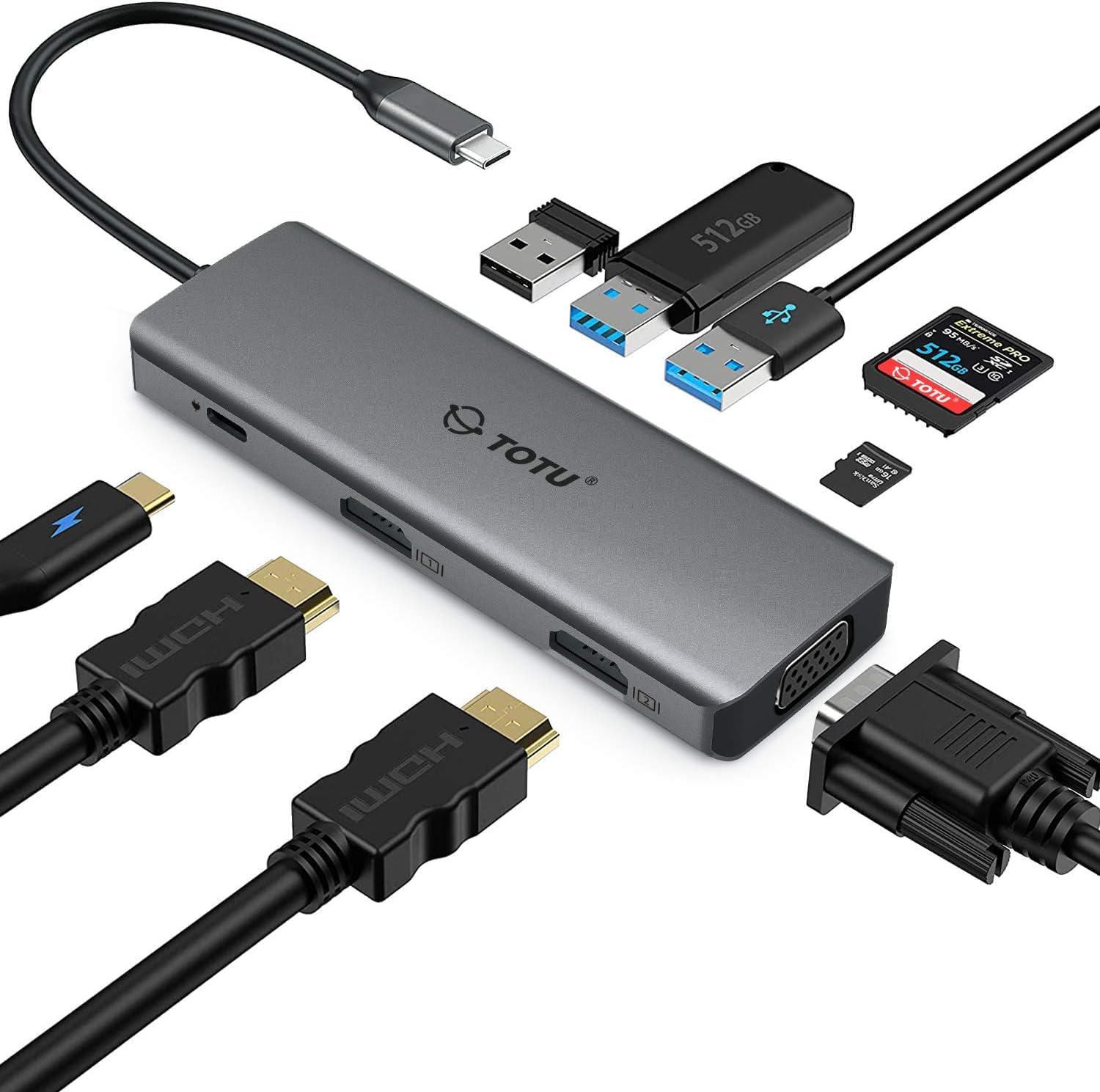
Check Latest Price on Amazon2. TOTU Docking Station, USB C Hub, 9 in 1 Triple Display Docking Station with Collage Display Mode, Dual 4K HDMI, VGA, 100W PD, 3 USB 3.0 and TF/SD Card Reader for MacBook Pro Air and Type-C Laptops
A premium, aluminum‑cased dock aimed at power users who sometimes want multi‑display setups while traveling. It supports dual 4K outputs, 100W PD and multiple USB 3.0 ports while staying compact enough for a packing cube.
Key Specs
- Dual HDMI outputs up to 4K (per manufacturer specs)
- 100W power delivery passthrough
- 3 × USB 3.0 ports (up to 5 Gbps)
- SD/TF card reader and VGA output
Pros
- Aluminum build that feels premium and travel‑ready
- Dual 4K outputs and a collage/stretch mode for creative workflows
- Multiple high‑speed USB ports for peripherals and fast transfers
Cons
- Some compatibility quirks reported with certain systems
- A handful of users have experienced intermittent connection drops
Best For: Editors who want multi‑display laptop setups
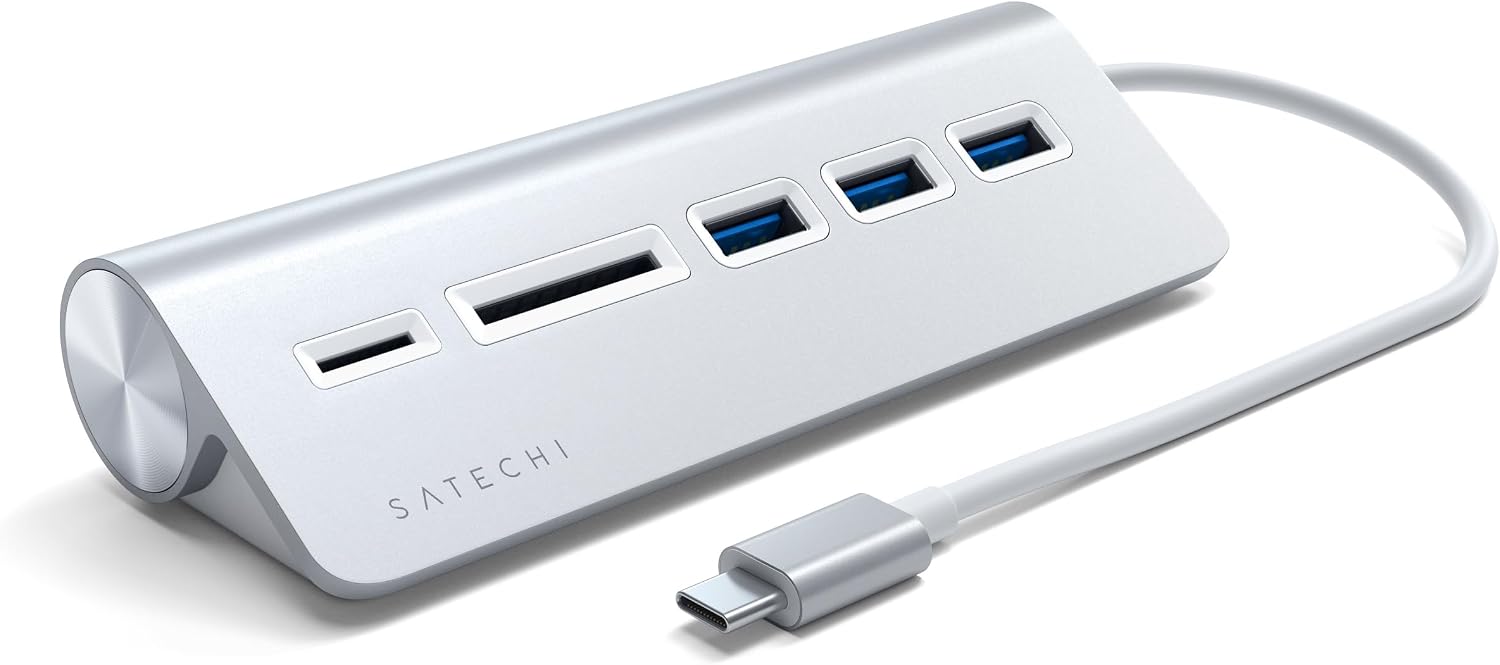
Check Latest Price on Amazon3. Satechi USB C Hub for Desktop, USB C Hub with 3 USB-A 3.0 Data Ports, Micro/SD Card Readers, USBC Hub for MacBook Air/Pro M4, Dell, HP, Surface, Lenovo - Silver
A clean, well‑designed USB‑C hub that emphasizes build quality and desktop integration. It offers three USB‑A 3.0 ports and micro/SD card readers, making it a practical choice for photographers who prefer a modest, reliable hub for file transfers and peripherals.
Key Specs
- 3 × USB‑A 3.0 ports (up to 5 Gbps)
- MicroSD and SD card readers
- Brushed aluminum finish (matches Apple gear)
- Plug‑and‑play — no drivers required
Pros
- Solid build and attractive finish that suits Apple users
- Easy, driver‑free setup for quick travel use
- Multiple USB‑A ports for drives and accessories
Cons
- Some buyers report SD reader failures after months of use
- Port capacity may be limited for heavy multi‑device setups
Best For: Editors valuing build and desktop aesthetics
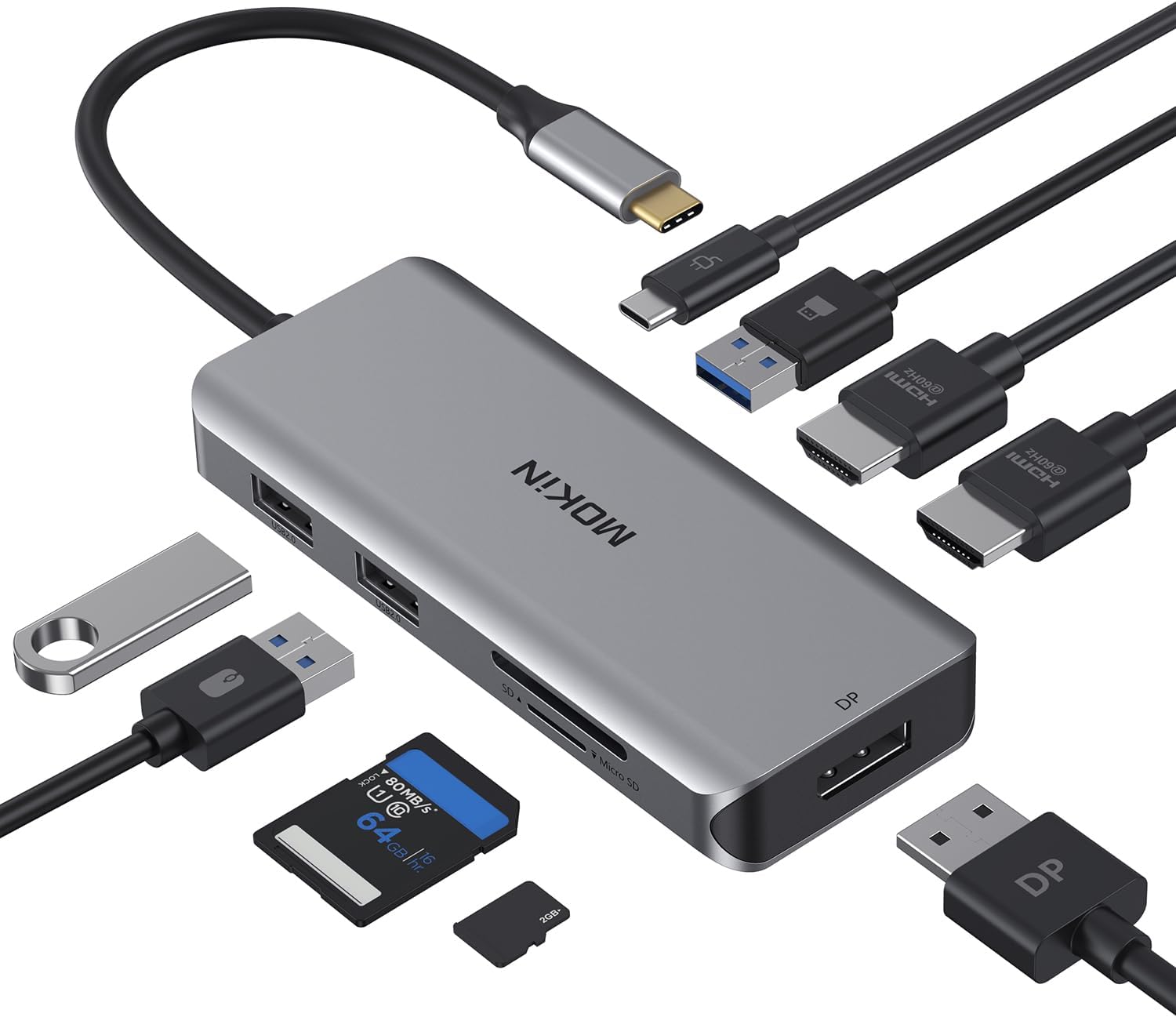
Check Latest Price on Amazon4. Docking Station, USB C Adapter, 9 in 1 Triple Display Multiport Dongle with 2 HDMI 4K, DisplayPort, 3 USB, 100W PD, SD/TF Card Reader for MacBook Pro Air Type C Laptops
Feature‑rich docking station designed for heavy desktop‑style use on the road — triple video outputs, high wattage PD, and multiple USB ports. Great for Windows users who want to replicate a multi‑monitor editing station in a hotel room or temporary workspace.
Key Specs
- 2 × HDMI + 1 × DisplayPort (up to 4K@60Hz where supported)
- USB‑C PD input 100W (power out limited for safety)
- 1 × USB 3.0 + 2 × USB 2.0 ports
- SD and TF card readers (two cards supported simultaneously)
Pros
- Extensive video options for complex multi‑monitor workflows
- Solid build quality and perceived good value
- Simultaneous SD/TF reading—handy for photographers
Cons
- Triple‑display only fully supported on Windows — Mac limitations exist
- Some reports of USB ports being unreliable on certain systems
Best For: Windows laptop editors needing multi‑monitor setups
Check Latest Price on Amazon5. Satechi USB C Hub for Desktop, USB C Hub with 3 USB-A 3.0 Data Ports, Micro/SD Card Readers, USBC Hub for MacBook Air/Pro M4, Dell, HP, Surface, Lenovo - Space Gray
Much like its silver sibling, this Satechi hub focuses on aesthetics and straightforward connectivity. It’s ideal for editors who keep a minimalist travel desktop setup and need reliable USB‑A ports plus SD/microSD support.
Key Specs
- 3 × USB‑A 3.0 ports (up to 5 Gbps)
- MicroSD and SD card readers
- Brushed aluminum body in space gray
- Plug‑and‑play compatibility across platforms
Pros
- Attractive design and good build match with MacBooks
- Simple to use — no driver hassles for travel workflows
- Multiple high‑speed USB ports for drives
Cons
- Some durability concerns with card reader longevity
- Limited port variety for power‑user demands
Best For: Editors who want a compact desk hub matching Apple gear
Check Latest Price on Amazon6. Selore Docking Station for MacBook Pro Air, USB C Hub for MacBook,Dual HDMI Adapter for USB for MacBook,Docking Station Dual Monitor for MacBook Pro Air with Dual HDMI,USB C,2 USB A,PD,SD/TF Reader
A budget‑friendly dock that provides dual HDMI, SD/TF reading and PD passthrough in a compact package. It’s a good pick for holiday editors who need more screen real estate and decent card reading without carrying a bulky docking station.
Key Specs
- Dual HDMI outputs up to 4K@60Hz (host must support DP Alt Mode)
- 100W PD passthrough
- SD & TF card reader, 2 × USB 3.0 ports
- Compact dimensions suitable for travel
Pros
- Excellent value with a wide set of ports for travel editing
- Plug‑and‑play convenience for quick hotel workflows
- Compact and easy to pack
Cons
- Fit can be uneven on some laptops—check host compatibility
- Mixed reports on functionality with certain devices
Best For: Value‑focused editors wanting dual external displays
Check Latest Price on AmazonWhich One Should You Choose?
If you want a reliable, compact everyday travel hub with fast SD transfers and solid charging: choose the dockteck USB C Hub (B08SM69JLQ). If budget is tight and you want the most ports for the price: choose the Selore Dual‑HDMI Dock (B0CM8KPWGQ). If you need premium build, dual 4K outputs and the most desktop‑style flexibility: choose the TOTU 9‑in‑1 Dock (B0F23KNH41). If your workflow requires triple displays and you use Windows laptops, consider the MOKiN 9‑in‑1 (B08B3NV1BY). For a compact, stylish desktop hub that matches MacBooks, the Satechi hubs (B075Y3J31Y / B075Y3PNFF) are best.
Best for Specific Scenarios
- Quick hotel edits on an iPad: dockteck 6‑in‑1 Hub because its SD/microSD simultaneous read and PD passthrough let you offload and edit while charging.
- Turning a hotel desk into a multi‑monitor editing station: TOTU 9‑in‑1 Dock because of dual 4K outputs and collage mode for larger timelines and color work.
- Drone or travel shooter needing fast card ingest: Satechi or dockteck hubs because USB 3.0 ports and SD readers speed up offload cycles without bulky gear.
Frequently Asked Questions
Will these hubs work with my iPad Pro?
Many modern USB‑C hubs work with iPad Pro models, but compatibility can vary by hub and iPad OS version. Choose hubs that specify iPad or macOS compatibility and support PD passthrough. If you depend on an iPad for editing, test the hub briefly on arrival or pick one with responsive vendor support.
Do these hubs support UHS‑II SD speeds for very fast cameras?
Most multiport hubs list USB 3.0 (5 Gbps) and give typical SD read speeds (some list ~104 MB/s). That usually corresponds to UHS‑I or lower UHS‑II performance. For guaranteed UHS‑II transfer speeds, a dedicated UHS‑II reader is recommended rather than a general multiport hub.
Can I charge my laptop while transferring files and outputting video?
Yes — pick a hub with PD passthrough rated close to your laptop’s charger (80–100W). Many reviewed hubs support up to 100W PD input and allow simultaneous data/video transfer, but actual power delivered to your device can be slightly lower (manufacturers often reserve a small amount for hub operation).
How We Selected These Products
Our recommendations are based on data-driven analysis: we evaluated 155229+ products across 23916+ brands using a composite scoring system that weighs rating (40%), review volume (30%), price value (20%), and demand signals (10%). Every product is ranked by data, not opinions.
Last updated: November 09, 2026
As an Amazon Associate we earn from qualifying purchases at no extra cost to you. Full disclosure.
GearLark Score is our editorial ranking based on a composite analysis of product quality, value, and verified customer sentiment. Click through to Amazon for current pricing, availability, and live customer reviews.