As an Amazon Associate we earn from qualifying purchases. Learn more.
Complete College Move-In Tech Setup: Dorm Desk, Charging & Study Gear (2026 Guide)
Moving into a dorm in 2026 means fitting a full productivity setup onto a small desk. This guide lays out a compact, high-functioning college move-in tech kit — from a secondary monitor and fast external SSDs to organization and charging considerations — so you can study, stream and back up work without clutter. I reviewed portable monitors and a selection of portable SSDs based on real user feedback (speed, build quality, ease of use) and key compatibility features (USB-C, plug-and-play). Read on for role-based picks, a buying guide that helps you assemble the complete setup, and a realistic budget range.
Quick Answer
For an all-in-one dorm desk kit that balances speed, reliability and value, the Western Digital Elements SE 2TB portable SSD is the top pick for storage and backup. Pair it with a portable monitor like the New Mobile Pixels Duex Float and a compact USB-C SSD (ADATA SC750) for a complete move-in tech setup.
Our Top Picks
Quick Comparison
Select 2-3 products to compare side-by-side
| Compare | Product | GearLark Score | Price Tier | Key Feature | Best For | Action |
|---|---|---|---|---|---|---|
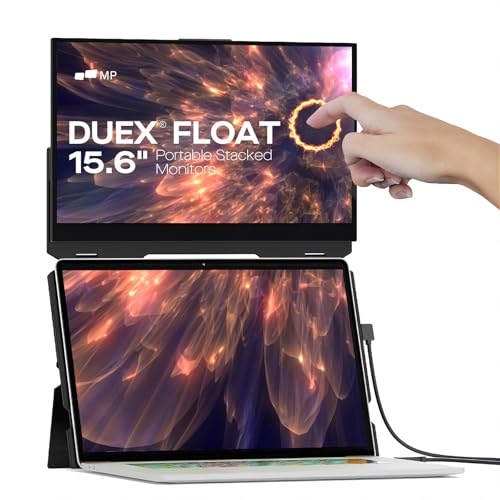 New Mobile Pixels Duex Float
|
Premium | Stacked 15.6" secondary screen | Students who need a compact dual-screen setup | Check Price | ||
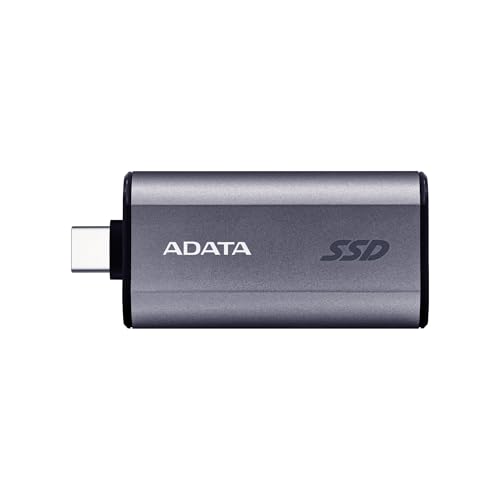 ADATA SC750 1TB SSD
|
Budget | 1050/1000 MB/s USB 3.2 Gen2 speed | Students needing fast, affordable external storage | Check Price | ||
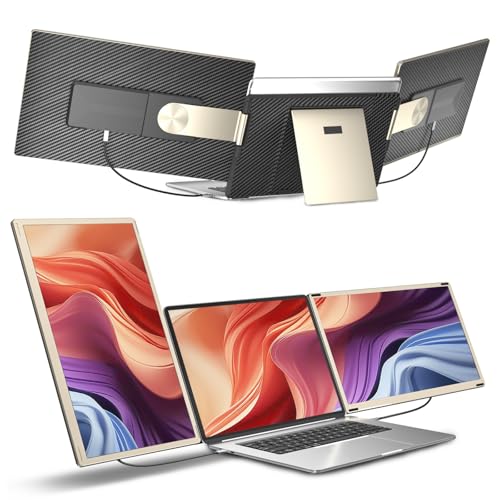 siaviala 15.6" Extender
|
Premium | Triple display extension and 11+ configs | Students who need multi-window multitasking | Check Price | ||
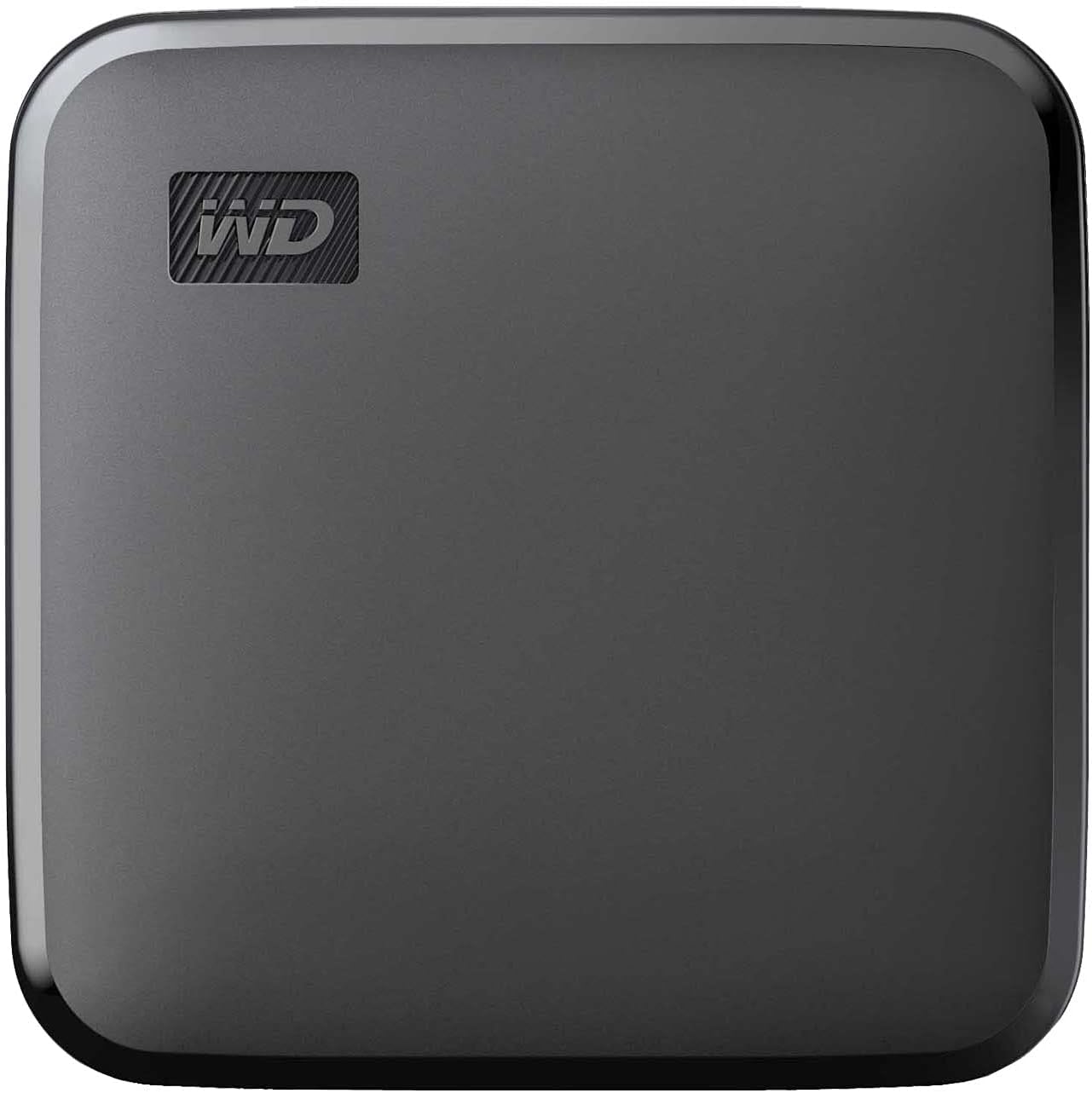 WD Elements SE 2TB
|
Mid-Range | Dependable 2TB portable SSD | Students wanting reliable backup and large capacity | Check Price | ||
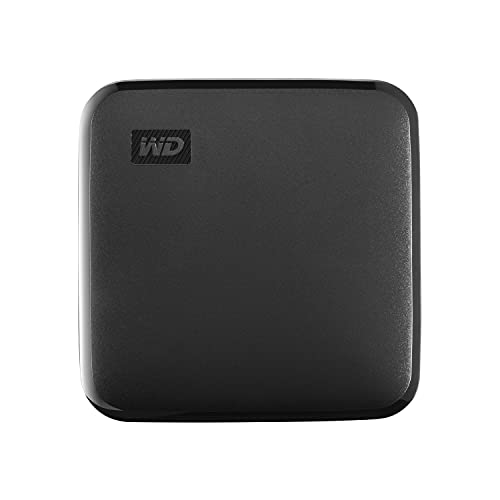 WD Elements SE 1TB
|
Budget | Compact 1TB portable SSD | Students who want a lower-capacity, trusted backup drive | Check Price | ||
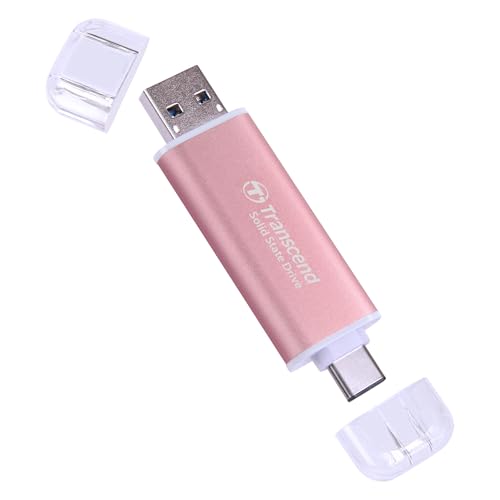 Transcend 2TB SSD
|
Mid-Range | Dual USB-C & USB-A interfaces | Multi-device users including consoles and phones | Check Price | ||
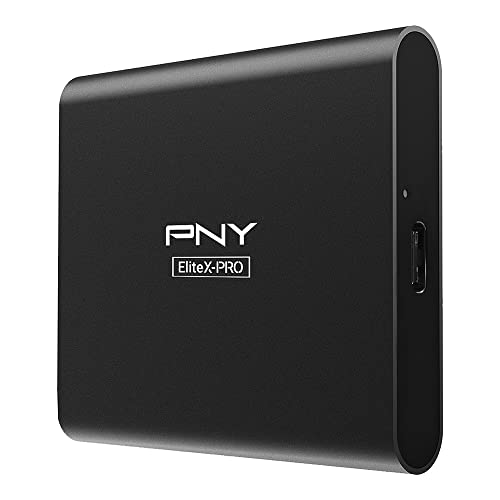 PNY EliteX-PRO 2TB
|
Mid-Range | Up to 1600MB/s Gen2x2 speeds | Power users needing near-NVMe external speed | Check Price |
1. New Mobile Pixels Duex Float Portable Monitor, 15.6" Full HD IPS Dual Monitor for Laptops, USB C/HDMI Plug and Play Portable Screen,Windows/Mac/Android/Switch Compatible
The Duex Float turns a laptop into an ergonomic dual-screen workstation with a 15.6" FHD touchscreen and a slim, travel-friendly body. It's excellent for multitasking on a small dorm desk, though some users report magnet adhesion and long-term durability issues to be aware of.
Key Specs
- 15.6" 1920x1080 Full HD IPS touchscreen
- 10-point multi-touch support
- Connects via USB-C or Mini-HDMI (plug & play)
- Adjustable 250-nit brightness; built-in kickstand
- Approx. 4 lbs, 0.87" thickness
Pros
- Creates a true stacked dual-screen laptop setup
- Crisp 1080p display with touch support
- Slim, portable design for travel and dorm use
Cons
- Magnet adhesion has mixed longevity in some units
- Some reports of durability problems over months
Best For: Students who need a compact dual-screen setup
Check Latest Price on Amazon2. ADATA SC750 1000GB - Up to 1000 MB/s- HighSpeed USB 3.2 Gen 2 USB-C External Portable SSD Black Titanium (SC750-1000G-CCBK)
The SC750 delivers very fast transfers in a tiny, cableless package and is a strong budget pick for backing up assignments, media, and projects. Users praise its speed, small size and value, making it a great secondary drive for dorm life.
Key Specs
- Read/Write up to 1050/1000 MB/s (USB 3.2 Gen2)
- Slide-out Type-C connector (no cable required)
- Compact, flash-drive-sized form factor
- Direct recording support for recent devices
- Plug-and-play; tailored for mobile use
Pros
- High transfer speeds for large files
- Extremely portable and cableless design
- Good value for capacity and performance
Cons
- Not designed for heavy drop or rugged use
- May run warm under sustained heavy writes
Best For: Students needing fast, affordable external storage
Check Latest Price on Amazon3. Laptop Screen Extender,15.6" Portable Monitor, FHD 1080P Ultra-Slim Travel Monitor with Speakers, Triple Display Extension, Compatible with 13-17.3" Laptops
This ultra-slim monitor extender supports triple display setups and can split into multiple screens for heavy multitasking. It ships with multiple cables and offers bright, sharp 1080p panels, but compatibility depends on your laptop's ports and GPU configuration.
Key Specs
- 15.6" Full HD 1920x1080 panels, 300 cd/m² brightness
- Supports extended and mirrored modes; triple display
- Comes with USB-C and HDMI-to-C cables
- Over 11 configuration options; rotates horizontally and vertically
- Includes a one-year warranty and 24/7 after-sales support
Pros
- Excellent for multitasking and virtual classes
- Bright, sharp 1080p panels with strong connectivity
- Lightweight and portable with included cables
Cons
- Some laptops may have compatibility issues (signals/power)
- Complex configurations can be confusing to set up
Best For: Students who need multi-window multitasking
Check Latest Price on Amazon4. Western Digital 2TB Elements SE - Portable SSD, USB 3.0, Compatible with PC, Mac - WDBAYN0020BBK-WESN
A dependable, easy-to-use 2TB portable SSD from a well-known brand, offering solid speeds and drop resistance for campus life. It’s a strong choice for long-term storage, backups, and large project files, favored for its balance of capacity and build quality.
Key Specs
- Up to 400 MB/s read speeds (USB 3.0)
- Compact design with drop resistance up to 2 meters
- Plug-and-play compatibility with PC and Mac
- Includes USB 3.0 cable for easy setup
Pros
- Reliable performance and brand reputation
- Large 2TB capacity ideal for multimedia and backups
- Compact, ruggedized design suitable for travel
Cons
- USB 3.0 limits peak throughput compared to Gen2 NVMe SSDs
- Not as fast for sustained workstation-level editing
Best For: Students wanting reliable backup and large capacity
Check Latest Price on Amazon5. Western Digital 1TB Elements SE - Portable SSD, USB 3.0, Compatible with PC, Mac - WDBAYN0010BBK-WESN
The 1TB Elements SE provides the same dependable platform as the 2TB model but at lower capacity, making it a good entry-level portable SSD for assignments and media storage. It's compact and reliable, though not the fastest compared to newer Gen2 options.
Key Specs
- Up to 400 MB/s read speeds (USB 3.0)
- Drop resistance and compact pocketable design
- Simple plug-and-play setup for Windows and Mac
Pros
- Excellent value for a trusted brand
- Pocketable size for dorm-to-class portability
- Good day-to-day transfer speed for documents and media
Cons
- Slower than newer USB 3.2 Gen2/Gen2x2 SSDs
- Not the best choice for heavy video editing workflows
Best For: Students who want a lower-capacity, trusted backup drive
Check Latest Price on Amazon6. Transcend 2TB External SSD, Up to 1,050MB/s, USB 3.2 Gen 2 Portable SSD, 2-in-1 Type C &Type A, USB Hard Drive for Steam Deck, ROG Ally, MSI Claw, Windows&Mac, iPhone&iPad, Android, PS5&Xbox, Smart TV
Transcend's 2TB portable SSD combines 10Gbps speeds with both USB-C and USB-A connectivity, making it flexible across consoles, phones and laptops. It’s fast and compact, though users note it can run hot during sustained transfers and occasional retention quirks have been reported.
Key Specs
- Up to 1050 MB/s read (USB 3.2 Gen2)
- 2-in-1 Type-C and Type-A interface
- Pre-formatted exFAT for cross-OS compatibility
- OTP secure access via Transcend software
Pros
- High transfer speed and wide compatibility
- Dual-interface design for many host devices
- Very portable and lightweight
Cons
- Can run hot during heavy use
- A few users reported information retention concerns
Best For: Multi-device users including consoles and phones
Check Latest Price on Amazon7. PNY EliteX-PRO 2TB USB 3.2 Gen 2x2 Type-C Portable Solid State Drive (SSD) (PSD0CS2260-2TB-RB)
PNY's EliteX-PRO pushes external SSD performance with Gen2x2 throughput and a sleek aluminum shell, making it ideal for heavy file transfers and game libraries. It’s fast and well-built for the price, though some units have reported port looseness or mixed durability experiences.
Key Specs
- Read up to 1600 MB/s, Write up to 1500 MB/s (Gen 2x2)
- Aluminum housing and compact footprint
- Includes Type-C and Type-A cables; 3-year limited warranty
Pros
- Exceptional transfer speeds for external SSD
- Solid aluminum build and compact design
- Good software/warranty support
Cons
- Some reports of internal port looseness in a few units
- Mixed comments on heat resistance/durability
Best For: Power users needing near-NVMe external speed
Check Latest Price on AmazonWhich One Should You Choose?
If budget is tight → choose the ADATA SC750 (B0DBRLHJ1G) for fast, affordable portable storage. If you need a portable dual-screen setup for note-taking and classes → choose the New Mobile Pixels Duex Float (B092LC48ZF). If you want the most balanced, reliable storage for backups and large files → choose the WD Elements SE 2TB (B097TSN41S). If you need maximum external SSD speed for editing or gaming libraries → consider the PNY EliteX-PRO (B09RTGRZ3C) or Transcend (B092W8992Q) for Gen2x2/Gen2 performance.
Best for Specific Scenarios
- Daily study & multitasking: New Mobile Pixels Duex Float (B092LC48ZF) because its stacked screen boosts productivity on a small desk.
- Cheap fast backups: ADATA SC750 1TB (B0DBRLHJ1G) because it offers high transfer speeds in a tiny, cableless package.
- Large-capacity dependable storage: WD Elements SE 2TB (B097TSN41S) because it balances capacity, durability and plug-and-play simplicity for campus life.
Frequently Asked Questions
Do portable monitors work with most modern laptops?
Most modern laptops with USB-C supporting DisplayPort Alt Mode or a Mini‑HDMI port will work with portable monitors. Check your laptop’s specs for display output over USB‑C or HDMI before buying, and confirm whether the monitor needs separate power or supports bus power from the laptop.
Should I buy a fast Gen2 SSD or a cheaper USB 3.0 drive for college?
If you edit video or work with large datasets, a Gen2/Gen2x2 SSD delivers noticeably faster transfers and smoother editing. For general backups, documents and streaming media, a USB 3.0 SSD provides enough speed at a lower cost and larger capacity.
How can I minimize desk clutter with this kit?
Use a compact multiport USB-C PD charger or dock so a single cable connects your laptop, monitor and phone. Add a small surge-protected power strip, a cable organizer (Velcro straps or a small under-desk tray), and wireless peripherals to reduce visible wires.
How We Selected These Products
Our recommendations are based on data-driven analysis: we evaluated 155229+ products across 23916+ brands using a composite scoring system that weighs rating (40%), review volume (30%), price value (20%), and demand signals (10%). Every product is ranked by data, not opinions.
Last updated: September 29, 2026
As an Amazon Associate we earn from qualifying purchases at no extra cost to you. Full disclosure.
GearLark Score is our editorial ranking based on a composite analysis of product quality, value, and verified customer sentiment. Click through to Amazon for current pricing, availability, and live customer reviews.