As an Amazon Associate we earn from qualifying purchases. Learn more.
Complete Mobile Photo Editing Setup for Road Trips (2026 Guide)
Editing RAW photos away from home needs more than a phone: you want a color-accurate display, fast ports to move big RAW files, reliable storage, and enough power to keep everything running. This 2026 guide lays out a complete mobile photo editing setup for road trips: the best monitors that work well with phones and laptops, a versatile USB‑C hub to connect card readers and SSDs, plus what to look for in SSDs and powerbanks. Products were chosen based on connectivity (USB‑C/PD), color accuracy, portability, and real-world customer feedback about build quality and battery/functionality.
Quick Answer
For a road-trip-ready mobile RAW workflow, the BenQ GW2786TC is the best overall pick thanks to USB‑C video + 65W charging and built‑in hub features. Pair it with a high‑speed USB‑C hub (Anker 11‑in‑1) and a rugged NVMe SSD plus a high-capacity powerbank for reliable off-grid editing.
Quick Comparison
Select 2-3 products to compare side-by-side
| Compare | Product | GearLark Score | Price Tier | Key Feature | Best For | Action |
|---|---|---|---|---|---|---|
 BenQ GW2786TC 27"
|
Mid-Range | USB‑C video + 65W PD | Mobile workflows needing charging + screen | Check Price | ||
 BenQ GW2790QT 27"
|
Mid-Range | 1440p + 99% sRGB | Photographers wanting better resolution than 1080p | Check Price | ||
 BenQ GW2486TC 24"
|
Budget | USB‑C with 60W PD | Budget-conscious mobile editors | Check Price | ||
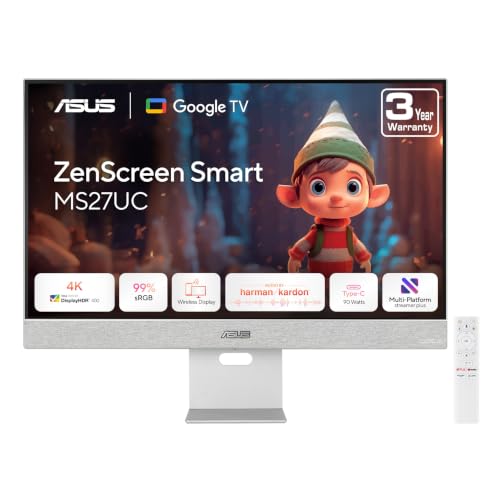 ASUS ZenScreen MS27UC
|
Mid-Range | 27" 4K + 90W PD | Editors who want 4K color on the road | Check Price | ||
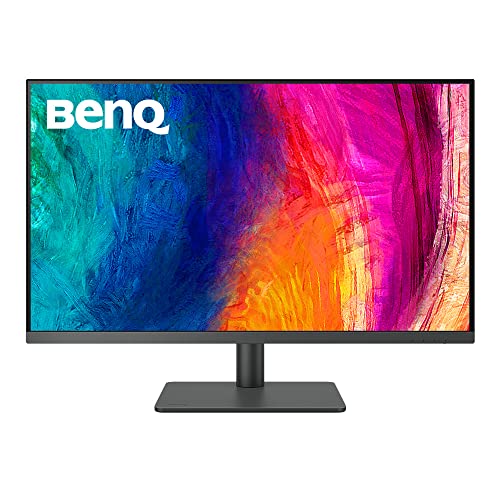 BenQ PD3205U 32"
|
Premium | Factory-calibrated 4K color | Photographers demanding accurate color | Check Price | ||
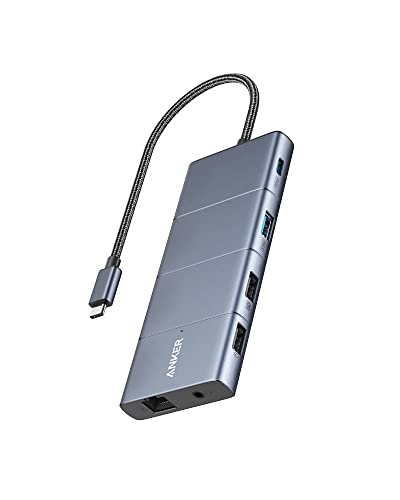 Anker 11‑in‑1 Hub
|
Budget | 11 ports + 85W PD input | Connecting card readers, SSDs and external monitors | Check Price | ||
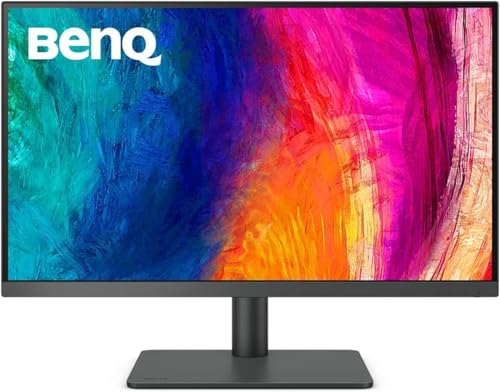 BenQ PD2705U 27"
|
Premium | 27" 4K with ICC Sync | Mac users needing compact 4K color | Check Price | ||
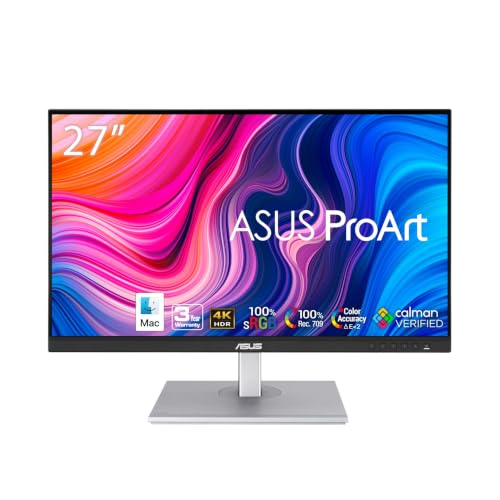 ASUS ProArt PA279CV
|
Mid-Range | Calman verified color | Color-critical editing on a budget | Check Price |
1. BenQ GW2786TC Office USB hub Monitor 27" 1080p | Coding Mode | IPS | Eye-Care Tech | Adaptive Brightness | Height Adjustable | White Monitor | Noice-Cancelling Mic | Daisy Chain | USB-C
A versatile 27" office monitor that’s set up for mobile editing with single‑cable USB‑C video, audio and 65W power delivery. Its Eye‑Care tech and 100Hz refresh offer a comfortable viewing surface for long editing sessions, while the built‑in mic and daisy‑chain/USB hub simplify an on‑the‑road workstation.
Key Specs
- 27" IPS 1080p panel
- USB‑C connectivity with 65W power delivery
- 100Hz refresh rate
- Brightness Intelligence Gen2 and eye‑care tech
Pros
- Single‑cable USB‑C for video, audio and 65W charging
- Comfortable ergonomics with height and tilt adjustments
- Good value and easy to set up
Cons
- Some users report intermittent functionality over long term
- 1080p may be limiting for pixel‑peepers who want 4K
Best For: Mobile workflows needing charging + screen
Check Latest Price on Amazon2. BenQ GW2790QT Productivity Monitor 27" 1440p | IPS| Eye-Care Tech | 99% sRGB | Brightness Intelligence Gen2 | Noise-Cancelling Mic & Speakers | Ergonomic | USB-C (65W) | USB Hub | DaisyChain | White
A 27" 1440p monitor with broad sRGB coverage and USB‑C single‑cable convenience, balancing resolution and portability for a road‑trip editing desk. It adds convenient speakers and mic for quick reviews and calls, and customers praise its display quality and adjustability.
Key Specs
- 27" IPS 1440p panel
- 99% sRGB color coverage
- USB‑C with 65W power delivery
- Built‑in speakers and noise‑cancelling mic
Pros
- Sharper image than 1080p for detailed RAW work
- Good color coverage for a mid‑range panel
- Integrated hub and ergonomic stand
Cons
- Mixed reports of connectivity or display problems over time
- Some customers find display quality inconsistent
Best For: Photographers wanting better resolution than 1080p
Check Latest Price on Amazon3. BenQ GW2486TC Office USB hub Monitor 24" 1080p | Coding Mode | IPS | Eye-Care Tech | Adaptive Brightness | Height Adjustable | White Monitor | Noice-Cancelling Mic | Daisy Chain | USB-C
A compact 24" plug‑and‑play option that’s ideal as a second display or compact editing station on the road. It includes USB‑C power and a built‑in hub, plus eye‑care features to reduce fatigue during long RAW edits.
Key Specs
- 24" IPS 1080p panel
- USB‑C connectivity with 60W power delivery
- Brightness Intelligence and eye‑care tech
- Built‑in noise‑cancelling mic and USB hub
Pros
- Solid picture quality and color accuracy for the price
- Slim bezel and compact footprint for travel
- Easy plug‑and‑play setup
Cons
- Lower resolution (1080p) for pixel‑level work
- Some users find brightness levels inconsistent
Best For: Budget-conscious mobile editors
Check Latest Price on Amazon4. ASUS ZenScreen 27 4K USB-C Smart Monitor (MS27UC) - UHD (3840 x 2160) IPS, 99% sRGB, GoogleTV, Harman Kardon Speakers, USB-C 90W PD, USB Hub, Wireless Display, Netflix and YouTube, 3 yr Warranty
A 27" 4K smart monitor with excellent color coverage and 90W USB‑C power delivery — great when you want a true 4K preview of RAW files without a desktop rig. It also doubles as a smart display (Google TV) and has decent speakers, making it versatile for travel setups.
Key Specs
- 27" UHD 3840×2160 IPS panel
- 99% sRGB coverage
- USB‑C with 90W power delivery and USB hub
- Wireless display support and Harman Kardon speakers
Pros
- High resolution for detailed RAW editing
- Strong color accuracy for a mid‑range monitor
- 90W USB‑C PD to keep laptops and devices topped up
Cons
- Reported connectivity quirks (USB‑C behavior varies by OS)
- Maximum brightness may be lower than some expect
Best For: Editors who want 4K color on the road
Check Latest Price on Amazon5. BenQ PD3205U Mac-Ready Monitor 32" 4K UHD | 99% Rec.709 & sRGB | IPS | DeltaE 3 | ICC Sync | Calibration Report | AQCOLOR | Uniformity | HotKey Puck | Ergonomic | DisplayPort | USB-C (65W) | USB Hub
A 32" factory‑calibrated 4K monitor built for photographers who need trustworthy color reproduction and uniformity for RAW editing. It offers ICC sync, AQCOLOR tech and useful ergonomics, making it a premium centerpiece for a mobile or hotel setup when maximum color fidelity matters.
Key Specs
- 32" 4K UHD IPS, DeltaE ≤3
- 99% Rec.709 & sRGB color coverage
- USB‑C with 90W power delivery and USB hub
- Factory calibration and calibration report included
Pros
- Very accurate color out of the box
- Large 32" canvas for detailed work
- Multiple connectivity options including USB‑C
Cons
- Larger and heavier — less travel friendly
- Some users note overall brightness is lower than expected
Best For: Photographers demanding accurate color
Check Latest Price on Amazon6. Anker USB C Hub, 11-in-1 Docking Station Dual Monitor, 10 Gbps USB-C and USB-A Data Ports, 4K HDMI and DisplayPort, 85W Power Delivery, 2 Data Ports, Ethernet, for XPS
A compact but feature‑packed USB‑C dock that turns one port into HDMI, DisplayPort, multiple USB ports, SD/microSD, Ethernet and fast data lanes. It's ideal for mobile editors who need to chain peripherals; customers praise its versatility and build quality, though some report display flicker or intermittent HDMI issues.
Key Specs
- 11‑in‑1 with HDMI, DisplayPort, USB‑A/C, SD/microSD, Ethernet
- 10 Gbps USB‑C and USB‑A data ports
- Supports up to 85W pass‑through charging
- Dual monitor support via HDMI + DP
Pros
- Huge port expansion in a single dongle
- Fast 10 Gbps data lanes for SSDs and card readers
- Solid build and wide compatibility
Cons
- Some users report HDMI/display flicker on certain laptops
- Pass‑through power behavior depends on host and charger
Best For: Connecting card readers, SSDs and external monitors
Check Latest Price on Amazon7. BenQ PD2705U Mac-Ready Monitor 27" 4K UHD | IPS | DeltaE 3 | ICC Sync | Calibration Report | Uniformity | HotKey Puck | Ergonomic | DisplayPort | USB-C (65W) | USB Hub,Black
A 27" Mac‑ready 4K monitor geared toward creators who want a smaller, color‑accurate display with ICC sync and calibration tools. It pairs well with laptops and phones that support USB‑C and is praised for color fidelity and ergonomic adjustability.
Key Specs
- 27" 4K UHD IPS panel
- Factory calibration, DeltaE ≤3
- USB‑C with 65W PD and USB hub
- ICC Sync and HotKey Puck controls
Pros
- Excellent color accuracy in a compact size
- Friendly controls for color workflows
- Good connectivity including USB‑C
Cons
- Some users find brightness uneven compared with other displays
- Higher price than non‑calibrated alternatives
Best For: Mac users needing compact 4K color
Check Latest Price on Amazon8. ASUS ProArt Display PA279CV 27 4K HDR UHD (3840 x 2160) Monitor, IPS, 100% sRGB/Rec. 709, E < 2, USB-C DisplayPort HDMI USB hub, Calman Verified, Compatible With Laptop & Mac Monitor,BLACK
A ProArt class 27" 4K monitor with Calman verification and excellent color accuracy targets photographers who need reliable color in a mid‑range package. It offers USB‑C DisplayPort with 65W PD and broad connectivity, though USB‑C behavior has been inconsistent for some users.
Key Specs
- 27" 4K UHD IPS, 100% sRGB/Rec.709
- Calman verified, Delta E < 2
- USB‑C with 65W Power Delivery and USB hub
- DisplayPort and HDMI inputs
Pros
- Very accurate color for its price tier
- Good set of pro features (Calman verification)
- Robust connectivity for laptops
Cons
- Some reported USB‑C connectivity problems
- Picture quality experiences vary by unit
Best For: Color-critical editing on a budget
Check Latest Price on AmazonWhich One Should You Choose?
If budget is tight → choose the BenQ GW2486TC for a compact, budget-friendly USB‑C monitor that covers the essentials. If you need portable 4K and strong color on the road → choose the ASUS ZenScreen MS27UC for 4K and 90W PD. If premium color accuracy matters for client work → choose the BenQ PD3205U (32" factory‑calibrated) or the BenQ PD2705U (27" compact 4K) for the best color trustworthiness.
Best for Specific Scenarios
- Quick on-location edits and client selects: BenQ GW2786TC because single‑cable USB‑C and built‑in hub let you set up in minutes.
- Detailed RAW processing and color‑critical work: BenQ PD3205U because factory calibration and wide gamut give confidence in color decisions.
- Lightweight travel with 4K previews: ASUS ZenScreen MS27UC because it pairs 4K resolution with 90W PD in a road‑friendly package.
Frequently Asked Questions
Can I connect a phone directly to these monitors for editing?
Yes if your phone supports USB‑C DisplayPort Alt Mode (many flagship Android phones and some iPads). Use a USB‑C to USB‑C cable and check that the monitor accepts video over USB‑C. For phones without Alt Mode, use wireless display features or transfer RAW files to a laptop or SSD first.
What SSD specs matter for fast RAW workflows?
Aim for NVMe speeds (Gen2 or Gen2x2) with sequential write/read above ~1000 MB/s for smooth file transfers. Choose 1TB+ capacity for trips, a rugged enclosure or shock‑resistant housing, and a USB‑C 10 Gbps interface for compatibility with hubs.
Will a powerbank charge my monitor and laptop at the same time?
Some high‑capacity PD powerbanks can provide enough wattage for a laptop and simultaneously power smaller devices, but powering a monitor plus laptop may exceed a single powerbank’s output. Use a hub or monitor with built‑in PD passthrough and verify total wattage; plan for a multiport PD charger or extra powerbank for long off‑grid sessions.
How We Selected These Products
Our recommendations are based on data-driven analysis: we evaluated 155229+ products across 23916+ brands using a composite scoring system that weighs rating (40%), review volume (30%), price value (20%), and demand signals (10%). Every product is ranked by data, not opinions.
Last updated: August 28, 2026
As an Amazon Associate we earn from qualifying purchases at no extra cost to you. Full disclosure.
GearLark Score is our editorial ranking based on a composite analysis of product quality, value, and verified customer sentiment. Click through to Amazon for current pricing, availability, and live customer reviews.